1. Киришүү
This instruction manual provides essential information for the safe and effective use of your Hubble Connected View Pro Twin 5-inch Video Baby Monitor. Please read this manual thoroughly before operating the device and retain it for future reference.
The Hubble Connected View Pro Twin is designed to help you monitor your baby with its dual camera system, 5-inch color display, and various features including two-way talk, night vision, and room temperature monitoring. This device operates on a secure, non-WiFi connection for enhanced privacy.
2. Орнотуу
2.1. Пакеттин мазмуну
Пакетте бардык буюмдар бар экенин текшериңиз:
- 1 x Nursery View Pro Parent Unit
- 2 x Nursery Cameras
- 2 х Power адаптерлери
- Quick Start Guide
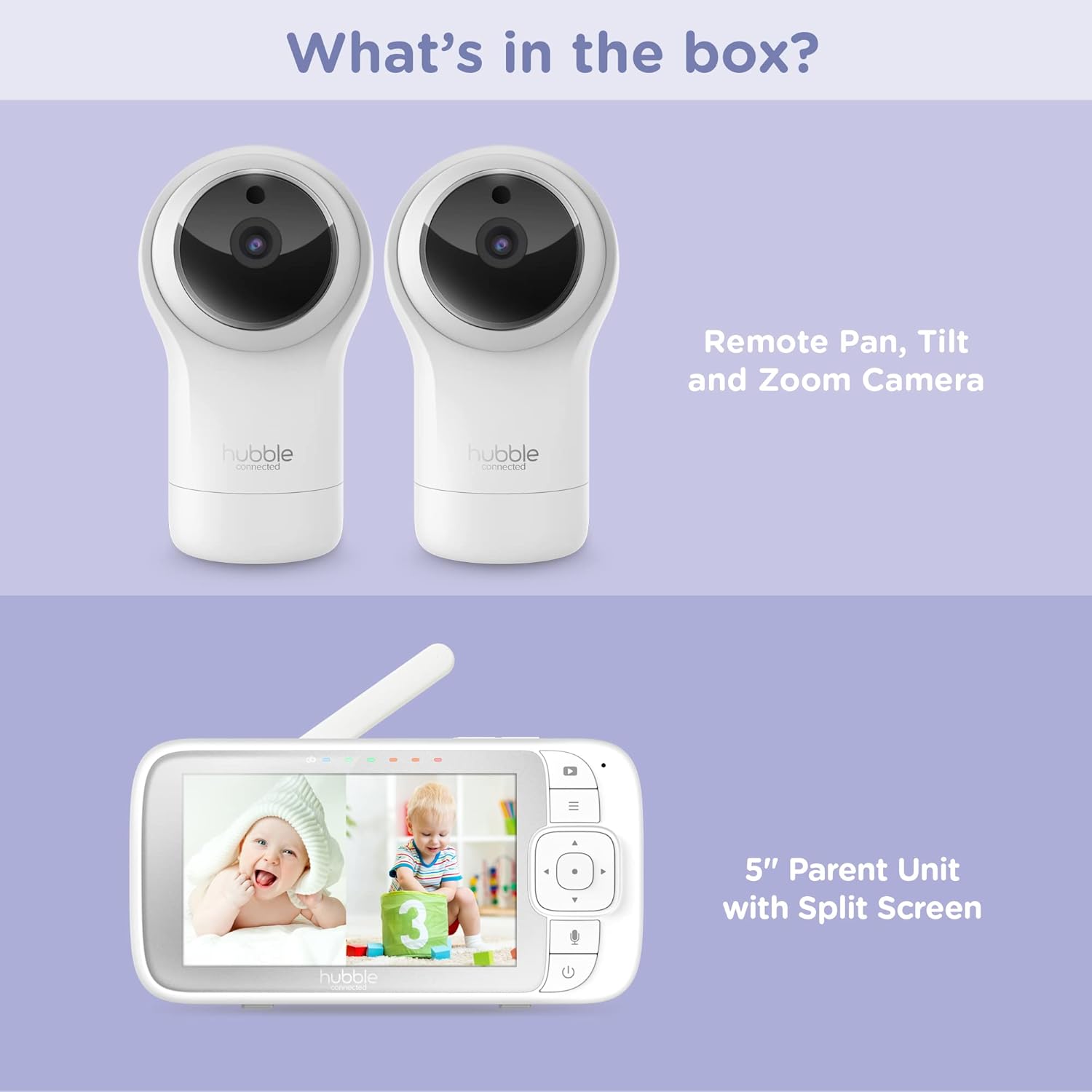
Figure 2.1: Package Contents - Parent Unit and Two Cameras
2.2. Powering On and Initial Placement
- Connect each camera to a power outlet using the provided power adapters.
- Connect the Parent Unit to a power outlet using its dedicated power adapter. The Parent Unit contains a rechargeable battery for portable use.
- Press and hold the Power button on the Parent Unit until the screen turns on.
- Place the cameras in a secure location within the baby's room, ensuring a clear view of the crib or play area. Avoid placing cameras within reach of children or near heat sources.

Figure 2.2: Hubble Connected View Pro Twin Monitor and Cameras
3. Мониторду иштетүү
3.1. Ата-эне бирдигин көзөмөлдөө
The Parent Unit features a 5-inch color display and intuitive buttons for navigation and control:
- Багыттоочу такта: Used to navigate menus and control camera pan/tilt/zoom.
- Меню баскычы: Жөндөөлөргө жана функцияларга мүмкүнчүлүк алат.
- Talk Button (Microphone icon): Activates two-way talk.
- Кубат баскычы: Аппаратты күйгүзөт/өчүрөт.
- Үн баскычтары (+/-): Аудионун үнүн тууралайт.

Figure 3.1: Parent Unit Displaying Split Screen
3.2. Viewкирүү режимдери
Your monitor supports multiple viewтандоо параметрлери:
- Жалгыз камера View: Displays the feed from one camera at a time. Use the menu to switch between cameras.
- Бөлүнгөн экран View: Simultaneously displays feeds from both cameras on the 5-inch screen. This allows for monitoring two areas at once.
- Скандоо режими: The monitor can automatically cycle through the camera feeds periodically.
3.3. Camera Control (Pan, Tilt, Zoom)
Use the directional pad on the Parent Unit to remotely adjust the camera's view:
- Пан: Камераны туурасынан жылдырыңыз (сол/оң).
- Россия: Камераны вертикалдуу (өйдө/төмөн) жылдырыңыз.
- Чоңойтуу: Enlarge or reduce the image.
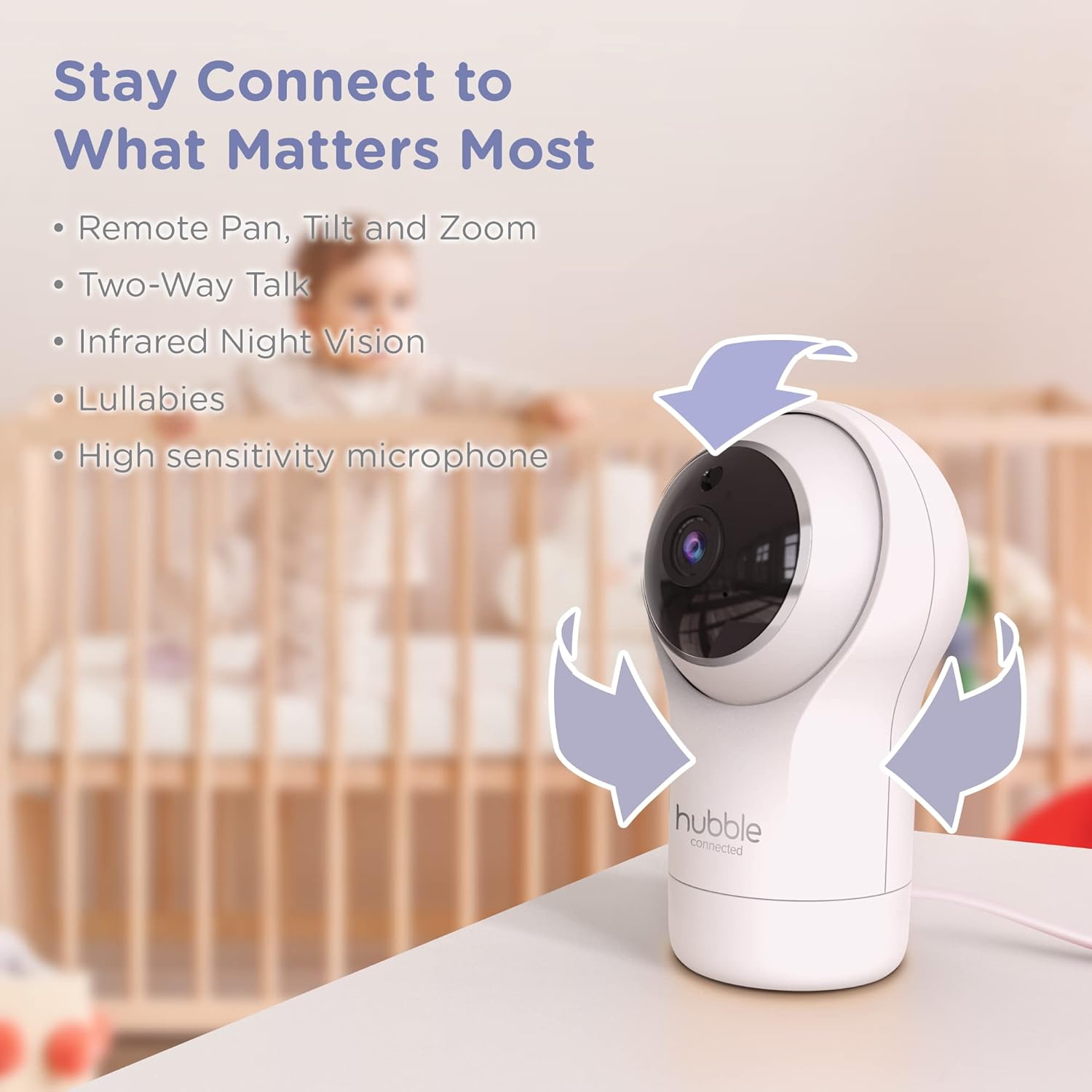
Figure 3.2: Camera Pan, Tilt, and Zoom Functionality
3.4. Эки тараптуу сүйлөшүү
To communicate with your baby, press and hold the microphone button on the Parent Unit and speak. Release the button to hear your baby's response.
3.5. Түнкү көрүнүш
The cameras are equipped with infrared night vision, which automatically activates in low-light conditions, providing a clear black-and-white image of your baby.

Figure 3.3: Infrared Night Vision in Operation
3.6. Lullabies and Room Temperature Monitoring
The monitor includes preloaded lullabies to soothe your baby. Access these through the Parent Unit's menu. The system also continuously monitors the room temperature, displayed on the Parent Unit, to ensure a comfortable environment for your child.

3.4-сүрөт: Негизги өзгөчөлүктөр бүттүview
3.7. Расмий продукт Video
Видео 3.1: Бүттүview of the Nursery View Pro Twin features, including split screen, pan/tilt/zoom, two-way talk, night vision, and lullabies.
4. Техникалык тейлөө
4.1. Тазалоо
To clean the monitor and cameras, use a soft, dry cloth. Do not use abrasive cleaners or solvents. Ensure the devices are unplugged before cleaning.
4.2. Сактоо
When not in use for extended periods, store the monitor and cameras in a cool, dry place, away from direct sunlight and extreme temperatures.
5. Кыйынчылыктарды
5.1. No Signal/Poor Image
- Ensure both the Parent Unit and cameras are powered on and within range.
- Check for obstructions between the Parent Unit and cameras that might interfere with the signal.
- Relocate the Parent Unit or cameras to improve reception.
5.2. Battery Not Charging/Low Battery Alert
- Verify that the power adapter is securely connected to the Parent Unit and a working power outlet.
- Allow sufficient time for the battery to charge.
- Эгер көйгөй чечилбесе, кардарларды колдоо менен байланышыңыз.
6. Техникалык шарттар
| Өзгөчөлүк | Деталь |
|---|---|
| Модель аты | Бала бакча View Pro Twin |
| Модель номери | HCNVPRO2 |
| Screen Size | 5-inch Diagonal Color Screen |
| Байланыш технологиясы | Wireless (Non-WiFi) |
| Диапазон | 1,000 фут / 300 м чейин |
| Видео тартуунун резолюциясы | 720p |
| Өзгөчөлүктөр | Night Vision, Two-Way Talk, Soothing Nature Sounds, Room Temperature Monitoring |
| Power Source | Battery Powered (Parent Unit), AC Adapter (Cameras) |
| Батареялар | 3 литий-иондук батарейкалар талап кылынат (кошулган) |
| Элемент Салмагы | 2 фунт |
| Продукциянын өлчөмдөрү | 2.8 x 2.7 x 4.8 дюйм |
7. Кепилдик жана колдоо
7.1. Кепилдик маалыматы
Your Hubble Connected View Pro Twin is covered by a One (1) year Limited Warranty from the date of purchase. Please retain your proof of purchase for warranty claims.
7.2. Кардарларды колдоо кызматы
For technical assistance, troubleshooting, or warranty inquiries, please contact Hubble Connected customer support. Visit the official Hubble Connected Store көбүрөөк маалымат жана колдоо булактары үчүн.


