Introduction
The LC-dolida Sleep Mask with Bluetooth Headphones is designed to provide a comfortable and immersive audio experience while promoting restful sleep. It integrates a soft eye mask with built-in Bluetooth speakers, allowing users to listen to music, audiobooks, or white noise without external headphones. This manual provides detailed instructions for its proper use and maintenance.
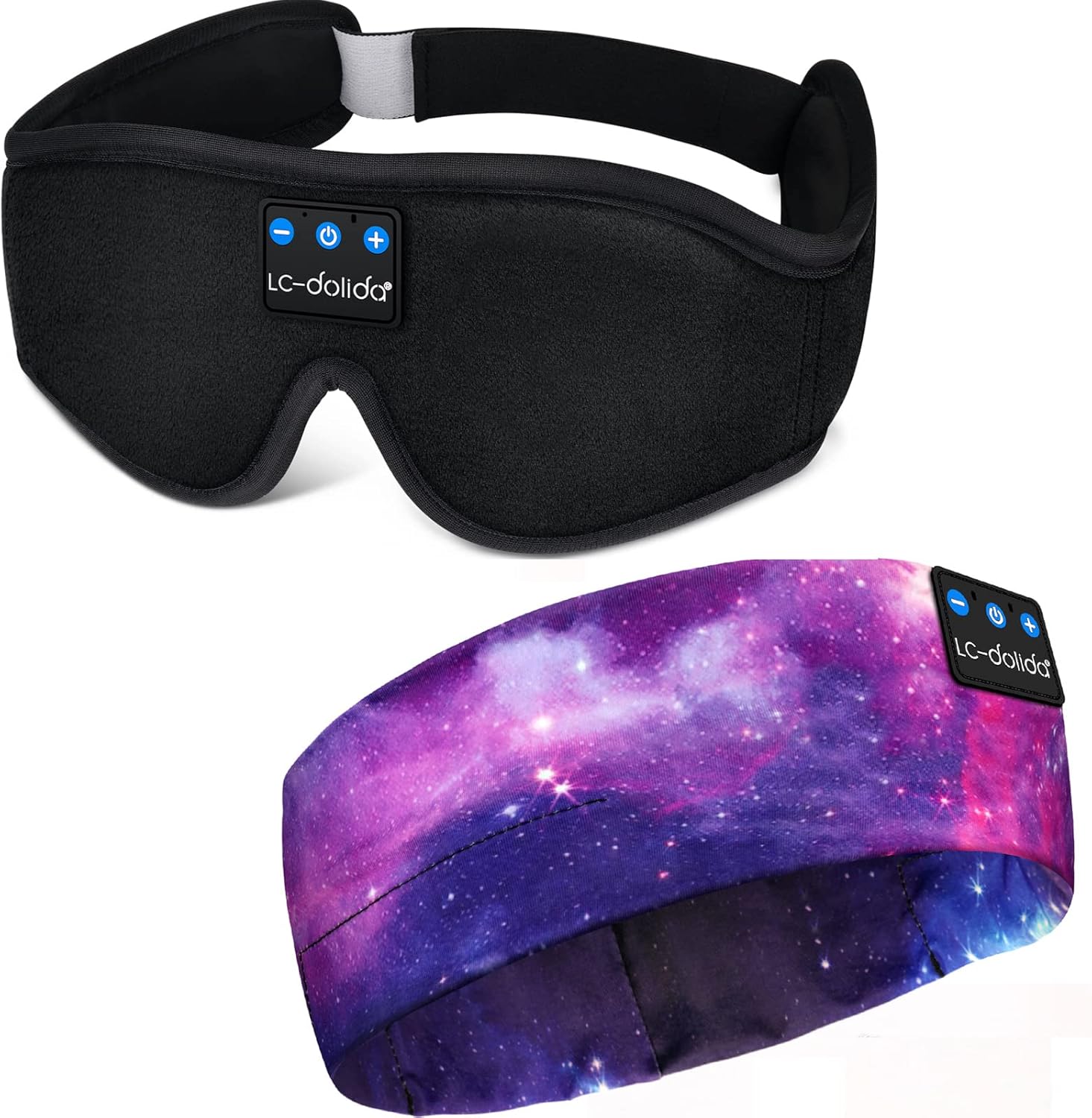
Image: The LC-dolida Sleep Mask with Bluetooth Headphones, featuring a black contoured design with integrated control panel.
Продукт өзгөчөлүктөрү
- 3D Contour Design: Ergonomically shaped eye area provides zero pressure on the eyes, allowing free eye movement and solving tightness issues.
- Bluetooth V5.2: Ensures stable connectivity and high-fidelity stereo sound for an immersive audio experience.
- Батареянын узак иштөө мөөнөтү: Offers approximately 8-10 hours of playtime on a 1-2 hour charge, suitable for overnight use.
- Effective Light Blocking: Full coverage and a unique nose area design prevent light leakage, enhancing sleep quality.
- Ыңгайлуу кездеме: Made from memory foam and super soft, skin-friendly, breathable material for comfort.
- Жуу үчүн дизайн: The electronic module is removable, allowing the fabric mask to be cleaned.
- Жөнгө салынуучу боо: Designed to fit head sizes between 22.4 inches and 24.8 inches without tangling hair.

Image: Illustration highlighting the 3D contoured eye space for no pressure on eyes, 99% light blocking, and skin-friendly, breathable fabric.
Орнотуу жана баштоо
1. Баштапкы заряддоо
Upon first receiving the device, it is recommended to fully charge it. Connect the provided USB charging cable to the charging port on the control module and to a standard USB power source. The indicator light will show charging status. Charge for at least 20 minutes to activate the battery if the device does not power on initially.
2. Күйгүзүү / Өчүрүү
- Күйгүзүү үчүн: Press and hold the Power button (ⓘ) on the control module for approximately 3 seconds until the indicator light flashes.
- Өчүрүү үчүн: Press and hold the Power button (ⓘ) for approximately 3 seconds until the indicator light turns off.
3. Bluetooth Жупташтыруу
- Ensure the sleep mask is powered off.
- Press and hold the Power button (ⓘ) for 5-7 seconds until the indicator light flashes red and blue alternately. This indicates pairing mode.
- Смартфонуңузда же Bluetooth иштетилген түзмөгүңүздө Bluetooth'ду иштетиңиз жана жеткиликтүү түзмөктөрдү издеңиз.
- Select "BT-FAAH" (or similar name) from the list of devices.
- Once paired, the indicator light on the sleep mask will flash blue slowly.
4. тууралоо
Place the sleep mask over your eyes and adjust the Velcro strap at the back of your head for a snug yet comfortable fit. Ensure the speakers inside the mask are aligned with your ears for optimal sound quality.

Image: A person wearing the sleep mask, illustrating its use during sleep and showing the integrated control panel on the forehead.
Иштөө нускамалары
Башкаруу панелинин функциялары:
- Күйгүзүү/өчүрүү баскычы (ⓘ):
- Күйгүзүү/өчүрүү үчүн 3 секунд басып туруңуз.
- Press and hold for 5-7 seconds to enter Bluetooth pairing mode.
- Музыканы ойнотуу/тындыруу үчүн кыска басыңыз.
- Short press to Answer/End phone calls.
- Press and hold for 2 seconds to Reject an incoming call.
- Үндү катуулатуу / Кийинки трек баскычы (+):
- Үнүн жогорулатуу үчүн кыска басыңыз.
- Кийинки трекке өтүү үчүн көпкө басыңыз.
- Үндү азайтуу / Мурунку трек баскычы (-):
- Үндү азайтуу үчүн кыска басыңыз.
- Мурунку трекке өтүү үчүн көпкө басыңыз.
Спикерди тууралоо
The internal speakers can be gently moved within the mask to better align with your ears for optimal sound clarity and comfort.
Техникалык тейлөө
Cleaning the Sleep Mask
The fabric portion of the sleep mask is washable. To clean:
- Carefully remove the Bluetooth control module and speakers from the internal pouch of the mask.
- Hand wash the fabric mask with mild soap and cool water.
- Rinse thoroughly and allow to air dry completely before reinserting the electronic components.
- Ensure the electronic module is completely dry before reinserting and using.
Заряддоо
Charge the device using the provided USB cable. Avoid using damaged cables or chargers. Do not overcharge the device; disconnect once fully charged to prolong battery life.

Сүрөт: деталдуу view showing the soft fabric of the mask, the adjustable Velcro strap, and the removable electronic module for cleaning.
Проблемаларды чечүү
- Түзмөк күйбөйт: Ensure the device is fully charged. If it's the first use or after a long period of inactivity, charge for at least 20 minutes to activate the battery.
- Bluetooth түзмөгү менен жупташтыруу мүмкүн эмес:
- Ensure the sleep mask is in pairing mode (indicator light flashing red and blue alternately).
- Баштапкы түзмөгүңүздө Bluetooth иштетилгенин текшериңиз.
- Move the sleep mask closer to your source device.
- Turn off and restart both the sleep mask and your source device.
- No sound or low sound:
- Check the volume level on both the sleep mask and your source device.
- Ensure the speakers are correctly positioned over your ears.
- Verify that the device is successfully paired and connected.
- Үзгүлтүксүз туташуу: Ensure there are no obstructions between the sleep mask and your source device. Avoid exceeding the typical Bluetooth range (approx. 10 meters).
Техникалык шарттар
- Модел: B09FY413HP
- Бренд: LC-dolida
- Bluetooth версиясы: V5.2
- Материал: Memory Foam, Silk
- Өзгөчөлүктөр: Lightweight, Microphone, Sports-and-Exercise compatibility
- Бирдик саны: 1 Сан
- Suitable Head Size: 22.4 дюйм - 24.8 дюйм
- Заряддоо убактысы: Болжол менен 1-2 саат
- Оюн убактысы: Болжол менен 8-10 саат
Кепилдик жана колдоо
This LC-dolida Sleep Mask with Bluetooth Headphones comes with a 12 айлык кепилдик сатып алынган күндөн тартып. Кепилдик дооматтары үчүн сатып алганыңыздын далилин сактап коюңуз.
For further assistance or support, please refer to the contact information provided with your product packaging or visit the official LC-dolida webсайт.


