Introduction
The Pigtronix Gamma Drive is a versatile overdrive pedal designed to deliver a wide range of tones, from subtle boosts to aggressive, all-out grind. Its intuitive controls allow musicians to sculpt their sound with precision, making it an essential tool for any guitarist seeking dynamic and expressive overdrive.

Сүрөт 1: Алдыңкы view of the Pigtronix Gamma Drive Overdrive Pedal. This image displays the pedal's blue casing, the four control knobs (Volume, Gain, Treble, Bass), the footswitch, and the DC 9V power input label.
Негизги өзгөчөлүктөрү
- Overdrive Pedal with Treble Bass Controls
- Wide range of gain from subtle boost to heavy distortion
- Компакт жана бышык дизайн
- True bypass switching for signal integrity
Пакеттин мазмуну
Пакетти ачканда, төмөнкү нерселердин бардыгы бар экенин текшериңиз:
- Pigtronix Gamma Drive Overdrive Pedal
- Колдонуучунун колдонмосу (бул документ)
- Туташуу кабели
Орнотуу колдонмосу
Follow these steps to properly set up your Pigtronix Gamma Drive pedal:
1. Power Connection
Connect a standard 9V DC power supply (not included) to the "DC 9V" input jack on the top of the pedal. Ensure the power supply is center-negative and provides at least 10mA of current.
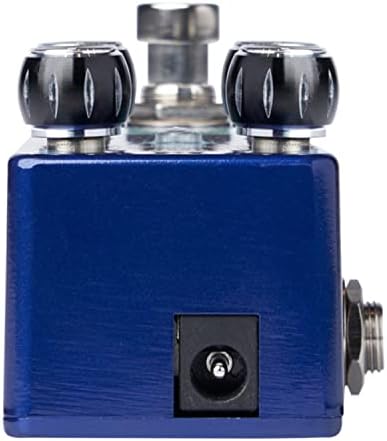
Figure 2: Close-up of the DC 9V power input jack located on the top side of the pedal.
2. Аспап туташтыруу
Connect your instrument (e.g., guitar) to the INPUT jack on the right side of the pedal using a standard 1/4-inch instrument cable.
3. Ampкөтөргүч туташтыруу
Педалдын сол жагындагы OUTPUT уячасын өзүңүзгө туташтырыңыз ampкөтөргүчтүн киргизүүсүн башка стандарттуу 1/4 дюймдук аспап кабели аркылуу.
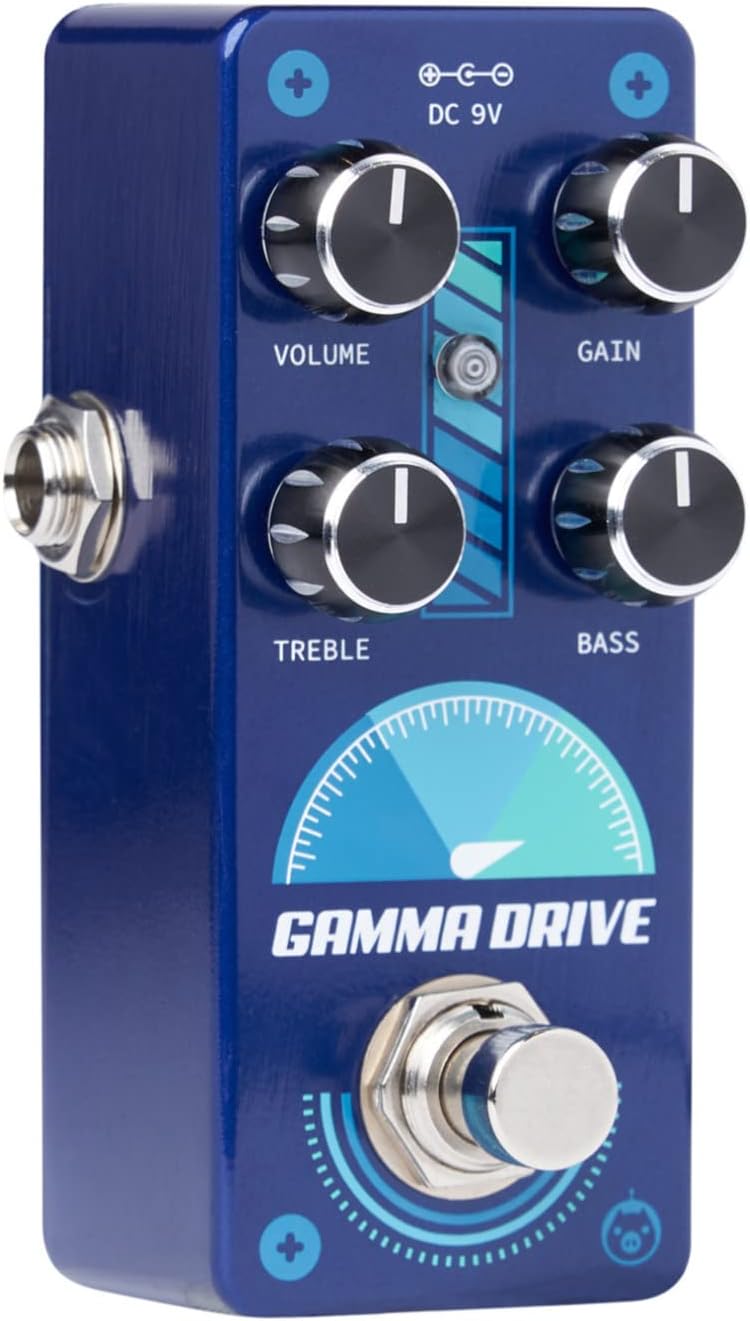
3-сүрөт: Бурчтуу view illustrating the input jack (right side) and output jack (left side) for instrument and ampкөтөргүч байланыштар.
Операция
The Pigtronix Gamma Drive features four primary control knobs and a footswitch for intuitive sound shaping.
Controls Overview
Сүрөт 4: Алдыңкы view of the pedal showing the layout of the control knobs.
- Көлөмү: Controls the overall output level of the pedal. Turn clockwise to increase the volume.
- УТУШ: Adjusts the amount of overdrive and distortion. Higher settings produce more saturated and aggressive tones.
- ҮЧТҮҮ: Shapes the high-frequency content of your tone. Turn clockwise for brighter sounds, counter-clockwise for warmer tones.
- Бас: Controls the low-frequency content. Turn clockwise to add more bass, counter-clockwise to reduce it.
Footswitch колдонуу
The large footswitch at the bottom of the pedal engages or bypasses the effect. When the effect is active, the LED indicator above the footswitch will illuminate. When bypassed, your signal passes through the pedal unaffected (true bypass).
Техникалык тейлөө жана кам көрүү
- Тазалоо: Use a soft, dry cloth to clean the pedal's surface. Avoid abrasive cleaners or solvents.
- Сактагыч: Педальды салкын, кургак жерде, күндүн түз нурунан жана өтө жогорку температурадан алыс сактаңыз.
- Күч: Always use a regulated 9V DC power supply with the correct polarity (center-negative) to prevent damage.
- Байланыштары: Ensure all cables are securely connected before use. Disconnect cables when not in use to prevent accidental damage.
Проблемаларды чечүү
| Көйгөй | Мүмкүн себеп | Чечим |
|---|---|---|
| Педал иштетилгенде үн чыкпайт. | Incorrect cable connections; Power supply issue; Pedal not engaged. | Check all input/output cables; Ensure 9V DC power supply is connected and functional; Press footswitch to engage pedal (LED should light up). |
| Алсыз же бурмаланган үн. | Low power; Incorrect gain/volume settings. | Электр энергиясы менен камсыздоону текшерүү томtage and current; Adjust GAIN and VOLUME knobs to desired levels. |
| Керексиз ызы-чуу же ызы-чуу. | Ground loop; Faulty cables; Interference from other electronics. | Use isolated power supply; Try different cables; Move pedal away from power transformers or fluorescent lights. |
Техникалык мүнөздөмөлөр
| Спецификация | Нарк |
|---|---|
| Элемент Салмагы | 9 унция |
| Продукциянын өлчөмдөрү | 8.4 x 6.3 x 4.7 дюйм |
| Модель номери | ГДР |
| Түс | Light Blue, Black |
| Аппараттык интерфейс | HP-HSC |
| Сигнал форматы | Аналог |
| Power Source | Battery Powered (Note: Typically refers to ability to use battery, but 9V DC adapter is standard for pedals) |
| Тtage | 9 вольт DC |
| Ampөчүрүү | 10 миллионamps (minimum required) |
Кепилдик жана колдоо
For detailed warranty information, product registration, and technical support, please visit the official Pigtronix webсайтка же кардарларды тейлөө бөлүмүнө кайрылыңыз. Кепилдик дооматтар үчүн сатып алганыңыздын далилин сактаңыз.
Официалдуу Webсайт: www.pigtronix.com


