1. Киришүү
This manual provides comprehensive instructions for the setup, operation, and maintenance of your TECLAST M40 Pro Android Tablet. The TECLAST M40 Pro is a high-performance tablet featuring a 10-inch FHD display, Android 11 operating system, 6GB RAM, 128GB internal storage (expandable up to 512GB), an Octa-Core processor, dual cameras, dual-band Wi-Fi, Bluetooth, and GPS capabilities. It is designed for a wide range of uses, from study and entertainment to productivity.

Сүрөт: алдыңкы жана арткы view of the TECLAST M40 Pro tablet, highlighting its sleek design and the Android 11 interface on the screen.
2. Кутуда эмне бар
Пакетти ачканда, төмөнкү нерселердин бардыгы бар экенин текшериңиз:
- TECLAST M40 Pro Android Tablet
- USB Type-C кубаттоочу кабель
- Кубат адаптери (аймакка жараша өзгөрүшү мүмкүн)
- 128GB Micro SD Card (as specified in product details)
- Колдонуучунун Колдонмосу (бул документ)
- SIM Ejector Tool (if applicable for SIM card slot)
3. Продукт бүтүп калдыview
Familiarize yourself with the physical components and ports of your TECLAST M40 Pro tablet.

Image: Detailed diagram of the TECLAST M40 Pro tablet, indicating the location of the headphone jack, Micro SD/SIM card slot, front camera, rear camera, power button, volume rocker, reset button, and Type-C port, along with speaker locations.
- Кубат баскычы: Күйгүзүү/өчүрүү же кайра баштоо үчүн басып туруңуз. Экранды күйгүзүү/өчүрүү үчүн кыска басыңыз.
- Volume Rocker: Аудионун үнүн тууралаңыз.
- Тип-C Port: Планшетті кубаттоо жана маалыматтарды өткөрүп берүү үчүн компьютерге туташтыруу үчүн колдонулат.
- Гарнитура уячасы: 3.5 мм гарнитураны туташтырыңыз.
- Micro SD/SIM Card Slot: Insert a Micro SD card for expandable storage (up to 512GB) or a SIM card for cellular data (if supported by your model).
- Алдыңкы камера: Видео чалуулар жана селфилер үчүн 5 МП камера.
- Арткы камера: Сүрөттөр жана видеолор үчүн 8 МП камера.
- Баяндамачылар: Аудио тажрыйбасын жакшыртуу үчүн төрт динамик.
- КАЛТЫРУУ: A small pinhole for factory reset in case of system unresponsiveness. Use a thin pin to press.
4. Орнотуу
4.1 Алгачкы заряддоо
Before first use, it is recommended to fully charge your tablet. Connect the provided USB Type-C cable to the tablet's Type-C port and the other end to the power adapter. Plug the adapter into a wall outlet. The charging indicator on the screen will show the charging status. It is suggested to charge for at least 30 minutes before turning it on for the first time.
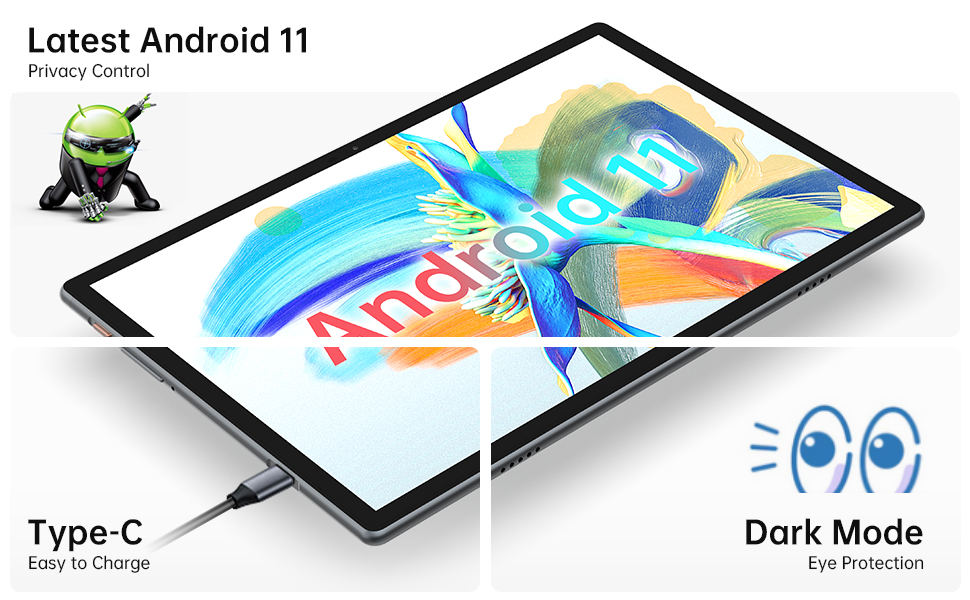
Image: Close-up of the tablet showing the Type-C charging port with a cable connected, illustrating the ease of charging.
4.2 Күйгүзүү/өчүрүү
- Күйгүзүү үчүн: Press and hold the Power Button until the TECLAST logo appears on the screen.
- Өчүрүү үчүн: Press and hold the Power Button until a power menu appears. Select "Power off" from the options.
- Кайра баштоо үчүн: Кубат менюсунан "Кайра баштоо" дегенди тандаңыз.
4.3 Баштапкы орнотуу устасы
The first time you power on the tablet, you will be guided through an initial setup wizard. Follow the on-screen prompts to:
- Тилиңизди тандаңыз.
- Wi-Fi тармагына туташыңыз.
- Google аккаунтуңуз менен кириңиз же жаңысын түзүңүз.
- Set up screen lock (PIN, pattern, password, or face recognition).
- Review жана шарттарды кабыл алуу.
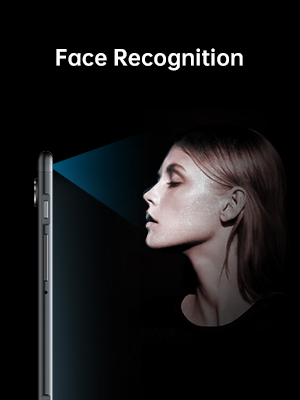
Image: Illustration of the tablet's face recognition feature in use, showing a user unlocking the device with their face.
5. Планшетиңизди иштетүү
5.1 Android 11 өзгөчөлүктөрү
Your TECLAST M40 Pro runs on Android 11, offering enhanced privacy controls, improved notification management, chat bubbles, and a system-wide dark mode for eye protection.
Image: The tablet screen prominently displaying the "Android 11" text, indicating the operating system version.
5.2 Байланыш
- Wi-Fi: Go to Settings > Network & internet > Wi-Fi. Turn on Wi-Fi and select your desired network. Enter the password if required. The tablet supports 2.4G and 5G dual-band Wi-Fi for stable and fast connections.
- Bluetooth: Go to Settings > Connected devices > Connection preferences > Bluetooth. Turn on Bluetooth and pair with compatible devices like headphones or keyboards. The tablet features efficient Bluetooth 5.0.
- GPS: The tablet includes GPS functionality for navigation and location-based services. Ensure location services are enabled in Settings > Location.

Image: A visual representation of the tablet's connectivity features, showing icons for Dual Band WiFi (2.4G+5G), Bluetooth 5.0, and Android 11, emphasizing its ability to stay connected.
5.3 Сактоо жана иштөө
The M40 Pro comes with 6GB RAM and 128GB ROM, providing smooth operation and ample space for apps, media, and documents. Storage can be expanded up to 512GB using a Micro SD card.

Image: A graphic comparing the TECLAST M40 Pro's 6GB RAM and 128GB ROM (expandable to 512GB) with other tablets, illustrating its superior storage and performance for video, music, photos, and apps.
The 2.0GHz Octa-Core processor ensures high performance and low power consumption, preventing crashes and overheating during intensive use.

Image: The tablet displaying a racing game, with text overlays highlighting its Octa Core Processor and 2.0 GHz Frequency, indicating high performance and low power consumption.
5.4 Дисплей жана аудио
The 10.1-inch FHD IPS display with 1920x1200 resolution provides a wide-angle viewing experience and exceptional color rendition. Coupled with quad speakers, it offers an immersive visual and audio experience.

Image: The tablet screen displaying vibrant colors, emphasizing its 1920x1200 FHD IPS resolution and 10.1-inch display size, along with dual camera specifications.
6. Техникалык тейлөө
- Тазалоо: Планшеттин экранын жана корпусун тазалоо үчүн жумшак, түксүз чүпүрөктү колдонуңуз. өжөр тактар үчүн, бир аз гampчүпүрөккө суу же экран тазалоочу каражат. Катуу химиялык заттарды же абразивдик материалдарды колдонуудан алыс болуңуз.
- Сактагыч: Планшетти күн нурунан жана экстремалдык температурадан алыс салкын, кургак жерде сактаңыз.
- Батареяга кам көрүү: Батареянын иштөө мөөнөтүн узартуу үчүн, планшеттин тез-тез толук зарядын түгөтүп койбоңуз. Аны үзгүлтүксүз кубаттап туруңуз жана толук заряддалгандан кийин көпкө чейин сайылып турган бойдон калтырбаңыз.
- Программалык камсыздоо жаңыртуулары: Оптималдуу аткарууну жана коопсуздукту камсыз кылуу үчүн Орнотуулар > Система > Системанын жаңыртууларынан тутум жаңыртууларын үзгүлтүксүз текшериңиз.
7. Кыйынчылыктарды
| Көйгөй | Мүмкүн чечим |
|---|---|
| Планшет күйбөйт. | Ensure the tablet is sufficiently charged. Connect it to the charger for at least 30 minutes, then try powering on again. If unresponsive, press the RESET pinhole with a thin pin. |
| Wi-Fi туташуу маселелери. | Жөндөөлөрдөн Wi-Fi иштетилгенин текшериңиз. Wi-Fi роутериңизди өчүрүп күйгүзүңүз. Тармакты унутуп, кайра туташыңыз. Wi-Fi сигналынын чегинде экениңизди текшериңиз. |
| Жай иштеши же колдонмолордун иштебей калышы. | Close unused apps. Clear cache for problematic apps (Settings > Apps > [App Name] > Storage & cache > Clear cache). Restart the tablet. Ensure sufficient free storage space. |
| Экран жооп бербей жатат. | Restart the tablet by holding the power button. If unresponsive, use the RESET pinhole. |
| Батарея бат эле түгөнөт. | Reduce screen brightness. Disable unused features like Bluetooth, GPS, or Wi-Fi when not in use. Close background apps. Check battery usage in Settings > Battery to identify power-hungry apps. |
8. Техникалык шарттар
| Өзгөчөлүк | Деталь |
|---|---|
| Бренд | TECLAST |
| Модель аты | Touch (M40PRO Android Tablet) |
| Операция системасы | Android 11 |
| Screen Size | 10 дюйм |
| Screen Resolution | 1920 x 1200 пиксел (FHD IPS) |
| Процессор | 2.0 GHz Octa Core |
| RAM | 6 ГБ |
| Ички сактагыч (ROM) | 128 ГБ |
| Кеңейтүүчү сактагыч | Up to 512GB (Micro SD/TF Card) |
| Арткы Webcam Resolution | 8 депутат |
| Фронт Webcam Resolution | 5 депутат |
| Байланыш | 2.4G+5G WiFi, Bluetooth 5.0, GPS |
| Батарея сыйымдуулугу | 7000mAh (Approx. 8 Hours Average Battery Life) |
| Заряддоо порту | Type-C |
| Элемент Салмагы | 2.14 фунт |
| Продукциянын өлчөмдөрү | 9 x 6 x 1 дюйм |
9. Кепилдик жана колдоо
9.1 Кепилдик маалыматы
TECLAST provides a 1 жылдык кепилдик for tablets, valid immediately after purchase. Please retain your proof of purchase for warranty claims.
9.2 Кардарларды колдоо
For any questions, technical assistance, or warranty inquiries, please contact TECLAST customer service. We aim to provide professional service and answer any questions within 1 working day.
You can visit the official TECLAST store on Amazon for more information and support resources: TECLAST Amazon Store


