1. Киришүү
This manual provides essential information for the safe installation, operation, and maintenance of your ELEGRP USB Charger Wall Outlet. Please read these instructions thoroughly before installation and retain them for future reference. This product is designed to provide both standard AC power outlets and convenient USB charging ports for various electronic devices.
2. Коопсуздук маалыматы
ЭСКЕРТҮҮ: ЭЛЕКТР ТОКУКТУНУН ЧЫГУУ КОРКУНУЧУ. ТУУРА ОРНОТУЛГАНДА ОЛУТТУУ ЖАРАДАРГА ЖЕ ӨЛҮМге алып келиши мүмкүн.
- Орнотуу бардык улуттук жана жергиликтүү электр эрежелерине ылайык квалификациялуу электрик же билимдүү адам тарабынан аткарылышы керек.
- Always turn off power at the circuit breaker or fuse box before installation or servicing.
- Жез зымды гана колдонуңуз. алюминий зым менен колдонууга болбойт.
- Бардык зым байланыштары коопсуз жана туура изоляцияланганын текшериңиз.
- Бул аппарат имараттын ичинде гана колдонуу үчүн.
- Түзмөктүн максималдуу электрдик кубаттуулук көрсөткүчтөрүнөн ашпаңыз.

2.1-сүрөт: The ELEGRP USB Charger Wall Outlet includes multiple protection features such as short circuit, overload, overvoltage, overcurrent, overheating, and undervoltage protection to safeguard connected devices.

2.2-сүрөт: Comparison demonstrating cooler operation of the ELEGRP outlet (left) versus a conventional outlet (right) under an 18W load, indicating advanced heat management for safety.
3. Пакеттин мазмуну
Орнотууну баштоодон мурун бардык компоненттер бар экендигин текшериңиз:
- Бурамасыз дубал плитасы бар USB розетка
- Орнотуу боюнча нускама (бул документ)
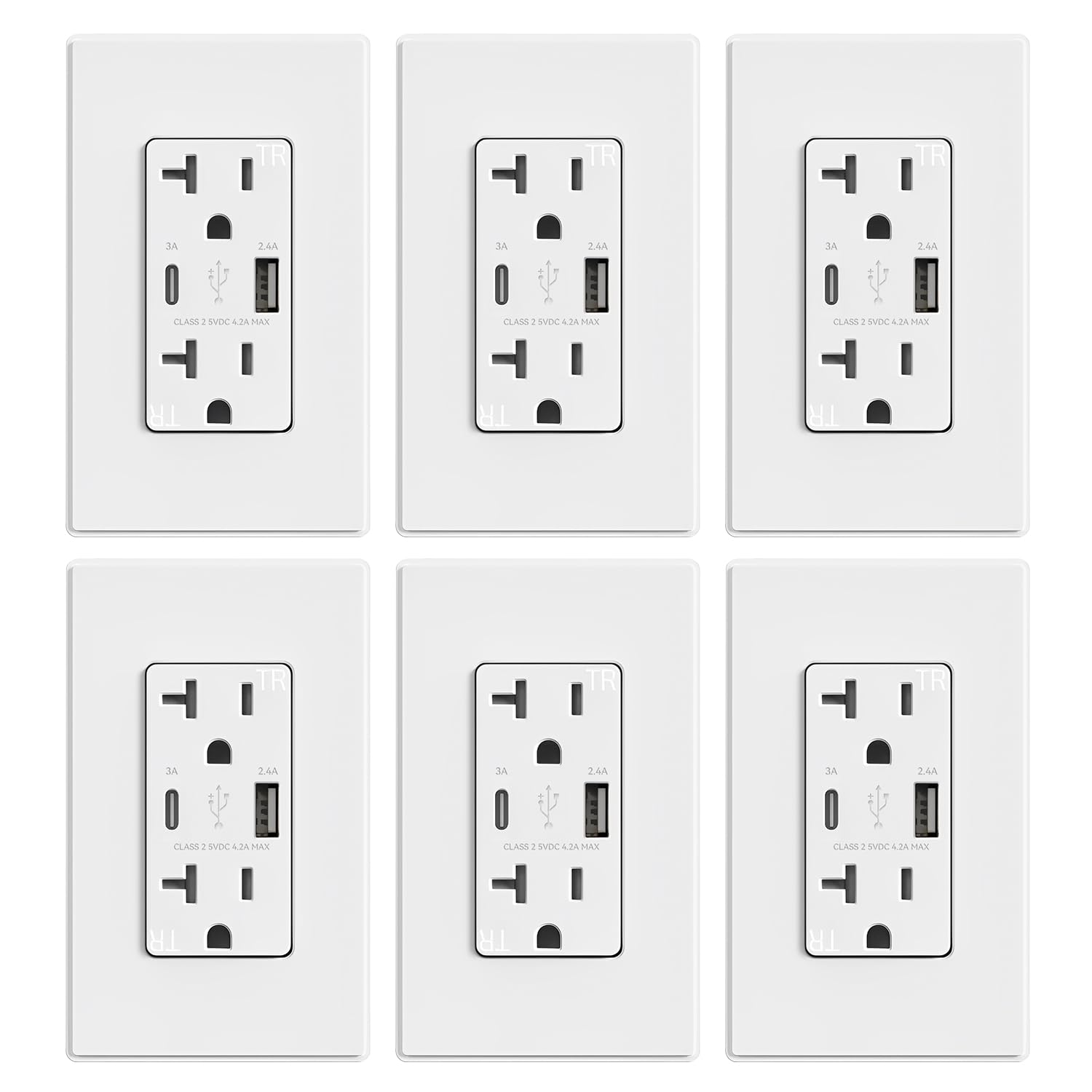
3.1-сүрөт: A typical package containing multiple ELEGRP USB Charger Wall Outlets, each with a screwless wall plate.
4. Продукциянын өзгөчөлүктөрү
- Жогорку ылдамдыктагы заряддоо: Integrated Type A and Type C USB ports with a total output of 4.2 Amp 5V DC. The Type C port provides a maximum of 3.0 Amp 5V DC, and the Type A port provides a maximum of 2.4 Amp 5V DC when used separately.
- USB Dedicated Charging Port Controller: Each USB port incorporates a protocol chip to optimize charging current for connected devices, ensuring stable and faster charging.
- TampЭр-резистенттик жапкычтар: Safety shutters are built into the AC outlets to prevent the insertion of foreign objects, enhancing child safety.
- Жалпы шайкештик: USB ports are compatible with a wide range of devices including smartphones, tablets, e-readers, and gaming systems.
- Оңой орнотуу: Supports both side wiring and back wiring for flexible installation. Screws are pre-loosened for convenience.

4.1-сүрөт: Diagram showing the internal USB dedicated charging port controller chip, highlighting tamper-resistant shutters, universal compatibility, flame-resistant material, and UL/cUL/FCC listings.
5. Орнотуу боюнча нускамалар
Follow these steps carefully to install your ELEGRP USB Charger Wall Outlet:
- Кубатты өчүрүү: Locate the circuit breaker or fuse box controlling the outlet you wish to replace. Turn off the power completely to prevent electric shock. Verify power is off using a voltage сыноочу.
- Эски розетканы алып салуу: Электрдик кутудан учурдагы дубал плитасын жана розеткасын бурап, кылдаттык менен чыгарып алыңыз. Эски розеткадан зымдарды ажыратыңыз.
- Зымдарды даярдоо: Strip approximately 1/2 inch (12.7 mm) of insulation from the ends of the wires if necessary. Ensure wires are straight and free of nicks.
- Зымдарды туташтыруу: The ELEGRP USB Charger Wall Outlet supports both side wiring and back wiring. Refer to the diagram below for proper connections.
- Жашыл бурама: Connect the ground wire (bare copper or green insulated).
- Күмүш бурамалар: Connect the neutral wire (white insulated).
- Жез бурамалар: Connect the hot wire (black insulated).
- Жаңы розетканы орнотуу: Carefully fold the wires into the electrical box. Insert the new ELEGRP outlet into the box and secure it with the mounting screws.
- Дубал плитасын орнотуу: Буралбаган дубал пластинасын розеткага бекитиңиз.
- Күчтү калыбына келтирүү: Электрди өчүргүчтөн же сактагыч кутудан кайра күйгүзүңүз.
- Сыноо: Test both the AC outlets and the USB ports to ensure proper functionality.

5.1-сүрөт: Detailed wiring diagrams for both side wiring (12AWG & 14AWG) and back wiring (12AWG & 14AWG) configurations, showing connections for brass (hot), silver (neutral), and green (ground) screws. The diagram illustrates connections for both single and multiple cable entries into the electrical box.
6. Иштөө нускамалары
Using your ELEGRP USB Charger Wall Outlet is straightforward:
- AC розеткалары: Plug any standard electrical appliance or device into the two AC receptacles. Ensure the device's power requirements do not exceed the outlet's rating.
- USB кубаттоо порттору: Connect your USB-powered devices directly to the Type A or Type C USB ports using a compatible charging cable. The intelligent charging chip will detect your device and deliver optimal power for efficient charging.

6.1-сүрөт: Comparison of charging times for various devices using ELEGRP Smart Chip technology versus standard 1 Amp charging, demonstrating faster charging capabilities.

6.2-сүрөт: Illustration of various devices compatible with the USB charging ports, including iPads, phones, cameras, power banks, sound devices, headsets, watches, and gaming consoles.

6.3-сүрөт: Image showing a tablet and phone charging directly from the USB ports of the wall outlet, illustrating the convenience of not needing bulky USB adapters.

6.4-сүрөт: Scenes depicting the outlet in use: a person sleeping peacefully with a phone charging noise-free, and a couple relaxing while charging devices, emphasizing quiet operation.
7. Техникалык тейлөө
To ensure the longevity and proper function of your outlet:
- Бетти жумшак, кургак чүпүрөк менен тазалаңыз. Абразивдүү тазалагычтарды же эриткичтерди колдонбоңуз.
- Periodically check for any loose connections or damage. If damage is found, turn off power at the breaker and have the outlet inspected by a qualified electrician.
- Агрегатты өз алдынча бөлүүгө же оңдоого аракет кылбаңыз.
8. Кыйынчылыктарды
If you encounter issues with your ELEGRP USB Charger Wall Outlet, consider the following:
- No Power to AC Outlets or USB Ports:
- Электр кубаты күйүп турганын текшерүү үчүн автоматтык өчүргүчтү же сактагыч кутучасын текшериңиз.
- Verify that the outlet is properly wired and all connections are secure (refer to Section 5).
- USB аркылуу жай кубаттоо:
- Жогорку сапаттагы USB кабелин колдонуп жатканыңызды текшериңиз.
- Some devices may have specific charging requirements. While the outlet optimizes output, extremely demanding devices might charge slower if their maximum input exceeds the port's output.
- If multiple devices are charging simultaneously, the total output is shared, which may reduce individual port speeds.
- Device Not Recognized by USB Port:
- Башка USB кабелин колдонуп көрүңүз.
- Test with a different device to isolate the issue.
- Outlet Feels Warm:
- It is normal for electrical outlets to feel slightly warm during operation, especially when charging multiple devices or high-power devices. If the outlet becomes excessively hot, turn off power at the breaker and consult a qualified electrician.
9. Техникалык шарттар
| Өзгөчөлүк | Спецификация |
|---|---|
| Receptacle Rating | 20А, 125В |
| Чөйчөктүн түрү | NO 5-15R |
| USB рейтинги | Share total output of 5V 4.2A Type A: 5VDC 2.4A Type C: 5VDC 3.0A |
| Зым өлчөгүч | #14 - #12 AWG |
| Зымдар түрү | Side Wire & Back Wire |
| Иштөө температурасы | -4…104°F (-20…40°C) |
| Продукт өлчөмү | 4.17"L x 1.69"W x 1.65"D (106x43x42mm) |
| Материал | Поликарбонат термопластика |
| Сертификаттар | UL Listed, FCC |
10. Кепилдик жана колдоо
ELEGRP products are manufactured to high-quality standards. For warranty information or technical support, please refer to the contact details provided with your purchase documentation or visit the official ELEGRP webсайт. Кепилдик дооматтар үчүн сатып алганыңыздын далилин сактаңыз.


