Introduction
Продукт бүттүview
The THIRDREALITY Zigbee Water Leak Sensor is designed to detect water leaks and drips, providing immediate alerts to help prevent water damage in your home. It features a loud 120dB alarm and can send app notifications when connected to a compatible Zigbee hub.

Кутуда эмне бар
- THIRDREALITY Zigbee Water Leak Sensor
- High Sensitive Attachment (for drip detection)
- 2 x AAA 1.5V щелочтуу батарейкалар
- Screwdriver

Жайгашуу
Батарея орнотуу
Remove the screws from the back cover of the sensor using the provided screwdriver. Insert the two AAA 1.5V Alkaline batteries, ensuring correct polarity. Replace the back cover and tighten the screws.
Attaching the High Sensitivity Drip Detection Accessory
The High Sensitivity Attachment is designed for enhanced drip detection. To install:
- Remove the screws from the back of the sensor.
- Carefully position Part A and Part B of the attachment onto the sensor's base, aligning them with the screw holes. The orientation of Part B (left or right) does not affect functionality.
- Reinsert and tighten the screws to secure the attachments.
- This accessory allows the sensor to detect even a few drops of water, triggering the alarm.

Zigbee Hub менен жупташуу
Ensure your Zigbee hub (e.g., SmartThings, Aeotec, Third Reality Hub, Home Assistant) is powered on and in pairing mode. Refer to your hub's specific instructions for adding a new Zigbee device. The sensor will automatically attempt to pair when powered on. Once paired, it will appear in your hub's application.
Операция
Жайгаштыруу
Place the sensor on a flat surface in areas prone to water leaks, such as: Under sinks (kitchen, bathroom), Near washing machines or dishwashers, In basements or utility rooms, Next to water heaters or toilets. Ensure the metal contacts on the bottom of the sensor (or the drip detection attachment) are in direct contact with the surface where a leak might occur.
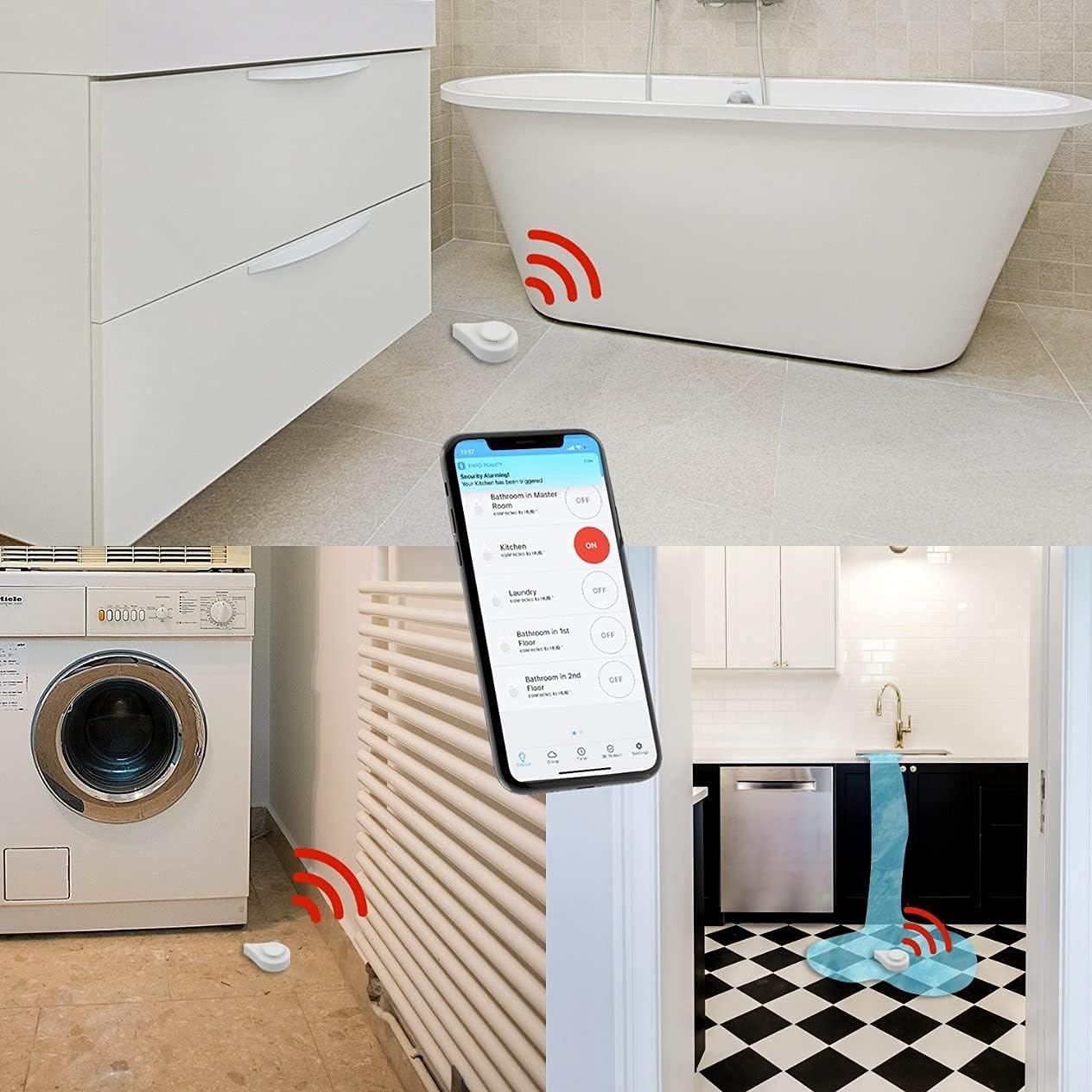
Ойготкучтун иштеши
Upon detecting water, the sensor will sound a loud 120dB alarm. If connected to a compatible Zigbee hub, you will receive instant app notifications and potentially email alerts. The alarm can be enabled or disabled via the Third Reality APP or your connected smart home application. The siren timer can also be adjusted through the app.
Колдонмо мониторинги
The Third Reality APP provides real-time status updates, battery level, and historical data for the sensor.

Техникалык тейлөө
Батареяны алмаштыруу
The sensor uses two AAA 1.5V Alkaline batteries, offering up to 3 years of battery life. When the battery level is low, replace the batteries by following the battery installation steps in the Setup section.
Тазалоо
Wipe the sensor clean with a dry cloth. Do not submerge the device in water.
Проблемаларды чечүү
Sensor Not Pairing
- Ensure the sensor is within range of your Zigbee hub.
- Check if the hub is in pairing mode.
- Verify batteries are correctly installed and charged.
- Try resetting the sensor (refer to hub's manual for specific reset procedures if available, or re-insert batteries).
False Alarms
- Ensure the sensor's contacts are dry and clean.
- If using the drip detection attachment, ensure it's not in contact with residual moisture or high humidity that could trigger it.
No App Notifications
- Verify the sensor is successfully paired and connected to your Zigbee hub.
- Check notification settings within the Third Reality APP or your smart home application.
- Телефонуңузда активдүү интернет байланышы бар экенин текшериңиз.
Техникалык шарттар
| Модель номери | P1WLSB1 |
|---|---|
| Power Source | 2 x AAA 1.5V Alkaline Batteries (included) |
| Батареянын иштөө мөөнөтү | 3 жылга чейин |
| Ойготкучтун үнү | 120 дБ |
| Байланыш | Zigbee |
| Башкаруу ыкмасы | Колдонмо, тийүү |
| Sensor Technology | Capacitive Sensor |
| Продукциянын өлчөмдөрү | 3.19 x 2.17 x 1.14 дюйм |
| Элемент Салмагы | 2.82 унция |
| Түс | Ак |
| Орнотуу ыкмасы | Полго орнотулган |
Кепилдик жана колдоо
Кепилдик маалымат
For detailed warranty information, please visit the official THIRDREALITY webсайт: www.3reality.com/warranty.
Кардарларды колдоо
If you encounter any issues or have questions, please contact THIRDREALITY customer support.


