1. Киришүү
This manual provides comprehensive instructions for the setup, operation, and maintenance of your VTech CS2001 DECT 2 Handset Cordless Telephone system. Please read this manual thoroughly before using your new telephone to ensure proper functionality and to familiarize yourself with all features.

Image: The VTech CS2001 DECT 2 Handset Cordless Telephone system, showing one handset on its main base unit and a second handset on its auxiliary charging cradle. Both handsets feature a digital display and a standard telephone keypad.
2. Орнотуу
Follow these steps to set up your VTech CS2001 DECT Cordless Telephone system.
2.1 Пакеттин мазмуну
Бардык компоненттердин бар экенин текшериңиз:
- 1 Негизги бирдиги
- 2 AC adaptors
- 2 battery packs (NiMH)
- 2 зымсыз телефон
- 2 chargers (for auxiliary handset)
- Тез баштоо колдонмосу
- Телефон линиясы
2.2 Батареяны орнотуу жана заряддоо
- Ар бир телефондун артындагы батарея бөлүкчөсүнүн капкагын ачыңыз.
- Connect the battery pack connector securely into the socket inside the compartment.
- Батарея пакетин бөлүмгө салыңыз.
- Батарея уясынын капкагын жабыңыз.
- Place each handset onto its respective base unit or charger. Ensure the "Charge" indicator on the base/charger illuminates.
- Батареянын оптималдуу иштешин камсыз кылуу үчүн алгач колдонуудан мурун телефондорго кеминде 16 саат кубаттоого уруксат бериңиз.
2.3 Негизги блокту туташтыруу
- Connect one end of the telephone line cord to the TEL LINE jack on the base unit.
- Телефон линиясынын экинчи учуна телефонуңуздун уячасына туташтырыңыз.
- Connect the AC adaptor to the POWER jack on the base unit.
- AC адаптерин стандарттуу электр розеткасына сайыңыз.
- For the auxiliary charger, connect its AC adaptor to the charger and then to an electrical outlet.
Эскертүү: Use only the supplied power adaptors and battery packs. Incorrect adaptors may damage the unit.
3. Иштөө нускамалары
3.1 Чалууларды кабыл алуу жана кабыл алуу
- Чалуу үчүн: Басыңыз СҮЙЛӨШҮҮ, then dial the number. Alternatively, dial the number first and then press СҮЙЛӨШҮҮ.
- Чалууга жооп берүү үчүн: Телефон шыңгыраганда, басыңыз СҮЙЛӨШҮҮ.
- Чалууну бүтүрүү үчүн: Басыңыз END же телефонду кайра базага/зарядкычка коюңуз.
3.2 Спикерфон функциясы
The handsfree speakerphone allows you to converse without holding the handset.

Image: A VTech CS2001 handset is shown on a kitchen counter, with a person in the background engaged in an activity, illustrating the convenience of the handsfree speakerphone feature.
- Жандыруу үчүн: Чалуу учурунда, басыңыз Динамик button (usually marked with a speaker icon).
- Өчүрүү үчүн: басыңыз Динамик button again or lift the handset to switch back to normal mode.
3.3 Домофон жана чалууларды которуу
The two handsets can communicate with each other and transfer calls.
- Домофон: басыңыз INT button on one handset to call the other.
- Чалууларды которуу: Тышкы чалуу учурунда, баскычын басыңыз INT, select the other handset, and once connected, press Трансфер.
4. Негизги өзгөчөлүктөрү
4.1 DECT Technology and Long Range
The VTech CS2001 utilizes DECT (Digital Enhanced Cordless Telecommunications) technology, ensuring clear sound quality and secure communication. It offers a reliable long operating range of up to 300 meters outdoors.

Image: A woman is shown talking on a VTech cordless phone in a spacious, modern home environment, with graphic elements illustrating the phone's reliable long-range capability.
4.2 Зыяндуу чалууларды бөгөттөөчү
This feature helps manage unwanted calls. You can block specific numbers or calls from unknown numbers. The system can store up to 30 blacklisted numbers. An option to block all calls during a programmable period is also available.
Эскертүү: This feature requires a Caller Display service subscription from your network provider, which may be chargeable.

Image: A man is depicted relaxing on a sofa, reading a book, with a VTech CS2001 handset on a table beside him. A graphic overlay signifies the call blocker feature, promoting peace of mind from unwanted calls.
4.3 Телефон китепчесинин каталогу
Store up to 30 names and numbers in the phonebook directory. Entries added to one handset are automatically shared with the other.

Image: A VTech CS2001 handset is shown on its charging base, accompanied by a graphic representation of a phonebook list, highlighting the 30 name and number storage capacity.
4.4 Чалуучуну аныктоо жана чалуу күтүү
The system records up to 20 names and numbers for Caller ID. It also supports Call Waiting functionality.
Эскертүү: These features require a Caller Display service subscription from your network provider, which may be chargeable.
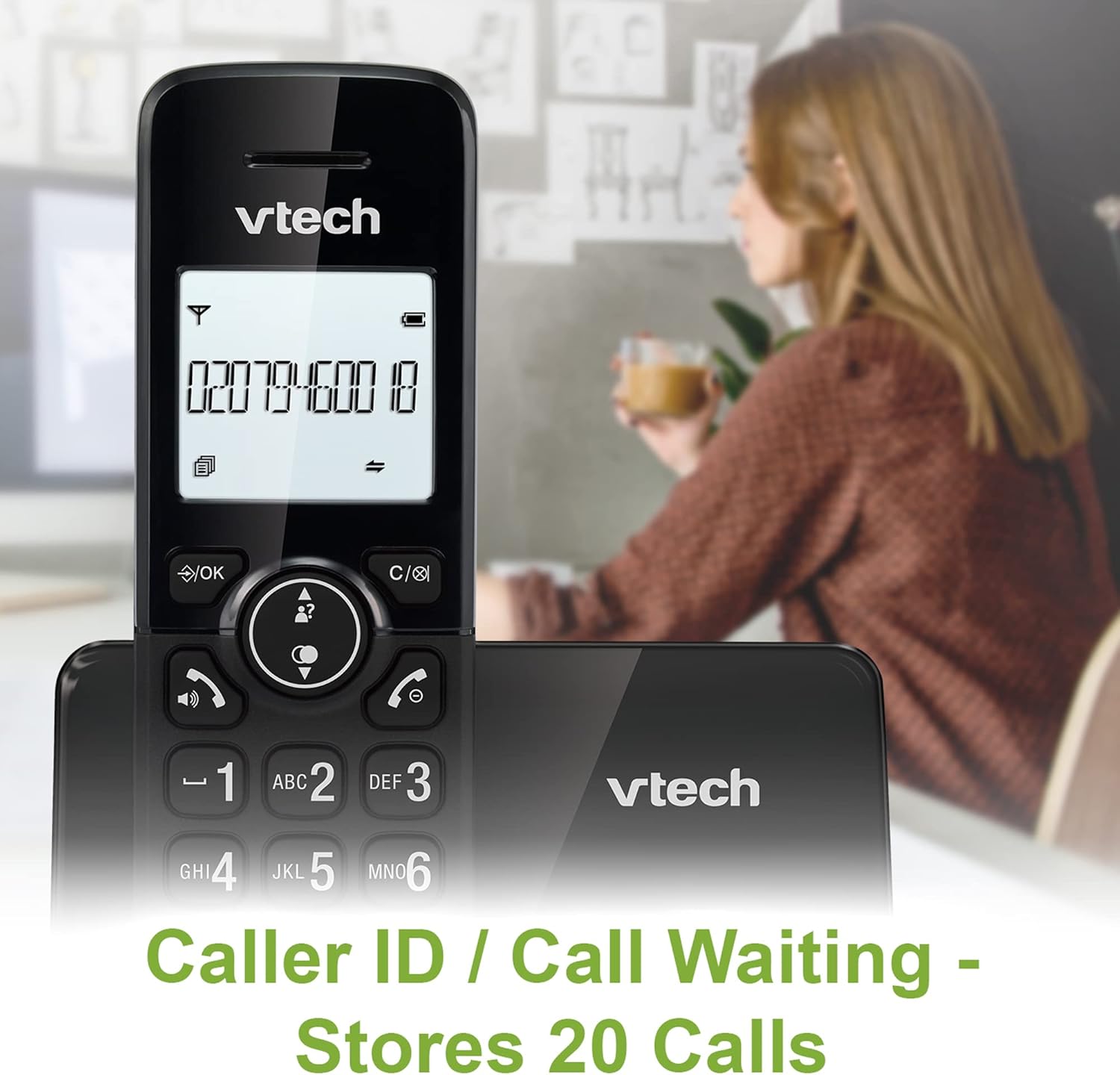
Image: A VTech CS2001 handset is positioned on its base, with its screen clearly displaying a phone number, illustrating the Caller ID feature. A person is visible in the blurred background.
4.5 1.8" Backlit Display
Each handset features a 1.8-inch backlit display, enhancing visibility and readability, especially in low-light conditions.

Сүрөт: жакын план view of the VTech CS2001 handset's 1.8-inch backlit display, clearly showing the text "HANDSET 1", demonstrating its enhanced visibility.
4.6 Жөнгө салынуучу шыңгыроонун үнү жана обону
Customize your phone experience by adjusting the ring volume and selecting from various melodies.

Image: A VTech CS2001 handset rests on a wooden table, with a graphic overlay highlighting the adjustable ring volume and melody features, allowing for personalized sound settings.
4.7 ЭКО режими
The handset automatically adjusts the radio frequency strength based on its distance from the base station, optimizing power consumption.
4.8 Сигнализация жана үнсүз функция
The phone includes an alarm function and a mute feature for privacy during calls.

Image: A split image visually represents the alarm and mute functions. One side shows a woman exercising with an alarm clock icon, while the other shows a couple relaxing with a music note icon, symbolizing the phone's versatile features.
5. Техникалык тейлөө
- Тазалоо: Телефон аппараттарын жана негизги блокту жумшак менен сүртүңүз, damp cloth. Do not use cleaning sprays or abrasive cleaners.
- Батареяга кам көрүү: Replace batteries when their performance significantly degrades. Use only NiMH battery packs specified for this model.
- Курчап турган чөйрө: Keep the telephone away from heat sources, direct sunlight, and moisture.
6. Кыйынчылыктарды
If you experience issues with your VTech CS2001, refer to the following common problems and solutions:
| Көйгөй | Чечим |
|---|---|
| Терүү үнү жок |
|
| Телефон заряддалбай жатат |
|
| Үн сапаты начар / Статикалык |
|
| Чалууларды жасоо/кабыл алуу мүмкүн эмес |
|
7. Техникалык шарттар
| Өзгөчөлүк | Деталь |
|---|---|
| Бренд | VTech |
| Модел | CS2001 |
| Телефон түрү | Зымсыз (DECT) |
| Телефондордун саны | 2 |
| Дисплей | 1.8" Backlit |
| Телефон китепчесинин сыйымдуулугу | 30 ысымдар жана сандар |
| Caller ID Records | 20 ысымдар жана сандар |
| Call Blocker Capacity | 30 номерге чейин |
| Акыркы номерди кайра терүү | 10 XNUMX жазуу |
| Power Source | Battery Powered (AC adaptors for base/chargers) |
| Батарея түрү | NiMH (2 AAA batteries per handset, included) |
| Радио топтору колдоого алынат | 1.9 ГГц (DECT) |
| Сырткы диапазон | 300 м чейин |
| Элемент Салмагы | 680 г |
| Түс | Кара |
8. Кепилдик жана колдоо
Кепилдик жөнүндө маалымат жана техникалык колдоо алуу үчүн, өнүмүңүз менен кошо берилген документтерди караңыз же расмий VTech веб-сайтына кириңиз. webсайт. Сатып алганыңыздын далили катары сатып алуу дүмүрчөгүңүздү сактаңыз.


