1. Киришүү
This manual provides instructions for the safe and efficient use of your Itel Magic3 it6350 feature phone. Please read this manual carefully before using your device to ensure proper operation and to understand its features.

Сүрөт: алдыңкы view of the Itel Magic3 it6350 feature phone, showcasing анын дисплейи жана баскычтопу.
2. Пакеттин мазмуну
Продукцияңыздын таңгагында бардык элементтер бар экенин текшериңиз:
- Itel Magic3 it6350 Device
- Battery (pre-installed in some units)
- Заряддоочу адаптер
- Наушник
- Quick Start Guide
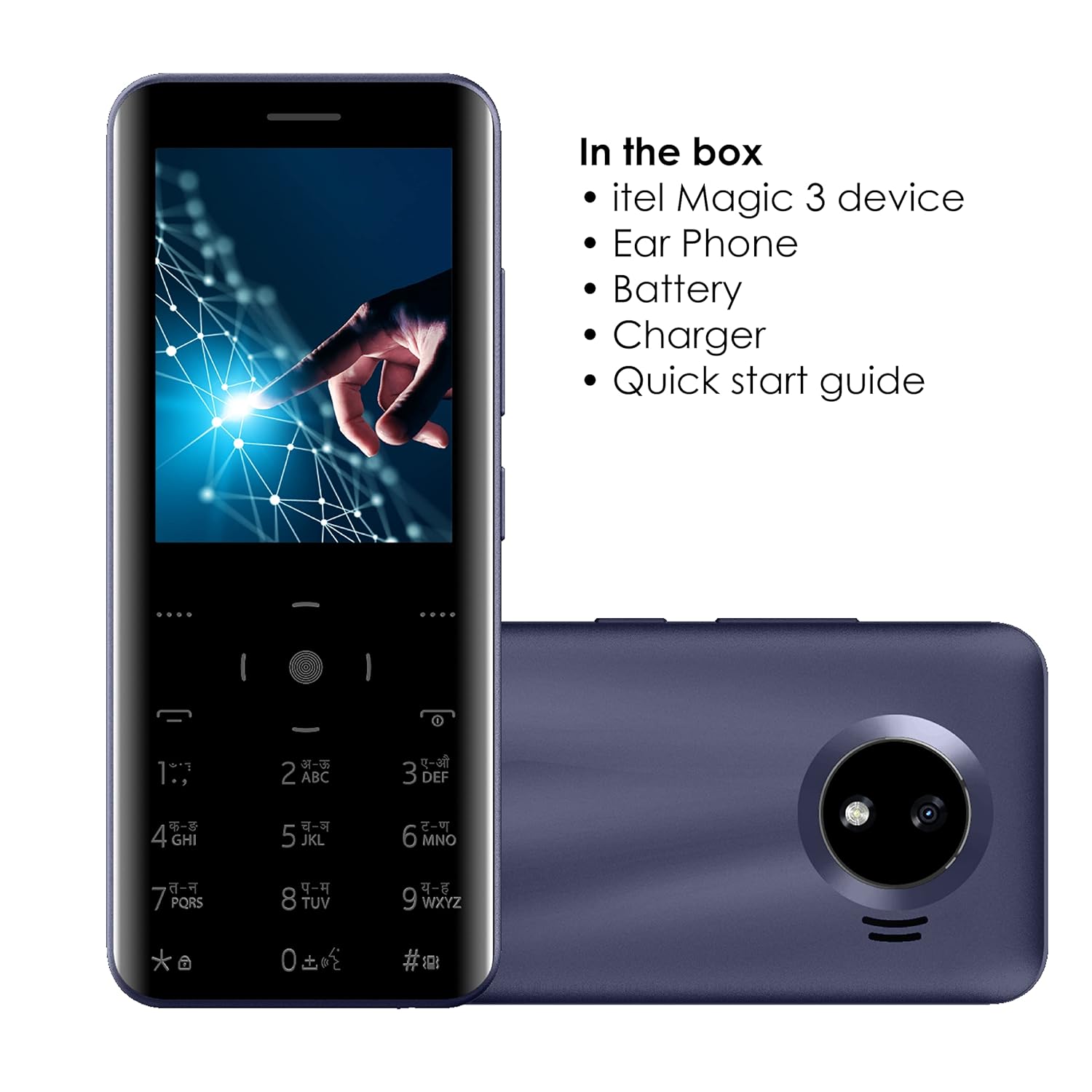
Image: Illustration of the Itel Magic3 it6350 phone alongside its included accessories: earphone, battery, charger, and quick start guide.
3. Түзмөктүн жайгашуусу
Familiarize yourself with the physical components of your Itel Magic3 it6350.

Сүрөт: Арткы view of the Itel Magic3 it6350, highlighting the 1.3MP rear camera with LED flash.

Сүрөт: каптал view of the Itel Magic3 it6350, illustrating its slim 9.5mm unibody design.
4. Орнотуу
4.1. SIM картаны жана батарейканы салуу
- Power off the device and remove the back cover.
- Insert your SIM card(s) into the designated slot(s).
- Батареяны анын отсекине салыңыз, контактылар тегиздөө.
- Арткы жапкычты ордуна коюңуз.
4.2. Баштапкы күйгүзүү жана заряддоо
- Press and hold the Power key until the screen lights up.
- If the battery is low, connect the charger to the device and a power outlet.
- Allow the device to charge fully before first use for optimal battery life.
5. Иштөө нускамалары
5.1. Негизги навигация
The Itel Magic3 it6350 features a Smart Touch Keypad and a 7.11cm (2.8") QVGA display for navigation.
- Use the navigation keys to move through menus and options.
- Press the center key to select an option.
- Use the 'Back' or 'End Call' key to return to the previous screen or exit a menu.

Image: A hand interacting with the Smart Touch Keypad of the Itel Magic3 it6350.
5.2. Чалууларды жасоо
- Үй экранынан баскычтопту колдонуп телефон номерин киргизиңиз.
- Press the 'Call' key (usually green) to initiate the call.
- To end a call, press the 'End Call' key (usually red).
5.3. Кабарларды жөнөтүү
- "Билдирүүлөр" менюсуна өтүңүз.
- Select 'Create New Message' or 'New SMS'.
- Алуучунун номерин киргизиңиз же байланыштардан тандаңыз.
- Ариптакта аркылуу билдирүүңүздү териңиз.
- "Жөнөтүү" дегенди тандаңыз.
5.4. Телефон китепчеси
The device supports a Smart Phonebook with up to 2000 contacts, including photo and icon support.
- Access the 'Contacts' or 'Phonebook' menu to manage your contacts.
- Add new contacts, edit existing ones, or search for contacts.
6. Өзгөчөлүктөрү
6.1. Камера
The Itel Magic3 it6350 is equipped with a 1.3MP camera and LED flash.
- Go to the 'Camera' application from the main menu.
- Дисплейди колдонуп кадрыңызды тартыңыз.
- Press the capture button (usually the center key) to take a photo.
6.2. Зымсыз FM радиосу
Enjoy radio broadcasts without needing to connect earphones as an antenna.
- Access the 'FM Radio' application.
- Станцияларды издөө же кол менен жөндөө үчүн навигация баскычтарын колдонуңуз.
- Recording functionality may be available within the FM Radio app.
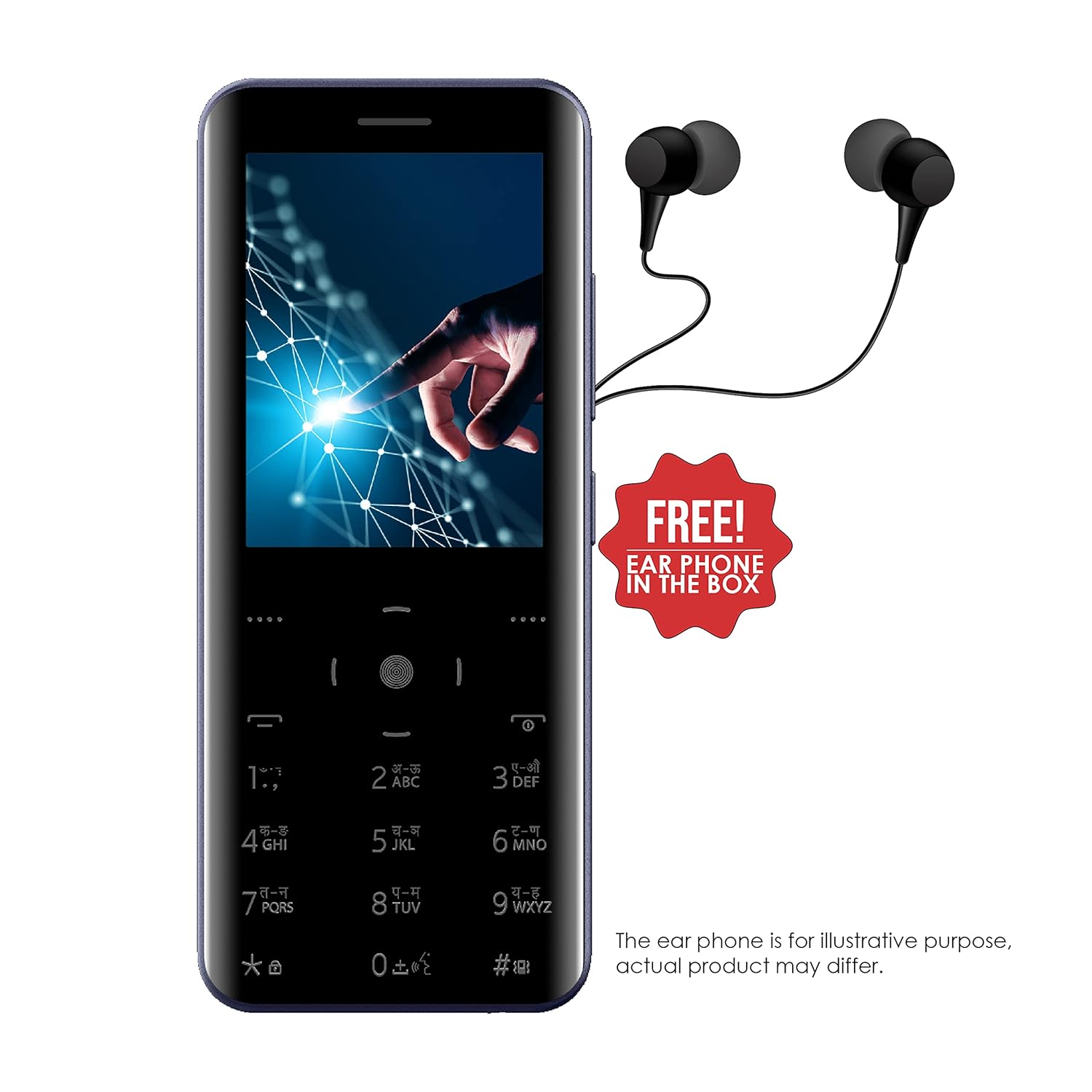
Image: The Itel Magic3 it6350 phone shown with included earphones, which can be used for private listening.
6.3. KingVoice
The KingVoice feature provides audio assistance for various phone functions, enhancing accessibility.
- Refer to the device settings to enable or disable KingVoice.
- KingVoice can read out menu options, incoming caller ID, and messages.
6.4. Connectivity (Bluetooth, Wi-Fi, USB)
The device supports basic connectivity options.
- Bluetooth: For connecting to compatible wireless accessories like headsets or for file transfer. Access via 'Settings' > 'Bluetooth'.
- Wi-Fi: For internet access where Wi-Fi networks are available. Access via 'Settings' > 'Wi-Fi'.
- USB: For charging and connecting to a computer for file өткөрүп берүү.
6.5. Башка өзгөчөлүктөр
- Тилди колдоо: Supports 9 Indian languages. Change language in 'Settings'.
- JAVA Games: The device supports JAVA games. Access via the 'Games' menu.
- WAP/GPRS Support: For basic internet browsing and accessing online content.
- Facebook колдоо кызматы: A pre-installed or downloadable Facebook application may be available.
- Smart Transfer: For easy sharing of fileтүзмөктөрдүн ортосунда.
7. Техникалык тейлөө
7.1. Батареяга кам көрүү
- Use only the original charger and battery provided with the device.
- Батареяны экстремалдуу температурага тийгизүүдөн сактаңыз.
- Батареяны тешпеңиз, бөлүктөргө бөлбөңүз же өзгөртпөңүз.
- Recycle used batteries responsibly.
7.2. Аспапты тазалоо
- Аппаратты жумшак, кургак чүпүрөк менен аарчыңыз.
- Катуу химиялык заттарды, тазалоочу эриткичтерди же күчтүү жуучу каражаттарды колдонуудан алыс болуңуз.
7.3. Сактоо
- Аппаратты түз күн нурунан жана экстремалдык температурадан алыс салкын, кургак жерде сактаңыз.
- If storing for an extended period, ensure the battery is partially charged (around 50%) to preserve its lifespan.
8. Кыйынчылыктарды
Эгер түзмөгүңүздө көйгөйлөргө туш болсоңуз, төмөнкү жалпы көйгөйлөрдү жана чечимдерди караңыз:
| Көйгөй | Мүмкүн чечим |
|---|---|
| Түзмөк күйбөйт | Батарея туура салынганын жана заряддалганын текшериңиз. Кубаттоочу түзүлүштү туташтырып, кайра аракет кылыңыз. |
| Чалууларды кабыл алуу же жасоо мүмкүн эмес | SIM карта туура салынганын жана иштетилгенин текшериңиз. Тармак сигналынын күчүн текшериңиз. |
| Чалуулар учурунда аудио сапаты начар | Ensure the earpiece/speaker is not blocked. Adjust call volume. Move to an area with better network coverage. |
| Батарея бат эле түгөнөт | Экран жарыктыгын азайтыңыз. Колдонулбаган колдонмолорду жабуу. Фондук дайындарды колдонууну чектөө. |
| Баскычтоп жооп бербей жатат | Restart the device. Ensure the keypad is clean and free from debris. |
9. Техникалык шарттар
Detailed technical specifications for the Itel Magic3 it6350:
- Модел: it6350
- Дисплей: 7.11cm (2.8") QVGA
- Дизайн: 9.5mm Slim Unibody Design
- Баскычтоп: Smart Touch Keypad
- Камера: 1.3MP with LED Flash (Rear)
- Батарея: 1500mAh Lithium Ion (In-built)
- Байланыш: Wi-Fi, Bluetooth, USB
- Аудио Jack: 3.5 мм
- Телефон китепчесинин сыйымдуулугу: 2000 Байланыштар
- Өзгөчөлүктөр: KingVoice, 9 Indian Language Support, WAP/GPRS, JAVA Games, Facebook Support, Smart Transfer, Wireless FM Radio with Recording
- Өлчөмдөрү (LxWxH): 13.9 x 5.9 x 1 см
- Салмагы: 120 г
- Сүйлөшүү убактысы: 18 саатка чейин
- Күтүү убактысы: 6 күнгө чейин

Image: Diagram illustrating the dimensions of the Itel Magic3 it6350: 139mm length, 59mm width, and 9.5mm thickness.
10. Кепилдик жана колдоо
Your Itel Magic3 it6350 device comes with a 1-year warranty. For warranty claims or technical support, please contact Itel's authorized service center.
- Кепилдик мөөнөтү: 1 жыл
- Өндүрүүчү: S MOBILE DEVICES PRIVATE LTD
- Байланыш маалыматы: Refer to the warranty card included in your package or visit the official Itel webтейлөө борборлорунун даректери жана байланыш маалыматтары үчүн сайт.


