1. Киришүү
The JOBY Compact Advanced Tripod is designed for creators seeking a versatile and robust support solution for cameras and smartphones. Its ingenious 3-way head and reinforced aluminum structure provide stability and precision for various content creation needs. This manual will guide you through its features and proper usage.
Негизги өзгөчөлүктөрү:
- Ingenious and Fantastic: Full-size tripod designed for comfort and quality.
- Incredible Versatility: Standard screw connection compatible with the GorillaPod 3K Kit quick release plate for high precision.
- Beyond Your Expectations: Intuitive 3-way tripod head simplifies content creation.
- Travel in Safety: Easily foldable and transportable thanks to its aluminum structure.
- Extremely Solid: 3 kg (6.61 lbs) capacity supports various devices, from smartphones to compact cameras.
2. Орнотуу
Follow these steps to set up your JOBY Compact Advanced Tripod:
2.1 Штативди жайып салуу
- Gently extend the tripod legs outwards until they are fully spread.
- Ensure each leg is securely locked into position using the locking levers.
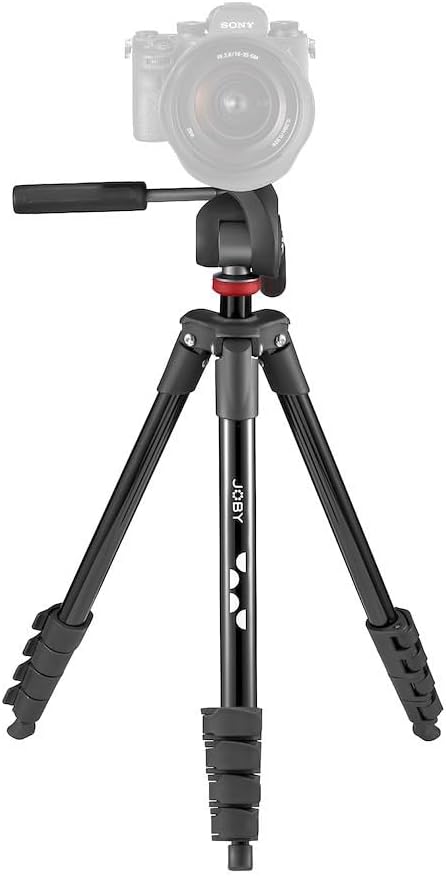
Figure 1: The JOBY Compact Advanced Tripod ready for use.
2.2 Түзмөгүңүздү туташтыруу
- Locate the quick release plate on the 3-way head.
- Press the release lever to detach the quick release plate from the tripod head.
- Securely screw your camera or smartphone holder onto the quick release plate using the ¼-20” screw.
- Slide the quick release plate with your device back into the tripod head until it clicks securely into place.

Figure 2: Detail of the quick release plate for device attachment.
3. Иштөө
Maximize your tripod's potential with these operating instructions:
3.1 Бийиктикти жана бурчту тууралоо
- Бут узартуу: Unlock the leg sections by flipping the quick-release levers. Extend the legs to your desired height and then lock the levers to secure them.
- Center Column: For additional height, rotate the crank handle to raise the center column. Tighten the locking knob to secure the column at the desired height.
- 3-Way Head Adjustment: Use the pan and tilt handles on the 3-way head to precisely adjust your device's horizontal and vertical angles. Loosen the handles to move, then tighten to lock.
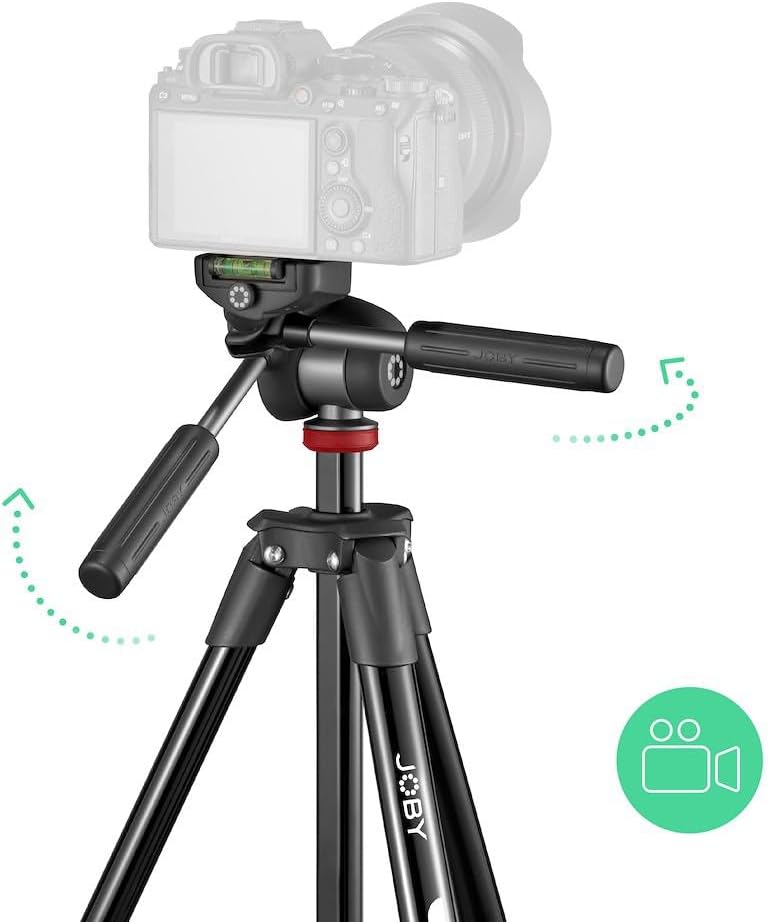
Figure 3: Demonstrating the 3-way head's flexibility.

Figure 4: Tripod in an outdoor setting, showcasing its stability.
3.2 Ташып жүрүү жана сактоо
- To collapse the tripod, reverse the leg extension and center column adjustment steps.
- Fold the legs inward to minimize the tripod's footprint.
- Store the tripod in the included carrying bag for easy transport and protection.
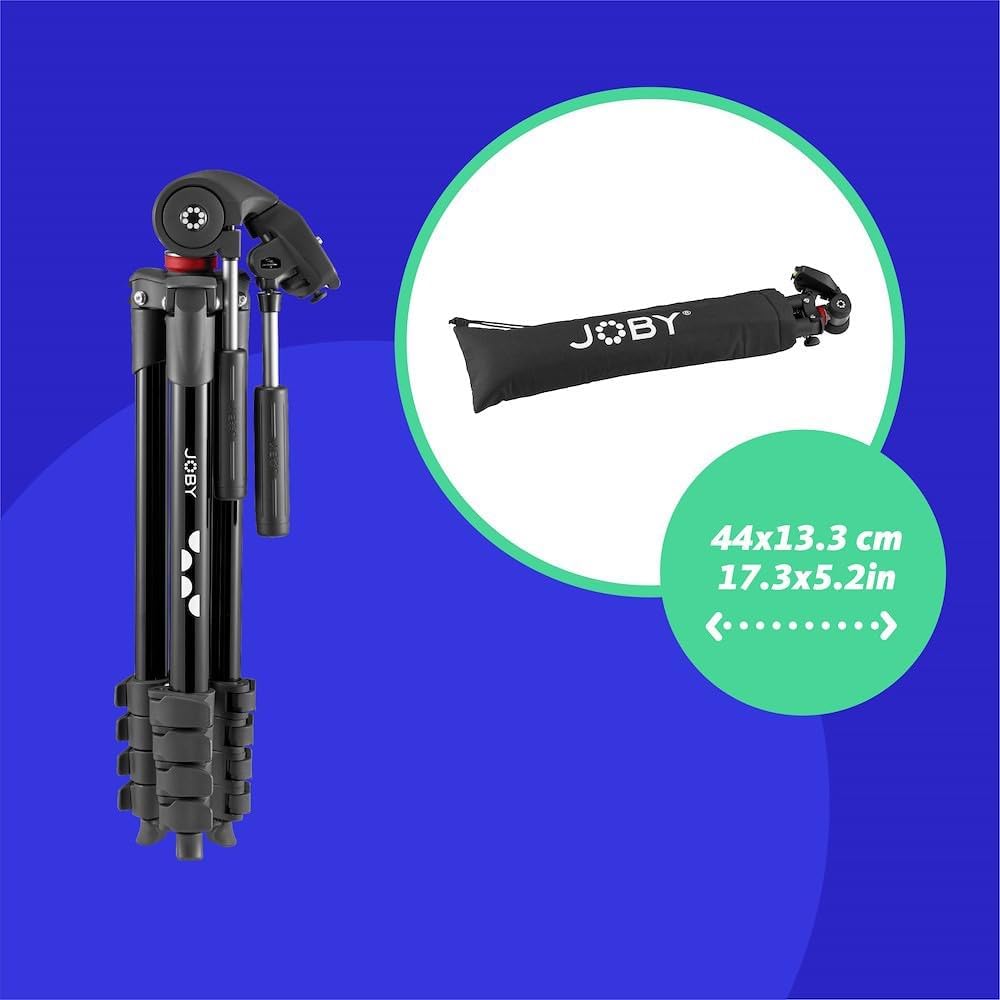
Figure 5: The tripod folded and ready for storage in its bag.
4. Техникалык тейлөө
Proper maintenance ensures the longevity and optimal performance of your tripod:
- Тазалоо: Wipe down the tripod with a soft, dry cloth after each use to remove dust and dirt. For stubborn grime, use a slightly damp кездеме жана жумшак самын, андан кийин кылдат кургатуу.
- Майлоо: Periodically check the moving parts (leg locks, head mechanisms) for smooth operation. Apply a small amount of silicone-based lubricant if necessary, avoiding excessive application.
- Сактагыч: Store the tripod in a cool, dry place, preferably in its carrying bag, to protect it from dust, moisture, and physical damage.
- Текшерүү: Regularly inspect all screws, levers, and joints for tightness and wear. Tighten any loose components and replace worn parts if needed.
5. Кыйынчылыктарды
Бул жерде кээ бир жалпы маселелер жана алардын чечимдери болуп саналат:
- Штатив туруксуз: Ensure all leg sections are fully extended and their locking levers are securely fastened. Check that the center column is tightened. Distribute the weight of your camera evenly.
- Head movement is stiff: Loosen the locking knobs on the 3-way head. If still stiff, apply a small amount of silicone lubricant to the moving parts.
- Quick release plate is stuck: Ensure the release lever is fully disengaged. Check for any debris obstructing the plate's movement.
- Legs won't extend/retract smoothly: Check for dirt or sand in the leg mechanisms. Clean the leg sections and apply lubricant if necessary.
6. Техникалык шарттар
| Өзгөчөлүк | Спецификация |
|---|---|
| Продукциянын өлчөмдөрү | 20.08 x 5.12 x 4.72 дюйм |
| Элемент Салмагы | 3.99 фунт |
| Элемент моделинин номери | JB01763-BWW |
| Өндүрүүчү | ЖОБАЙ |
| Бренд | Joby |
| Түс | Кара |
| Шайкеш түзмөктөр | Камера |
| Материал | Алюминий |
| Салмагы Limit | 6.61 фунт (3 кг) |
| Максималдуу бийиктик | 36.5 дюйм |
| Tripod баш түрү | 3-Way Head |
| Минималдуу бийиктик | 15.64 дюйм |
| Катталган өлчөмү | 15.64 дюйм |
Кутуда эмне бар:
- 1 x JOBY Compact Advanced Camera Tripod with 3-Way Head
- 1 x Ташуу сумкасы
7. Кепилдик жана колдоо
For warranty information and customer support, please refer to the official JOBY webсайтка же сатуучуга кайрылыңыз. Ар кандай кепилдик дооматтары үчүн сатып алганыңыздын далилин сактаңыз.


