1. Киришүү
Thank you for choosing the Wyze Cordless Vacuum Cleaner. This lightweight and powerful stick vacuum is designed for efficient cleaning across various surfaces in your home. With its versatile attachments, multiple suction modes, and cordless convenience, maintaining a clean living space is simpler than ever.
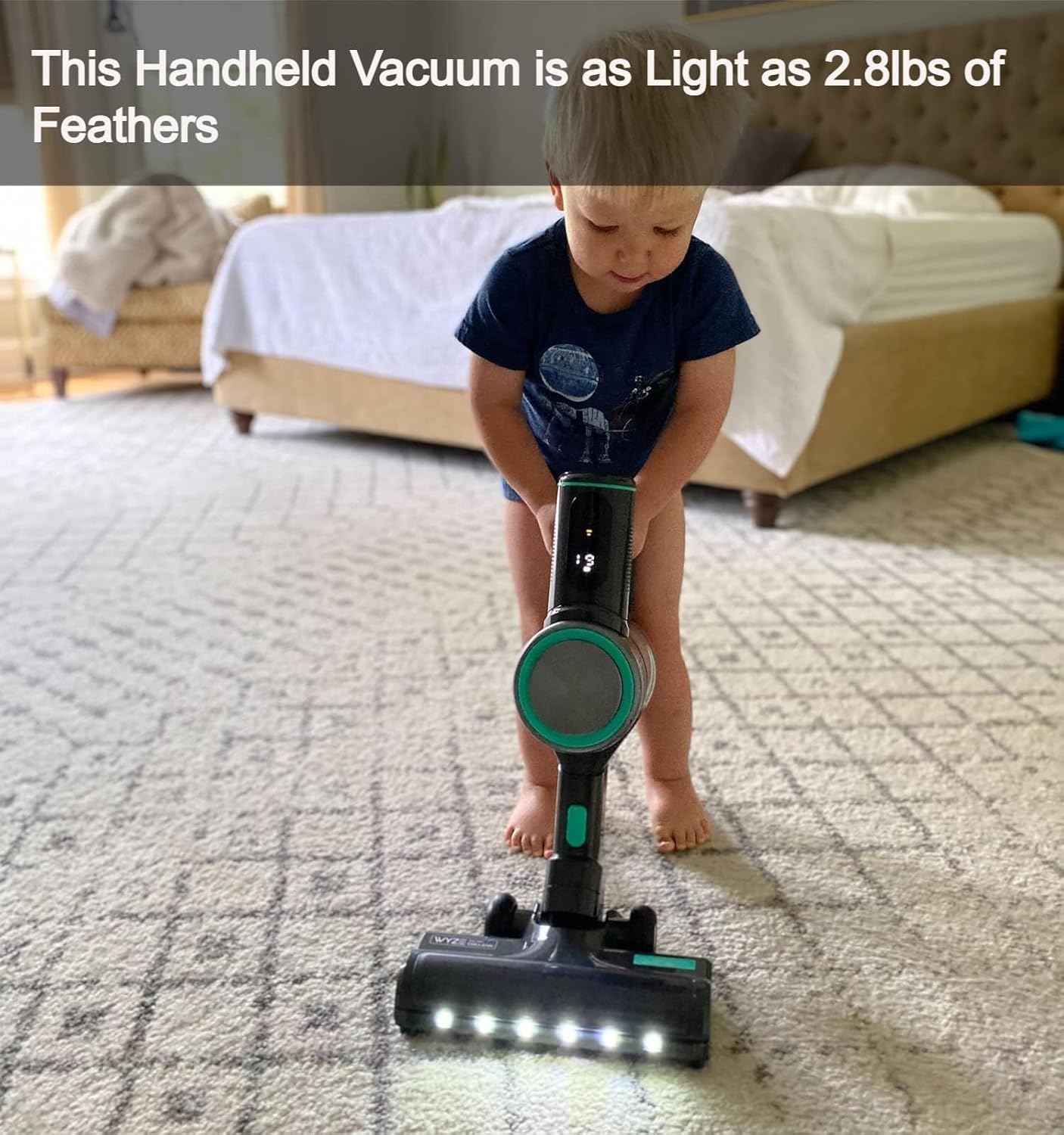
Figure 1: Fully assembled Wyze Cordless Vacuum Cleaner.
2. Кутуда эмне бар
Сураныч, пакеттин мазмунун текшерип, бардык буюмдар бар экенин текшериңиз:
- Main Unit (Battery included) x1
- Заряддоочу x1
- Crevice Tool x1
- Пол щетка x1
- Dust cap x1
- HEPA Filter x1
- Filter Housing x1
- Standard Tube x1
- X1
3. Орнотуу
3.1 Ассамблея
- Бардык компоненттерди кутудан чыгарыңыз.
- Attach the main unit to the standard tube.
- Connect the floor brush to the other end of the standard tube. Ensure all connections click securely into place.

Figure 2: The vacuum can be assembled with various attachments for different cleaning needs.
3.2 Алгачкы заряддоо
Before first use, fully charge the battery. The LED display on the main unit will show the current battery percentagкубаттоо учурунда e деңгээли.
- Заряддагычты батарейка таңгагына туташтырыңыз.
- Заряддоо түзүлүштү розеткага сайыңыз.
- Allow the battery to charge completely before operating the vacuum.

Figure 3: The detachable battery pack allows for flexible charging.
4. Иштөө нускамалары
4.1 Күйгүзүү/өчүрүү
Чаң соргучту күйгүзүү же өчүрүү үчүн негизги блоктогу кубат баскычын басыңыз.
4.2 Соруу режимдери
The Wyze Cordless Vacuum offers three suction levels to suit different cleaning needs. Select the desired mode using the control method on the main unit:
- Eco Mode (6,000 Pa, up to 40 mins runtime): Ideal for light cleaning and extended battery life.
- Medium Mode (9,000 Pa, up to 21 mins runtime): Balances suction power and battery life for general cleaning.
- Turbo Mode (20,000 Pa, up to 10 mins runtime): Provides maximum suction for intensive spot cleaning and stubborn debris.

Figure 4: The LED display shows the selected power mode and battery level.
4.3 LED фаралар
The floor brush is equipped with 6 daylight-bright LED lights to illuminate dust and debris under furniture and in dimly lit areas, ensuring thorough cleaning.

5-сүрөт: LED фаралары жашырылган чаңды жана таштандыларды көрсөтүп турат.
4.4 Тиркемелерди колдонуу
The vacuum comes with various attachments for specialized cleaning:
- Жарака куралы: Тар мейкиндиктер, бурчтар жана четтер үчүн идеалдуу.
- Пол щетка: Designed for general floor cleaning on hard floors and carpets.
To use an attachment, detach the main unit from the standard tube and connect the desired tool directly to the main unit or the standard tube, depending on the cleaning area.

Figure 6: The lightweight design makes it easy to maneuver.
5. Техникалык тейлөө
5.1 Чаң чөйчөгүн бошотуу
To maintain optimal suction and performance, empty the dust cup regularly:
- Вакуум өчүрүлгөнүн текшериңиз.
- Hold the main unit over a waste bin.
- Press the release button to open the dust cup and empty its contents.

Figure 7: Easy one-finger release for emptying the dust cup.
5.2 HEPA чыпкасын тазалоо
The HEPA filter should be cleaned periodically to ensure efficient filtration and prevent reduced suction:
- Remove the dust cup and then the HEPA filter.
- Tap the filter gently to dislodge dust and debris.
- The filter can be washed with water. Ensure it is completely dry before reinserting it into the vacuum.
5.3 Батареяны тейлөө
Proper battery care extends the lifespan of your vacuum's battery:
- Fully charge the battery before its first use and whenever it is low.
- Avoid complete discharges of the battery.
- Чаң соргучту жана батареяны салкын, кургак жерде сактаңыз.
- For long-term storage, remove the battery from the main unit.
6. Кыйынчылыктарды
If you encounter any issues with your Wyze Cordless Vacuum, refer to the following common solutions:
- Floor brush not working: Ensure the brush is properly installed and connected, the battery is charged, the dust cup is empty, and remove any hair or debris from the brush. Check for visible damage.
- Vacuum stopped working: Unplug the vacuum before turning it on. Ensure the battery is charged. Empty the dust cup to prevent protection mode from activating due to blockage.
- Vacuum switch not responding: Check that the dust cup is securely seated and the nozzle is properly attached. Clear any blockages in the vacuum path.
7. Техникалык шарттар
| Өзгөчөлүк | Деталь |
|---|---|
| Бренд | WYZE |
| Модель аты | WCLVAC |
| Элемент Салмагы | 2.8 фунт |
| Продукциянын өлчөмдөрү | 6.1"L x 4.9"W x 29.5"H |
| Соруу күчү | Up to 20,000 Pa (Turbo Mode) |
| Ватtage | 450 ватт |
| Мотор кубаты | 13.41 аттын күчү |
| Батареянын иштөө мөөнөтү | 40 мүнөткө чейин (Эко режими) |
| Заряддоо убактысы | 100 мүнөт |
| Чыпка түрү | HEPA чыпкасы |
| Кубаттуулугу | 0.18 галлон |
| Ызы-чуу деңгээли | 65 децибел |
| Өзгөчөлүктөр | Cordless, HEPA, Headlight, Lightweight |
| Surface Recommendation | Бардык кабаттар |
8. Кепилдик жана колдоо
For warranty information and customer support, please refer to the official WYZE webсайтка же түздөн-түз кардарларды тейлөөгө кайрылыңыз. Кепилдик дооматтар үчүн сатып алуу дүмүрчөгүңүздү сактаңыз.


