Introduction
This manual provides essential information for setting up, operating, maintaining, and troubleshooting your Apple iPhone 12 Mini (PRODUCT)RED 64GB. This device is a renewed premium product, ensuring full functionality and a high standard of quality.
Key features of your iPhone 12 Mini include:
- Unlocked for compatibility with any GSM and CDMA network carrier (e.g., AT&T, T-Mobile, Sprint, Verizon).
- Guaranteed battery health exceeding 90% of original capacity.
- Minimal cosmetic damage, not noticeable at arm's length.
- Includes a certified MFi charging cable and a UL certified wall plug.
- Backed by a one-year satisfaction guarantee.
1. Орнотуу жана биринчи колдонуу
1.1 Кутуда эмне бар
Your renewed iPhone 12 Mini package includes the following items:
- Apple iPhone 12 Mini (PRODUCT)RED 64GB
- USB-C to Lightning Cable (generic, MFi certified)
- Wall Plug (generic, UL certified)
- SIM Tray Removal Tool
Note: Headphones and a SIM card are not included.

Image: The iPhone 12 Mini and its included USB-C to Lightning charging cable.
1.2 SIM картаны салуу
- Locate the SIM tray on the side of your iPhone.
- Insert the SIM tray removal tool into the small hole next to the tray and press firmly until the tray ejects.
- Nano-SIM картаңызды лотокко алтын контакттары ылдый каратып салыңыз.
- Carefully reinsert the SIM tray into the iPhone.
1.3 Күйгүзүү жана баштапкы орнотуу
- Apple логотиби пайда болгонго чейин каптал баскычын басып, кармап туруңуз.
- Тилди жана аймакты тандоо үчүн экрандагы нускамаларды аткарыңыз.
- Wi-Fi тармагына туташыңыз.
- Set up Face ID for secure authentication.
- Create a passcode.
- Маалыматтарды камдык көчүрмөдөн (iCloud же компьютер) калыбына келтириңиз же жаңы iPhone катары орнотуңуз.
- Apple ID менен кириңиз же жаңысын түзүңүз.
- Complete the remaining setup steps, including location services and Siri.
2. Operating Your iPhone 12 Mini
2.1 Негизги навигация
Your iPhone 12 Mini operates on iOS 16, providing an intuitive touchscreen interface.
- Башкы экран: Swipe up from the bottom edge to go to the Home screen.
- Колдонмо алмаштыргыч: Экрандын ылдыйкы четинен өйдө сүрүп, ортосунда тыныгуу жасаңыз view колдонмолорду ачуу.
- Башкаруу борбору: Тез жөндөөлөргө кирүү үчүн жогорку оң бурчтан ылдый серпиңиз.
- Эскертмелер: Жогорку сол бурчтан ылдый серпиңиз view эскертмелер.
2.2 Күйгүзүү/өчүрүү
- Күйгүзүү үчүн: Apple логотиби пайда болгонго чейин каптал баскычын басып, кармап туруңуз.
- Өчүрүү үчүн: Өчүрүү слайдери пайда болгонго чейин каптал баскычын жана Үн баскычтарынын бирин бир убакта басып туруңуз. Өчүрүү үчүн слайдерди сүйрөңүз.
2.3 Face ID
Face ID uses facial recognition for secure unlocking, purchases, and app authentication. Ensure your face is clear and directly facing the screen for optimal performance.

Image: Detail of the iPhone 12 Mini's front display and notch, housing the Face ID system.
2.4 Камераны колдонуу
Your iPhone 12 Mini features a dual-camera system on the rear and a single front camera. Open the Camera app to capture photos and videos. Tap on the screen to focus, and use the zoom options for different perspectives.

Image: Detail of the iPhone 12 Mini's dual rear camera system.
3. Техникалык тейлөө жана кам көрүү
3.1 Батареяга кам көрүү
Your renewed iPhone 12 Mini is guaranteed to have a battery capacity exceeding 90% of its original. To maximize battery lifespan:
- Avoid extreme ambient temperatures (below 0°C/32°F or above 35°C/95°F).
- Charge your iPhone using the provided MFi certified cable and UL certified wall plug.
- Enable Optimized Battery Charging in Settings > Battery > Battery Health.
- Батареяны бат-баттан толук кубаттап калуудан алыс болуңуз.
3.2 iPhone'уңузду тазалоо
To clean your iPhone, use a soft, lint-free cloth. Avoid abrasive materials, aerosols, solvents, or ammonia-based cleaners. Do not submerge your iPhone in water.
3.3 Программалык камсыздоо жаңыртуулары
Regularly update your iPhone's software to the latest iOS version to ensure optimal performance, security, and access to new features. Go to Settings > General > Software Update.
4. Жалпы көйгөйлөрдү чечүү
4.1 Түзмөк жооп бербей жатат
If your iPhone becomes unresponsive, perform a force restart:
- Үндү катуулатуу баскычын басып, тез коё бериңиз.
- Үндү азайтуу баскычын басып, тез коё бериңиз.
- Apple логотиби пайда болгонго чейин каптал баскычын басып, кармап туруңуз.
4.2 Тармакка туташуу маселелери
- No Service/Poor Signal: Check your SIM card insertion. Go to Settings > Cellular and ensure Cellular Data is enabled. Try toggling Airplane Mode on and off.
- Wi-Fi туташуу көйгөйлөрү: Go to Settings > Wi-Fi. Ensure Wi-Fi is on and you are connected to the correct network. Try forgetting the network and rejoining.
4.3 Батареянын бат түгөнүп калышы
While your renewed iPhone has a healthy battery, usage patterns can affect battery life. If you experience rapid battery drain:
- Check Battery Usage in Settings > Battery to identify apps consuming the most power.
- Экран жарыктыгын азайтыңыз.
- Disable Background App Refresh for non-essential apps (Settings > General > Background App Refresh).
- Limit location services for apps (Settings > Privacy > Location Services).
5. Продукттун спецификациялары
| Өзгөчөлүк | Спецификация |
|---|---|
| Бренд | Apple |
| Модель аты | iPhone 12 мини |
| Операция системасы | iOS 16 |
| Эстутум сактоо сыйымдуулугу | 64 ГБ |
| CPU модели | Apple A14 Bionic |
| CPU ылдамдыгы | 3 ГГц |
| Screen Size | 6.1 дюйм |
| Дисплей түрү | OLED |
| Резолюция | 2340 x 1080 |
| Жаңыртуу ылдамдыгы | 60 Гц |
| Түс | (PRODUCT) RED |
| Зымсыз камсыздоочу | Бардык операторлор үчүн кулпусу ачылды |
| Уюлдук технология | 5G, 4G LTE |
| Байланыш технологиясы | Wi-Fi |
| Biometric Security Feature | Жүздү таануу |
| Туташтыргыч түрү | Чагылган |
| Батареянын сүрөттөлүшү | Литий-ион |
| Батареянын орточо иштөө мөөнөтү | 14 саат |
| Элемент Салмагы | 1.5 грамм |
| Модель жылы | 2020 |
6. Кепилдик маалыматы
Your Apple iPhone 12 Mini (Renewed Premium) is backed by a one-year satisfaction guarantee. This warranty covers any functional defects and ensures the device meets the described renewed premium condition.
For specific details regarding coverage and claims, please refer to the documentation provided with your purchase or contact the seller directly.
7. Кардарларды колдоо кызматы
If you encounter any issues or have questions not covered in this manual, please contact the seller, Hybrid IT, through your Amazon order details. For general Apple support resources, visit support.apple.com/iphone.
For information regarding Amazon Renewed Premium products and their conditions, please refer to the Amazon Renewed program details.
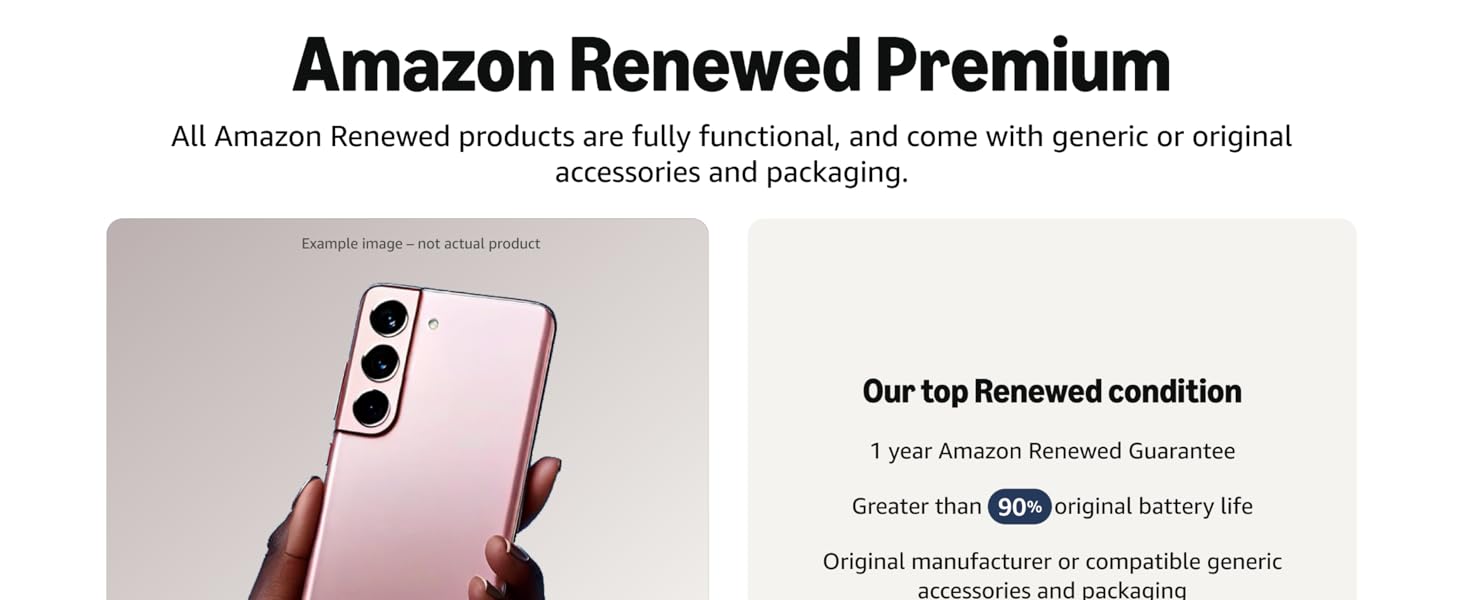
Сүрөт: бүттүview of Amazon Renewed Premium standards.
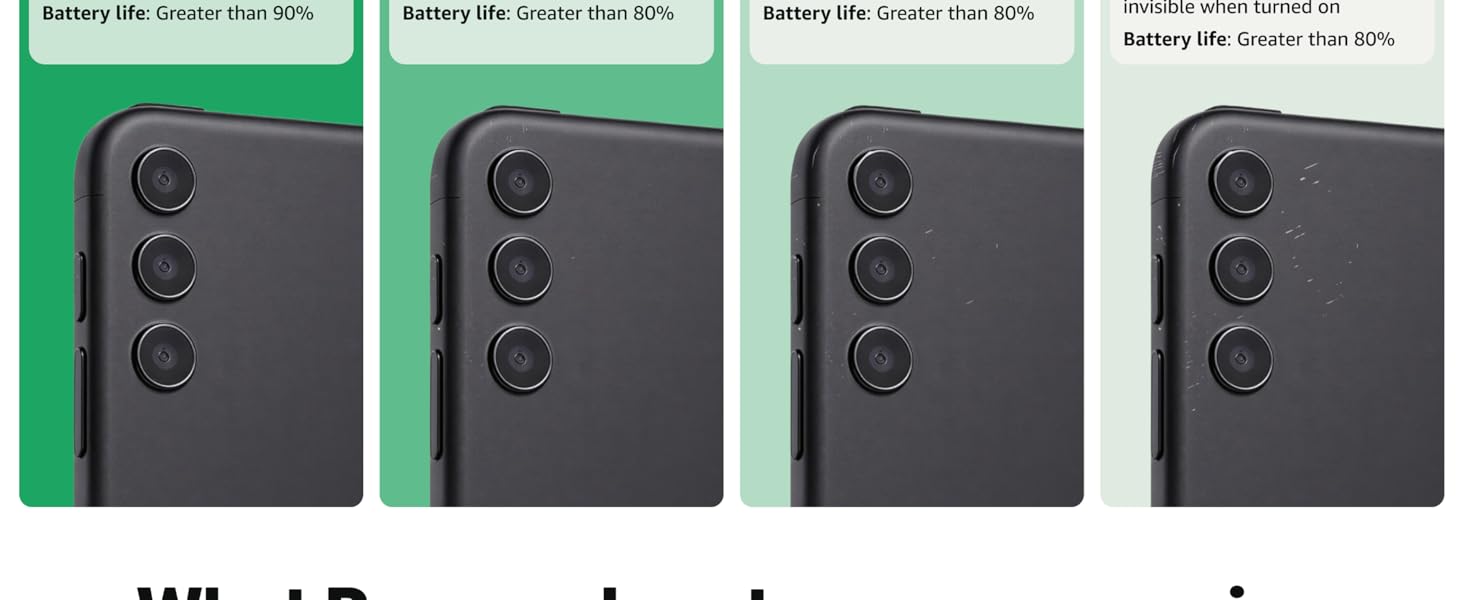
Image: Detailed comparison of Amazon Renewed product conditions.


