Introduction
Сатып алганыңыз үчүн рахматasing the Fenton FT210LED Party Speaker. This manual provides essential information for the safe and correct operation of your device. Please read it thoroughly before use and retain it for future reference.
The FT210LED is a versatile portable party speaker designed for various audio needs, featuring Bluetooth connectivity, a built-in MP3 player, AUX input, and a microphone for karaoke. Its integrated battery and trolley system ensure portability, while colorful LED lighting enhances the atmosphere.
Маанилүү коопсуздук нускамалары
- Аппаратты иштетүүдөн мурун бардык нускамаларды кылдат окуп чыгыңыз.
- Бул колдонмону келечекте маалымат алуу үчүн сактаңыз.
- Өрт же электр тогуна урунуп калбаш үчүн аппаратты жамгырга же нымга тийгизбеңиз.
- электр менен жабдууну камсыз кылуу voltage бирдикте көрсөтүлгөн талаптарга дал келет.
- в ачпагылаasinг. Ичинде колдонуучу тейлей турган бөлүктөр жок. Бардык тейлөөлөрдү квалификациялуу кызматкерлерге тапшырыңыз.
- Аппаратты жылуулук булактарынын жанына же тике күн нуруна коюудан алыс болуңуз.
- Кургак чүпүрөк менен гана тазалаңыз.
- Эч кандай желдетүүчү тешиктерди жаап албаңыз.
- Өндүрүүчү белгилеген тиркемелерди/аксессуарларды гана колдонуңуз.
- Disconnect the unit during lightning storms or when unused for long periods.
Пакеттин мазмуну
Таңгактан чыгаргандан кийин, төмөндө көрсөтүлгөн нерселердин бардыгы бар экенин жана жакшы абалда экендигин текшериңиз:
- Fenton FT210LED Party Speaker
- Зымдуу микрофон
- Алыстан башкаруу
- Электр кабели
- Колдонуучунун Колдонмосу (бул документ)

1-сүрөт: The Fenton FT210LED speaker shown with its accompanying remote control, power cable, and wired microphone.
Жайгашуу
1. Батареяны заряддоо
The FT210LED features an integrated rechargeable battery for portable use. Before first use, fully charge the speaker.
- Connect the provided power cable to the speaker's power input and a suitable wall outlet (230V / 50Hz).
- Заряддоо индикаторунун жарыгы күйөт.
- Allow several hours for a full charge. The indicator light may change or turn off when fully charged (refer to the specific behavior of your unit's indicator).
The speaker can be operated while charging.
2. Спикерди жайгаштыруу
The FT210LED is designed for portability and can be used in various locations. It features a trolley system for easy transport.
- Using the Trolley System: Extend the retractable handle and tilt the speaker to roll it on its integrated wheels.
- Штативде: The speaker is equipped with a hat (pole mount) for placement on a standard speaker tripod (not included). Ensure the tripod is stable and rated for the speaker's weight (11.55 kg).

2-сүрөт: The base of the speaker, illustrating the wheels, retractable handle, and the pole mount for tripod placement.
Иштөө нускамалары
Башкаруу панелиview

3-сүрөт: The main control panel located on the rear of the speaker, featuring media player controls, volume, tone adjustments, and input ports.

4-сүрөт: А деталдуу view of the input section and control knobs on the speaker's rear panel.
Familiarize yourself with the control panel (Figures 3 & 4) before operation. Key controls include:
- Кубат которгучу: Динамикти КҮЙГҮЗҮҮ/ӨЧҮРҮҮ.
- Жарык өчүргүч: LED жарыктандыруусун башкарат.
- Медиа ойноткуч: USB/MicroSD slots, display, and playback controls (Play/Pause, Next, Previous, Mode).
- Үн баскычы: Жалпы башкы үнүн тууралайт.
- Үч ыргытуу баскычы: Жогорку жыштыктарды тууралайт.
- Басс баскычы: Төмөн жыштыктарды тууралайт.
- Микрофондун үн баскычы: Микрофондун үнүн тууралайт.
- Эхо баскычы: Микрофон үчүн жаңырык эффектин тууралайт.
- Микрофон: 6.3mm jack for microphone connection.
- AUX кирүүсү: тышкы аудио түзмөктөр үчүн 3.5 мм уячасы.
- Тышкы DC12V: Input for external 12V power source (e.g., car battery, not for charging).
1. Күйгүзүү / Өчүрүү
табыңыз КҮЧ switch on the control panel and toggle it to the ON position to power on the speaker. Toggle to ӨЧҮРҮҮ өчүрүү үчүн.
2. Bluetooth туташуусу
Stream audio wirelessly from your smartphone, tablet, or laptop.
- Динамикти иштетүү.
- басыңыз РЕЖИМ button on the control panel or remote control until "Bluetooth" or "BT" appears on the display. The speaker will enter pairing mode, indicated by a flashing Bluetooth icon or sound.
- Түзмөгүңүздө Bluetooth иштетиңиз жана жеткиликтүү түзмөктөрдү издеңиз.
- Select "Fenton FT210LED" from the list.
- Once connected, the speaker will emit a confirmation sound, and the Bluetooth indicator will stop flashing.
- Эми сиз түзмөгүңүздөн аудиону динамик аркылуу ойной аласыз.
3. USB/MicroSD Playback
MP3 аудиону ойнотуу files directly from a USB flash drive or MicroSD card.
- USB флэш-дискти салыңыз USB port or a MicroSD card into the MICROSD уяча.
- The speaker will automatically switch to USB/MicroSD mode and begin playing audio. If not, press the РЕЖИМ туура киргизүүнү тандоо үчүн баскыч.
- Ойнотуу башкаруу элементтерин колдонуңуз (ОЙНОО/ТЫНЫТТЫРУ, КИЙИНКИ, МУРУНКУ) on the control panel or remote control to manage playback.
4. AUX киргизүү
3.5 мм аудио кабелин колдонуу менен тышкы аудио түзмөктөрдү туташтырыңыз.
- Connect one end of a 3.5mm audio cable (not included) to the AUX IN динамиктеги порт.
- Connect the other end to the headphone jack or audio output of your external device (e.g., MP3 player, TV).
- басыңыз РЕЖИМ баскычын дисплейде "AUX" пайда болгонго чейин басыңыз.
- Adjust the volume on both the speaker and your external device.
5. Микрофонду колдонуу (Караоке)
The speaker comes with a wired microphone for karaoke or public address.
- Зымдуу микрофонду туташтырыңыз MIC IN jack on the control panel.
- Ensure the microphone's ON/OFF switch is in the ON позиция.
- жардамы менен микрофондун үнүн тууралаңыз MIC VOL баскыч.
- Apply an echo effect using the ECHO баскыч.

5-сүрөт: The wired microphone, model DM-100, with its power switch.
6. LED жарыктандыруу
The integrated colorful LED lights on the woofers can be turned on or off.
- табыңыз ЖАРЫК башкаруу панелин күйгүзүңүз.
- Которуштурууну күйгүзүңүз ON to activate the LED lights.
- Которуштурууну күйгүзүңүз ӨЧҮРҮҮ to deactivate the LED lights.

6-сүрөт: The speaker with its LED lights active, displaying blue and purple hues.

7-сүрөт: Бурчтуу view баяндамачынын шоуcasing its dynamic green and blue LED lighting.
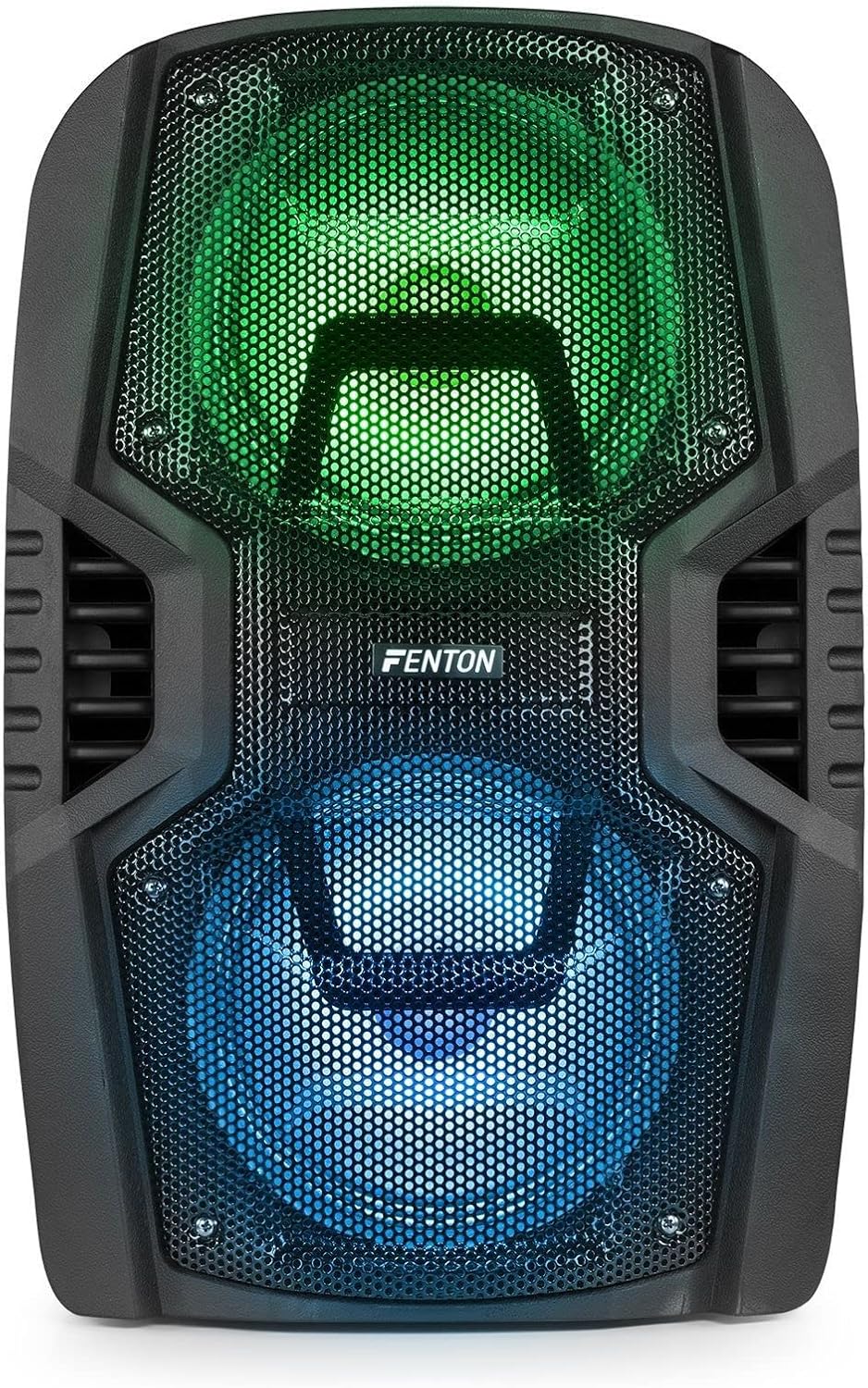
8-сүрөт: The front of the speaker with its LED lights displaying vibrant green and blue colors.

9-сүрөт: The speaker positioned in a room with low lighting, demonstrating the atmospheric effect of its blue LED lights.
Техникалык тейлөө
- Тазалоо: Динамиктин сыртын тазалоо үчүн жумшак, кургак чүпүрөктү колдонуңуз. Абразивдүү тазалагычтарды, момдорду же эриткичтерди колдонбоңуз.
- Сактагыч: Узак мөөнөткө колдонулбаганда, динамикти салкын, кургак жерде, тике күн нурунан жана экстремалдык температурадан алыс сактаңыз.
- Батареяга кам көрүү: To prolong battery life, avoid fully discharging the battery frequently. Recharge the battery periodically if the speaker is stored for a long time.
- Вентиляция: Ашыкча ысып кетүүнүн алдын алуу үчүн желдетүү тешиктерин чаңдан жана таштандыдан тазалаңыз.
Проблемаларды чечүү
| Көйгөй | Мүмкүн себеп | Чечим |
|---|---|---|
| Күч жок | Battery discharged; Power cable not connected; Power switch OFF. | Charge the battery; Connect power cable securely; Turn power switch ON. |
| Үн жок | Үнү өтө төмөн; Туура эмес киргизүү режими тандалды; Түзмөк туура эмес туташтырылган. | Increase volume; Select correct input (Bluetooth, USB, AUX); Reconnect device. |
| Bluetooth жупташкан жок | Speaker not in pairing mode; Device Bluetooth OFF; Too far from speaker. | Ensure speaker is in BT mode; Enable Bluetooth on device; Move device closer (within 10m). |
| Микрофон иштебей жатат | Microphone OFF; Mic Vol too low; Microphone not connected. | Turn microphone ON; Increase Mic Vol; Connect microphone securely. |
| LED жарыктары иштебейт | Light switch OFF. | Turn Light switch ON. |
Техникалык шарттар
| Бренд | Фентон |
| Модель номери | FT210LED (170.022) |
| Power Output | 700 Вт |
| Frequency Response | 50 Гц - 20 000 Гц |
| Woofers | Кош 10 дюймдук |
| Батарея | 7.4 V / 3 Ah |
| Connection Voltage | 230 В / 50 Гц |
| Аудио киргизүү | Bluetooth, USB, MicroSD, AUX (3.5mm), Wired Microphone (6.3mm) |
| Өзгөчөлүктөр | Integrated LED lighting, Trolley system, Echo effect for microphone |
| Продукциянын өлчөмдөрү (L x W x Y) | 48.5 x 39.5 x 75.5 см |
| Элемент Салмагы | 11.55 кг |
| Өндүрүүчү | Tronios BV |
Кепилдик жана колдоо
Кепилдик маалыматы же техникалык колдоо үчүн, сатып алуу учурунда берилген документтерди караңыз же сатуучуга кайрылыңыз. Ар кандай кепилдик дооматтары үчүн сатып алганыңыздын далилин сактаңыз.


