Introduction
Сатып алганыңыз үчүн рахматasing the Core Innovations 150" LCD Home Theater Projector. This manual provides essential information for setting up, operating, and maintaining your projector to ensure optimal performance and longevity. Please read this manual thoroughly before use and retain it for future reference.
Продукт бүттүview
The Core Innovations 150" LCD Home Theater Projector is designed to deliver an immersive viewing experience with its adjustable screen size and versatile connectivity options.

Компоненттер жана башкаруу элементтери
Familiarize yourself with the projector's various ports and controls for seamless operation.

1. Headphone Jack (3.5mm)
2. AV киргизүү
3. Micro SD картасынын слоту
4. HDMI Inputs 1 & 2
5. USB порт
6. DC IN (Power Input)

Орнотуу колдонмосу
- Пакеттен чыгаруу: Carefully remove the projector and all accessories from the packaging. Ensure all included components are present: Power Cord, User Manual, HDMI Cable, Remote Control, Projector Lens Cover.
- Жайгашкан жери: Проекторду туруктуу, тегиз бетке коюңуз. Оптималдуу үчүн viewing, position the projector directly in front of your projection surface (screen or wall). Ensure adequate ventilation around the projector.
- Кубат туташуу: Connect the included power cord to the DC IN port (6) on the projector and then plug it into a standard electrical outlet.
- Күйгүзүү: Аппаратты иштетүү үчүн проектордун же пульттун кубат баскычын басыңыз.
- Фокусту тууралоо: Rotate the focus adjustment knob located near the lens until the projected image appears clear and sharp.
- Негизги ташты оңдоо: If the projected image appears trapezoidal (wider at the top or bottom), use the keystone correction feature to adjust it into a rectangular shape. This is typically done via a dial or digital setting on the projector or remote.

Иштөө нускамалары
Түзмөктөрдү туташтыруу
Проектор ар кандай киргизүү булактарын колдойт:
- HDMI: Connect your laptop, gaming console (PS5), Roku, or other HDMI-enabled devices to either HDMI Input 1 or 2 (4).
- USB: Insert a USB flash drive (up to 1000GB) into the USB Port (5) to play media fileтүздөн-түз с.
- Micro SD картасы: Insert a Micro SD card into the Micro SD Card Slot (3) to access stored media.
- OF: Use the AV Input (2) for older devices with composite video and stereo audio outputs.
- VGA: Connect a computer via the VGA port for video output.


Adjusting Projection Size
The projector supports an adjustable screen size between 32 inches and 150 inches. Adjust the distance of the projector from the screen to achieve your desired projection size. Use the focus knob to maintain image clarity after adjusting the distance.

Аудио чыгаруу
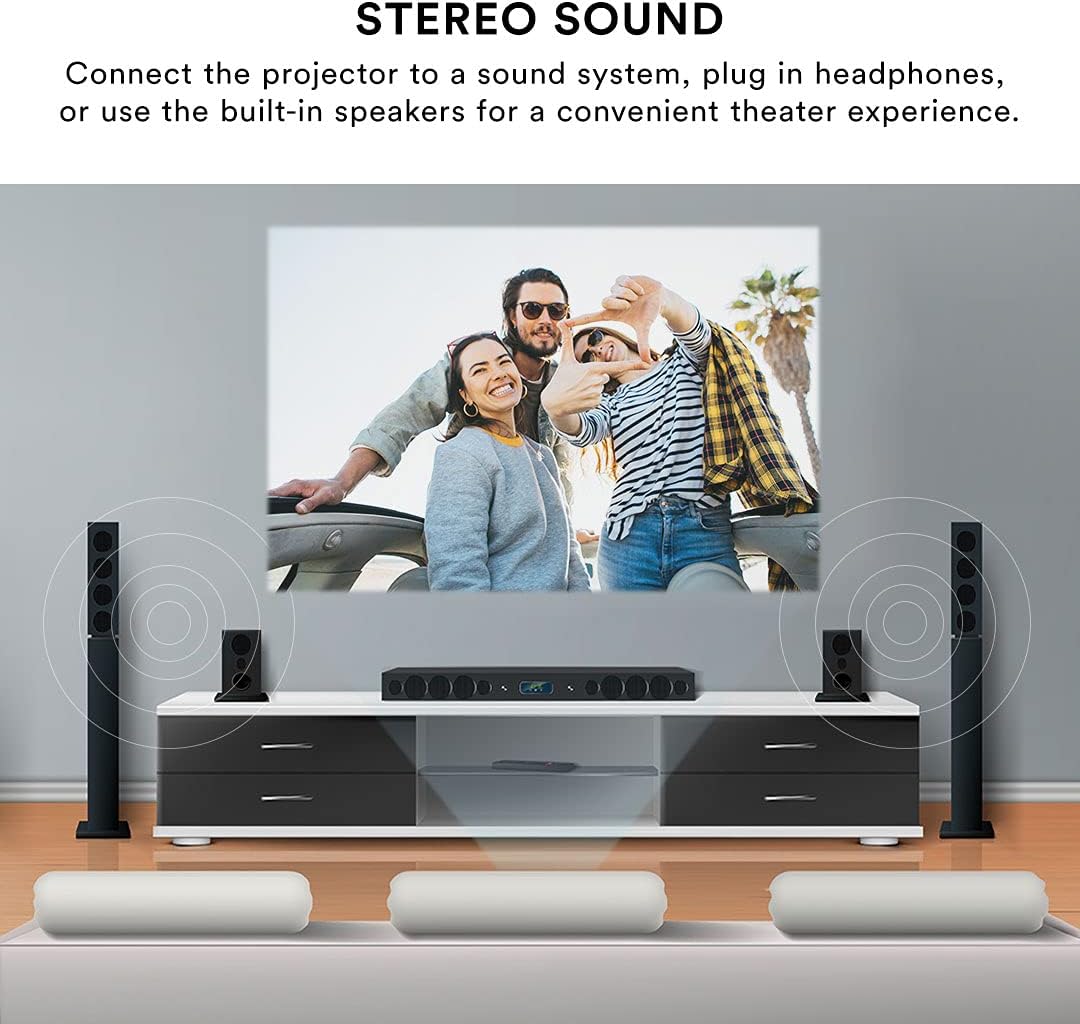
The projector features built-in speakers for convenient audio playback. For enhanced sound quality, you can connect external speakers or headphones using the 3.5mm Headphone Jack (1).
Алыстан башкаруу
The included remote control allows for effortless operation from a distance. Use it to power on/off, select input sources, navigate menus, adjust volume, and control playback.
Техникалык тейлөө
Туура тейлөө проекторуңуздун узак иштөөсүн жана иштешин камсыз кылат.
- Линзаны тазалоо: Use a soft, lint-free cloth specifically designed for optical lenses to gently wipe the projector lens. Avoid using abrasive cleaners or excessive force, which can scratch the lens.
- Тышкы тазалоо: Проектордун сыртын жумшак, кургак чүпүрөк менен сүртүңүз. өжөр белгилери үчүн, бир аз гamp кездемени колдонсо болот, бирок суюктуктун шайманга кирбешин камсыз кылыңыз.
- Вентиляция: Ensure the projector's ventilation openings are clear and unobstructed. Do not place the projector on soft surfaces that may block airflow. Proper ventilation prevents overheating.
- Сактагыч: When not in use for extended periods, store the projector in a cool, dry place, away from direct sunlight and extreme temperatures. Use the lens cover to protect the lens from dust.
Проблемаларды чечүү
Проекторуңузда көйгөйлөргө туш болсоңуз, төмөнкү жалпы көйгөйлөрдү жана чечимдерди караңыз:
| Көйгөй | Мүмкүн себеп | Чечим |
|---|---|---|
| Сүрөт чагылдырылган жок | Power cable disconnected; Incorrect input source selected; Device not connected properly. | Check power connection; Select the correct input source (HDMI, USB, AV); Ensure source device is powered on and connected securely. |
| Сүрөт бүдөмүк | Focus not adjusted; Projector too far/close to screen; Lens dirty. | Adjust the focus knob; Adjust projector distance; Clean the lens. |
| Сүрөт бурмаланган (трапеция) | Проектор экранга перпендикуляр эмес. | Use keystone correction to adjust the image. |
| Үн жок | Volume too low; External speakers not connected; Source device audio settings. | Increase projector volume; Ensure external speakers are connected and powered; Check audio output settings on your source device. |
| Пульт иштебей жатат | Batteries low/dead; Obstruction between remote and projector; Remote sensor blocked. | Replace batteries; Remove any obstructions; Ensure remote is pointed at the projector's IR sensor. |
| Projector is overheating or fan is loud | Blocked ventilation; Prolonged use. | Ensure ventilation openings are clear; Allow the projector to cool down if used for extended periods. |
Техникалык шарттар
| Өзгөчөлүк | Деталь |
|---|---|
| Бренд | Негизги инновациялар |
| Модель номери | CJR600BL |
| Продукциянын өлчөмдөрү | 8.1 x 3.4 x 6.1 дюйм |
| Элемент Салмагы | 2 фунт |
| Проекциянын өлчөмү | 32" - 150" |
| Контраст катышы | 300:1 |
| Display Resolution | 1280 x 720 |
| Байланыш технологиясы | HDMI (x2), USB, Micro SD, AV, VGA |
| Аудио | Built-in speakers, 3.5mm headphone jack |
| Форма фактору | Portable |
| Камтылган компоненттер | Power Cord, User Manual, HDMI Cable, Remote Control, Projector Lens Cover |
Кепилдик жана колдоо
Кепилдик маалымат
This Core Innovations projector comes with a 1 жылдык чектелген кепилдик from the date of purchase, covering 90 days for parts and labor. Please retain your proof of purchase for warranty claims.
Кардарларды колдоо
Техникалык жардам, ушул колдонмодон тышкары мүчүлүштүктөрдү оңдоо же кепилдик боюнча суроолор боюнча Core Innovations кардарларды колдоо кызматына кайрылыңыз. Продукциянын таңгагында көрсөтүлгөн байланыш маалыматын же Core Innovations компаниясынын расмий баракчасын караңыз. webсайт.


