1. Киришүү
Сатып алганыңыз үчүн рахматasing the SHIDU H8 25W Voice Amplifier with UHF Wireless Microphone. This portable PA system is designed to provide clear and powerful sound amplification for various applications, including teaching, presentations, public speaking, and outdoor activities. Please read this manual carefully before use to ensure proper operation and to maximize the product's lifespan.
2. Коопсуздук маалыматы
- Аппаратты сууга, нымдуулукка же экстремалдык температурага тийгизбеңиз.
- Аппаратты түшүрүүдөн же катуу таасирлерден сактаныңыз.
- Аппаратты өз алдынча бөлүүгө же оңдоого аракет кылбаңыз. Квалификациялуу тейлөө кызматкерлерине кайрылыңыз.
- Балдар жетпеген жерде сактаңыз.
- Зыяндын алдын алуу үчүн берилген заряддоо кабелин жана адаптерди гана колдонуңуз.
3. Пакеттин мазмуну
Сураныч, пакетте төмөнкү нерселерди текшериңиз:
- SHIDU H8 Voice Ampөмүрлүү
- UHF зымсыз гарнитура микрофону
- Charging Cable (for ampөмүрлүү)
- Data Line (USB)
- Audio Line (AUX)
- Бел кур
- Алыстан башкаруу
- User Manual

Image: Contents of the SHIDU H8 Voice Ampкөтөргүч пакет.
4. Продукт бүтүп калдыview
Familiarize yourself with the components and controls of your SHIDU H8 Voice Amplifier and UHF Wireless Microphone.
Видео: Бүттүview of the SHIDU H8 Voice Amplifier and its UHF Wireless Microphone, showcasing анын дизайны жана өзгөчөлүктөрү.
4.1 Amplifier Layout and Dimensions

Сүрөт: алдыңкы жана арткы view -ныкы amplifier with dimensions: 6.45 inches (width), 9.44 inches (height), 3.6 inches (depth).
4.2 Башкаруу панели
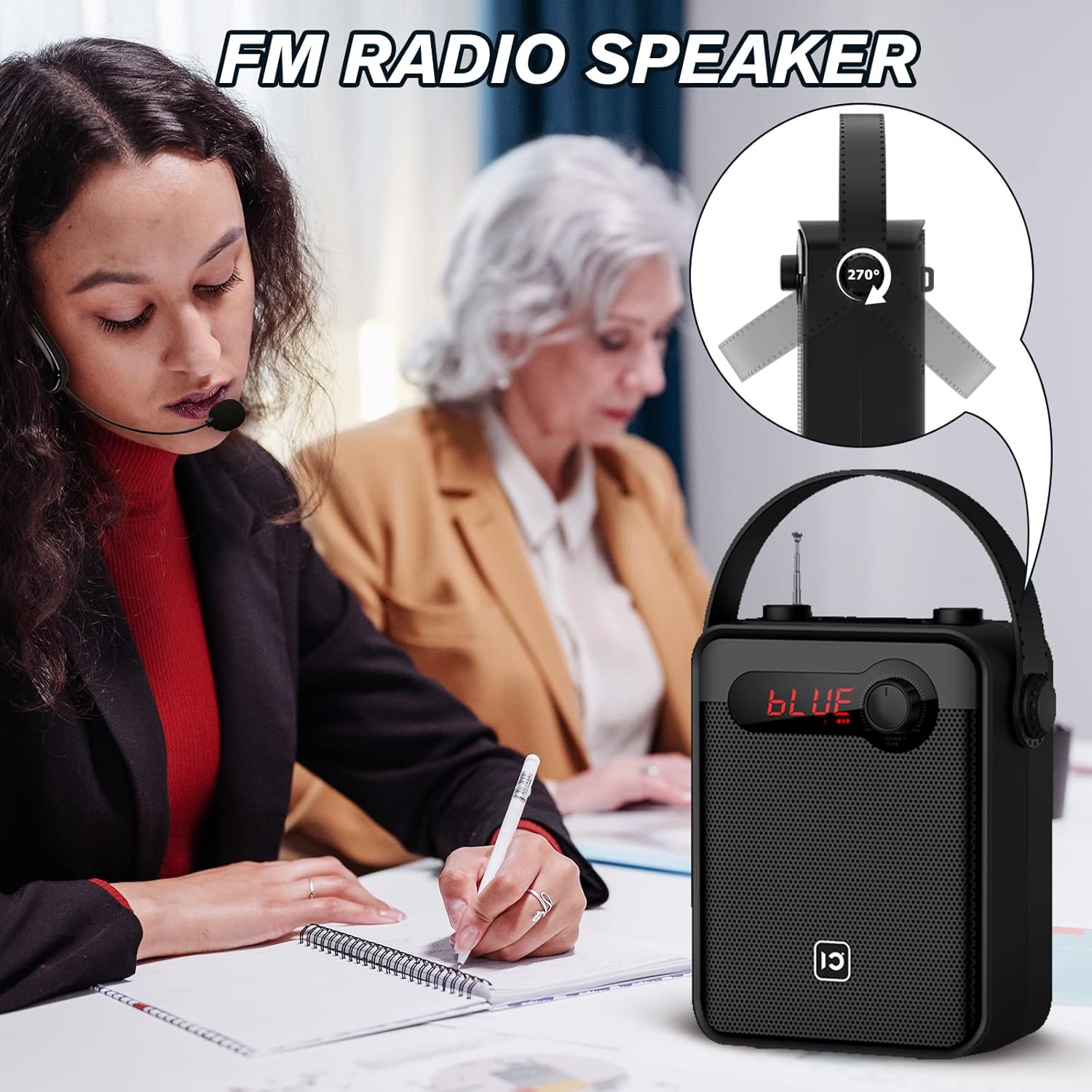
Image: Top panel controls including Microphone Volume, Bluetooth/UHF switch, Echo control, and One-Key Recording button.
4.3 Киргизүү/чыгыш порттору
Image: Side panel ports for TF Card, U Disk, AUX, OUT, and MIC.
4.4 зымсыз микрофон

Image: UHF Wireless Headset Microphone showing volume buttons and one-key pairing button.
5. Орнотуу
5.1 заряддоо Ampөмүрлүү
- Заряддоо кабелин туташтырыңыз amplifier's charging port.
- Plug the other end into a standard USB power adapter (not included) or a computer's USB port.
- LED индикатору кубаттоо абалын көрсөтөт. Толук кубаттоо, адатта, 4-6 саатты талап кылат.
5.2 Charging the Wireless Microphone
- Connect the data line (USB) to the microphone's charging port.
- Экинчи учун USB кубат булагына сайыңыз.
- The indicator light will show charging status. A full charge typically takes 2-3 hours and provides 3-5 hours of use.
5.3 Wearing the Wireless Microphone

Image: Visual guide on how to properly wear the UHF wireless headset microphone.
- Place the headset over your ear, ensuring a comfortable fit.
- Adjust the microphone boom so the microphone is positioned close to your mouth, about 1-2 cm away.
- Ensure the microphone is facing towards your mouth for optimal sound pickup.
6. Иштөө нускамалары
6.1 Күйгүзүү/өчүрүү
- Күйгүзүү үчүн amplifier, rotate the Volume knob clockwise until the display lights up.
- To power off, rotate the Volume knob counter-clockwise until it clicks off.
- For the wireless microphone, press and hold the power button until the indicator light turns on/off.
6.2 Үндү башкаруу
- Ampкөтөргүчтүн көлөмү: Use the main Volume knob on the amplifier to adjust the overall output volume.
- Microphone Volume (MIC.VOL): Use the dedicated MIC.VOL knob on the amplifier to adjust the microphone input volume independently.
- Microphone Volume (Headset): Use the volume buttons on the wireless headset microphone for fine-tuning.
6.3 Pairing the UHF Wireless Microphone
- Turn on both the ampкөтөргүч жана зымсыз микрофон.
- Press the 'One Key Pairing' button on the wireless microphone (refer to Product Overview жайгашкан жери үчүн).
- The amplifier should automatically connect to the microphone. A successful connection is usually indicated by a stable light on the microphone or a specific display on the ampөмүрлүү.
- If you encounter difficulties pairing, please refer to the troubleshooting section or contact SHIDU customer support for a pairing method video.
6.4 Bluetooth режими

Сүрөт: The amplifier connected via Bluetooth to various devices.
- күйгүзүңүз ampөмүрлүү.
- Press the 'Mode' button (or cycle through modes using the Selection/LED button) until 'BLUE' appears on the display, indicating Bluetooth mode.
- On your external device (smartphone, tablet, PC), enable Bluetooth and search for 'SHIDU H8' (or similar).
- Select the device to pair. Once paired, you can play audio from your device through the ampөмүрлүү.
6.5 USB/TF Card/U Disk Playback
- Insert a USB flash drive or TF card into the corresponding port on the ampөмүрлүү.
- The amplifier will automatically switch to USB/TF card mode and begin playing audio files.
- Use the control buttons (e.g., Play/Pause, Next/Previous) on the amplifier or remote control to manage playback.
6.6 FM радиосу

Сүрөт: The amplifier with its extendable antenna for FM radio reception.
- Press the 'Mode' button (or cycle through modes) until FM radio mode is activated.
- Жакшыраак кабыл алуу үчүн антеннаны узартыңыз.
- Жеткиликтүү радиостанцияларды издөө үчүн жөндөө баскычтарын колдонуңуз.
6.7 Бир баскыч менен жаздыруу
- Ensure a USB flash drive or TF card is inserted into the ampөмүрлүү.
- Press the 'One-Key Recording' button to start recording.
- Press it again to stop recording. The recording will be saved to the inserted storage device.
6.8 TWS Pairing (True Wireless Stereo)
This feature allows you to pair two SHIDU H8 amplifiers for a true wireless stereo sound experience.
Сүрөт: эки amplifiers connected for True Wireless Stereo (TWS) pairing.
- Turn on both SHIDU H8 ampаман калгандар.
- Ensure both are in Bluetooth mode and not connected to any other device.
- On one amplifier, press and hold the TWS button (refer to product overview or manual for exact button). The amplifier will search for another TWS-compatible device.
- Once paired, one amplifier will act as the left channel and the other as the right, providing stereo sound.
6.9 Алыстан башкарууну колдонуу
The included remote control allows for convenient operation from a distance. Functions include power, mode selection, volume adjustment, track control, and digital selection for FM radio or track numbers.
7. Техникалык тейлөө
- Тазалоо: Бетти тазалоо үчүн жумшак, кургак чүпүрөктү колдонуңуз ampкөтөргүч жана микрофон. Абразивдүү тазалагычтарды же эриткичтерди колдонбоңуз.
- Сактагыч: Узак мөөнөткө колдонулбаганда, аспапты күн тийбеген, салкын, кургак жерде сактаңыз.
- Батареяга кам көрүү: To prolong battery life, fully charge the device before first use and recharge it at least once every three months if not used regularly.
8. Кыйынчылыктарды
| Көйгөй | Мүмкүн себеп | Чечим |
|---|---|---|
| Үн жок ampөмүрлүү | Low battery; Volume too low; Incorrect mode; Microphone not paired. | заряддаңыз amplifier; Increase volume; Select correct mode (e.g., MIC, Bluetooth); Pair microphone. |
| Wireless microphone not connecting/pairing | Microphone not powered on; Out of range; Pairing error; Interference. | Ensure microphone is charged and powered on; Move closer to amplifier; Re-attempt one-key pairing; Try pairing in a different location. If issues persist, contact SHIDU support for a pairing method video. |
| Bluetooth түзмөгү жупташкан жок | Amplifier not in Bluetooth mode; Device Bluetooth off; Amplifier already paired to another device. | Которуу amplifier to Bluetooth mode; Enable Bluetooth on your device; Disconnect from other devices and try again. |
| FM радиосун кабыл алуу начар | Антенна узартылган эмес; Алсыз сигнал; Интерференция. | Fully extend the antenna; Try moving to a different location; Rescan for stations. |
9. Техникалык шарттар
| Өзгөчөлүк | Деталь |
|---|---|
| Чыгуу күчү | 25 Вт |
| Динамик өлчөмү | 4 дюймдук |
| Ampкөтөргүч батарея | 2000mAh литий батареясы |
| Amplifier Charge Time | 4-6 саат |
| Microphone Battery Use Time | 3-5 саат |
| Байланыш | Bluetooth, UHF Wireless, USB, TF Card, AUX |
| Функциялар | Үн Amplification, Bluetooth Speaker, FM Radio, One-Key Recording, TWS Pairing |
| Өлчөмдөр (Ampөмүрлүү) | Окутуу үчүн. 6.45 х 9.44 х 3.6 дюйм |
| Салмагы | 3.89 фунт |
10. Кепилдик жана колдоо
SHIDU provides a 12 айлык кепилдик for this product from the date of purchase. We also offer lifetime technical support to ensure your satisfaction.
If you have any questions, require assistance with setup, operation, or encounter any issues with your SHIDU H8 Voice Amplifier, please do not hesitate to contact our customer service team. Refer to the contact information provided with your product or visit the official SHIDU webколдоо чоо-жайы үчүн сайт.


