1. Продукт бүтүп калдыview
The Walfront ME81H is an intelligent thermostat designed for controlling electric heating systems, gas boilers, and hot water heating. It features a large LCD touch screen display with backlight for easy readability and precise temperature control. This thermostat integrates with smart home systems, offering convenience and energy efficiency.
- Температураны так көзөмөлдөө: Internal and floor sensors accurately detect ambient and floor temperatures with a precision of ±1°C.
- Колдонуучуга ыңгайлуу интерфейс: Features a large, elegant LCD touch screen with backlight for clear display and easy operation.
- Smart Home интеграциясы: Compatible with popular voice assistants like Amazon Alexa, Google Home, and Tmall Genie for convenient control.
- Кеңири колдонуу: Suitable for various heating systems including electric heating, gas boilers, and hot water heating in homes, offices, shopping malls, and hotels.
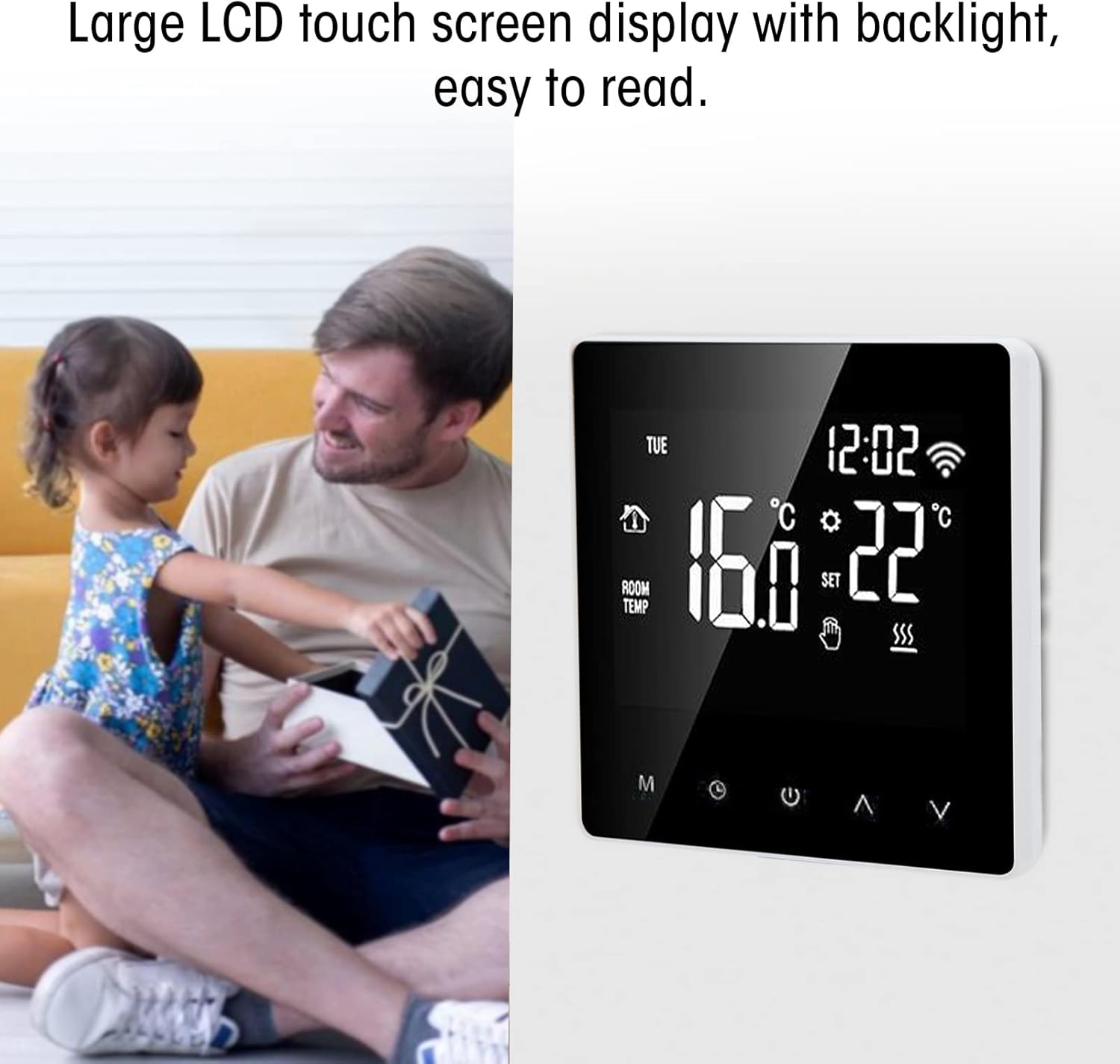
Сүрөт 1.1: Алдыңкы view of the Walfront ME81H Smart Thermostat, showcasing its large LCD touch screen.
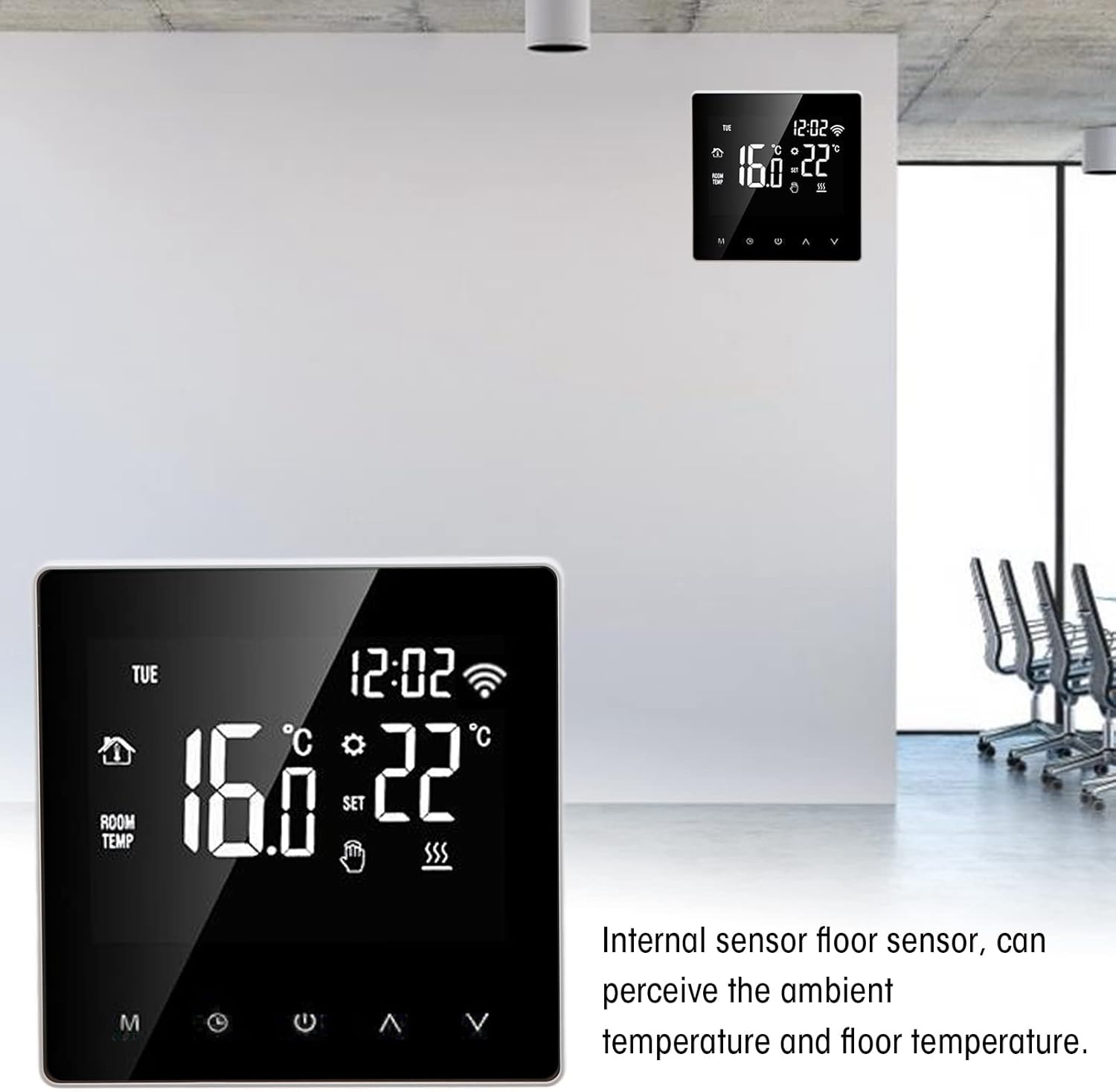
Image 1.2: The thermostat mounted on a wall, demonstrating its internal sensor for ambient and floor temperature detection.
2. Орнотуу жана орнотуу
Before installation, ensure the power supply is disconnected to prevent electric shock. Installation should be performed by a qualified electrician.
2.1 Пакеттин мазмуну
- 1 x Walfront ME81H Smart Thermostat
- 2 x Instruction Manuals (this document)
2.2 Электр өткөргүч схемасы
Refer to the following diagram for correct wiring. Ensure all connections are secure and comply with local electrical codes.
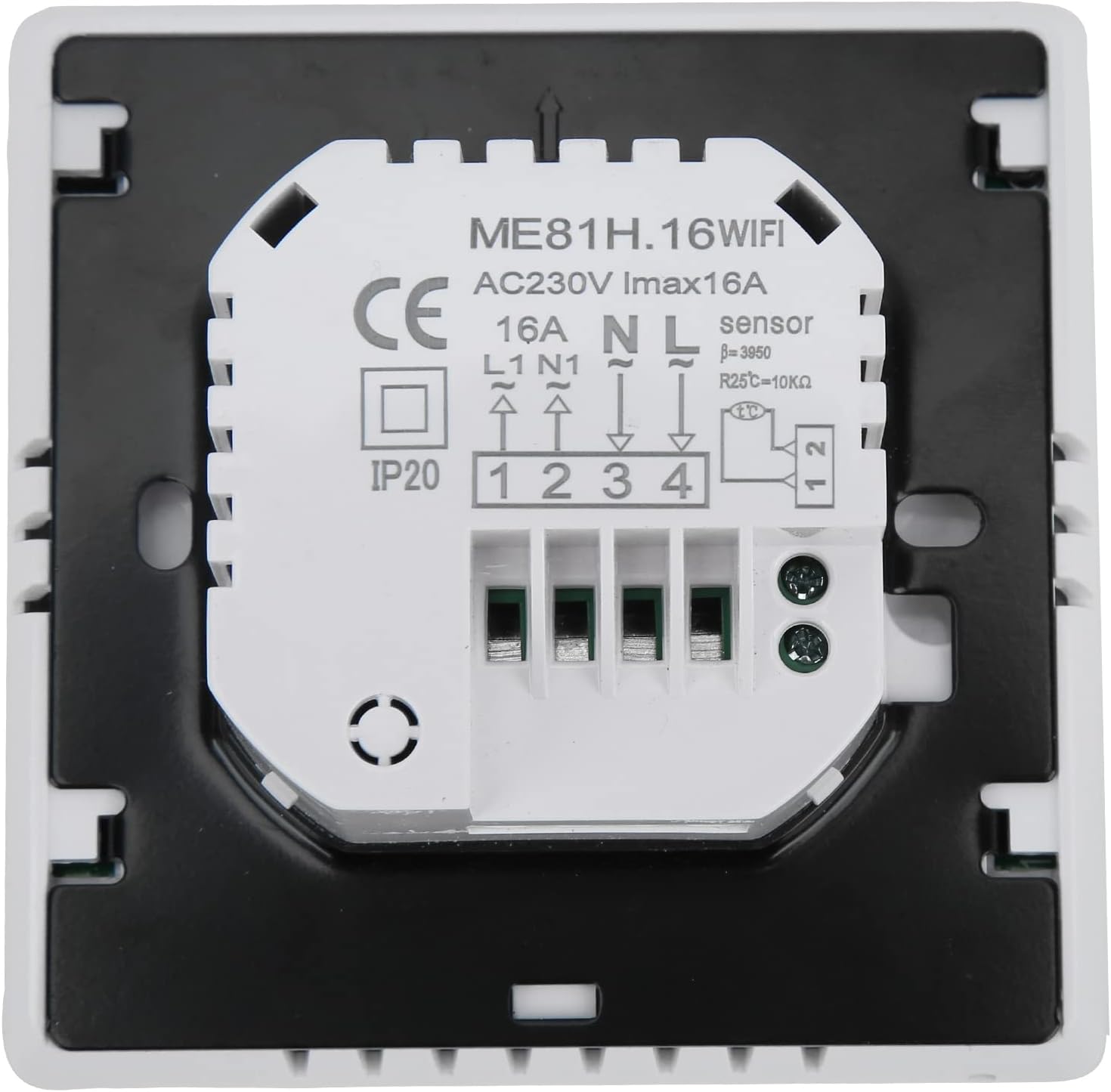
Сүрөт 2.1: Арткы view of the thermostat showing the wiring terminals. Connections are labeled for AC230V, N, L, L1, N1, and sensor inputs.
- 1 жана 2-терминалдар: NTC Sensor input (for floor temperature sensing).
- 3 жана 4-терминалдар: Power supply AC230V (N for Neutral, L for Live).
- 5 жана 6-терминалдар: Load output (L1 for Live output, N1 for Neutral output to heating element/valve).
Эскертүү: The thermostat is designed for AC230V, 50/60Hz power supply and has a maximum current rating of 16A. Incorrect wiring can damage the device or cause safety hazards.
2.3 Монтаждоо
- Автоматтык өчүргүчтөгү негизги кубат менен камсыздоону өчүрүңүз.
- Separate the front panel of the thermostat from the backplate.
- Mount the backplate to a standard wall-mounted electrical box using screws.
- Connect the wires according to the wiring diagram (Image 2.1).
- Carefully attach the front panel back onto the mounted backplate.
- Схеманы калыбына келтириңиз.
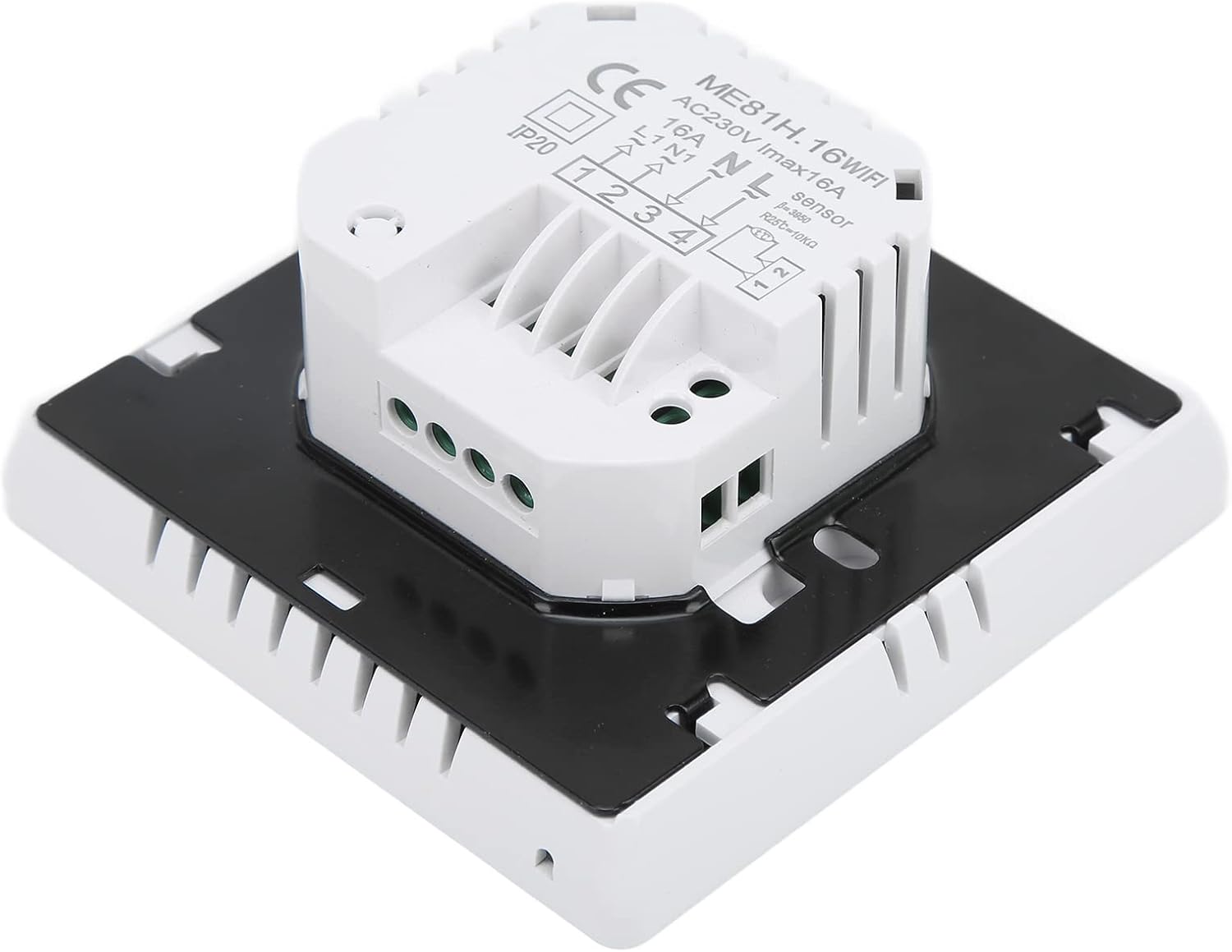
Сүрөт 2.2: Каптал view of the thermostat, illustrating its compact design and mounting points.
3. Иштөө нускамалары
The ME81H thermostat features an intuitive touch screen interface for easy control of your heating system.
3.1 Негизги операция

Image 3.1: Close-up of the thermostat's touch screen, showing temperature display and control icons.
- Күйгүзүү/өчүрүү: Кубат сөлөкөтүн басыңыз (⏻) термостатты күйгүзүү же өчүрүү үчүн.
- Температураны жөндөө: Жогору жакты колдонуу (⌃) жана Down (⌄) arrows to set your desired temperature. The set temperature range is 5~90°C.
- Режим тандоо: The 'M' button typically cycles through different operating modes (e.g., Manual, Programmed, Eco). Refer to the on-screen icons for current mode indication.
- Саат/Таймер: The clock icon allows access to time and schedule settings.
- Wi-Fi көрсөткүчү: A Wi-Fi icon on the display indicates network connectivity.
3.2 Smart Home Integration (Wi-Fi)
The ME81H thermostat can be controlled remotely via a smartphone application (e.g., Tuya Smart app) and integrated with voice assistants.
- Download the compatible smart home application (e.g., Tuya Smart) from your device's app store.
- Follow the in-app instructions to add the ME81H thermostat to your network. This usually involves putting the thermostat into pairing mode (refer to the thermostat's on-screen prompts or the app's guide).
- Once connected, you can control the thermostat's settings, schedule, and monitor temperature from your smartphone.
- To enable voice control, link the smart home application with your Amazon Alexa or Google Home account through their respective apps.
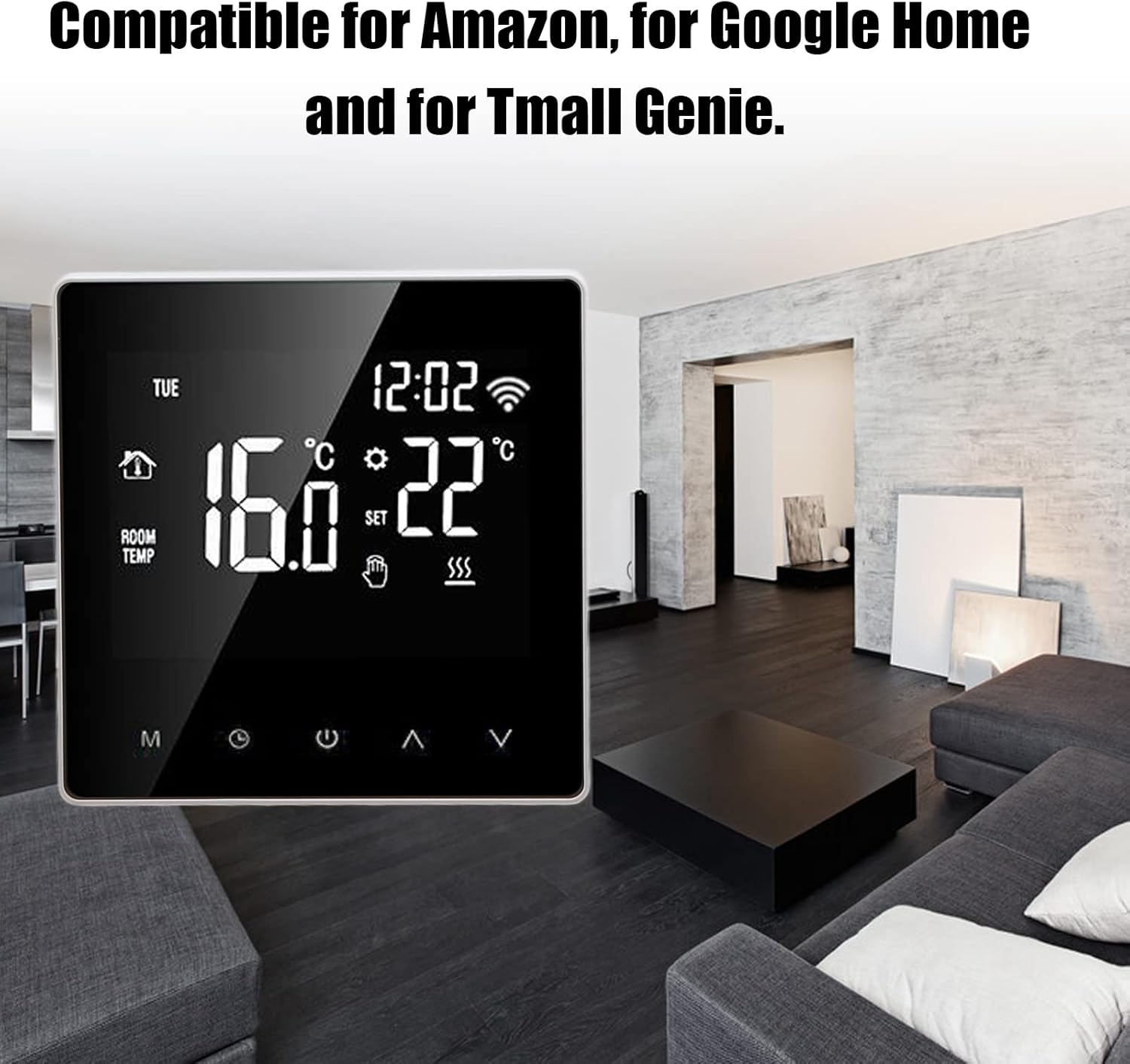
Image 3.2: The thermostat seamlessly integrated into a modern home environment, highlighting its smart capabilities.
4. Техникалык тейлөө
The Walfront ME81H Smart Thermostat requires minimal maintenance to ensure optimal performance.
- Тазалоо: Gently wipe the screen and body with a soft, dry cloth. Do not use abrasive cleaners, solvents, or spray directly onto the thermostat.
- Программалык камсыздоо жаңыртуулары: Periodically check the associated smart home application for any available firmware updates for your thermostat. Updates can improve performance and add new features.
- Экологиялык шарттар: Ensure the thermostat is not exposed to direct sunlight, drafts, or extreme temperatures, as this can affect temperature readings and device longevity.
5. Кыйынчылыктарды
If you encounter issues with your Walfront ME81H Smart Thermostat, refer to the following common problems and solutions.
| Көйгөй | Мүмкүн себеп | Чечим |
|---|---|---|
| Термостат күйбөй жатат. | Электр энергиясы жок; туура эмес зымдар. | Автоматтык өчүргүчтү текшериңиз. Зымдардын туташууларын 2.2-бөлүмгө ылайык текшериңиз. |
| Жылытуу системасы жооп бербейт. | Incorrect wiring; thermostat in wrong mode; heating system fault. | Check load wiring. Ensure thermostat is in heating mode. Check your heating system for issues. |
| Wi-Fi туташуу маселелери. | Туура эмес Wi-Fi сырсөзү; роутер өтө алыс; тармак кийлигишүүсү. | Re-enter Wi-Fi password. Move router closer or use a Wi-Fi extender. Ensure 2.4GHz network is used. Reset thermostat's Wi-Fi. |
| Температураны туура эмес көрсөткүчтөр. | Thermostat exposed to drafts/direct sunlight; sensor malfunction. | Relocate thermostat if possible. Ensure no obstructions. If issue persists, contact support. |
Бул чечимдерди колдонуу аракетинен кийин көйгөй чечилбесе, кардарларды колдоо кызматына кайрылыңыз.
6. Техникалык шарттар
| Өзгөчөлүк | Деталь |
|---|---|
| Модел | ME81H |
| Электр камсыздоо | AC230V, 50 / 60Hz |
| Учурдагы жүк | 16A (макс.) |
| Температура сенсору | NTC |
| Температуранын тактыгы | ±1°C |
| Self-Consumption Power | <1 Вт |
| Айлана-чөйрөнүн температурасы диапазону | 0~50°C |
| Температураны орнотуу диапазону | 5~90°C |
| Дисплей | Color LCD Touch Screen |
| Байланыш | Wi-Fi |
| Материал | ABS + Flame Retardant PC |
| Өлчөмдөрү (болжол менен) | 10.2 x 10 x 6.7 см |
| Салмагы (болжол менен) | 282 г |
| Шайкештик | Amazon Alexa, Google Home, Tuya Smart App |
7. Кепилдик жана колдоо
Walfront products are designed for reliability and performance. For specific warranty information, please refer to the documentation provided at the time of purchase or contact your retailer.
For technical support, troubleshooting assistance beyond this manual, or inquiries about replacement parts, please visit the Walfront official website or contact their customer service department. Please have your product model number (ME81H) and purchase details ready when contacting support.
Эскертүү: Запастык бөлүктөрдүн бар экендиги жөнүндө маалымат продукттун чоо-жайында берилген эмес.


