1. Киришүү
This manual provides detailed instructions for the installation, operation, and maintenance of your ANRAN 2K 3MP WiFi Surveillance Camera, model P2-EU. Please read this manual thoroughly before using the product to ensure proper function and safety. Keep this manual for future reference.
2. Продукт бүтүп калдыview
The ANRAN P2-EU is an outdoor 2K 3MP WiFi surveillance camera designed to enhance your property's security. It features advanced functionalities for comprehensive monitoring.

Image 2.1: ANRAN P2-EU 2K 3MP WiFi Surveillance Camera.
Негизги өзгөчөлүктөрү:
- 360° Pan/Tilt Rotation: The camera offers a full 360-degree field of view with remote control via the mobile application, allowing for flexible monitoring without blind spots.
- Интегралдык Spotlight: Equipped with four white lights, the camera can illuminate areas or act as a deterrent upon motion detection.
- Motion Detection with Alerts: Configurable motion detection sends alarms and mobile application notifications when activity is detected.
- Эки тараптуу аудио: Built-in microphone and speaker enable real-time communication with individuals near the camera through the mobile app.
- Оңой орнотуу: Designed for straightforward setup, primarily guided by the mobile application without requiring extensive technical knowledge.
3. Пакеттин мазмуну
Please verify that all items are present in your package. Refer to the product packaging for a complete list of included accessories.
- ANRAN P2-EU 2K 3MP WiFi Surveillance Camera
- Кубаттуу адаптер
- Монтаждоо бурамалар жана анкерлер
- Колдонуучунун Колдонмосу (бул документ)
4. Орнотуу
4.1 Камераны орнотуу
Камера дубалга орнотуу үчүн иштелип чыккан. Каалаганды камсыз кылган ылайыктуу жерди тандаңыз viewing angle and is within range of your WiFi network and a power outlet.
- Mark the drilling points on the wall using the camera's mounting base as a template.
- Белгиленген жерлерде тешиктерди бургулаңыз. Эгерде дубалга орнотулса, дубал анкерлерин киргизиңиз.
- Secure the camera's mounting base to the wall using the provided screws.
- Attach the camera securely to the mounting base.

Image 4.1: Camera mounted on a wall, illustrating 355° pan and 90° tilt capabilities.
4.2 Кубатка туташуу
Connect the provided power adapter to the camera's power input and then plug it into a standard electrical outlet. Ensure the connection is secure and protected from weather elements if installed outdoors.
4.3 Колдонмону орнотуу жана жупташтыруу
The ANRAN P2-EU camera is configured and controlled via a mobile application. You can use either the ANRAN App or the CloudEdge App, available on Google Play Store and Apple App Store.
- Download and install the ANRAN App or CloudEdge App on your smartphone.
- Каттоо эсебин түзүңүз же сизде мурунтан эле бар болсо кириңиз.
- Follow the in-app instructions to add your new camera. This typically involves scanning a QR code on the camera or manually selecting the device type and connecting to your home WiFi network.
- Ensure your phone is connected to a 2.4GHz WiFi network during the initial setup, as the camera may not support 5GHz networks.
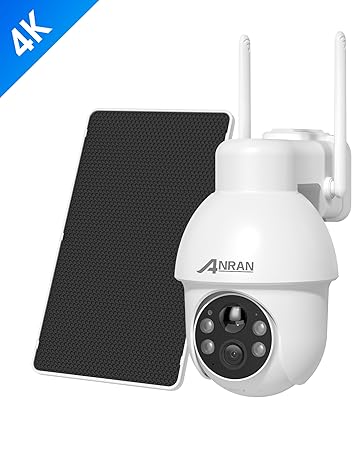
Image 4.2: Smartphone displaying the camera's live feed and control options.
5. Операция
5.1 Live View жана панорамалоо/кыйшайтуу башкаруусу
Once connected, open the app to view the live feed from your camera. Use the on-screen controls to pan (rotate horizontally up to 355°) and tilt (rotate vertically up to 90°) the camera, allowing you to adjust the viewing area remotely.

Image 5.1: Remote control of camera pan and tilt via the mobile application.
5.2 Кыймылды аныктоо жана эскертүүлөр
The camera features intelligent motion detection. You can customize sensitivity levels and detection zones within the app. When motion is detected, the camera can:
- Смартфонуңузга push-билдирүүлөрдү жөнөтүңүз.
- Trigger a spotlight alarm to deter intruders.
- Initiate automatic recording of the event.

Image 5.2: Spotlight alarm and mobile notification triggered by motion detection.
5.3 Эки тараптуу аудио
Utilize the two-way audio feature to communicate through the camera. Tap the microphone icon in the app to speak, and the sound will be projected through the camera's speaker. You can also hear audio from the camera's vicinity through your phone.

Image 5.3: Demonstrating two-way audio communication via the mobile app.
5.4 Түнкү көрүнүш
The camera offers enhanced night vision capabilities. In low-light conditions, it can automatically switch to infrared (black and white) night vision. With its integrated spotlights, it can also provide full-color night vision when activated, offering clearer details.
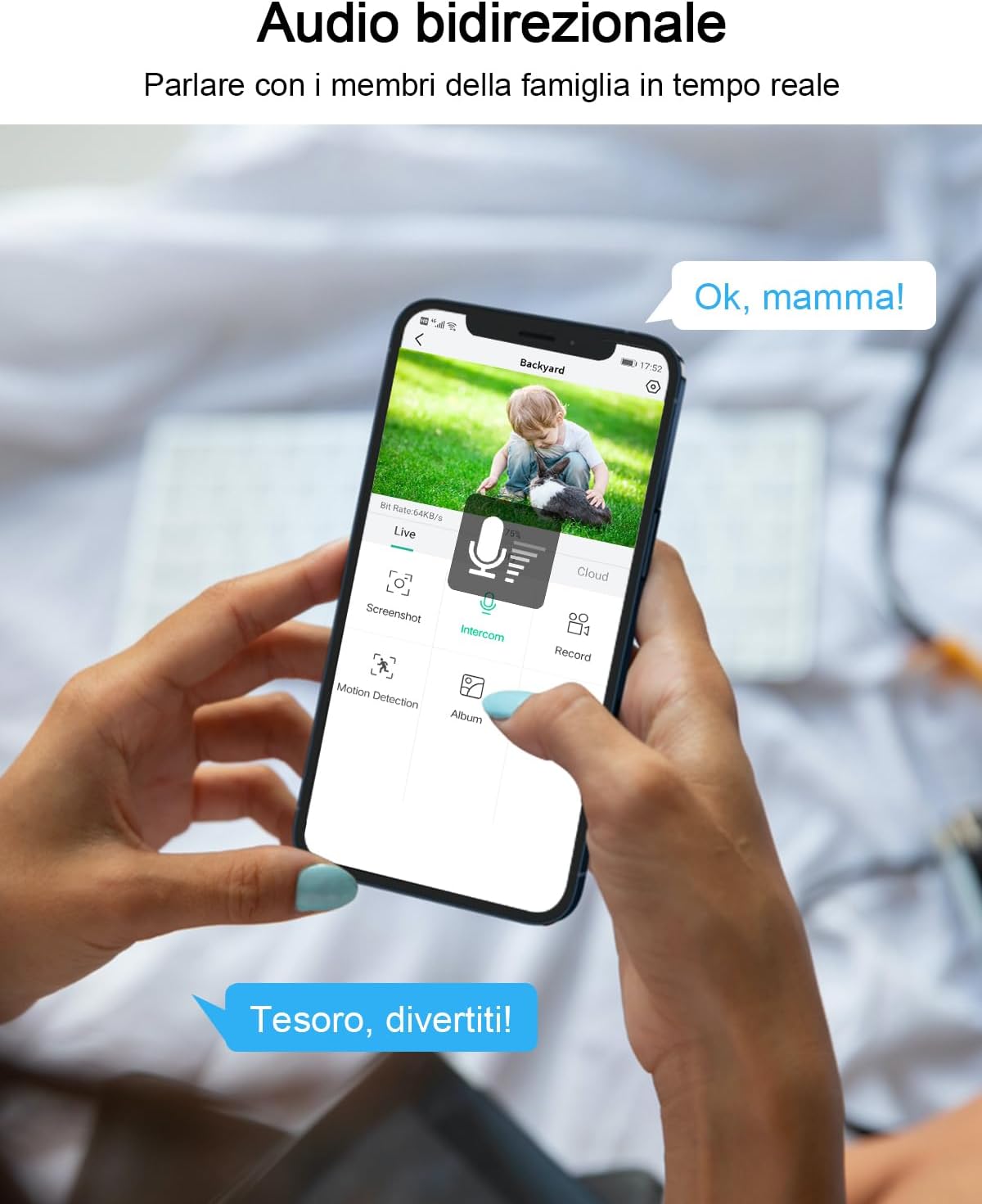
Image 5.4: Comparison of standard night vision and color night vision.
5.5 Жаздыруу параметрлери
The camera supports continuous 24/7 recording or event-triggered recording. Footage can be stored locally on a microSD card (not included) inserted into the camera's slot, or via cloud storage services (subscription may be required).

Image 5.5: Camera with microSD card slot for local storage and app interface for reviewжаздыруулар.
6. Техникалык тейлөө
6.1 Тазалоо
To maintain optimal image quality, regularly clean the camera lens with a soft, dry cloth. Avoid using harsh chemicals or abrasive materials that could scratch the lens or housing.
6.2 Микропрограмма жаңыртуулары
Periodically check the mobile application for available firmware updates. Keeping your camera's firmware up-to-date ensures access to the latest features, security enhancements, and performance improvements.
7. Кыйынчылыктарды
Жалпы маселелер жана чечимдер:
- Камера оффлайн:
- Электр байланышын текшериңиз.
- Ensure WiFi signal strength is adequate at the camera's location.
- Restart the camera and your WiFi router.
- Сүрөттүн сапаты начар:
- Камера линзасын тазалаңыз.
- Түнкүсүн көрүү үчүн жетиштүү жарыкты камсыз кылыңыз.
- Интернетке туташуу ылдамдыгын текшериңиз.
- Кыймылды аныктоо иштебей жатат:
- Verify motion detection settings in the app (enabled, sensitivity, detection zones).
- Камераны камсыз кылыңыз view тоскоол болбойт.
- Эки тараптуу аудио көйгөйлөр:
- Check microphone and speaker permissions for the app on your phone.
- Ensure volume levels are adjusted correctly.
8. Техникалык шарттар
| Өзгөчөлүк | Спецификация |
|---|---|
| Модел | P2-EU |
| Резолюция | 2K (3MP effective fixed resolution) |
| Пан бурчу | 355 градус |
| Тит бурч | 90 градус |
| Байланыш | Wi-Fi (2.4 ГГц) |
| Power Source | AC Power (12 Volts, 5 Watts) |
| Сактагыч | MicroSD Card (not included), Cloud Storage |
| Өзгөчөлүктөр | HD Resolution, Motion Detection, Two-Way Audio, Spotlight, Color Night Vision |
| Колдонуу | Сыртта |
| Материал | Пластик |
9. Кепилдик жана колдоо
ANRAN products are designed for reliability and performance. For warranty information, please refer to the documentation included with your purchase or visit the official ANRAN website. If you encounter any issues or require technical assistance, please contact ANRAN customer support through the contact information provided on their webсайтында же мобилдик тиркемеде.


