1. Продукт бүтүп калдыview
The MageGee MK-Box is a compact 60% mechanical gaming keyboard designed for both gaming and office use. It features 68 keys, including separate arrow keys and Fn function keys, providing essential functionality while saving desk space. The keyboard is equipped with mechanical blue switches for a tactile and clicky typing experience, and it boasts charming blue LED backlighting with multiple customizable modes.
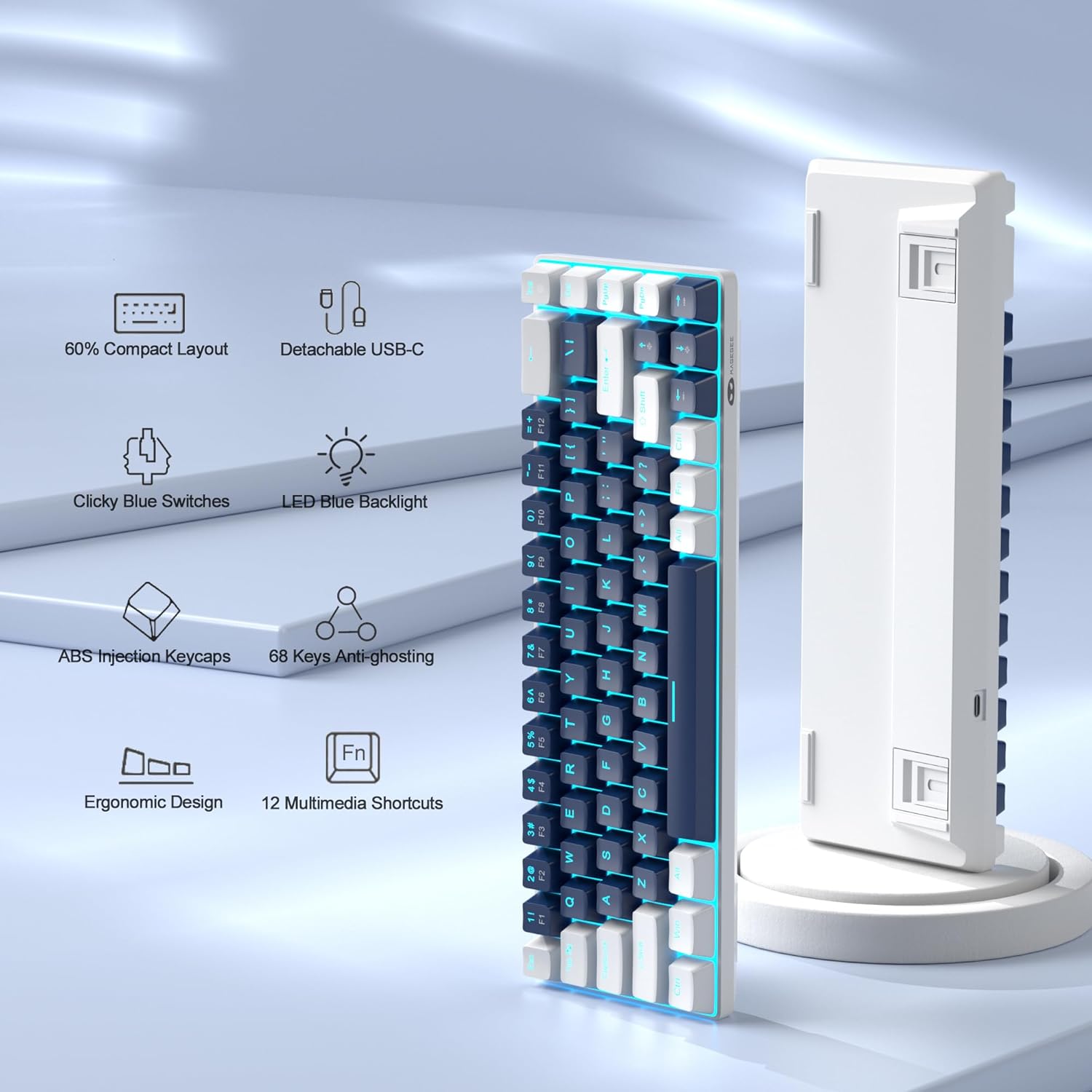
Figure 1: Key features of the MageGee MK-Box keyboard.
2. Орнотуу колдонмосу
2.1 Unboxing and Connection
Carefully remove the keyboard from its packaging. The MK-Box connects via a detachable USB-C cable, ensuring a stable and reliable connection to your device.

Figure 2: MageGee MK-Box keyboard with its USB cable.

Figure 3: Detachable USB-C connection for easy setup.
Connect the USB-C end of the cable to the keyboard and the USB-A end to an available USB 2.0 port on your computer (Windows, Linux, or Mac). The keyboard is plug-and-play, requiring no additional drivers or software installation.
2.2 Терүү бурчун жөндөө
The MK-Box features double kickstand feet on its underside, allowing you to adjust the typing angle for improved ergonomics and comfort during extended use.

Figure 4: Adjustable kickstand feet for ergonomic comfort.
3. Иштөө нускамалары
3.1 Баскычтоптун жайгашуусу жана функция баскычтары
The MK-Box features a mini portable 60% compact layout with 68 keys. Despite its small size, it includes separate arrow keys and full F1-F12 function keys accessible via the Fn key, making it suitable for both gaming and productivity.
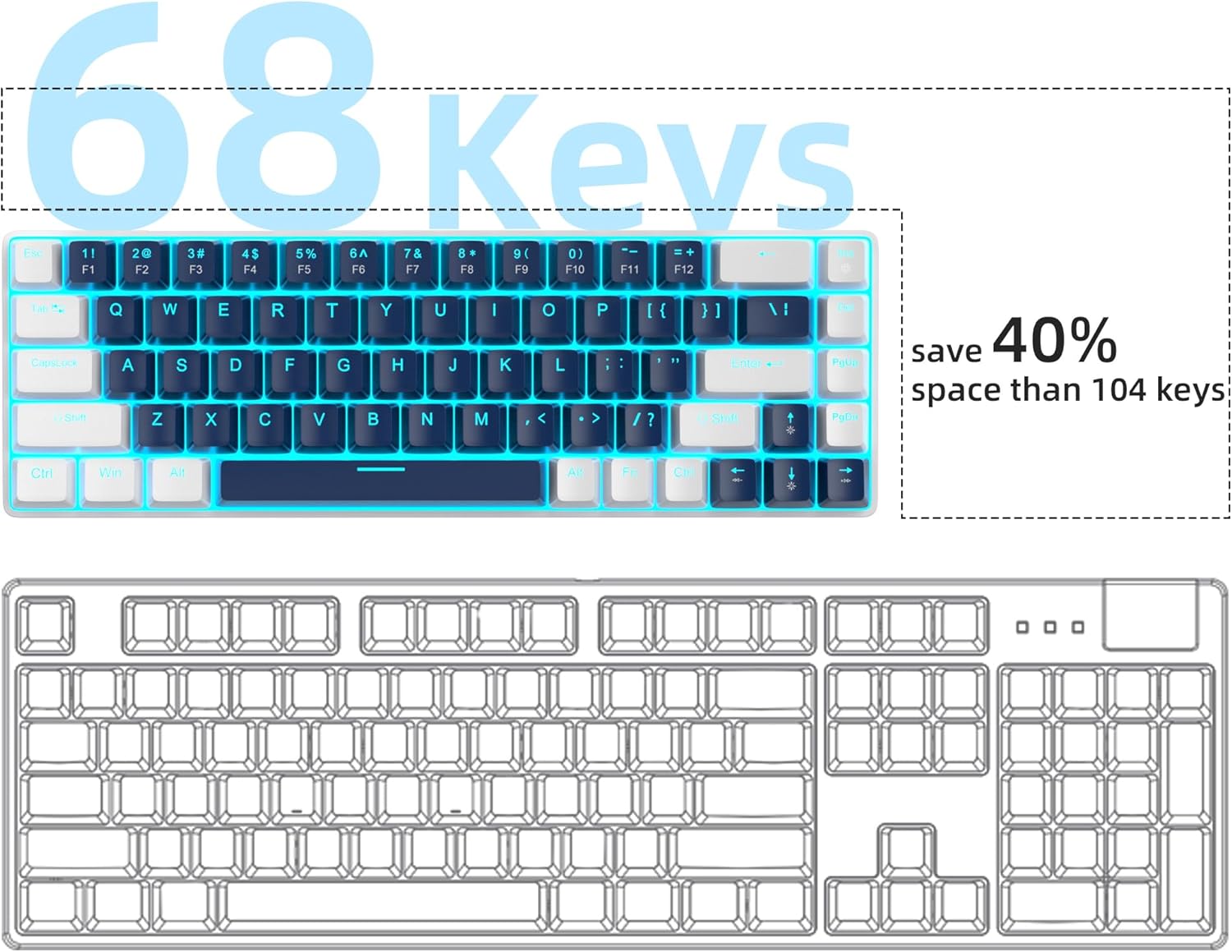
Figure 5: Space-saving 68-key compact layout.
3.2 Жарыкты башкаруу
The keyboard features classic charming blue LED backlighting with approximately 15 different modes. You can control the backlight effects, brightness, and speed using the following key combinations:
- Fn + Ins: Ар кандай арткы жарык режимдери ортосунда которулуу.
- Fn + ↑ (Өйдө жебе): Арткы жарыктын жарыктыгын жогорулатыңыз.
- Fn + ↓ (Төмөн жебе): Арткы жарыктын жарыктыгын азайтыңыз.
- Fn + ← (Сол жактагы жебе): Жарыктын ылдамдыгын азайтыңыз.
- Fn + → (Оңго жебе): Арткы жарыктын ылдамдыгын жогорулатыңыз.

Figure 6: Backlight control key combinations.
3.3 Mechanical Blue Switches
The MK-Box is equipped with mechanical blue switches, known for their distinct tactile bump and audible click sound. These switches provide excellent input feeling and strong mechanical feedback, ideal for typing and gaming.
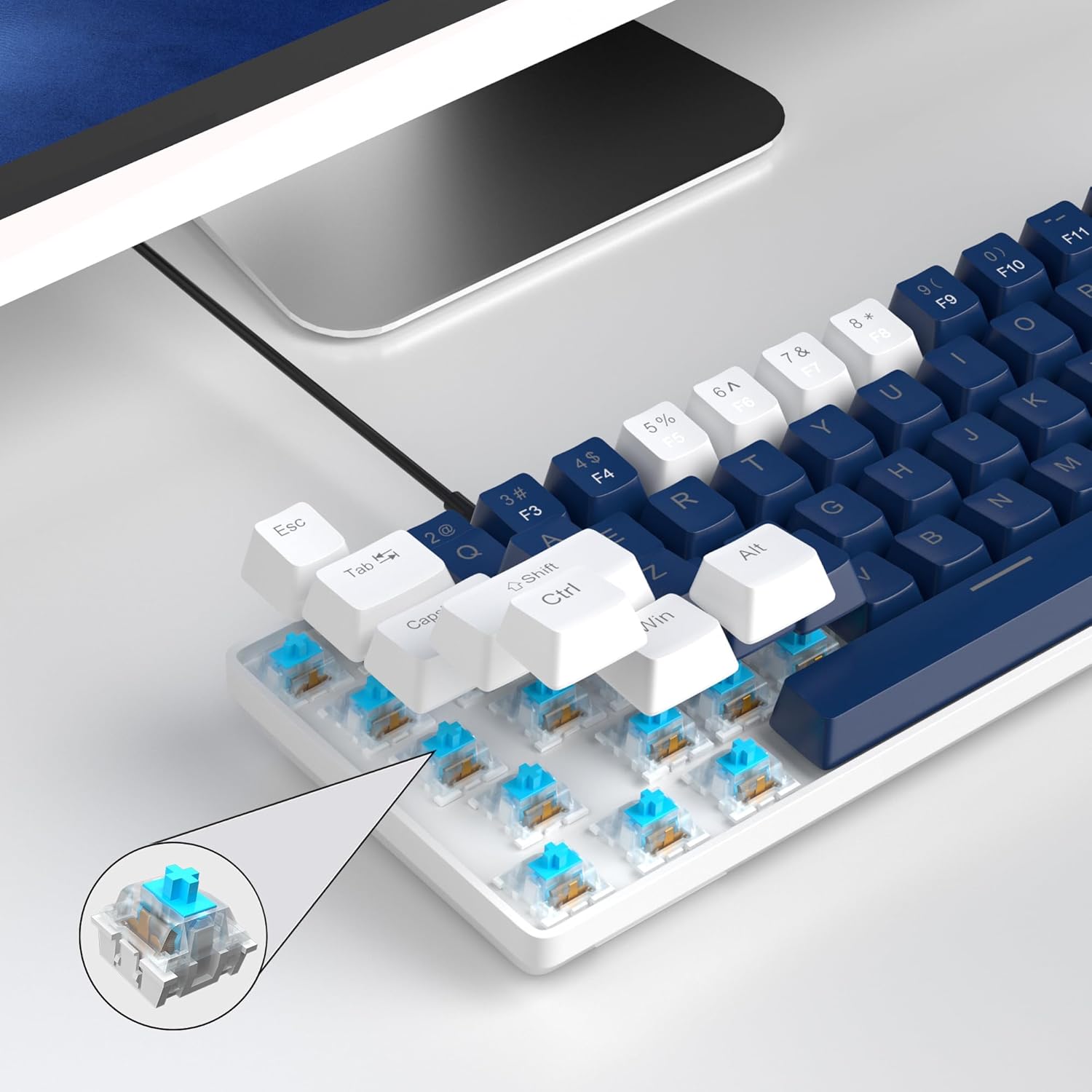
Figure 7: Detail of the mechanical blue switch.
3.4 Арбактарга каршы
All 68 keys on the MK-Box feature full anti-ghosting, ensuring that every keystroke is registered accurately, even during rapid and simultaneous key presses in intense gaming sessions.

Figure 8: Full anti-ghosting for accurate input.
3.5 Расмий продукт Video
Видео 1: Расмий продукт көргөзмөсүasing the MageGee 60% Gaming Keyboard with Blue Switches, including demonstrations of its features and backlighting.
4. Техникалык тейлөө
To ensure the longevity and optimal performance of your MageGee MK-Box keyboard, follow these maintenance tips:
- Тазалоо: Regularly clean the keycaps and the area between them using a soft brush or compressed air to remove dust and debris. For stubborn dirt, gently wipe keycaps with a damp кездеме.
- Кабелдик башкаруу: The detachable USB cable allows for easy storage and transport, reducing wear and tear on the cable and port.
- Суюктуктардан алыс болуңуз: Ички компоненттерге зыян келтирбөө үчүн клавиатурадан суюктуктарды алыс кармаңыз.
5. Кыйынчылыктарды
If you encounter any issues with your MageGee MK-Box keyboard, refer to the following common troubleshooting steps:
- Баскычтоп жооп бербейт:
- USB кабели клавиатурага жана компьютериңизге бекем туташып турганын текшериңиз.
- Баскычтопту компьютериңиздин башка USB портуна туташтырууга аракет кылыңыз.
- Көйгөй клавиатурада же тутумуңузда экенин аныктоо үчүн баскычтопту башка компьютерде сынап көрүңүз.
- Арткы жарык иштебей жатат/туура эмес:
- Басыңыз Fn + Ins арткы жарык режимдери аркылуу айлануу.
- жардамы менен жарыктыгын тууралаңыз Fn + ↑ (Өйдө жебе) же Fn + ↓ (Төмөн карай жебе).
- Keys Not Registering (Ghosting):
- The keyboard has full anti-ghosting. If specific keys are not registering, ensure no debris is lodged under the keycap.
- Consider gently removing the keycap (using a keycap puller if available) and cleaning the switch area.
6. Техникалык шарттар
| Өзгөчөлүк | Деталь |
|---|---|
| Продукциянын өлчөмдөрү | 12.13 x 3.98 x 1.54 дюйм |
| Элемент Салмагы | 1.5 фунт |
| Өндүрүүчү | MageGee |
| Байланыш технологиясы | USB (Зымдуу) |
| Keyboard Description | Mechanical, Gaming, Ergonomic |
| Которуу түрү | Blue Switch |
| Ачкычтардын саны | 68 |
| Арткы жарык түсү | Blue (Single Color) |
| Шайкеш түзмөктөр | Laptop, PC (Windows, Linux, Mac) |

9-сүрөт: Баскычтоптун өлчөмдөрү.
7. Кепилдик жана колдоо
The MageGee MK-Box keyboard comes with a standard manufacturer's warranty. For specific warranty details, claims, or technical support, please refer to the warranty information provided with your product packaging or visit the official MageGee webсайт.
For further assistance, you may also contact MageGee customer support directly. Please have your product model number (MK-Box) and purchase details ready when contacting support.
Онлайн колдоо: Visit the MageGee Store on Amazon


