1. Киришүү
Thank you for choosing the Eonon CarPlay & Android Auto Car Stereo Receiver. This manual provides detailed instructions for the installation, setup, operation, and maintenance of your new car stereo. Please read this manual thoroughly before use to ensure proper installation and optimal performance.

Image: Eonon Q50Pro Car Stereo Receiver displaying the CarPlay interface.
2. Кутуда эмне бар
Carefully unpack the box and ensure all items listed below are present and in good condition. If any items are missing or damaged, please contact Eonon customer support.

Сүрөт: Продукт пакетинин мазмунун чагылдырган диаграмма.
- Eonon Q50Pro Car Stereo Unit
- GPS антеннасы
- CAN Bus декодери
- Электр кабели
- Аудио видео адаптер кабели
- Камеранын камдык видео киргизүү кабели
- USB адаптер кабели (x2)
- CarPlay & Android Auto USB Adapter Cable
- Тышкы микрофон
- Радио антенна адаптеринин кабели
- Радио антенна адаптери
- 10А Флайзер
- 3M Жабыштыргыч
- Колдонуучунун Колдонмосу (бул документ)
3. Продукциянын өзгөчөлүктөрү
The Eonon Q50Pro is designed to enhance your driving experience with a range of advanced features:
- Операция системасы: Android 10.0
- Процессор: Unisoc UIS8581A 8-core A55 CPU
- Эстутум жана сактоо: 3 ГБ оперативдүү эс тутум + 32 ГБ ички сактагыч
- Дисплей: 9-inch 1280x720 HD resolution screen with comfortable 2.5D touch
- Байланыш: Bluetooth 5.0, USB, Wi-Fi (5GHz support)
- Смартфон интеграциясы: Wireless & Wired Apple CarPlay, Wireless & Wired Android Auto
- Аудио иштетүү: Built-in DSP with 48-Band Equalizer and 9 EQ-Modus, supporting sound field, surround sound, bass boost, and audio optimization.
- Радио: AM/FM радиосу
- Камераны колдоо: Supports AHD Rear Camera (e.g., A0125 model)
- Контролдоо: Руль башкаруусунун шайкештиги
- Ыңгайлаштыруу: Multiple UI Themes and Android APP Download via Google Play Store
- Дизайн: Ultra-thin 50mm body for sleek integration

Image: Details showcasing the 1280x720 HD resolution screen, 2.5D touch, 50mm ultra-thin body, and Unisoc UIS8581A 8-core CPU.

Image: Visual representation of the 48-Band Equalizer and DSP sound field controls.
4. Орнотуу
This unit is specifically designed for BMW 3 Series E46 models from 1999-2005. Installation typically involves replacing the factory radio. It is highly recommended to consult a professional for installation if you are not familiar with car audio wiring and vehicle disassembly.
4.1 Compatibility and Harness
Ensure your vehicle's radio plug matches the requirements. For cars with factory navigation or DSP systems, an optional 5M Extension Harness A0590 (not included) is required for proper installation.

Image: Applicable BMW E46 models and important notes regarding radio harness compatibility and potential bracket modification.
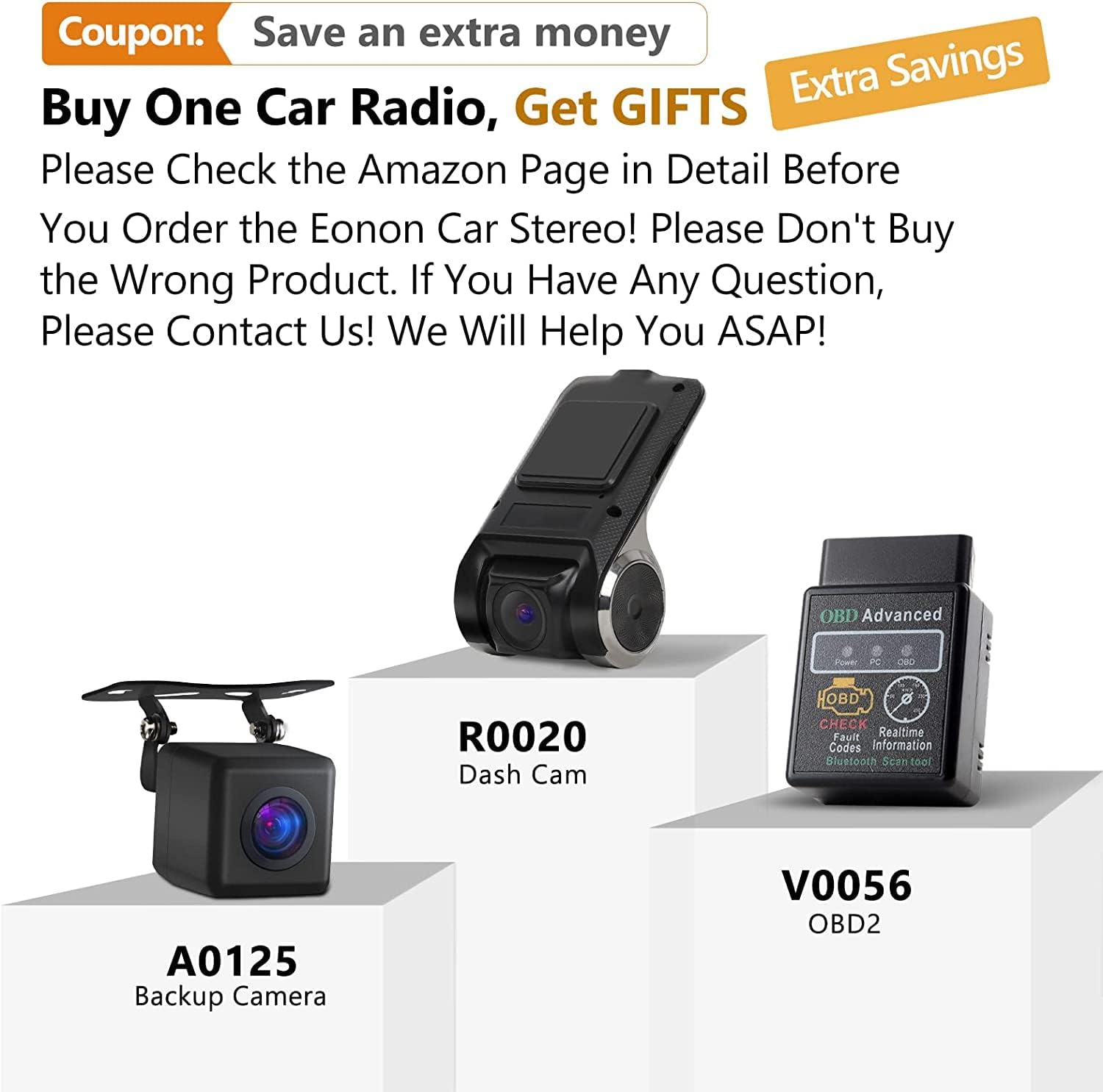
Image: The 5M Extension Harness A0590, designed for vehicles with Navigation or DSP systems.
4.2 Электр өткөргүч схемасы
Refer to the following diagram for connecting the car stereo to your vehicle's electrical system and peripherals.

Image: Comprehensive wiring diagram for the Eonon Q50Pro, showing connections for power, speakers, camera, and other accessories.
4.3 Physical Installation Notes
- Ensure all cables are properly routed and not blocking the car stereo or other components.
- If the bracket inside the center console is blocking the car stereo, it may be necessary to cut off the protruding part of the bracket.
- Some users have reported needing to shave a small tab on the trim piece behind the screen for a flush fit.

Image: Comparison showing the factory radio (left) and the Eonon Q50Pro installed (right) in a BMW E46 dashboard.
5. Баштапкы орнотуу
5.1 Кубат күйгүзүлдү
After successful installation, turn on your vehicle's ignition. The stereo should power on automatically. The initial boot-up may take approximately 20 seconds.
5.2 Тармактык туташуу
To access online features, connect the unit to a Wi-Fi network (e.g., your mobile hotspot). Go to Орнотуулар > Тармак жана Интернет > Wi-Fi жана каалаган тармагыңызды тандаңыз.
5.3 Күн жана убакыт
The unit typically synchronizes date and time via GPS or network. If needed, adjust manually in Орнотуулар > Система > Дата жана убакыт.
5.4 Bluetooth жупташтыруу
To pair your phone via Bluetooth 5.0, go to Орнотуулар > Туташкан түзмөктөр > Жаңы аппаратты жупташтыруу on the stereo. Enable Bluetooth on your phone and select the stereo from the list of available devices.

Image: Bluetooth 5.0 connectivity for audio streaming and hands-free calls.
6. Иштөө нускамалары
6.1 Сенсордук экран навигациясы
The 9-inch 2.5D touch screen allows for intuitive navigation. Tap icons to open applications, swipe to navigate menus, and use pinch-to-zoom for maps.
6.2 Apple CarPlay жана Android Auto
Connect your iPhone or Android phone via USB or wirelessly to activate CarPlay or Android Auto. This allows access to navigation, music, calls, and messages directly from the stereo's display.
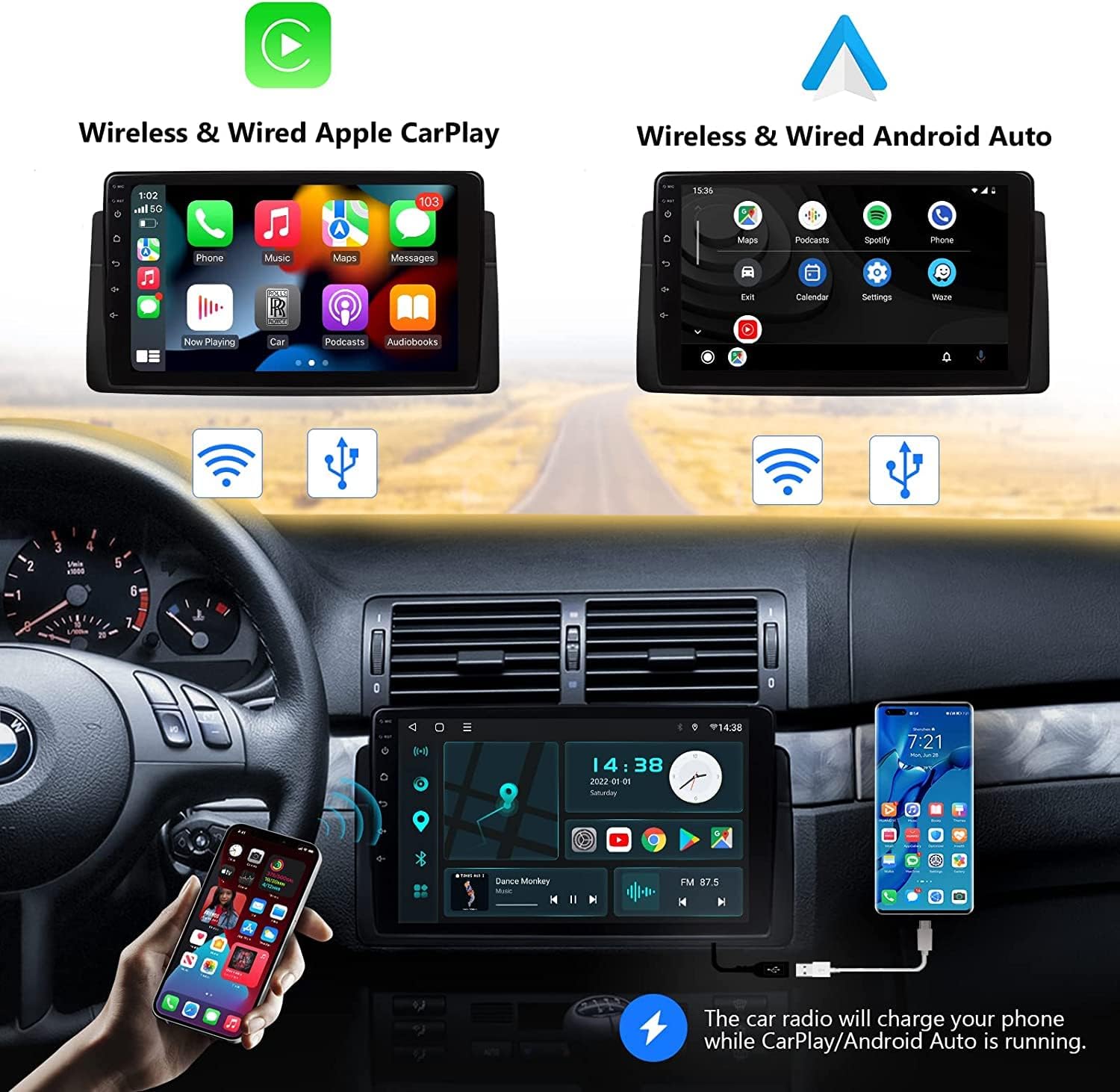
Image: Demonstrating both Wireless & Wired Apple CarPlay and Android Auto functionality.

Image: Apple CarPlay in action, illustrating voice command capabilities.

Image: Android Auto in action, illustrating Google Assistant voice command capabilities.
6.3 Аудио орнотуулары (DSP)
Utilize the built-in DSP to customize your audio experience. Access the 48-Band Equalizer, adjust sound field, enable surround sound, and boost bass through the audio settings menu.

Image: Interface for the Built-in DSP, allowing detailed sound adjustments.
6.4 Радио менен иштөө
Select the Radio application to access AM/FM stations. Use the on-screen controls to scan for stations, save presets, and adjust settings.

Image: The AM/FM Radio interface with frequency display and controls.
6.5 Рулду башкаруу
The unit supports factory steering wheel controls for convenient operation of volume, track skipping, and call management. Configuration may be required in the settings menu.

Сүрөт: Руль дөңгөлөгүн башкаруу элементтерин конфигурациялоо интерфейси.
6.6 Rear Camera Display
If a compatible AHD rear camera (e.g., A0125) is installed, the display will automatically switch to the camera view машине артка тишке коюлганда.

Image: Rear camera display with a 140-degree wide viewing angle and IP68 waterproof camera.
6.7 Android App Download
Access the Google Play Store to download and install various Android applications directly onto the unit, expanding its functionality.

Image: Google Play Store interface for downloading Android applications.
6.8 UI темалары
Customize the look and feel of your stereo's interface by selecting from various UI themes available in the settings or through online downloads.

Сүрөт: Мисamples of different UI themes that can be applied to the stereo interface.
7. Техникалык тейлөө
7.1 Экранды тазалоо
Экранды акырын сүртүү үчүн жумшак, түксүз чүпүрөктү колдонуңуз. өжөр тактар үчүн, бир аз гampчүпүрөккө суу же экранды тазалоочу каражат. Абразивдүү материалдардан же катуу химиялык заттардан алыс болуңуз.
7.2 Программалык камсыздоо жаңыртуулары
Periodically check for software updates in the system settings to ensure optimal performance and access to new features. Connect to a stable Wi-Fi network before initiating updates.
7.3 Айлана-чөйрөнү коргоо
Avoid exposing the unit to extreme temperatures, direct sunlight for prolonged periods, or excessive moisture. These conditions can affect the unit's lifespan and performance.
8. Кыйынчылыктарды
If you encounter issues with your Eonon Q50Pro, refer to the following common problems and solutions:
- Түзмөк күйбөйт:
- Бардык электр туташууларын жана сактагычтарды текшериңиз.
- Унаанын от алдыруу күйгүзүлгөнүн текшериңиз.
- Battery Drain Issue:
- Some users have reported battery drain if the unit remains active after the car is off. Navigate to Орнотуулар and ensure the CarPlay/Android Auto sleep setting is configured to "no sleep" or to power off with the ignition. This ensures the unit fully shuts down when the car is off.
- CarPlay/Android Auto Glitches or Disconnects:
- Ensure a stable USB connection (if wired) or Wi-Fi connection (if wireless).
- Restart your smartphone and the car stereo.
- Check for software updates for both the stereo and your phone's operating system.
- If disconnecting when shifting to reverse, this is normal behavior for some systems to prioritize the camera feed. CarPlay/Android Auto should resume after shifting out of reverse.
- Bluetooth Audio Issues:
- Ensure your phone is properly paired and selected as the audio output device.
- Түзмөктү жупташып, кайра жупташып көрүңүз.
- Verify that the volume on both the stereo and your phone is turned up.
- Колдонмолор бузулуп/тоңуп жатат:
- Тиркемени жаап, кайра ачыңыз.
- Clear the app's cache in Орнотуулар > Колдонмолор жана эскертмелер > [Колдонмонун аталышы] > Сактагыч жана кэш.
- Ensure sufficient free storage space on the unit.
- Рулдун башкаруу элементтери иштебейт:
- Verify that the CAN Bus decoder is correctly connected.
- Check the steering wheel control settings in the stereo's menu for proper mapping.
For further assistance, please refer to the official Eonon support resources or contact their customer service.
9. Техникалык шарттар
| Өзгөчөлүк | Спецификация |
|---|---|
| Продукциянын өлчөмдөрү | 7.01 x 0.79 x 2.95 дюйм (17.8 x 2.0 x 7.5 см) |
| Элемент Салмагы | 5.15 фунт (2.34 кг) |
| Модель номери | Q50UPRO-HK(3GB+32GB) |
| Бренд | ЭОНОН |
| Байланыш технологиясы | USB, Bluetooth, Wi-Fi |
| Өзгөчө өзгөчөлүк | Touchscreen, CarPlay, Android Auto, DSP |
| Шайкеш түзмөктөр | Смартфон |
| Туташтыргыч түрү | USB, 3.5 мм уяча |
| Аудио чыгаруу режими | Стерео |
| Көлөмдүү үн каналынын конфигурациясы | 4.0 |
| Видеону коддоо | RM |
| Чыгуу күчү | 48 Ватт |
| Экран диагоналы | 9 дюйм / 23 см |
10. Кепилдик жана колдоо
Eonon products typically come with a manufacturer's warranty. Please refer to the warranty card included with your product or visit the official Eonon webдеталдуу кепилдик шарттары жана шарттары үчүн сайт.
Кардарларды колдоо
For technical assistance, troubleshooting, or any inquiries regarding your Eonon Q50Pro, please contact Eonon customer support through their official channels. You may also find additional resources, including PDF manuals, on their webсайт.
- Official Eonon Store: Amazon'догу EONON дүкөнү
- Колдонуучунун колдонмосу (PDF): PDF жүктөп алуу
- Орнотуу боюнча колдонмо (PDF): PDF жүктөп алуу


