1. Киришүү
Сатып алганыңыз үчүн рахматasing the BUFFBEE Digital Alarm Clock FM Radio with Wireless Charging. This device combines a digital alarm clock, FM radio, 10W fast wireless charger, and a USB charging port into a single unit. It features five distinct wake-up sounds, adjustable volume control, and a full brightness dimmer for optimal comfort in your bedroom environment. Please read this manual carefully to ensure proper setup and operation.

Figure 1.1: BUFFBEE Digital Alarm Clock with a smartphone wirelessly charging on top.
2. Орнотуу
2.1 Кубат туташтыруу
- Connect the provided power adapter to the DC 9V port on the back of the alarm clock.
- Кубат адаптерин стандарттуу электр розеткасына сайыңыз. Сааттын дисплейи күйөт.
- Эскертүү: The internal battery backup is for saving time and alarm settings only. The device requires a continuous power connection to function.
2.2 Убакытты коюу
- басып, кармап туруңуз TIME button located on the top panel. The hour digits will begin to flash.
- колдонуу UP (▲) же ылдый (▼) buttons to adjust the hour.
- басыңыз TIME button again to confirm the hour and proceed to set the minutes. The minute digits will flash.
- колдонуу UP (▲) же ылдый (▼) buttons to adjust the minutes.
- басыңыз TIME убакытты үнөмдөө үчүн дагы бир жолу басыңыз.
2.3 Сигналды коюу
- басып, кармап туруңуз АЛАРМ ойготкуч сааттын сандары күйүп-өчө баштайт.
- колдонуу UP (▲) же ылдый (▼) buttons to adjust the alarm hour.
- басыңыз АЛАРМ button again to confirm the hour and proceed to set the alarm minutes. The minute digits will flash.
- колдонуу UP (▲) же ылдый (▼) buttons to adjust the alarm minutes.
- басыңыз АЛАРМ button one more time to save the alarm time.
- Ойготкучту иштетүү же өчүрүү үчүн, баскычын кыскача басыңыз АЛАРМ button. An alarm icon will appear on the display when activated.

Figure 2.1: Rear panel with power and USB connections.
3. Иштөө нускамалары
3.1 Зымсыз заряддоо
The top surface of the alarm clock features a 10W fast wireless charging pad. This is compatible with 5W, 7.5W, and 10W wireless-enabled phones.
- Place your wireless-enabled smartphone directly on the charging pad located on the top of the clock.
- Ensure the phone is centered on the charging pad for optimal connection.
- A lightning icon will appear on the clock's display to indicate that your phone is charging.

Figure 3.1: Wireless charging in progress.
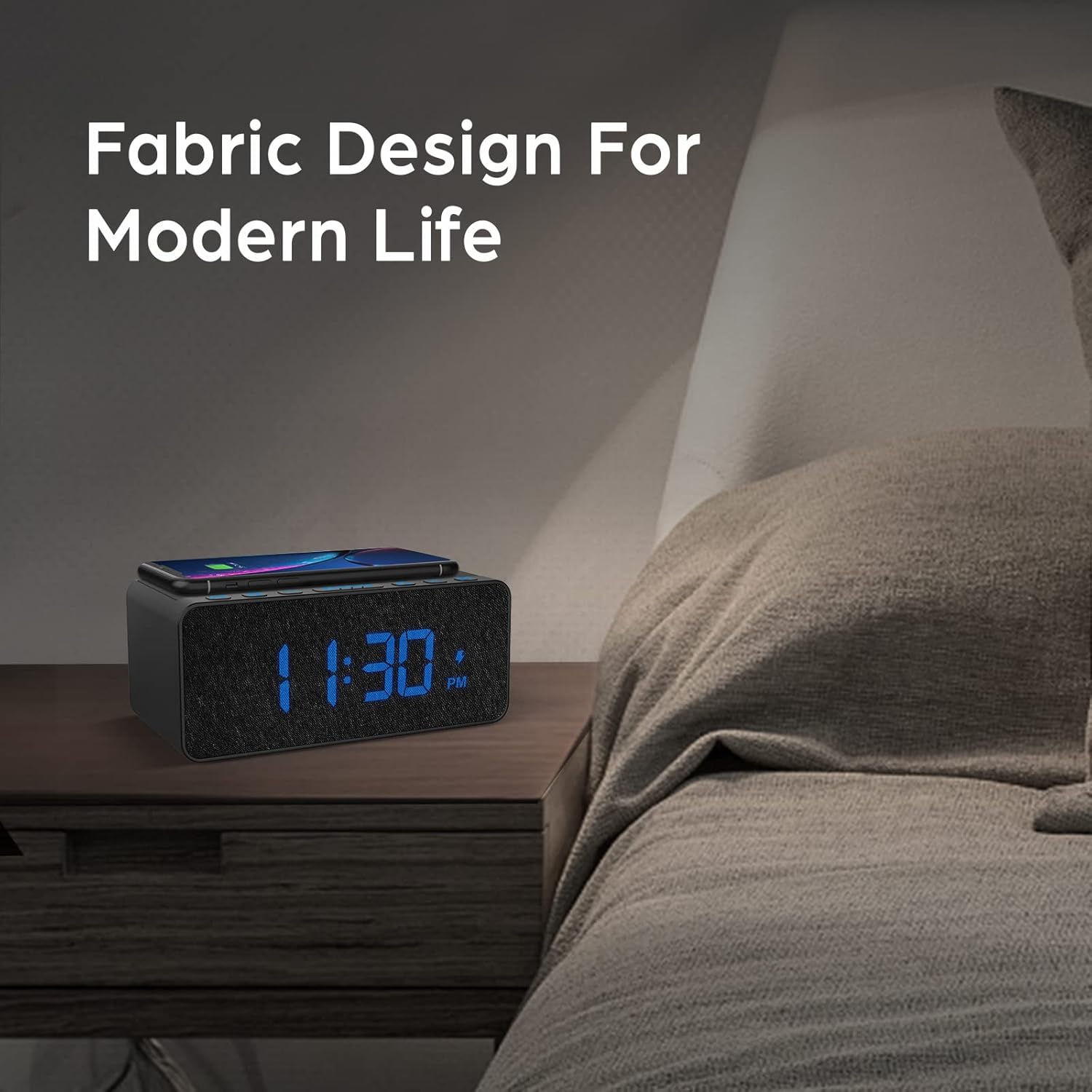
Figure 3.2: Wireless charging compatibility.
3.2 USB кубаттоо порту
An additional USB port is located on the back of the unit for charging other devices, such as smartwatches or non-wireless charging phones.
- Түзмөгүңүздүн USB кубаттоочу кабелин ойготкуч сааттын артындагы USB портуна туташтырыңыз.
- Кабелдин экинчи учун шайманга туташтырыңыз.

Figure 3.3: Simultaneous wireless and USB charging.
3.3 FM радиосунун иштеши
The alarm clock includes an FM radio with a frequency range of 87.5-108.0 MHz.
- FM радиосун күйгүзүү үчүн, баскычын басыңыз РАДИО баскычы.
- To scan for stations, press and hold the UP (▲) же ылдый (▼) buttons. The radio will automatically tune to the next available station.
- Кол менен күүлдөө үчүн, баскычын кыска басыңыз UP (▲) же ылдый (▼) баскычтары.
- Алдын ала коюлган станцияны сактоо үчүн, баскычын басып кармап туруңуз РАДИО button until the preset number flashes, then use the UP (▲) же ылдый (▼) buttons to select a preset slot. Press РАДИО ырастоо үчүн дагы.
- Алдын ала коюлган станцияны кайра чакырып алуу үчүн, баскычын кыска басыңыз РАДИО button to cycle through saved presets.
- Adjust the radio volume using the volume control dial or buttons (if present, otherwise use general volume controls).
- To improve FM reception, ensure the radio antenna on the back of the unit is fully extended.
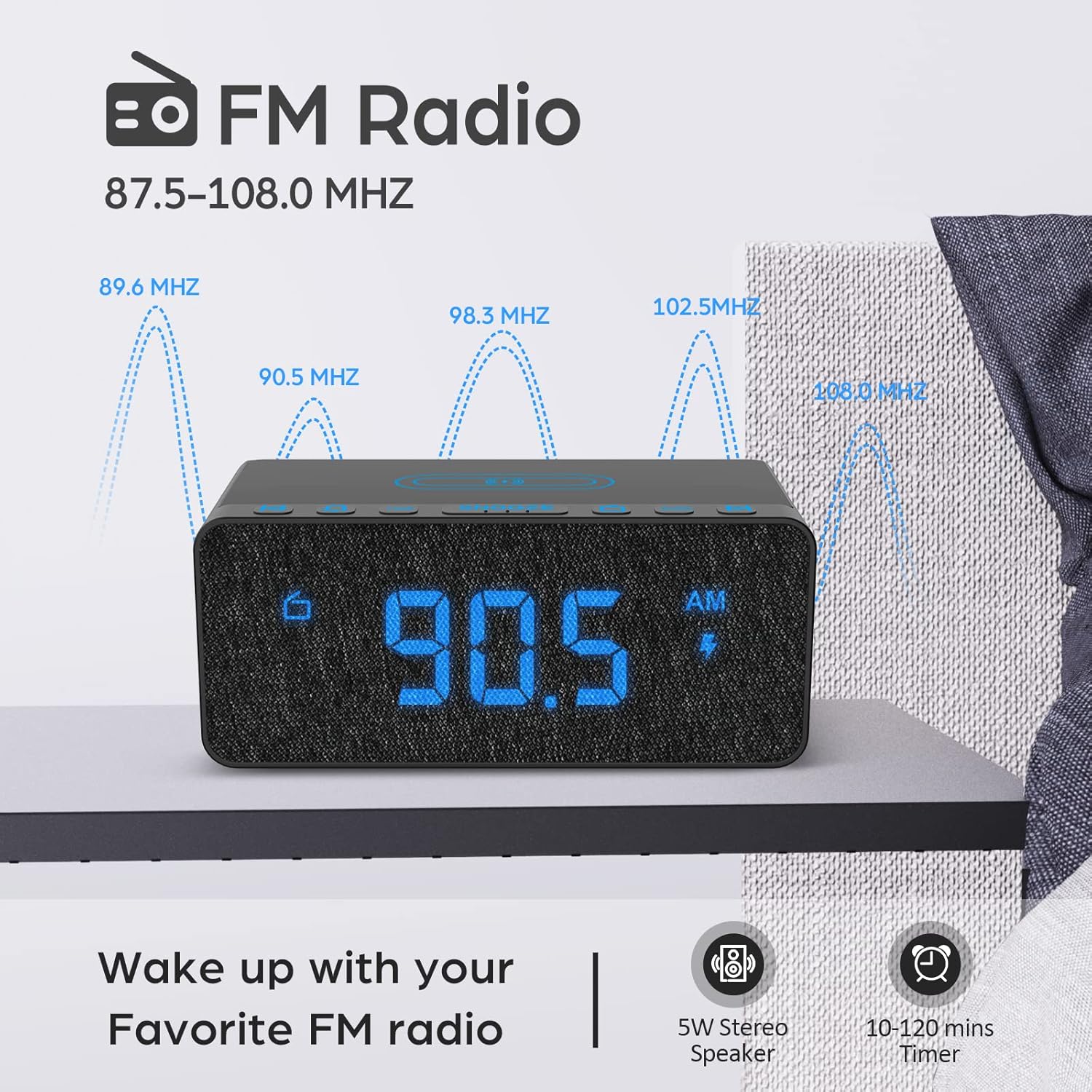
Figure 3.4: FM Radio display.
3.4 Alarm Sounds and Volume
The alarm clock offers 5 distinct wake-up sounds and adjustable alarm volume (0-15 levels).
- When setting the alarm, after setting the time, you can select the alarm sound.
- басыңыз ОЙГОЛГОН УНДАР button to cycle through the available sounds: Beep, Bird Sound, Bells, Piano Sound, or FM Radio.
- To adjust the alarm volume, use the dedicated volume buttons or dial on the unit.

Figure 3.5: Available alarm sounds.
3.5 Дисплейдин күңүрткүсү
Дисплейдин жарыктыгын өз каалооңузга ылайыкташтырып 0% дан 100% га чейин тууралоого болот.
- табыңыз ДИММЕРДИ КӨРСӨТҮҮ switch or dial, typically on the back or side of the unit.
- Adjust the switch/dial to increase or decrease the display brightness.

Figure 3.6: Display brightness adjustment.
3.6 Controls Overview
For a visual guide to the top panel controls, please refer to the video below.
Видео 3.1: Бүттүview of BUFFBEE Digital Alarm Clock features and top panel controls, including time setting, alarm, radio, and snooze functions.
4. Техникалык тейлөө
4.1 Тазалоо
- Аппаратты тазалоо үчүн жумшак, кургак чүпүрөктү колдонуңуз.
- Do not use liquid cleaners, abrasive cleaners, or chemical sprays, as these may damage the surface or internal components.
- Тазалоодон мурун аппараттын розеткадан ажыратылганын текшериңиз.
4.2 Жалпы кам көрүү
- Аппаратты экстремалдык температурага, тике күн нуруна же жогорку нымдуулукка дуушар кылуудан алыс болуңуз.
- Do not disassemble the unit. Any repairs should be performed by qualified personnel.
- Аппаратты суудан же башка суюктуктардан алыс кармаңыз.
5. Кыйынчылыктарды
- С: Эмне үчүн сайгандан кийин дисплей бош калат?
- A: Please check if the DISPLAY DIMMER switch on the back of the unit is set to the HIGH position. If it is set to a very low position, the display may appear blank in bright environments.
- Q: How can I tell if my phone is wirelessly charging?
- A: A lightning icon will appear on the alarm clock's display when a compatible phone is correctly placed on the wireless charging pad and is actively charging.
- Q: Does the battery backup allow the clock to work without a power cord?
- A: No, the battery backup is solely for saving the time and alarm settings during a power outage. The device requires the power cord to be plugged in for full functionality (display, radio, charging, alarm sound).
- Q: Which phones are supported by wireless charging?
- A: The wireless charger is compatible with most Qi-enabled smartphones, including but not limited to: iPhone 13/13 Pro/13 Pro Max/13 Mini/12/12 Pro/12 Pro Max/12 Mini/11/11 Pro/11 Pro Max/X/XS/XS Max/XR/8/8+/SE; Samsung S21/S21+/21 Ultra/S20/S20+/S20 Ultra/S10/S10+/S10E/S9/S9+/S8/S8+/S7/S7+/S6/S6E; Note 20/20 Ultra/Note 10/10 Pro/Note 9/8/5; Google Nexus 4/5/6, and other wireless-enabled phones.
6. Техникалык шарттар
| Бренд | BUFFBEE |
| Модел | B09LCCJZ3H |
| Дисплей түрү | Санарип |
| Стиль | Заманбап |
| Өзгөчөлүктөр | Adjustable Brightness, Charging Port, Music |
| Продукциянын өлчөмдөрү | 6.9"W x 2.8"H |
| Power Source | Электр зымдары |
| Бөлмө түрү | Уктоочу бөлмө |
| Ички/тышкы колдонуу | Indoor |
| Frame Material | Acrylonitrile бутадиен Styrene |
| Батареялар камтылган | No (for operation, backup only) |
| Ойготкуч саат | Ооба |
| Элементтердин саны | 1 |
| Иштөө режими | Электрдик |
| Элемент Салмагы | 14.9 унция |
| UPC | 766891334623 |
7. Кепилдик маалыматы
BUFFBEE products are designed and manufactured to the highest quality standards. This product is covered by a limited warranty against defects in materials and workmanship for a period of one (1) year from the original date of purchase. This warranty does not cover damage caused by accident, misuse, abuse, improper installation or operation, or unauthorized repairs. Please retain your proof of purchase for warranty claims.
8. Кардарларды колдоо кызматы
If you have any questions, concerns, or require assistance with your BUFFBEE Digital Alarm Clock, please contact our customer support team. For the most up-to-date contact information, please visit the official BUFFBEE webсайтына кириңиз же продуктуңуздун таңгагын караңыз.
Онлайн колдоо: Visit the BUFFBEE Store on Amazon


