Introduction
Thank you for choosing the Final ZE3000 True Wireless Earbuds. This manual provides essential information for the proper setup, operation, and maintenance of your earbuds to ensure an optimal audio experience. Please read this manual thoroughly before use.
Кутуда эмне бар
- Final ZE3000 True Wireless Earbuds (Left and Right)
- Заряддоо кутусу
- USB-C заряддоо кабели
- Колдонуучунун Колдонмосу (бул документ)
- Наушниктер (ар кандай өлчөмдөгү)

Image: Final ZE3000 True Wireless Earbuds and their charging case, displayed in black.
Продукт бүттүview
The Final ZE3000 earbuds are designed for high-fidelity sound reproduction with a focus on comfort and stable wireless connectivity. Each earbud features a touch control panel and an LED indicator.

Сүрөт: Жакын план view of the Final ZE3000 earbuds, highlighting their unique geometric design and audiophile-level quality.

Image: The Final ZE3000 charging case, showcasing its premium SHIBO textured finish.
Жайгашуу
1. Кулакчындарды жана кутуну кубаттоо
Before first use, fully charge the earbuds and charging case. Connect the supplied USB-C cable to the charging port on the case and a USB power source. The LED indicator on the case will show charging status. A full charge takes approximately 1.5 hours.

Image: Final ZE3000 earbuds placed inside their charging case.
2. Түзмөк менен жупташтыруу
- Open the charging case. The earbuds will automatically enter pairing mode, and the LED indicators on the earbuds will flash.
- Түзмөгүңүздө (смартфон, планшет ж.б.) Bluetooth иштетиңиз.
- Издөө available Bluetooth devices and select "ZE3000" from the list.
- Once connected, the LED indicators on the earbuds will stop flashing.
The ZE3000 uses Bluetooth 5.2 for a stable connection up to 10 meters.

Image: A smartphone screen showing the 'ZE3000' listed as an available Bluetooth device for pairing.
3. Кулакчындарды орнотуу
Proper fit is crucial for sound quality and comfort. Choose the eartips that provide the best seal and comfort for your ears. Gently insert the earbuds into your ear canals and twist slightly until they feel secure.
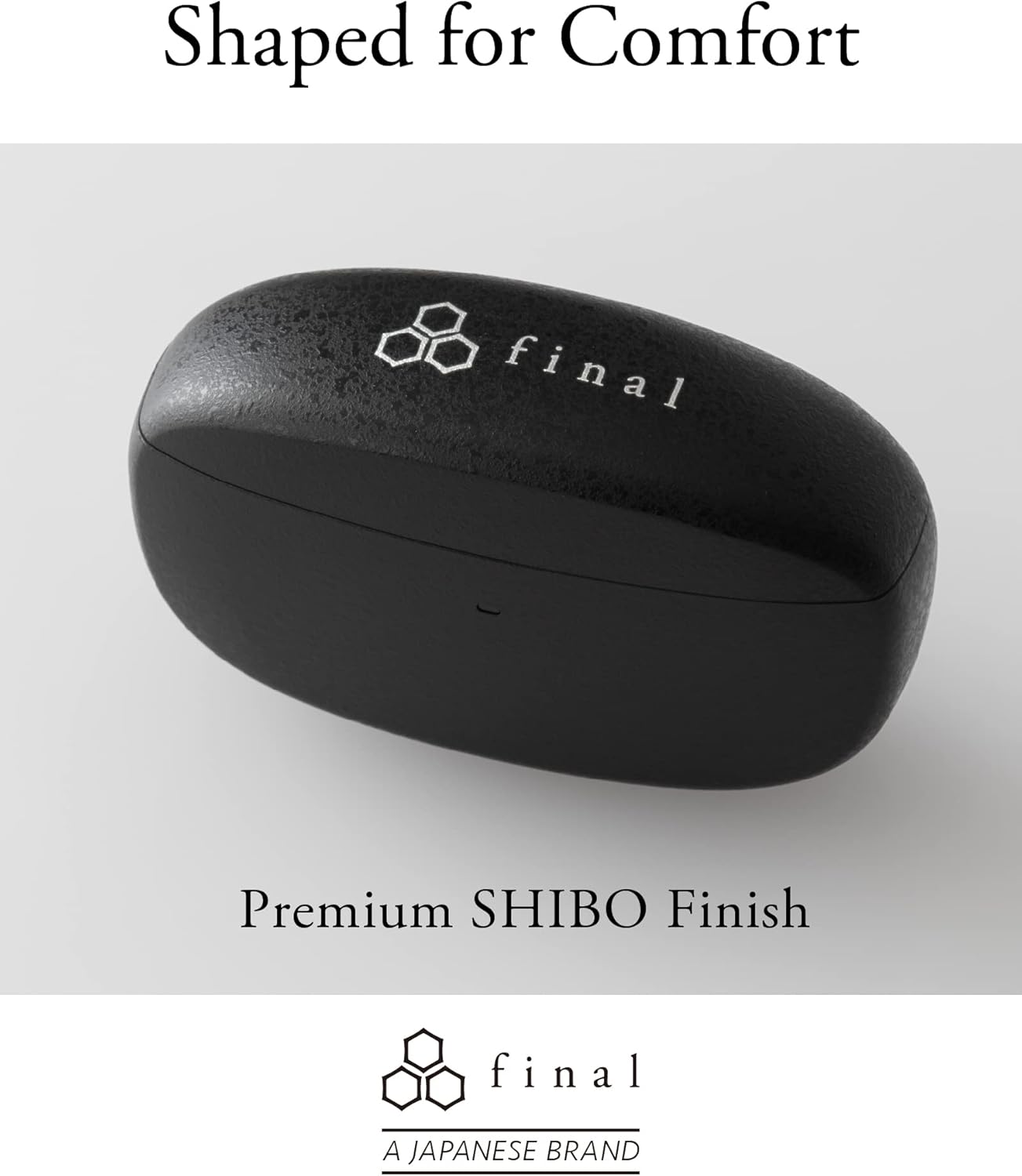
Image: A person demonstrating the correct way to wear the Final ZE3000 earbuds for a secure and comfortable fit.
Иштөө нускамалары
Touch Controls
The ZE3000 earbuds feature intuitive touch controls on the outer surface of each earbud.

Image: Diagram illustrating the location of the touch control panel, microphone, and LED indicator on the earbud.
| Акция | Функция |
|---|---|
| Бир таптоо (Сол/Оң) | Музыканы ойнотуу/тындыруу, Чалууга жооп берүү/Аяктоо |
| Эки жолу таптаңыз (оңго) | Кийинки трек |
| Эки жолу таптаңыз (солго) | Мурунку трек |
| Үч жолу таптап (оңго) | Үндү көтөрүү |
| Үч жолу таптап (солго) | Үндү төмөндөтүү |
| Узун басуу (Сол/Оң) | Үн жардамчысын иштетүү |
Күйгүзүү/өчүрүү
- Күйгүзүү: Open the charging case, and the earbuds will automatically power on and connect to the last paired device.
- Өчүрүү: Кулакчындарды кайра заряддоо кутусуна салып, капкагын жабыңыз. Алар автоматтык түрдө өчүп, кубаттай башташат.
Техникалык тейлөө
Тазалоо
Наушниктерди жана кубаттоочу кутучаңызды үзгүлтүксүз тазалап туруңуз.
- Кулакчындарды жана кубаттоочу кутуну сүртүү үчүн жумшак, кургак, түксүз чүпүрөктү колдонуңуз.
- Кулак учтарын алып салыңыз жана аларды жумшак самын жана суу менен тазалаңыз, анан кайра кийерден мурун жакшылап кургатып алыңыз.
- Кулакчындагы жана кутудагы заряддоо контакттарын кургак кебез тампон менен акырын тазалаңыз.
Сактагыч
Колдонулбаганда, кулакчындарды коргоо жана кубатталган бойдон калуу үчүн аларды кубаттоо кутучасына сактап коюңуз.
Сууга туруктуулук (IPX4)
The Final ZE3000 earbuds are IPX4 water-resistant, meaning they are protected against splashing water from any direction. They are not designed for submersion in water. Avoid exposing them to heavy rain, showering, or swimming.
Проблемаларды чечүү
- Үн/Туташуу маселеси жок:
- Кулакчындардын кубатталганын текшериңиз.
- Түзмөгүңүздө Bluetooth иштетилгенин жана кулакчындар тандалганын текшериңиз.
- Кулакчындарды түзмөгүңүз менен ажыратып, кайра жупташып көрүңүз.
- Кулакчындарга башка түзмөктөр активдүү туташып турбагандыгын текшериңиз.
- Бир кулакчын иштебей жатат:
- Эки кулакчынды тең кутуга кайра салып, капкагын жаап, бир нече секунд күтүп, кайра ачыңыз.
- Check charging contacts for debris.
- Тийүү башкаруулары жооп бербейт:
- Манжаларыңыздын таза жана кургак экенине ынаныңыз.
- Try restarting the earbuds by placing them in the case and closing the lid.
Техникалык шарттар
| Өзгөчөлүк | Деталь |
|---|---|
| Модель номери | ZE3000 |
| Байланыш технологиясы | Bluetooth 5.2 |
| Зымсыз байланыш | Bluetooth |
| Аудио драйвер түрү | Динамикалык драйвер |
| Жыштык диапазону | 20 Гц - 20 000 Гц |
| Батареянын иштөө мөөнөтү (наушник) | 7 саатка чейин |
| Жалпы ойнотуу убактысы (кеп менен) | 35 саатка чейин |
| Заряддоо убактысы | Болжол менен 1.5 саат |
| Башкаруу түрү | Touch Control |
| Сууга туруктуулук деңгээли | IPX4 (Сууга туруктуу) |
| Bluetooth диапазону | 10 метр |
| Элемент Салмагы | 42 грамм (жалпы) |
| Продукциянын өлчөмдөрү | 1.38 x 2.76 x 0.98 дюйм |
Колдоо
For further assistance or inquiries, please visit the official Final store or contact customer support.


