1. Киришүү
Сатып алганыңыз үчүн рахматasing the Final UX3000 Bluetooth Wireless Headphones. These headphones are designed to deliver premium Hi-Fi sound quality with hybrid noise-cancelling technology, ensuring an immersive audio experience. With long battery life and versatile connectivity options, the UX3000 is ideal for music listening, movies, and gaming.
Please read this manual thoroughly before using the product to ensure proper operation and to maximize your listening enjoyment.

Image: The Final UX3000 headphones in black, showcasing алардын жарашыктуу дизайны.
2. Пакеттин мазмуну
Сиздин пакетте төмөнкү нерселердин бардыгы камтылганын текшериңиз:
- Final UX3000 Headphone
- USB-C заряддоо кабели
- Жумшак ташуучу баштык
- 3.5mm Cable for Wired Connection
- Колдонуучунун Колдонмосу (бул документ)
Note: A USB charger is not included in the package.
3. Продукт бүтүп калдыview
3.1 Кулакчындын компоненттери
Familiarize yourself with the various parts and controls of your Final UX3000 headphones.

Сүрөт: деталдуу view of the control buttons located on the ear cup.
Башкаруу каражаттары жана көрсөткүчтөр:
- Кубат баскычы: Кулакчындарды күйгүзүү/өчүрүү жана Bluetooth жупташтырууну баштоо үчүн колдонулат.
- Үн + / - баскычтары: Аудионун үнүн тууралайт.
- Көп функциялуу баскыч: Controls playback (play/pause), call management (answer/end calls), and activates voice assistant.
- ANC баскычы: Toggles Active Noise Cancelling on/off.
- Bluetooth / ANC Status Indicator: LED light indicating power, pairing status, and ANC status.
- USB-C заряддоо порту: Наушниктерди заряддоо үчүн.
- 3.5 мм аудио уячасы: Зымдуу туташуу үчүн.

Image: Diagram showing the Power Button and Status Indicator.

Image: Diagram showing the Volume Up and Volume Down buttons.
4. Орнотуу
4.1 Наушниктерди заряддоо
Before first use, fully charge your UX3000 headphones. Connect the supplied USB-C charging cable to the headphone's USB-C port and the other end to a USB power source (e.g., computer USB port, USB wall adapter). The LED indicator will show charging status and turn off when fully charged.
- Заряддоо убактысы: Толук кубаттоо үчүн болжол менен 2.5 саат.
- Батареянын иштөө мөөнөтү: 35 саатка чейин музыка ойнотуу.
4.2 Bluetooth жупташтыруу
Кулакчындарды түзмөккө зымсыз туташтыруу үчүн:
- Наушниктердин өчүрүлгөнүн текшериңиз.
- Күйгүзүү баскычын болжол менен 5 секунд басып, LED индикатору көк жана кызыл түстө күйүп-өчкөнгө чейин, жупташтыруу режимин көрсөткөнгө чейин кармап туруңуз.
- Түзмөгүңүздө (смартфон, планшет, компьютер) Bluetooth иштетип, жеткиликтүү түзмөктөрдү издеңиз.
- Select "Final UX3000" from the list of found devices.
- Once connected, the LED indicator will flash blue slowly. A voice prompt will confirm "Device Connected".

Image: The UX3000 headphones positioned beside a smartphone displaying its Bluetooth connection settings.
Көп чекиттүү туташуу:
The UX3000 supports multipoint connection, allowing you to connect to two Bluetooth devices simultaneously. For example, you can be connected to your smartphone and your laptop at the same time, seamlessly switching audio sources.
4.3 Зымдуу туташуу
For a wired audio experience or when the battery is depleted, use the supplied 3.5mm audio cable.
- Connect one end of the 3.5mm cable to the audio jack on the headphones.
- Экинчи учун түзмөгүңүздүн 3.5 мм аудио чыгышына туташтырыңыз.
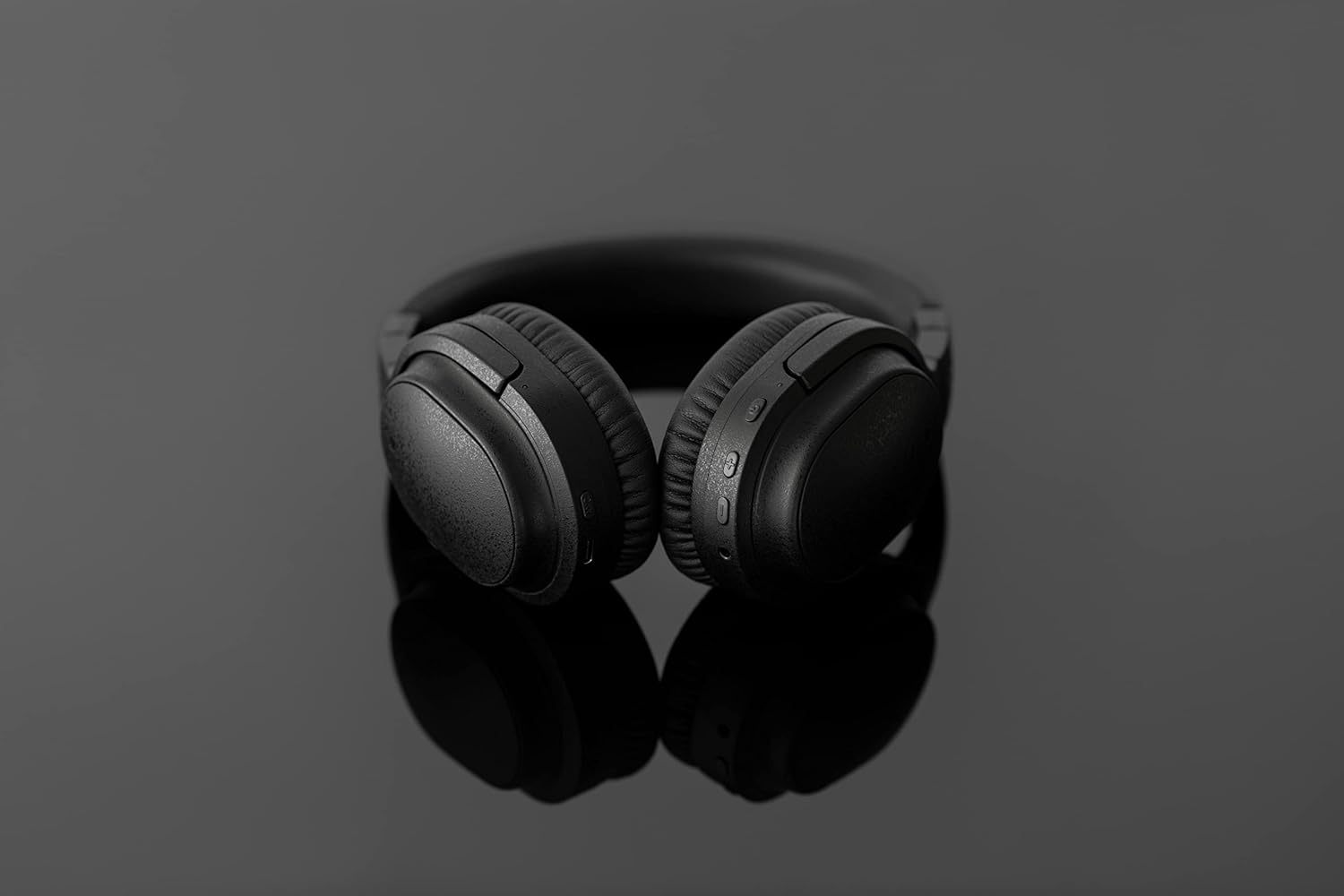
Image: The UX3000 headphones connected to a digital audio player using the 3.5mm audio cable.
5. Иштөө нускамалары
5.1 Күйгүзүү/өчүрүү
- Күйгүзүү: Кубат баскычын 2 секунд басып, кармап туруңуз. LED индикатору көк түстө күйүп-өчөт.
- Өчүрүү: Кубат баскычын 3 секунд басып туруңуз. LED индикатору өчөт.
5.2 Музыканы ойнотуу
- Ойнотуу/тындыруу: Көп функциялуу баскычты бир жолу басыңыз.
- Кийинки трек: Үн + баскычын 2 секунд басып, кармап туруңуз.
- Мурунку трек: Үндү катуулатуу баскычын 2 секунд басып, кармап туруңуз.
- Көлөмү: Press the Volume + button briefly.
- Үнүн азайтуу: Press the Volume - button briefly.
5.3 Hybrid Noise Cancelling (ANC)
The UX3000 features Hybrid Active Noise Cancelling, utilizing two microphones per ear cup to effectively reduce ambient noise. One microphone collects external noise, and the other collects sound from the driver unit, allowing for highly accurate anti-noise signal generation.
- ANCти иштетүү/өчүрүү: Press the ANC button once. A voice prompt will confirm the status.

Image: A schematic diagram explaining how the Hybrid Noise Cancelling technology works with external and internal microphones.
5.4 aptX Low Latency Support
The UX3000 supports aptX Low Latency, which minimizes audio delay and ensures proper synchronization with visuals. This feature provides an optimal experience for watching movies and playing games, preventing noticeable lag between audio and video.

Image: A user wearing the UX3000 headphones, engaged with a laptop, highlighting their suitability for media and communication.
5.5 Чакыруу функциялары
- Чалууга жооп берүү/аяктоо: Көп функциялуу баскычты бир жолу басыңыз.
- Чакырууну четке кагуу: Көп функциялуу баскычты 2 секунд басып туруңуз.
- Үн Жардамчысын жандыруу: Көп функциялуу баскычты эки жолу басыңыз.
6. Техникалык тейлөө
To ensure the longevity and optimal performance of your Final UX3000 headphones, follow these maintenance guidelines:
- Тазалоо: Wipe the headphones with a soft, dry cloth. Do not use abrasive cleaners, solvents, or strong chemicals.
- Сактагыч: When not in use, store the headphones in the provided soft carrying pouch to protect them from dust and scratches. The headphones are foldable for compact storage.
- Нымдуулуктан качыңыз: Keep the headphones away from water, humidity, and extreme temperatures.
- Заряддоо: Do not leave the headphones connected to a charger for extended periods after they are fully charged.

Image: The UX3000 headphones shown in their folded configuration, ready for compact storage or travel.
7. Кыйынчылыктарды
If you encounter issues with your Final UX3000 headphones, refer to the following common problems and solutions:
| Көйгөй | Мүмкүн себеп | Чечим |
|---|---|---|
| Кулакчындар күйбөйт. | Батарея аз. | Наушниктерди толук заряддаңыз. |
| Түзмөк менен жупташтыруу мүмкүн эмес. | Headphones not in pairing mode; device's Bluetooth is off; too many paired devices. | Ensure headphones are in pairing mode (flashing red/blue). Turn on Bluetooth on your device. Forget previous pairings on your device and try again. |
| Үн жок же үнү төмөн. | Үнү өтө төмөн; кулакчындар туташтырылган эмес; түзмөктө туура эмес аудио чыгышы тандалды. | Increase volume on both headphones and device. Reconnect headphones. Check audio output settings on your device. |
| Noise Cancelling not effective. | ANC not activated; environmental noise too high for full cancellation. | Ensure ANC is activated. ANC is most effective for low-frequency, constant noises. |
| Voice prompts (e.g., "Battery Low") occur frequently even when charged. | Potential firmware issue or specific device interaction. | Ensure headphones are fully charged. If issue persists, contact customer support. |
8. Техникалык шарттар
| Өзгөчөлүк | Деталь |
|---|---|
| Модель аты | UX3000 BLK |
| Байланыш технологиясы | Зымсыз (Bluetooth), Зымдуу (3.5 мм уяча) |
| Зымсыз байланыш технологиясы | Bluetooth 5.0 |
| Bluetooth диапазону | 10 метр |
| Noise Control | Гибриддик ызы-чууну жокко чыгаруу |
| Аудио драйвер түрү | Динамикалык драйвер |
| Жыштык диапазону | 20Гц-20кГц |
| Батареянын иштөө мөөнөтү | 35 саатка чейин |
| Заряддоо убактысы | 2.5 саат |
| Элемент Салмагы | 260 грамм (9.2 унция) |
| Кулак жайгаштыруу | Кулак үстүндө |
| Форма фактору | Кулак үстүндө |
| Шайкеш түзмөктөр | Bluetooth-enabled devices supporting HFP, HSP, A2DP, and AVRCP profiles, and specifically compatible with SBC, AAC, aptX, and aptX low latency codecs |
| Продукт үчүн атайын колдонуу | Тасмалар жана оюн |
| Өндүрүүчү | Акыркы аудио |
| Дата биринчи жеткиликтүү | 14-декабрь, 2021-жыл |
9. Кепилдик жана колдоо
The Final UX3000 headphones come with Final's 12 Month Worry-Free Warranty. This warranty covers defects in materials and workmanship under normal use for a period of 12 months from the date of original purchase.
For warranty claims, technical support, or any inquiries regarding your product, please contact Final customer service through the official Final website or your point of purchase. Please have your proof of purchase ready when contacting support.
Final is committed to providing friendly and responsive customer service to ensure your satisfaction.


