1. Киришүү
This manual provides detailed instructions for the setup, operation, and maintenance of your Loluka Smart Watch JYAW12PROLA. Please read this manual thoroughly to ensure proper use and to maximize the functionality of your device.
1.1 Пакеттин мазмуну
Таңгактан чыгаргандан кийин, төмөндө көрсөтүлгөн нерселердин бардыгы бар экенин текшериңиз:
- 1x Loluka Smart Watch
- 1x Watch Box
- 1x Колдонуучунун колдонмосу (бул документ)
- 1x магниттик заряддоо кабели
2. Орнотуу
2.1 Акылдуу саатты кубаттоо
Before first use, fully charge your smart watch. Use the provided magnetic charging cable.
- Connect the magnetic end of the charging cable to the charging contacts on the back of the watch. Ensure a secure connection.
- Кубаттоочу кабелдин USB учун стандарттуу USB кубат адаптерине (кошулмага кирбейт) же компьютердин USB портуна сайыңыз.
- The watch screen will indicate charging status. A full charge typically takes approximately 2-3 hours.
Эскертүү: A full charge provides approximately 2-5 days of working time and up to 15 days of standby time, depending on usage.
2.2 Күйгүзүү/өчүрүү
- Күйгүзүү үчүн: Экран күйгөнгө чейин каптал баскычты басып, кармап туруңуз.
- Өчүрүү үчүн: Navigate to the 'Settings' menu on the watch, then select 'Power Off' or press and hold the side button and confirm power off.
2.3 Колдонмону орнотуу жана түзмөктү жупташтыруу
To unlock the full features of your Loluka Smart Watch, you need to install the companion application on your smartphone and pair the devices.
- Колдонмону жүктөп алыңыз: Scan the QR code provided in the watch's quick start guide or search for the designated app (e.g., 'SZOS' or similar, as mentioned in some product descriptions) in your smartphone's app store (Apple App Store for iOS, Google Play Store for Android).
- Орнотуу жана ачуу: Тиркемени орнотуп, аны смартфонуңузда ачыңыз.
- Bluetooth иштетүү: Смартфонуңузда Bluetooth иштетилгенин текшериңиз.
- Түзмөктү жупташтыруу: Within the app, navigate to the 'Device' or 'Add Device' section. The app will search for available devices. Select 'JYAW12PROLA' or the corresponding device name when it appears.
- Жупташтыруу ырастоо: Follow the on-screen prompts on both your phone and watch to confirm the pairing.
Шайкештик: The smart watch supports iOS 10.0 or above and Android 5.0 or above smartphones. It is not compatible with PCs, iPads, or tablets.
3. Иштөө нускамалары
The Loluka Smart Watch features a 1.3-inch full touch screen for navigation and interaction.
3.1 Негизги навигация
- Өйдө/ылдый сүрүү: Менюларды же эскертмелерди сыдырыңыз.
- Солго/Оңго сүрүү: Ар кандай виджеттерге же тез жөндөөлөргө кириңиз.
- таптаңыз: Бир нерсени тандаңыз же аракетти ырастаңыз.
- Каптал баскычы: Typically used to return to the home screen or access the main menu.
3.2 Bluetooth чалуу функциясы
Смартфонуңуз менен жупташтырылгандан кийин, сиз саатыңыздан түз чалууларды жасай жана кабыл ала аласыз.
- Чалууларды жасоо: Access the 'Dialer' or 'Contacts' function on your watch to initiate a call.
- Чалууларды кабыл алуу: Чалуу келгенде, саат чалуучунун ID'син көрсөтөт. Чалууга түз саат экранынан жооп берип же четке кагсаңыз болот.
3.3 Билдирүү эскертмелери
The watch can display notifications from your smartphone, including SMS, social media alerts, and other app notifications.
- Ensure notification permissions are enabled for the companion app on your smartphone.
- Notifications will appear on the watch screen and the watch will vibrate.
3.4 Көп спорттук режимдер
The watch includes multiple built-in exercise modes to track your physical activity.
- Access the 'Sports' or 'Workout' menu on your watch.
- Select the desired exercise mode (e.g., running, walking, cycling).
- The watch will track metrics such as steps, calories burned, and distance during your workout.
3.5 Уйкуга көз салуу
The watch monitors your sleep patterns to help you understand and improve your sleep quality.
- Wear the watch while sleeping. It will automatically detect and record different sleep stages, including deep sleep and periods of wakefulness.
- View detailed sleep data in the companion app, which provides a scientific evaluation of your sleep quality over a 7-day period.

Image: The smart watch screen showing sleep monitoring data, including sleep duration and quality metrics. A person is shown sleeping in the background.
3.6 Ыңгайлаштырылган тергичтер
Personalize your watch face with various pre-installed dials or create custom ones.
- Long-press the watch face on the home screen to access dial options.
- Swipe left or right to browse available dials and tap to select.
- The companion app may offer additional custom dial options, allowing you to upload personal images or designs.
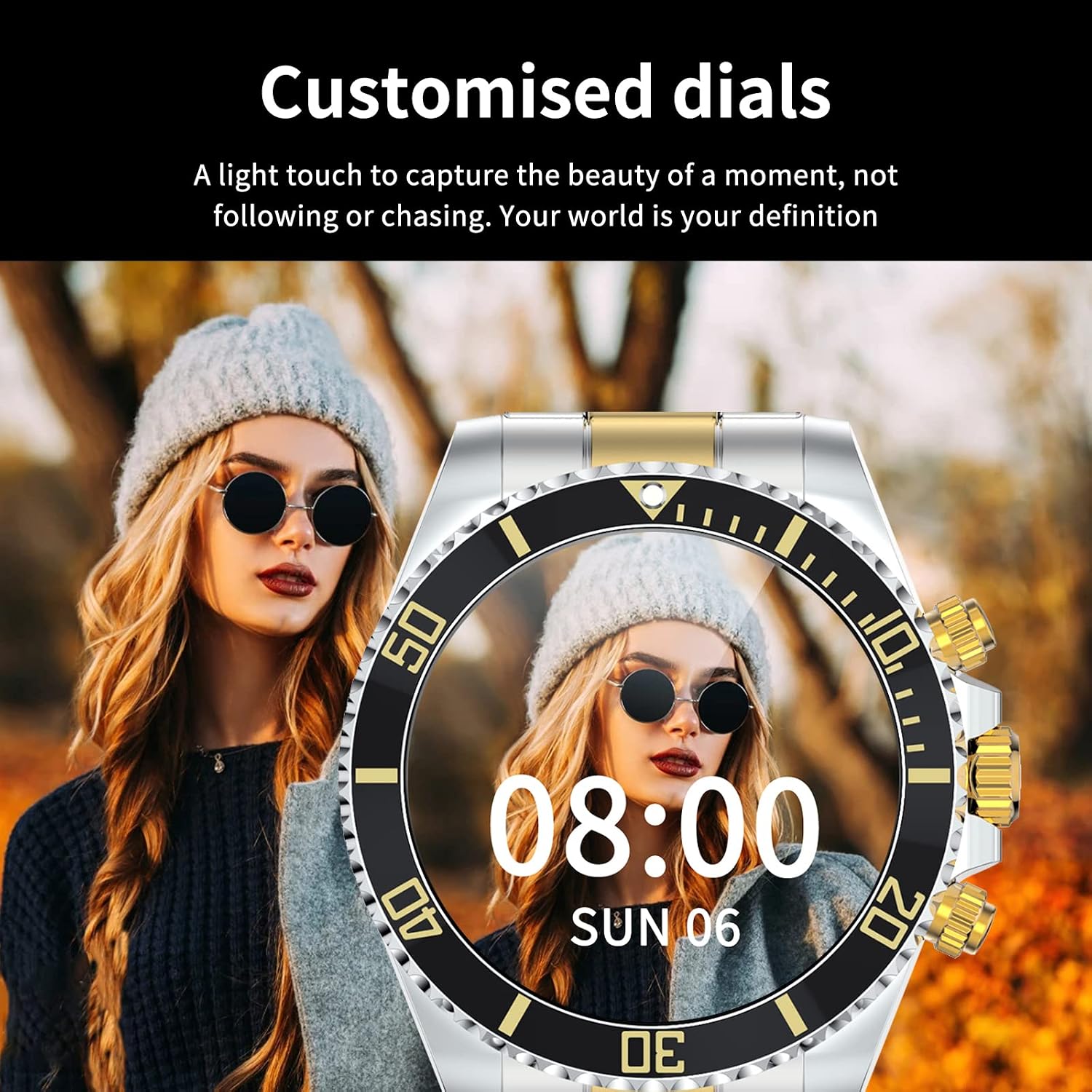
Image: A Loluka Smart Watch displaying a customized digital watch face with time and date, worn by a person.
3.7 Кошумча функциялар
- жөө: Күн бою баскан кадамдарды, күйгөн калорияларды жана аралыкты көзөмөлдөйт.
- Alarm/Sedentary Reminder: Set alarms and receive reminders to move after periods of inactivity via the companion app.
- Камераны алыстан башкаруу: Саатыңызды смартфонуңуздун камерасы үчүн алыстан башкаруучу жапкыч катары колдонуңуз.
- Музыкалык башкаруу: Control music playback on your smartphone (play, pause, skip tracks, adjust volume) directly from the watch.

Image: The smart watch displaying music control options, with a smartphone showing a music playlist in the background.
4. Техникалык тейлөө
4.1 Сууга туруктуулук
The Loluka Smart Watch is rated IP67 waterproof.
- It can withstand splashes, hand washing, and rain.
- Маанилүү: Саат экен ЖОК suitable for hot water bathing, diving, swimming, or water-related work where it would be submerged for extended periods or exposed to high-pressure water.

Image: A Loluka Smart Watch partially submerged in water, with text indicating 'IP67 life waterproof' and warnings about unsuitable activities.
4.2 Тазалоо
Саатыңыздын көрүнүшүн жана функционалдуулугун сактоо үчүн:
- Wipe the watch and band regularly with a soft, dry, lint-free cloth.
- Зарыл болсо, бир аз колдонуу damp өжөр кир үчүн кездеме, андан кийин кылдат кургатуу.
- Катуу химиялык заттарды, тазалоочу эриткичтерди же күчтүү жуучу каражаттарды колдонуудан алыс болуңуз, анткени алар сааттын сырткы көрүнүшүнө жана пломбаларына зыян келтириши мүмкүн.
4.3 Батареяга кам көрүү
- Батареяны бат-баттан толук кубаттап калуудан алыс болуңуз.
- Саатты узак убакытка колдонбогондо салкын, кургак жерде сактаңыз.
- Берилген заряддоо кабелин гана колдонуңуз.
5. Кыйынчылыктарды
If you encounter issues with your Loluka Smart Watch, refer to the following common solutions:
- Күйгүзүлбөй жаткан саат: Саат толук заряддалганын текшериңиз. Аны заряддагычка кеминде 30 мүнөт туташтырыңыз.
- Смартфон менен жупташуу мүмкүн эмес:
- Телефонуңузда жана саатыңызда Bluetooth иштетилгенин текшериңиз.
- Саат телефонуңуздун Bluetooth диапазонунда экенин текшериңиз.
- Телефонуңузду да, саатыңызды да өчүрүп күйгүзүңүз.
- Өнөктөш колдонмо эң акыркы версияга жаңыртылганын текшериңиз.
- Телефонуңуздун Bluetooth жөндөөлөрүнөн түзмөктү унутуп, колдонмо аркылуу кайра жупташтырып көрүңүз.
- Эскертмелер көрүнбөй жатат:
- Телефонуңуздагы жана коштоочу колдонмодогу колдонмонун эскертме жөндөөлөрүн текшериңиз.
- Саат Bluetooth аркылуу туташып турганын текшериңиз.
- Аракеттерге так эмес көз салуу: Ensure the watch is worn snugly on your wrist. Calibrate the watch through the app if available.
- Батарейканын кыска мөөнөтү: Reduce screen brightness, disable unnecessary features, and ensure the watch is not constantly searching for Bluetooth connections.
Эгер бул кадамдар көйгөйүңүздү чечпесе, кардарларды колдоо кызматына кайрылыңыз.
6. Техникалык шарттар
| Модель номери | JYAW12PROLA |
| Screen Size | 1.3-inch full color screen |
| Резолюция | 240*240 пиксель |
| Bluetooth | Dual Bluetooth 3.0/4.0 |
| Батарея сыйымдуулугу | 380mAh (1 Lithium Metal battery required) |
| Иштөө түрү | Толук сенсордук экран |
| Заряддоо түрү | Магниттик заряддоо |
| Толук заряддоо убактысы | Болжол менен 2-3 саат |
| Жумуш убактысы | 2-5 күн (типтүү колдонуу) |
| Күтүү убактысы | 15 күнгө чейин |
| Суу өткөрбөйт рейтинги | IP67 |
| Иштин материалы | Эритме |
| Топтун материалы | Дат баспаган болот |
| Класс түрү | Fold Clasp |
| Dial Case Diameter | 46мм (1.81") |
| Dial Case Thickness | 13мм (0.51") |
| Band Width | 22мм (0.86") |
| Band Length | 230мм (9.05") |
| Колдоого алынган тилдер | English, French, Italian, Spanish, Arabic, German, Polish, Portuguese, Malay, Czech, Turkish, Russian, Greek, Persia, Hebrew |
| OS шайкештиги | iOS 10.0+ / Android 5.0+ |
7. Кепилдик жана колдоо
Your Loluka Smart Watch is designed for reliability and performance. While specific warranty details are not provided in this manual, we are committed to customer satisfaction.
If you have any questions, encounter issues, or require assistance with your product, please do not hesitate to contact our customer support team. We are dedicated to offering the best possible solution to you.
Сураныч, сатып алуу документтериңизге же сатуучуга кайрылыңыз website for contact information and any applicable warranty terms.