User Manual
Strong SRT 8119 Digital Terrestrial DVB-T2 HDMI Decoder with Display
Модел: SRT8119
1. Киришүү
This manual provides comprehensive instructions for the installation, operation, and maintenance of your Strong SRT 8119 Digital Terrestrial DVB-T2 HDMI Decoder. Please read this manual carefully before using the device to ensure proper functionality and to prevent damage.
The Strong SRT 8119 is designed to receive free-to-air TV programs in high definition, supporting the H.265 standard. It offers features such as recording capabilities, a 700-channel memory capacity, Electronic Program Guide (EPG), parental controls, and various channel editing options for an enhanced viewтажрыйбасы.
2. Коопсуздук маалыматы
Always observe the following safety precautions to avoid electric shock, fire, or damage to the device:
- Аппаратты жамгырга же нымга тийгизбеңиз.
- в ачпагылаasinг. Бардык тейлөөлөрдү квалификациялуу кызматкерлерге тапшырыңыз.
- Түзмөктүн айланасында жакшы желдетүүнү камсыз кылыңыз. Желдетүү тешиктерин жаппаңыз.
- Аппарат менен кошо берилген кубат адаптерин гана колдонуңуз.
- Disconnect the device from the power outlet during lightning storms or when unused for long periods.
- Түзмөктү түз күн нурунан, жылуулук булактарынан жана күчтүү магнит талааларынан алыс кармаңыз.
3. Пакеттин мазмуну
Пакетте бардык буюмдар бар экенин текшериңиз:
- Strong SRT 8119 Digital Terrestrial DVB-T2 HDMI Decoder
- Алыстан башкаруу (2 AAA батарейкасы менен)
- Колдонуучунун Колдонмосу (бул документ)
- Кубаттуу адаптер

Figure 3.1: Packaging of the Strong SRT 8119 decoder, showing the product box with branding and key features listed.
4. Продукт бүтүп калдыview
4.1. Алдыңкы панель

Сүрөт 4.1: Алдыңкы view of the Strong SRT 8119 decoder, featuring the display, Strong logo, Dolby Audio branding, and a USB port on the right.
- Дисплей: Канал номерин же убакытты көрсөтөт.
- USB порт: For connecting USB storage devices for media playback and software updates.
- Күч көрсөткүчү: Түзмөктүн кубаттуулук абалын көрсөтөт.
4.2. Арткы панель

4.2-сүрөт: Арткы view of the Strong SRT 8119 decoder, clearly showing the input and output ports labeled for connection to a terrestrial antenna, HDMI TV, SCART TV, and S/PDIF coaxial audio output.
- КУРТКА: Жер үстүндөгү антеннаңызга туташат.
- HDMI: High-Definition Multimedia Interface output for connecting to an HD TV.
- TV SCART: SCART output for connecting to older TVs.
- Coaxial S/PDIF: Санарип аудио чыгаруу.
- DC IN: Тышкы кубат адаптери үчүн кубат киргизүү.
4.3. Алыстан башкаруу

Figure 4.3: The remote control for the Strong SRT 8119 decoder, showing various buttons for power, channel navigation, volume, menu access, EPG, media playback, and numeric input.
The remote control allows full operation of the decoder. Familiarize yourself with the button layout for easy navigation.
5. Орнотуу
5.1. Connecting the Decoder
- Антеннаны туташтыруу: Сиздин жер үстүндөгү антенна кабелин туташтырыңыз ANT IN port on the rear panel of the decoder.
- Сыналгыга туташуу:
- For HD TVs: Connect an HDMI cable from the HDMI port on the decoder to an available HDMI input on your TV.
- For older TVs: Connect a SCART cable from the TV SCART port on the decoder to the SCART input on your TV.
- Туташуу кубаты: Insert the power adapter cable into the DC IN port on the decoder, then plug the adapter into a wall outlet.
- Батареяларды салыңыз: Open the battery compartment on the remote control and insert the two AAA batteries, observing polarity.
5.2. Биринчи жолу орнотуу
Upon first power-on, the decoder will guide you through the initial setup process:
- Каалаганыңызды тандаңыз Тил.
- Өзүңүздү тандаңыз Өлкө.
- The decoder will then perform an automatic channel scan. This may take several minutes. Do not interrupt this process.
- Once the scan is complete, the decoder will display the first available channel.
6. Иштөө нускамалары
6.1. Негизги операция
- Күйгүзүү/өчүрүү: басыңыз КҮЧ алыстан башкаруудагы баскыч.
- Каналды өзгөртүү: колдонуу CH +/- баскычтарын басыңыз же сандык баскычтоп аркылуу каналдын номерин түз киргизиңиз.
- Үндү көзөмөлдөө: колдонуу VOL +/- баскычтар.
- Менюга кирүү: басыңыз МЕНЮ button to access system settings and features. Use arrow keys to navigate and OK ырастоо үчүн.
6.2. Электрондук программалык колдонмо (EPG)
The EPG provides a schedule of current and upcoming programs.
- басыңыз EPG алыстан башкаруудагы баскыч.
- Navigate through channels and program times using the arrow keys.
- Басыңыз OK чейин view details about a selected program.
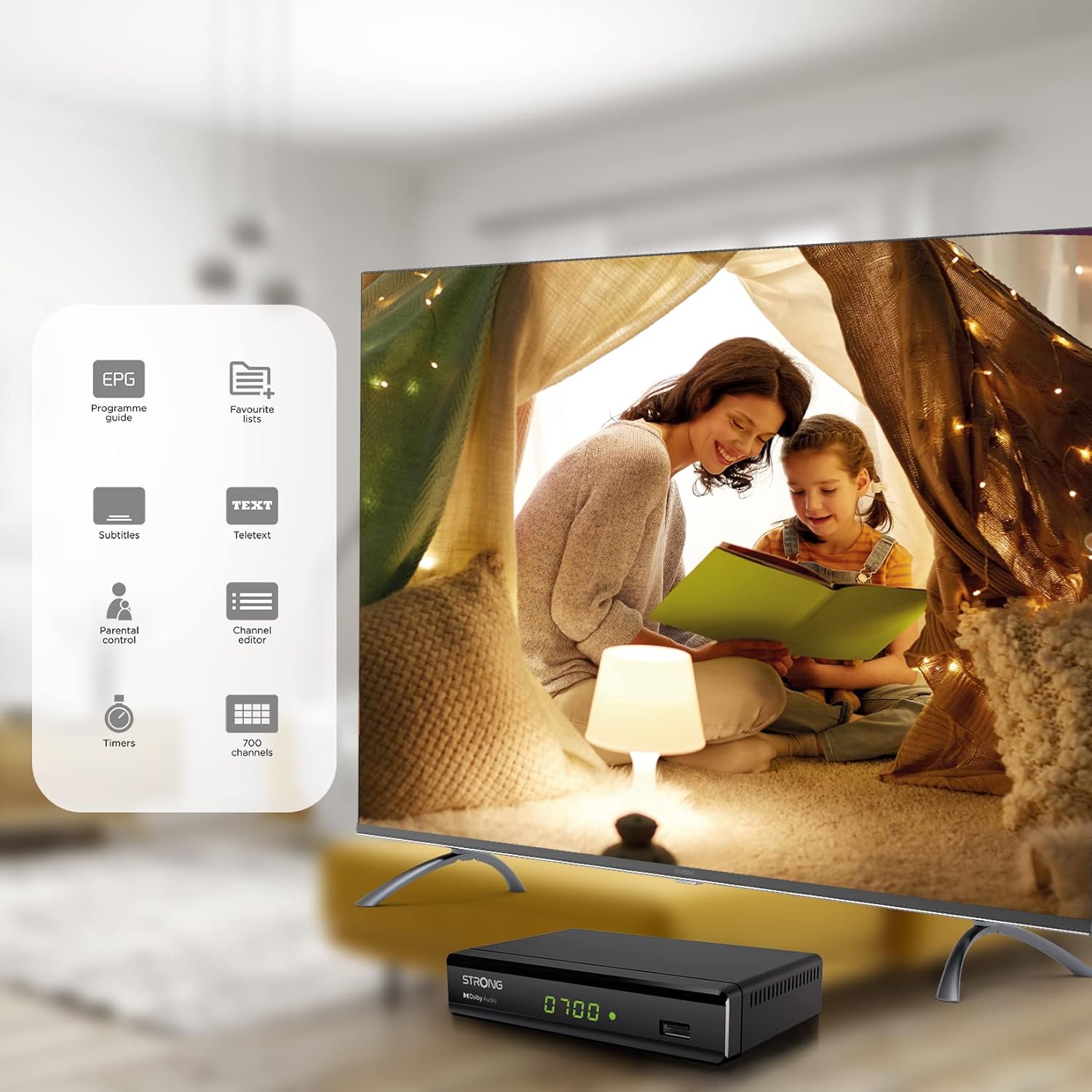
Figure 6.1: Visual representation of the Strong SRT 8119's features, including Electronic Program Guide (EPG), favorite lists, subtitles, teletext, parental control, channel editor, timers, and 700 channel capacity.
6.3. Media Playback and Recording (USB)
The decoder supports media playback from a USB storage device connected to the front USB port. Note: Recording function may not be active in all regions (e.g., Italy).
- Insert a USB flash drive or external hard drive into the front USB port.
- басыңыз МЕДИА button on the remote control to access the media player.
- Каалаганга өтүңүз file (video, audio, image) and press OK ойноо.
- To record a program, press the REC button during live TV. Ensure a USB device with sufficient free space is connected.
- To schedule a recording, use the EPG and select the program, then follow the on-screen prompts to set a timer.

Figure 6.2: The Strong SRT 8119 decoder shown in a living room setting, highlighting its USB playback and recording capabilities. A note indicates that recording is not implemented for Italy.
6.4. Каналды башкаруу
- Channel Editor: Access the channel editor via the МЕНЮ to move, delete, or lock channels.
- Favorite Lists: Create up to 4 favorite lists for TV and radio programs for quick access to your preferred channels.
- Ата-энелик көзөмөл: Set a password to restrict access to certain channels or programs.
7. Техникалык тейлөө
- Тазалоо: Use a soft, dry cloth to clean the exterior of the decoder. Do not use liquid or aerosol cleaners.
- Программалык камсыздоону жаңыртуу: Күчтүүсүн мезгил-мезгили менен текшерип туруңуз website for available software updates. Updates can typically be installed via the USB port.
- Сактагыч: If storing the device for an extended period, disconnect it from power and store in a cool, dry place.
8. Кыйынчылыктарды
| Көйгөй | Мүмкүн себеп | Чечим |
|---|---|---|
| Күч жок | Электр кабели туташкан эмес; розетка туура эмес. | Электр кубатына туташууларды текшериңиз; башка розетканы колдонуп көрүңүз. |
| No signal / "No Signal" message | Antenna not connected; Antenna faulty; Incorrect input selected on TV. | Check antenna connection; Ensure antenna is working; Select correct HDMI/SCART input on your TV. |
| Сүрөт жок, бирок үн бар | Video cable (HDMI/SCART) loose or faulty. | Check video cable connections; Try a different cable. |
| Пульт иштебей жатат | Batteries depleted or inserted incorrectly; Obstruction between remote and decoder. | Replace batteries; Ensure correct polarity; Remove obstructions; Point remote directly at the decoder. |
| Программаларды жаздыруу мүмкүн эмес | USB device not connected or full; Recording function not available in your region. | Connect a USB device with sufficient space; Check regional limitations for recording. |
9. Техникалык шарттар
| Модель номери | SRT8119 |
| Продукциянын өлчөмдөрү | 4.41 x 5.98 x 1.5 дюйм |
| Элемент Салмагы | 9.5 унция |
| Байланыш технологиясы | Antenna (DVB-T2), HDMI, SCART, USB, Coaxial S/PDIF |
| Видеону коддоо | H.265 |
| Канал сыйымдуулугу | 700 канал |
| Батареялар | 2 AAA батарейкалар (алыштан башкаруу үчүн камтылган) |
| Аудио чыгаруу режими | Курчап |
| Көлөмдүү үн каналынын конфигурациясы | 5.1 |
10. Колдоо
For further assistance, technical support, or to find useful resources, please visit the official Strong website. You can also find information and support on their Facebook profile and LinkedIn page.
Note: Specific contact numbers or direct links are not provided in this manual. Please refer to the official Strong webакыркы колдоо маалымат үчүн сайт.


