Introduction
This manual provides detailed instructions for the safe and effective use of your pxton PX-8S-01 two-way radio. Please read this manual thoroughly before operating the device to ensure optimal performance and longevity.
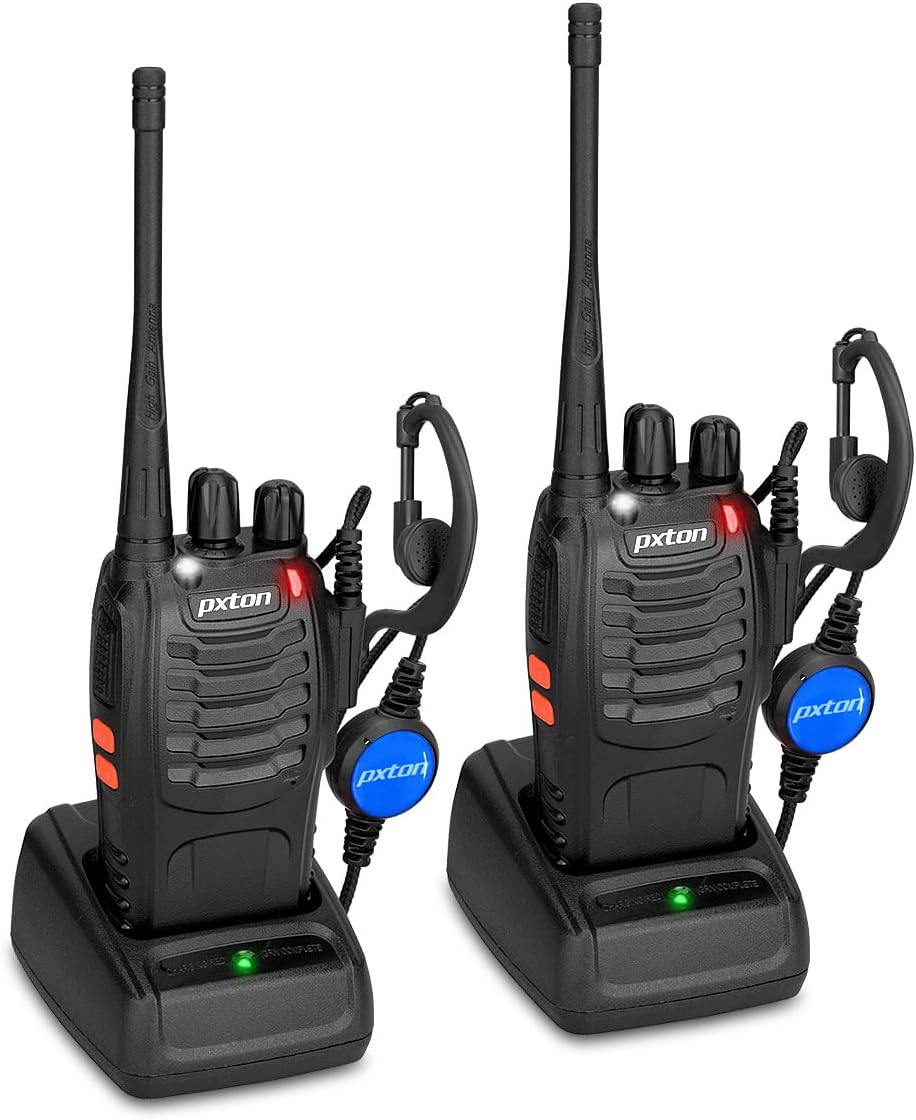
Image: Two pxton PX-8S-01 two-way radios with charging bases and earpieces.
Пакеттин мазмуну
Пакетиңизде бардык буюмдар бар экенин текшериңиз:
- pxton PX-8S-01 Two-Way Radio (2 units)
- Lithium-Ion Battery (2 units)
- USB Charger (2 units)
- Upgraded Earpiece (2 units)
- Кур кыстыргыч (2 даана)
- Wrist Strap (2 units)
- Антенна (2 даана)
- Колдонуучунун колдонмосу (1 бирдик)

Image: Contents of the pxton PX-8S-01 package.
Продукт бүттүview
Familiarize yourself with the components of your pxton PX-8S-01 two-way radio:

Image: Labeled diagram of the pxton PX-8S-01 two-way radio components.
- Integrated Sensitive Antenna: Сигналдарды берүү жана кабыл алуу үчүн.
- Каналды которуштуруу: Rotary knob to select one of the 16 available channels.
- Кубатты которгуч/Үнү башкаруу: Rotary knob to turn the radio on/off and adjust the volume.
- Кол чырак: Built-in LED light for illumination.
- LED көрсөткүчү: Displays radio status (e.g., transmitting, receiving, charging).
- PTT баскычы (баскыч менен сүйлөшүү): Өтүү үчүн басып туруңуз, кабыл алуу үчүн коё бериңиз.
- MONI Button (Monitor): Press to temporarily disable squelch and listen for weak signals.
- Кол чырак баскычы: Орнотулган фонарьды иштетет.
- SP/MIC Jacks: Ports for connecting external audio accessories like earpieces or speaker microphones.
- Clear Speaker: Алынган аудиону чыгаруу.
- Камтылган микрофон: Captures your voice for transmission.
Жайгашуу
1. Батареяны орнотуу
- Радио өчүрүлгөнүн текшериңиз.
- Батарея блогун радионун арткы жагындагы оюктар менен тегиздеңиз.
- Батарея блогун ордуна чыкылдаган үн чыкканча өйдө жылдырыңыз.
- To remove, press the release latch (if present) and slide the battery downwards.
2. Батареяны заряддоо
- Connect the USB charger to a power source.
- Батареясы орнотулган радиону заряддоочу тешикке коюңуз.
- The LED indicator on the charger will show the charging status (e.g., red for charging, green for fully charged).
- A full charge from 0 capacity typically takes 3-4 hours.
3. Аксессуарларды тиркөө
- Антенна: Антеннаны радионун үстүндөгү туташтыргычка саат жебеси боюнча манжаңыз менен бекемделгенче бурап коюңуз. Ашыкча бекемдебеңиз.
- Кур клип: Attach the belt clip to the designated slot on the back of the radio using the provided screws.
- Кулакчын: Insert the earpiece plug into the SP/MIC jacks on the side of the radio. Ensure it is fully inserted for proper connection.
Иштөө нускамалары
1. Күйгүзүү/өчүрүү жана үндү жөндөө
- To power on the radio, rotate the Power Switch/Volume Control knob clockwise. You will hear a "click" and a voice prompt indicating the current channel.
- Үнүн жогорулатуу үчүн баскычты сааттын жебеси боюнча, ал эми азайтуу үчүн сааттын жебесине каршы айланууну улантыңыз.
- To power off, rotate the knob counter-clockwise until you hear a "click."
2. Канал тандоо
- Rotate the Channel Switch knob to select one of the 16 available channels.
- Радио тандалган каналдын номерин жарыялайт.
- Группаңыздагы бардык радиолор байланыш үчүн бир каналга коюлганын текшериңиз.
3. Берүү жана кабыл алуу
- Өткөрүш үчүн басып, кармап туруңуз PTT (Push-to-Talk) button. Speak clearly into the microphone. The LED indicator will illuminate red.
- Release the PTT button to stop transmitting and return to receive mode. The LED indicator will turn green when receiving a signal.
4. VOX (Үн менен башкарылуучу алмашуу) функциясы
The VOX function allows hands-free operation. When activated, the radio will automatically transmit when it detects your voice, without needing to press the PTT button.
- VOX settings are typically programmed via software. Refer to advanced programming instructions if available.
- When using VOX, ensure the microphone is positioned correctly to pick up your voice effectively.
Image: VOX/Handfree function icon.
5. Кол чырак функциясы
- арналган баскычын басыңыз Кол чырак баскычы to turn the built-in LED flashlight on or off.
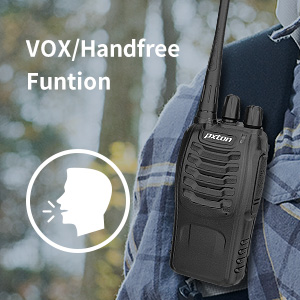
Image: Flashlight function icon.
6. Скандоо функциясы
The scan function allows the radio to automatically scan through channels to find active transmissions.
- To activate the scan function, typically this is done via a programmed side key or by selecting a specific channel. Refer to your radio's programming guide for details.
- When scanning, the radio will stop on an active channel until the transmission ends, then resume scanning.
7. Шашылыш сигнал
The radio features an emergency alarm function for critical situations.
- To activate the emergency alarm, press the designated Emergency Alarm button (if programmed) or a specific key combination. This will typically emit a loud siren sound and/or transmit an alert signal.

Image: Emergency Alarm function icon.
8. Squelch Adjustment
Squelch suppresses background noise when no signal is being received. The PX-8S-01 has an adjustable squelch feature.
- Squelch levels are typically set via programming software. A higher squelch level requires a stronger signal to open the receiver, reducing static but potentially missing weak signals.
- The MONI button can be used to temporarily override the squelch and listen to all signals, including weak ones or background noise.
Image: Squelch adjustment icon.
9. Купуялык коддору (CTCSS/DCS)
The radio supports 165 privacy codes (50 CTCSS / 210 DCS) per programmable channel to help filter out unwanted conversations.
- When a CTCSS/DCS code is set, you will only hear transmissions from other radios using the same channel and the same CTCSS/DCS code.
- Similarly, other radios will only hear your transmissions if they are on the same channel and using the same code.
- These codes are typically programmed using specialized software.
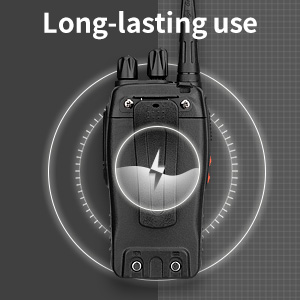
Image: CTCSS/DCS privacy codes icon.
Техникалык тейлөө
- Тазалоо: жумшак колдонуу, damp Радионун сыртын тазалоо үчүн кездеме колдонуңуз. Катуу химиялык заттарды же эриткичтерди колдонбоңуз.
- Батареяга кам көрүү:
- Батареяны ашыкча заряддоодон же толук кубаттоодон качыңыз.
- Батареяларды колдонбогондо салкын, кургак жерде сактаңыз.
- Радио узак убакыт бою колдонулбаса, батареяны чыгарып алыңыз.
- Сактагыч: Радиону кургак, чаңсыз чөйрөдө, өтө жогорку температурадан алыс сактаңыз.
- Антенна: Антеннаны ийбеңиз же өзгөртпөңүз, анткени бул анын иштешине таасир этиши мүмкүн.
Проблемаларды чечүү
| Көйгөй | Мүмкүн себеп | Чечим |
|---|---|---|
| Радио күйбөйт. | Батареянын кубаты түгөнгөн же туура эмес орнотулган. | Charge the battery. Ensure the battery is securely installed. |
| Өткөрүп же кабыл албайт. | Incorrect channel selected. Battery low. Radio out of range. | Verify both radios are on the same channel. Charge battery. Move closer to the other radio. |
| Аудио сапаты начар же статикалык. | Weak signal. Squelch level too low/high. Interference. | Move to an area with fewer obstructions. Adjust squelch level (if programmable). Check for sources of interference. |
| Short communication range. | Obstructions (buildings, terrain). Low battery. | Move to an open area. Ensure battery is fully charged. |
| Earpiece not working. | Earpiece not fully inserted. Faulty earpiece. | Ensure earpiece plug is fully inserted into the SP/MIC jack. Try a different earpiece if available. |
Техникалык шарттар
- Модел: PX-8S-01
- FCC ID: 2AX68PX-888S
- Каналдардын саны: 16
- Жыштык диапазону: UHF
- Сүйлөшүү диапазону максималдуу: Up to 5 miles (unobstructed)
- Купуялык коддору: 165 (50 CTCSS / 210 DCS)
- Батарея түрү: Литий-ион (кошулган)
- Батарея Voltage: 3.7 вольт (ток)
- Батареянын иштөө мөөнөтү: 8-96 hours standby, 8-12 hours continuous use (actual time varies with usage)
- Заряддоо убактысы: 3-4 hours (from 0 capacity)
- Сууга туруктуулук деңгээли: Сууга чыдамдуу
- Продукциянын өлчөмдөрү: 1.1"D x 1.89"W x 8.34"H
- Элемент Салмагы: 1.34 фунт (жубу үчүн)
- Өзгөчөлүктөр: Rechargeable, VOX, TOT, Emergency Alarm, Battery Low Alert, Flashlight, Scan Function

Image: Size comparison of the pxton PX-8S-01 radio.
Коопсуздук маалыматы
Your pxton PX-8S-01 walkie-talkie has been granted FCC transmission and reception certification and authorization (FCC ID: 2AX68PX-888S). This device is intended for use only within the frequency points authorized by the FCC certification range.
Сураныч, төмөнкү коопсуздук эрежелерин сактаңыз:
- Радиону жарылуучу чөйрөдө (мисалы, күйүүчү газдар, чаң бөлүкчөлөрү, металл порошоктору) иштетпеңиз.
- Do not modify the radio or its accessories. Unauthorized modifications can void your warranty and violate FCC regulations.
- Keep the radio and its accessories out of reach of children.
- Use only pxton-approved batteries and chargers. Using unapproved accessories can cause damage or injury.
- Avoid exposing the radio to extreme temperatures, direct sunlight, or moisture for prolonged periods.
- If the radio emits smoke or an unusual odor, immediately turn off the power and remove the battery. Contact customer support.
Кепилдик жана колдоо
pxton provides lifetime customer service for its walkie-talkies. If you encounter any questions or issues with your PX-8S-01 radio, please contact pxton customer support through the platform where you purchased the product. Our professional team is available to assist you with troubleshooting and support.
For further assistance, please refer to the official pxton webсайтка же түздөн-түз кардарларды тейлөөгө кайрылыңыз.


