1. Киришүү
This manual provides instructions for the Gamrombo 2.4GHz Wireless Controller, designed for use with Xbox 360, Xbox 360 Slim consoles, and Windows 7/8/10/11 personal computers. Please read this manual thoroughly before using the product to ensure proper operation and to prevent damage.

Image 1.1: Gamrombo Wireless Controller for Xbox 360 and PC. This image displays the front view of the black wireless controller, highlighting its buttons and ergonomic shape.
2. Пакеттин мазмуну
Сураныч, кутудан чыкканда пакеттин мазмунун текшериңиз:
- 1 x Gamrombo Wireless Controller
- 1 x 2.4 ГГц USB кабыл алгыч
- 1 x Instruction Manual
- Note: AA batteries are required for controller operation and are not included.
3. Продукциянын өзгөчөлүктөрү
- Көп платформа шайкештиги: Compatible with Xbox 360, Xbox 360 Slim consoles, and Windows 7/8/10/11 PCs. (Note: Not compatible with Xbox One, Xbox One X, Xbox One S, or Xbox Series X consoles.)
- 2.4 ГГц зымсыз технология: Provides a stable connection up to 32 feet (approximately 10 meters). Supports up to four controllers simultaneously on one console.
- Дирилдөө боюнча пикир: Built-in dual motors offer a realistic gaming experience through vibration effects.
- Эргономикалык дизайн: Streamlined and compact design for comfortable extended gameplay sessions.
- Жогорку сезгичтик: Enhanced responsiveness to minimize input lag, providing accurate and sensitive control.
- Так башкаруулар: Features an 8-way D-pad, precise thumbsticks, and pressure-point triggers for accurate input.

Image 3.1: Controller with internal dual motors. This image illustrates the controller with a transparent overlay highlighting the location of the dual vibration motors inside the grips.

Сүрөт 3.2: Каптал view of the controller demonstrating its ergonomic shape. The image shows the contoured grips designed for comfortable handling.
4. Орнотуу жана туташуу
Follow these steps to connect your Gamrombo Wireless Controller to your Xbox 360 console or PC:
- Батареяларды салыңыз: Open the battery compartment on the back of the controller and insert two (2) AA batteries, ensuring correct polarity.
- USB кабылдагычты туташтыруу: Insert the 2.4GHz USB receiver into an available USB port on your Xbox 360 console or PC.
- Receiver Identification: After the USB receiver is inserted, its indicator light will turn on, signifying successful identification. Short press the button on the USB receiver; the indicator light will flash, entering pairing mode.
- Контроллерди жупташтыруу: With the controller powered off, long press the "Home" button (the central Xbox Guide button) on the wireless controller for 3 seconds. The four LED lights around the Guide button will flash rapidly, indicating the controller is in pairing mode.
- Туташуу ырастоо: Once the connection is successful, the corresponding channel light on the controller will remain solid, and the receiver's indicator light will also remain solid.

Image 4.1: Connection steps for the wireless controller. This image illustrates the process of inserting the USB dongle into an Xbox 360 or PC and then pairing the controller by pressing the Home button.
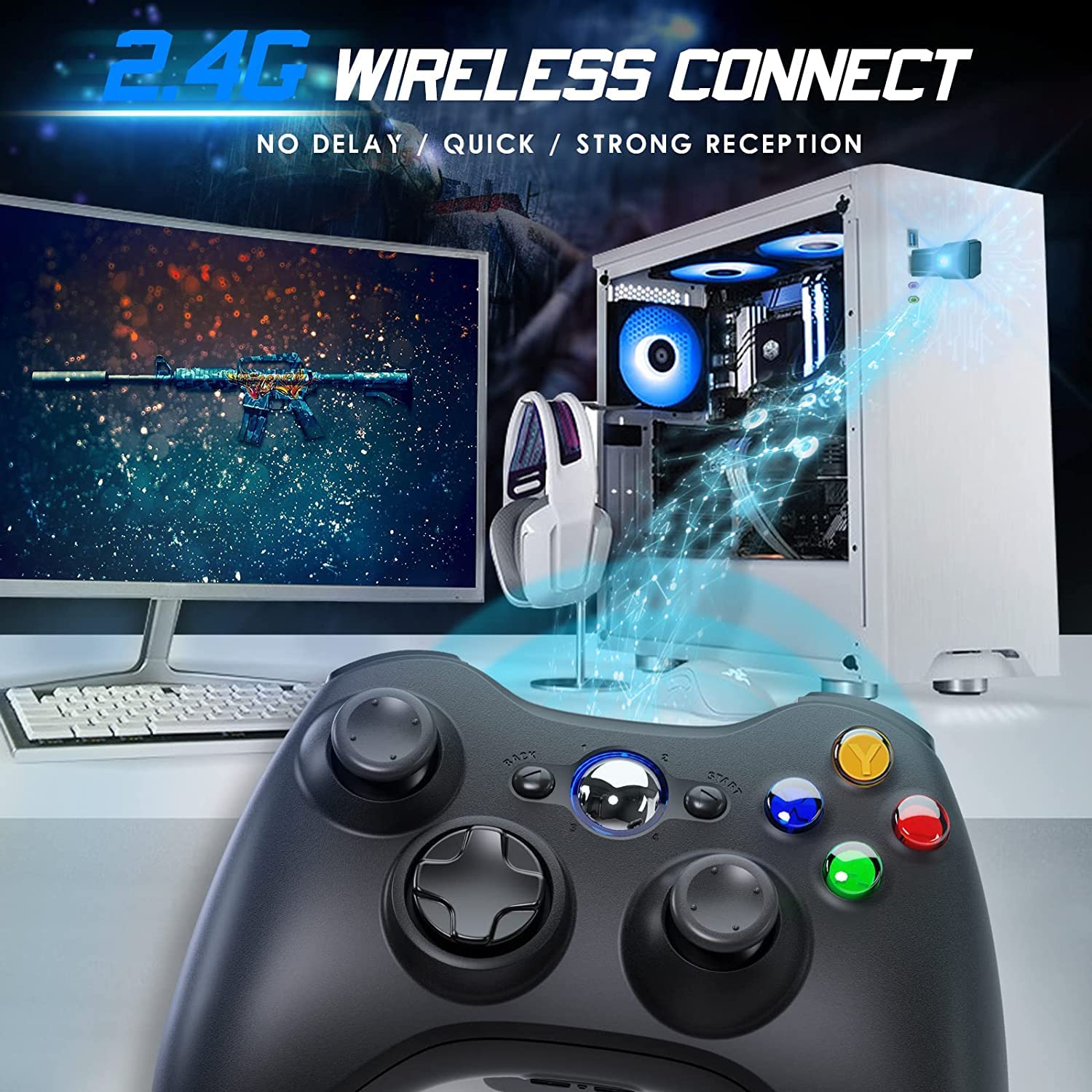
Image 4.2: Wireless controller in use with a PC. This image shows the controller on a desk in front of a computer monitor, with a visual representation of the 2.4GHz wireless connection.
5. Иштөө нускамалары
- Күйгүзүү/өчүрүү: Press and hold the "Home" button for 3 seconds to power on or power off the controller.
- Жетектөө баскычы: The central "Home" button (Guide button) allows access to the Xbox Guide on Xbox 360, or specific game menus on PC, depending on the game and system configuration. It can also be used to power on or off the console.
- Бир нече контроллерлер: Up to four wireless controllers can be connected to a single console or PC simultaneously. Each controller will be assigned a quadrant light around the Guide button (1, 2, 3, or 4) to indicate its player number.
- Батарея көрсөткүчү: The controller's LED lights may flash to indicate low battery power. Replace batteries when this occurs.
6. Техникалык тейлөө
- Тазалоо: Башкаргычты тазалоо үчүн жумшак, кургак чүпүрөктү колдонуңуз. Суюк тазалоочу каражаттарды же эриткичтерди колдонбоңуз.
- Сактагыч: Store the controller in a dry place away from extreme temperatures and direct sunlight. If storing for an extended period, remove the batteries to prevent leakage.
- Тамчылардан качуу: Контроллерди тамчылардан жана таасирлерден коргоңуз, бул ички компоненттерге зыян келтириши мүмкүн.
7. Кыйынчылыктарды
- Контроллер туташпай жатат:
- Ensure the USB receiver is securely plugged into the console or PC.
- Verify that the controller has fresh AA batteries installed correctly.
- Repeat the pairing process (Section 4, steps 3 and 4).
- USB ресиверди башка USB портуна сайып көрүңүз.
- If using with PC, ensure necessary drivers are installed (Windows typically installs these automatically).
- Баскычтар же джойстиктер жооп бербей жатат:
- Батареянын деңгээлин текшерип, аз болсо алмаштырыңыз.
- Ensure the controller is within the 32-foot wireless range of the receiver.
- Restart the console/PC and re-pair the controller.
- Вибрация иштебей жатат:
- Оюндун титирөө кайтарым байланышын колдой турганын текшериңиз.
- Оюндун жөндөөлөрүн текшерип, титирөө иштетилгенин текшериңиз.
- Батареянын деңгээлин текшериңиз.
8. Техникалык шарттар
| Модель номери | XBOX 360 |
| Бренд | Gamrombo |
| Байланыш | 2.4GHz Зымсыз |
| Зымсыз диапазон | 32 футка чейин (болжол менен 10 метр) |
| Шайкештик | Xbox 360, Xbox 360 Slim, Windows 7/8/10/11 |
| Power Source | 2 x AA батарейкалар (киргизилген эмес) |
| Продукциянын өлчөмдөрү | 6.1 x 4.4 x 2.4 дюйм |
| Элемент Салмагы | 9.6 унция |
9. Коопсуздук маалыматы
- Контроллерди ажыратууга же өзгөртүүгө аракет кылбаңыз.
- Контроллерди суудан жана башка суюктуктардан алыс кармаңыз.
- Avoid exposing the controller to extreme heat or cold.
- Батареяларды жергиликтүү эрежелерге ылайык жок кылыңыз.
- продукт бузулган болсо, дароо колдонууну токтоткула.
10. Кепилдик жана колдоо
For warranty information or technical support, please refer to the documentation included with your purchase or contact Gamrombo customer service directly. Contact details are typically available on the manufacturer's official webсайт.


