1. Киришүү
The MAONO PM500 is a professional XLR condenser microphone designed for high-quality audio capture. Featuring a 34mm large diaphragm and a cardioid pickup pattern, it is optimized for various applications including podcasting, recording, streaming, vocals, voice-overs, music, and ASMR. This manual provides essential information for setting up, operating, and maintaining your PM500 microphone.
2. Пакеттин мазмуну
Төмөндө тизмеленген нерселердин баары пакетиңизге камтылганын текшериңиз:
- XLR Condenser Microphone (PM500) x 1
- Metal Desktop Stand x 1
- Шок тоосу x 1
- Metal Pop Filter x 1
- XLR to XLR Cable x 1
- Колдонуучунун колдонмосу x 1

Image: All components included in the MAONO PM500 microphone set.
3. Орнотуу
Follow these steps to set up your MAONO PM500 microphone:
- Assemble the Desktop Stand: Attach the microphone stand pole to the heavy metal base.
- Шок монтажын тиркөө: Screw the shock mount onto the top of the desktop stand.
- Микрофонду орнотуу: Carefully insert the MAONO PM500 microphone into the shock mount and secure it by tightening the screw from the bottom.
- Поп чыпкасын тиркөө: Clip the metal pop filter onto the shock mount, positioning it directly in front of the microphone capsule.
- XLR кабелин туташтырыңыз: Plug one end of the provided XLR to XLR cable into the microphone's XLR port and the other end into your audio mixer, 48V phantom power supply, or audio interface.
- Күйгүзүү: Ensure your audio interface or phantom power supply is turned on and providing 48V phantom power to the microphone.
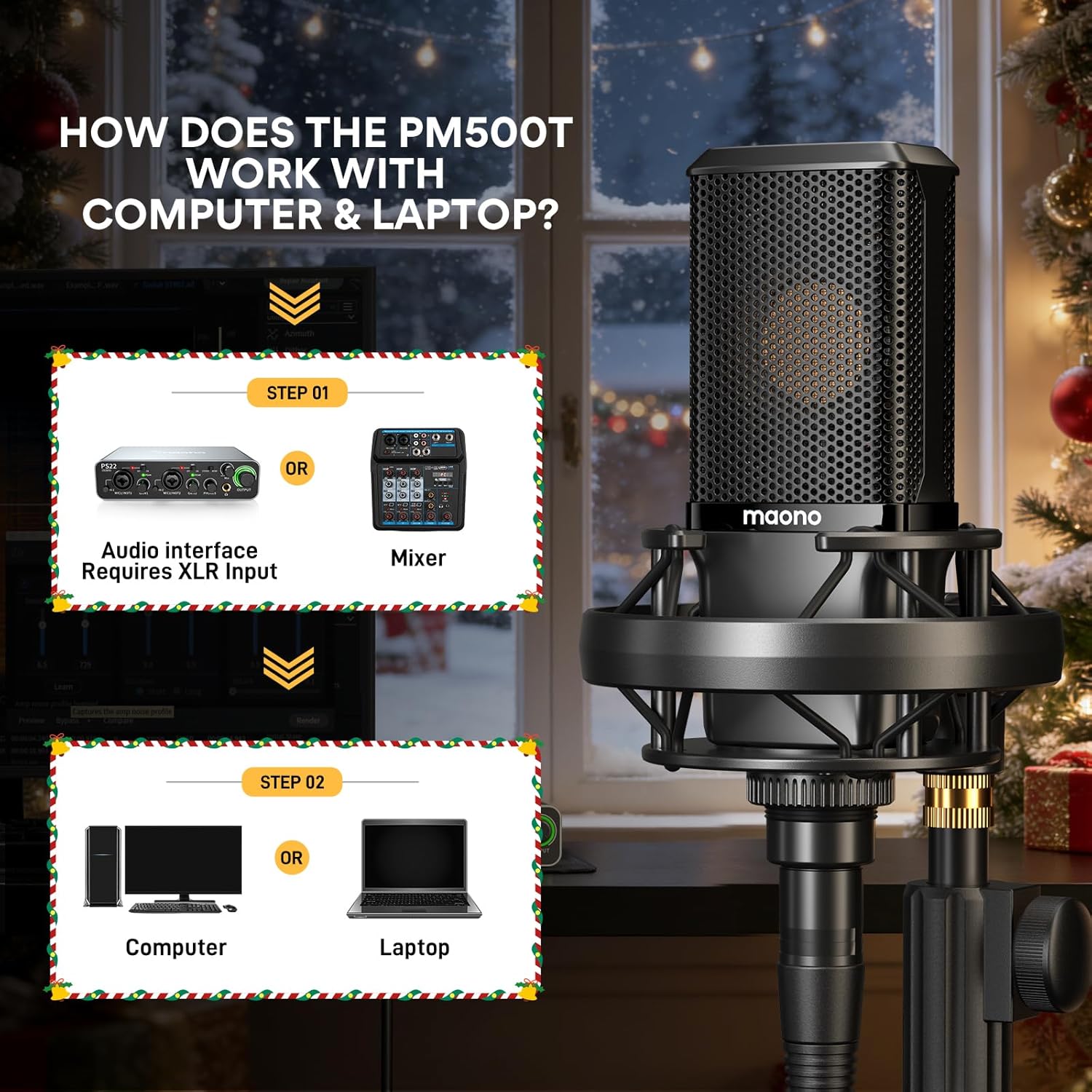
Image: Connection diagram for the MAONO PM500 microphone with an audio interface/mixer and computer.

Image: The MAONO PM500 microphone fully assembled and connected for use.
Видеону орнотуу
Video: This video demonstrates the assembly process of the MAONO PM500 Studio Microphone, including attaching the microphone to the shock mount and stand.
4. Иштөө нускамалары
The MAONO PM500 is designed for optimal performance when used correctly. Here are some guidelines:
- Микрофондун жайгашуусу: Position the microphone directly in front of the sound source, typically 6 to 12 inches away, for the best sound capture. The cardioid pattern is most sensitive to sounds coming from the front.
- Phantom Power: Always ensure your audio interface or mixer is supplying 48V phantom power to the microphone. The PM500 requires this external power source to function.
- Пайданы тууралоо: Adjust the gain on your audio interface or mixer to achieve an appropriate recording level. Avoid clipping (distortion) by keeping the input level below the peak.
- Поп чыпкасын колдонуу: Utilize the included metal pop filter to minimize plosive sounds (harsh 'p' and 'b' sounds) and protect the microphone capsule from moisture.
- Мониторинг: If your audio interface supports it, use direct monitoring to hear your audio in real-time without latency.
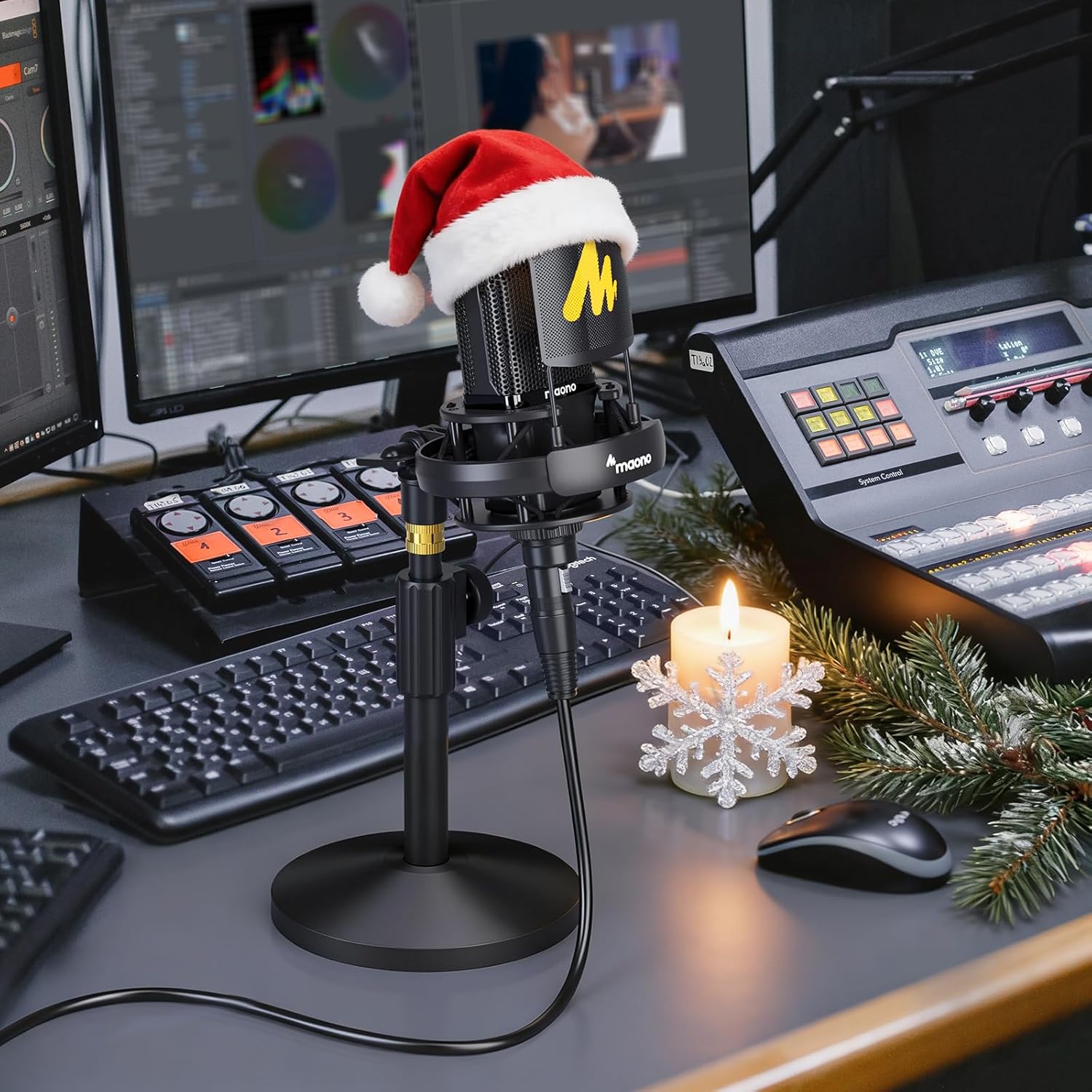
Image: Proper microphone usage for recording or streaming.
Operation Video Guides
Video: This video provides an introduction to the use and sound quality of the MAONO PM500 studio microphone.
Video: This video introduces the materials of the XLR microphone and includes a sound quality test for the PM500.
Video: This video demonstrates recording guitar sound using the MAONO PM500T XLR Microphone.
5. Негизги өзгөчөлүктөрү
- Studio Grade Sound: The PM500 features a custom-designed 34mm large diaphragm gold condenser capsule, offering a dynamic range of 20Hz - 20kHz. It ensures incredibly clean recordings with low noise, high sensitivity, and excellent SPL handling, suitable for professional music creation, instrument recording, vocals, and podcasts.
- Кардиоиддик үлгү: The cardioid pickup pattern provides excellent off-axis sound suppression, reducing noise from the sides and rear. This ensures accurate capture of sound details, delivering a silky top end, detailed midrange, and warm bass, ideal for various instruments and vocals.
- External Power Source Required: This microphone uses an XLR connection and requires 48V phantom power, typically supplied by an audio mixer or interface. This setup ensures a clear, rich, and stable sound.
- High Specification Circuitry: The circuit design incorporates premium components from top-tier manufacturers and a custom-made permalloy audio signal transformer. This results in low self-noise and exceptional sound capturing, restoring recording sound with clarity.
- Premium Metal Structure: The microphone body is constructed from zinc alloy with multi-layer coatings, providing high corrosion resistance and protecting the mechanical structure for purer audio signals and better sound quality.
- Камтылган аксессуарлар: The kit includes a metal pop filter, shock mount, and desktop stand, which protect the microphone and isolate it from physical vibrations, facilitating professional content creation.

Image: The 34mm large diaphragm of the MAONO PM500, designed for high-resolution sound.

Image: Comparison highlighting the larger capsule and superior sound characteristics of the PM500.

Image: Internal acoustics chip processing for precise sound capture.

Image: All-metal construction and XLR connection for enhanced durability and sound quality.
6. Техникалык шарттар
| Өзгөчөлүк | Деталь |
|---|---|
| Микрофон форма фактору | Чоң диафрагма |
| Power Source | 48V элес күчү |
| Материал | Металл |
| Ызы-чуунун катышы | 80 дБ |
| Аппараттык платформа | PC/ноутбук |
| Каналдардын саны | 1 |
| Frequency Response | 20 Гц - 20 КГц |
| Элемент Салмагы | 3.72 фунт |
| Пакеттин өлчөмдөрү | 15.55 x 7.44 x 4.17 дюйм |
| Элемент моделинин номери | PM500 |
| Түс | Кара |
| Сунушталган Колдонуулар | Singing, Streaming |
| Байланыш технологиясы | XLR |
| Туташтыргыч түрү | XLR |
| Полярдык үлгү | Бир багыттуу (Кардиоид) |
7. Кыйынчылыктарды
If you encounter issues with your MAONO PM500 microphone, please refer to the following common solutions:
- Үн чыгышы жок:
- Аудио интерфейсиңизде же миксериңизде 48V фантом кубаты иштетилгенин текшериңиз.
- Check all XLR cable connections to ensure they are secure and correctly plugged in.
- Verify that the input gain on your audio interface is turned up sufficiently.
- Confirm that the correct audio input device is selected in your computer's sound settings or recording software.
- Көлөмү төмөн же начар сигнал:
- Increase the gain on your audio interface.
- Ensure the microphone is positioned close enough to the sound source (ideally 6-12 inches).
- Check for any impedance mismatches if using additional audio equipment.
- Бурмаланган үн:
- Reduce the input gain on your audio interface to prevent clipping.
- Микрофон үн булагына өтө жакын эместигин текшериңиз, анткени ал ашыкча жүктөөгө алып келиши мүмкүн.
- Check the XLR cable for damage or faulty connections.
- Ашыкча фон ызы-чуу:
- The cardioid pattern helps reduce off-axis noise, but ensure your recording environment is as quiet as possible.
- Position the microphone to face the desired sound source directly, minimizing pickup from other directions.
- Ensure the shock mount is properly installed to reduce vibrations from the desk or stand.
8. Техникалык тейлөө
To ensure the longevity and optimal performance of your MAONO PM500 microphone, follow these maintenance tips:
- Тазалоо: Gently wipe the microphone body with a soft, dry cloth. Avoid using harsh chemicals or abrasive materials. For the mesh grille, use a soft brush to remove dust.
- Сактагыч: When not in use, store the microphone in a clean, dry place, preferably in its original packaging or a protective case, to prevent dust accumulation and physical damage.
- Этияттык менен мамиле кылуу: Avoid dropping or subjecting the microphone to strong impacts, as this can damage the sensitive internal components.
- Кабельге кам көрүү: Always grasp the XLR connector when plugging or unplugging the cable, rather than pulling on the cable itself, to prevent damage to the connectors or wiring.
9. Кепилдик жана колдоо
The MAONO PM500 XLR Condenser Microphone comes with a 12 айлык кепилдик кызматы сатып алынган күндөн тартып. Бул кепилдик өндүрүш кемчиликтерин камтыйт жана сиздин буюмуңуз нормалдуу колдонууда материалдык жана жасалгалоо кемчиликтери жок экенин камсыздайт.
For technical support, warranty claims, or any questions regarding your MAONO PM500 microphone, please contact MAONO customer service through the official MAONO website or your retailer's support channels. Please have your purchase receipt and product model number (PM500) ready when contacting support.
Кошумча ресурстар жана продукт жөнүндө маалымат алуу үчүн расмий веб-сайтка кириңиз MAONO дүкөнү.


