Introduction
Welcome to the VTech Bluey Ring Ring Phone user manual. This guide provides essential information for setting up, operating, and maintaining your new electronic learning toy. Designed for children aged 3-6 years, this interactive phone allows kids to engage in pretend play with characters from the popular Bluey series, fostering imaginative and educational experiences.

Сүрөт: алдыңкы view of the VTech Bluey Ring Ring Phone, displaying Bluey on the screen and various character buttons.
Жайгашуу
1. Кутуда эмне бар
- Bluey Ring Ring Phone
- Quick Start Guide
2. Батареяны орнотуу
The VTech Bluey Ring Ring Phone requires 2 AAA batteries. Batteries are included for demonstration purposes only. For regular use, new batteries are recommended.
- Locate the battery compartment on the back of the phone.
- Бурагычты колдонуп, батарея бөлүкчөсүнүн капкагын ачыңыз.
- Туура полярдуулукту (+/-) камсыз кылып, 2 жаңы AAA батарейкасын салыңыз.
- Батарея уясынын капкагын ордуна коюңуз жана аны бурама менен бекитиңиз.
Иштөө нускамалары
1. Күйгүзүү/өчүрүү
Press the power button (usually located on the top or side) to turn the phone on or off.
2. Негизги функциялар
- Character Buttons: Press the buttons featuring pictures of Bluey, her family, and friends to hear phrases about each character.
- Сан баскычтары: Use the number buttons for various activities, including playing music.
- Үн жандыруу: Engage in interactive pretend play with Bluey and Bingo using the voice-activated chat-and-reply feature.
- Орнотуулар: Adjust the ringtone, brightness, and other phone-like features to customize the play experience.
3. Оюндар жана иш-чаралар
The phone includes four interactive games based on themes from different Bluey episodes:
- Cheer Up Bingo: If Bingo is in a bad mood, press the number buttons to play music she can dance to.
- Bingo's Handstand: Use the arrow buttons to help Bingo do a handstand.
- Bluey the Fruit Bat: When Bluey pretends to be a fruit bat, press the arrows to help her catch fruit to eat.
- Bluey's Bubbles: Help Bluey blow bubbles by blowing into the microphone.
Explore these games to watch character animations and listen to popular phrases from the show.
Video: Official VTech Bluey Ring Ring Phone Demo, showcasing various interactive features and games.
Өзгөчөлүктөрү
- Four interactive games featuring Bluey and Bingo.
- Animations of characters and popular phrases from the show.
- Buttons with character images for specific phrases.
- Voice-activated chat-and-reply for interactive conversations.
- Adjustable ringtone and brightness settings.
- Durable design for children aged 3-6 years.
Техникалык тейлөө
- Clean the phone with a soft, damp кездеме. Сууга чөмүлүүгө болбойт.
- Телефонду экстремалдык температурага же түз күндүн нуруна кабылуудан сактаңыз.
- Эгер оюнчук көпкө колдонулбаса, агып кетпеш үчүн батареяларды алып салыңыз.
Проблемаларды чечүү
No Power or Intermittent Operation
- Батареялар туура полярдуулук менен туура орнотулганын текшериңиз.
- Эски батареяларды жаңы AAA батареялары менен алмаштырыңыз.
- If the issue persists, try turning the unit off and on again.
Үн маселелери
- Check if the volume setting is too low. While there isn't an explicit volume control button, some modes might have varying sound levels.
- Динамикке тоскоол болбогонун текшериңиз.
Эгер көйгөйлөр чечилбесе, байланыш маалыматын алуу үчүн Кепилдик жана колдоо бөлүмүнө кайрылыңыз.
Техникалык шарттар
- Продукциянын өлчөмдөрү: 0.98 x 3.27 x 6.69 дюйм
- Элемент Салмагы: 4.8 унция
- Модель номери: 80-554600
- Өндүрүүчүнүн сунуштаган жашы: 36 ай - 6 жыл
- Батареялар: 2 AAA batteries required (included for demo purposes)
- Өндүрүүчү: VTech
- Чыккан датасы: 1-декабрь, 2021-жыл
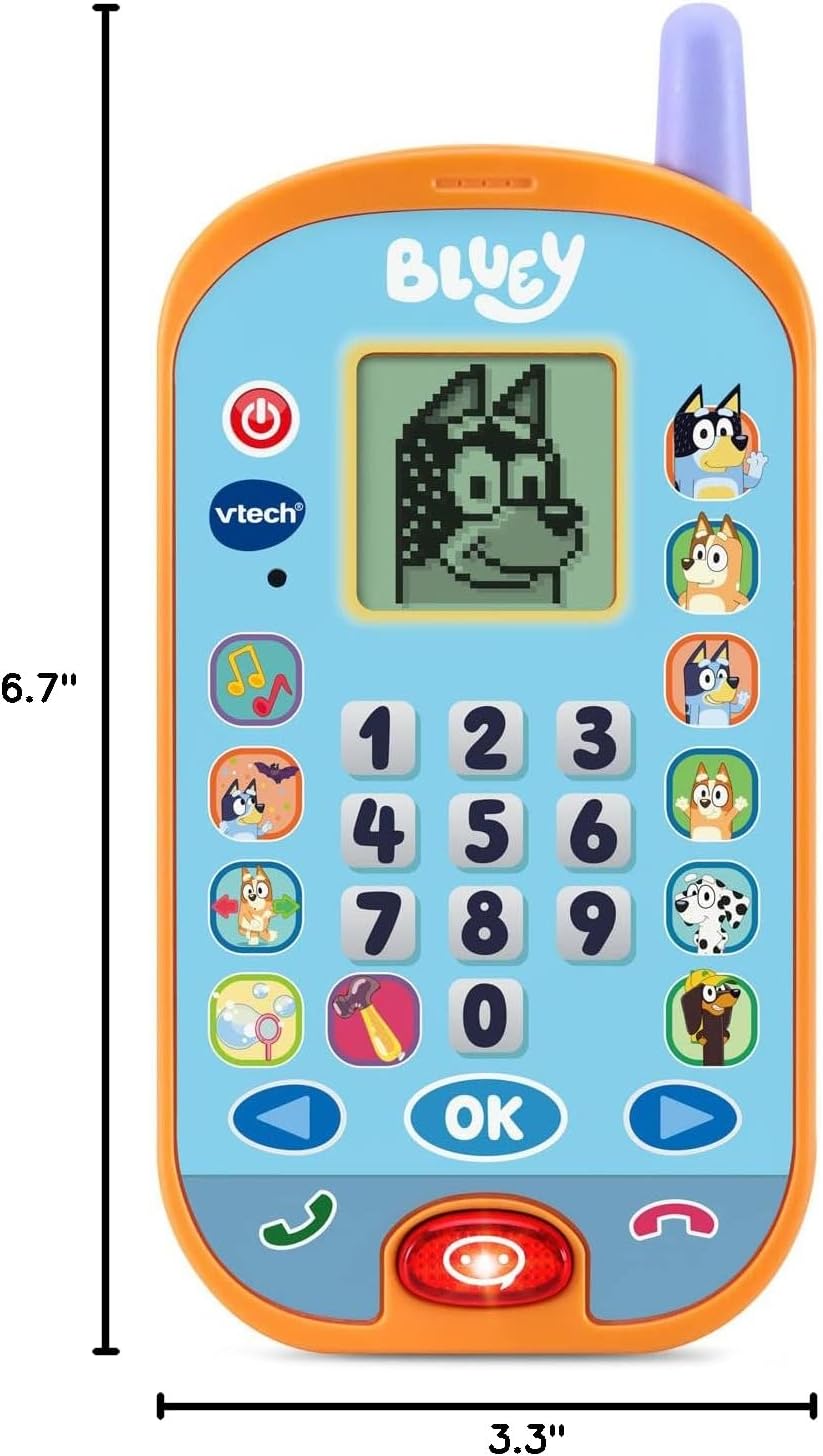
Image: VTech Bluey Ring Ring Phone with labeled dimensions.
Кепилдик жана колдоо
This VTech product is covered by the manufacturer's standard warranty. For detailed warranty information, product support, or to inquire about replacement parts, please visit the official VTech website or contact their customer service department. Contact details can typically be found in the Quick Start Guide included with your product or on the VTech brand store page.
VTech Store: Amazon'догу VTech дүкөнүнө баш багыңыз


