Introduction
The SCHWAIGER UFB3802 533-8 is a versatile 8-in-1 universal remote control designed to operate up to eight different audio/video devices. This remote serves as an ideal replacement for lost or broken original remote controls, offering compatibility with a wide range of brands and an extensive code database. Please read this manual carefully to ensure proper setup and operation of your new universal remote control.

Сүрөт: Фронт view of the SCHWAIGER UFB3802 533-8 Universal Remote Control. This image displays the full layout of the remote's buttons, including number keys, navigation, volume, channel, and device selection buttons, all in a dark grey finish.
Жайгашуу
1. Батареяны орнотуу
The SCHWAIGER UFB3802 533-8 requires two AAA (LR03) alkaline batteries. These are typically included with the product.
- Пульттун артындагы батарея отсегин табыңыз.
- Батарея бөлүмүнүн капкагын ылдый жылдырыңыз же ачуу үчүн кулпуну басып, көтөрүңүз.
- Бөлүмдүн ичинде көрсөтүлгөндөй туура полярдуулукту (+ жана -) камсыз кылып, эки AAA батарейкасын салыңыз.
- Батарея бөлүкчөсүнүн капкагын бекем чыккыча ордуна коюңуз.

Сүрөт: Артка view of the SCHWAIGER UFB3802 533-8 Universal Remote Control. This image highlights the battery compartment cover and product information label on the rear of the remote.
2. Programming Your Devices (Code Setup)
The remote control can be programmed using direct code entry or an automatic search function. Refer to the included code list for your specific device brands. The remote has an extensive database with over 2000 codes.
General Programming Steps (Example for TV):
- Turn on the device you wish to control (e.g., your television).
- басып, кармап туруңуз SET баскыч (эгер бар болсо, же ушул сыяктуу айкалыш SET + TV1) until the indicator light stays on.
- Press the desired device button (e.g., TV1). Индикатор бир жолу өчүп, анан күйүп турат.
- Enter the 3 or 4-digit code for your device brand from the code list. After entering the last digit, the indicator light should turn off.
- Басуу менен пультту текшериңиз КҮЧ баскычы. Эгер аппарат өчүп калса, код туура.
- If the device does not respond, repeat the process with the next code listed for your brand.
Автоматтык код издөө:
- Көзөмөлдөгөн шайманды күйгүзүңүз.
- басып, кармап туруңуз SET button (or equivalent) until the indicator light stays on.
- Press the desired device button (e.g., TV1).
- Пультту түзмөккө багыттап, кайра-кайра басыңыз КҮЧ баскычы (же CH+) slowly until the device turns off.
- Түзмөк өчкөндөн кийин, дароо басыңыз SET button (or equivalent) to save the code. The indicator light will turn off.
- Test other functions like volume and channel. If they work, the programming is complete. If not, restart the automatic search.
Алыстан башкарууну иштетүү
Once programmed, the remote control functions similarly to your original device remotes. Ensure you select the correct device mode before operating.
Түзмөктү тандоо баскычтары
- TV1, TV2, TV3: For controlling up to three different televisions.
- Видеомагнитофон: For controlling a Video Cassette Recorder.
- SAT1, SAT2: For controlling up to two different satellite receivers.
- DVD: For controlling a DVD player.
- DVB-T: For controlling a Digital Video Broadcasting - Terrestrial receiver.
Жалпы функциялар
- POWER (Кызыл баскыч): Тандалган аппаратты күйгүзөт же өчүрөт.
- MUTE (Speaker Icon): Аудионун үнүн өчүрөт же ачат.
- 0-9 (Сан баскычтары): Түз каналга кирүү же меню навигациясы үчүн.
- VOL+ / VOL-: Үндү жогору же ылдый тууралайт.
- CH+ / CH-: Каналды өйдө же ылдый өзгөртөт.
- МЕНЮ: Түзмөктүн негизги менюсуна кирүүгө болот.
- BACK / EXIT: Мурунку экранга кайтат же менюдан чыгат.
- FAV: Сүйүктүү каналдарга жетет.
- ТИЗМЕ: Displays a list of channels or media.
- OF: Switches between input sources (e.g., HDMI, AV1).
- PICT: Сүрөттүн жөндөөлөрүн тууралайт.
- ZOOM: Zooms in or out on the display.
- DISP: Учурдагы программа же киргизүү жөнүндө маалыматты көрсөтөт.
- ТЕКСТ: Activates teletext (if supported by the device).
- Навигация (Өйдө, Төмөн, Солго, Оңго, ОК): Менюда навигация жана тандоо үчүн.
- УЙКУ: Түзмөк үчүн уйку таймерин орнотот.
- Түс баскычтары (кызыл, жашыл, сары, көк): Functionality varies by device and menu context.
- Медианы башкаруу баскычтары (Ойнотуу, Тындыруу, Токтотуу, Артка түрүү, Алдыга тез түрүү, Өткөрүп жиберүү): For controlling playback on compatible devices like DVD players or VCRs.

Сүрөт: Бурчтуу view of the SCHWAIGER UFB3802 533-8 Universal Remote Control. This perspective provides a clear view of the ergonomic design and the arrangement of various function buttons, including the navigation pad and media controls.
Техникалык тейлөө
Proper care will extend the life of your universal remote control.
- Тазалоо: Use a soft, dry cloth to clean the remote control. Do not use abrasive cleaners, solvents, or alcohol, as these can damage the surface and buttons.
- Батареяны алмаштыруу: Replace batteries when the remote's performance degrades or the indicator light does not illuminate. Always replace both batteries at the same time with new AAA alkaline batteries.
- Сактагыч: If the remote will not be used for an extended period, remove the batteries to prevent leakage and potential damage. Store in a cool, dry place away from direct sunlight.
- Экологиялык факторлор: Avoid exposing the remote to extreme temperatures, high humidity, or direct water contact.
Проблемаларды чечүү
If you encounter issues with your universal remote control, refer to the following common solutions:
| Көйгөй | Мүмкүн себеп | Чечим |
|---|---|---|
| Пульт таптакыр иштебейт. | Өлүк же туура эмес салынган батарейкалар. | Батареянын полярдуулугун текшериңиз. Жаңы AAA батарейкалары менен алмаштырыңыз. |
| Түзмөк буйруктарга жооп бербейт. | Incorrect device code programmed or remote not in correct device mode. | Ensure the correct device button (e.g., TV1, DVD) is selected. Reprogram the device using a different code from the code list or use the automatic search function. |
| Айрым функциялар гана иштейт. | Partially compatible code or device limitations. | Try another code for your device brand. Some advanced functions may not be supported by universal remotes. |
| Indicator light does not illuminate during programming. | Programming steps not followed correctly. | Review the programming steps carefully and repeat the process. Ensure buttons are pressed and held for the correct duration. |
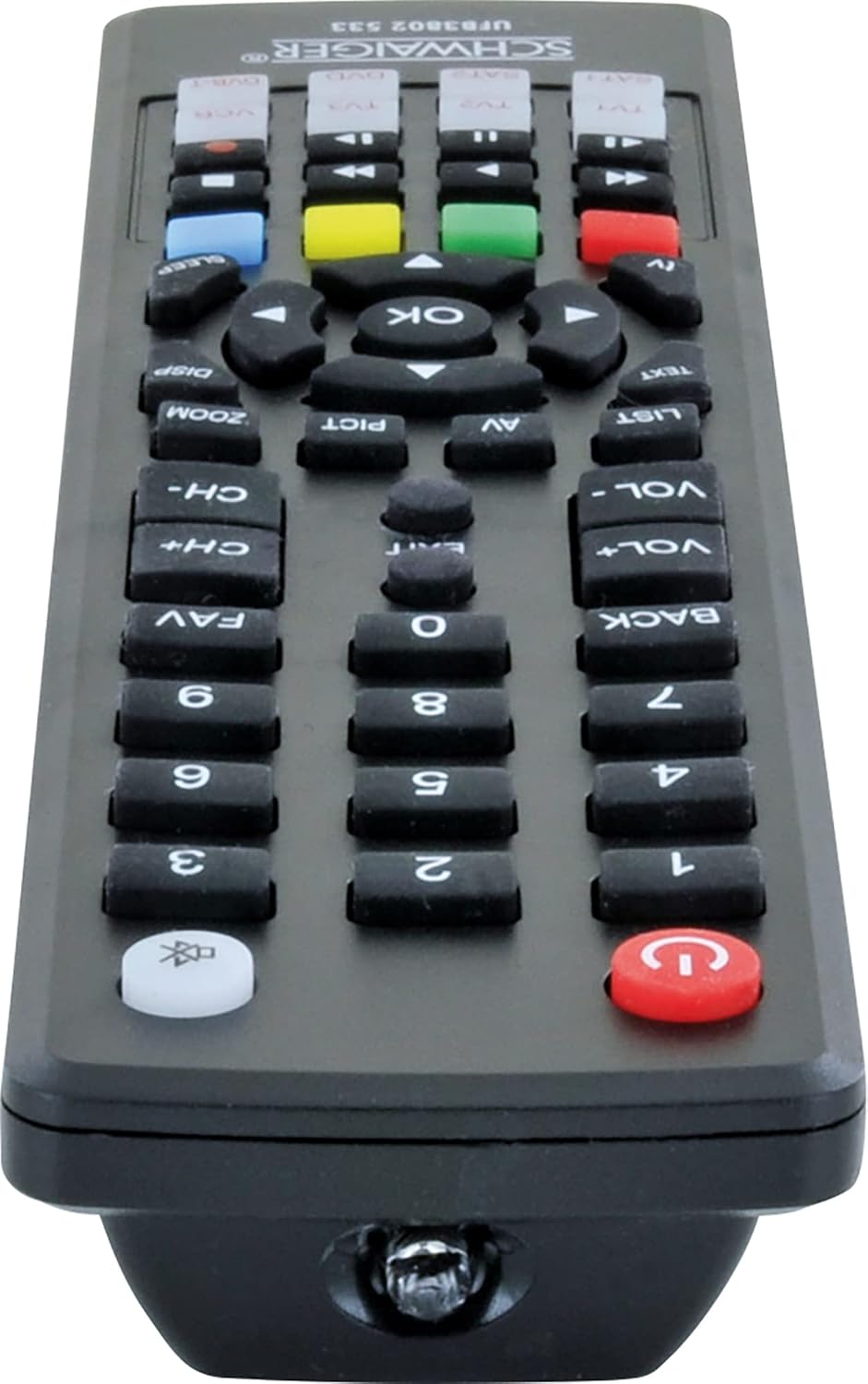
Сүрөт: Төмөнкү view of the SCHWAIGER UFB3802 533-8 Universal Remote Control. This image shows the infrared (IR) emitter at the front tip of the remote, which transmits signals to your devices.
Техникалык шарттар
- Бренд: SCHWAIGER
- Модел: UFB3802 533-8
- Өндүрүүчү моделдин номери: 4004005032864
- Шайкеш түзмөктөр: Television, VCR, Satellite Receiver, DVD Player, DVB-T Receiver (up to 8 devices)
- Өзгөчө өзгөчөлүгү: Универсалдуу шайкештик
- Түсү: Кара
- Материал түрү: Акрил
- Туташтыргыч түрү: Инфракызыл (IR)
- Батареялар талап кылынат: 2 x AAA (LR03) Alkaline (included)
- Продукциянын өлчөмдөрү: 27 x 4.3 x 4.3 см
- Элемент Салмагы: 190 г
Кепилдик жана колдоо
For warranty information or technical support, please refer to the documentation provided with your purchase or contact SCHWAIGER customer service directly. Contact details can typically be found on the manufacturer's official webсайтында же продуктунун таңгагында.


