1. Киришүү
This manual provides detailed instructions for the installation, operation, and maintenance of your Delta AFB0612EHD 6020 6cm 12V 0.47A 4-Wire Temperature Control Chassis Computer Fan. Please read this manual thoroughly before using the product to ensure proper function and safety.
2. Продукциянын өзгөчөлүктөрү
The Delta AFB0612EHD fan is designed for efficient cooling within computer chassis, featuring:
- Model number: AFB0612EHD
- Bearing structure: Maintenance-free double ball bearing for extended lifespan.
- High rotational speed: 6600 RPM, providing an air volume of 35.21 CFM.
- Interface type: Standard motherboard 4-pin interface.
- Transmission rate: Supports PWM (Pulse Width Modulation) speed control via the motherboard.
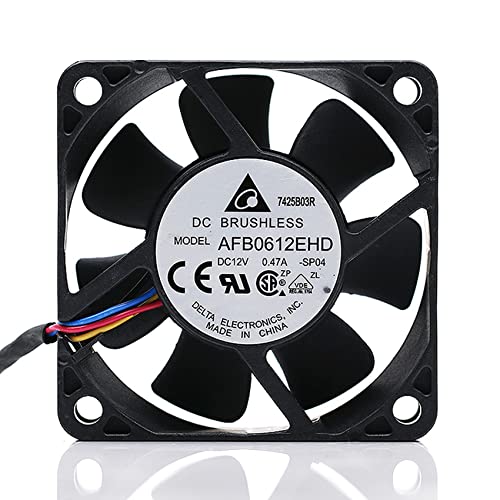
Сүрөт 2.1: Алдыңкы view of the Delta AFB0612EHD fan.
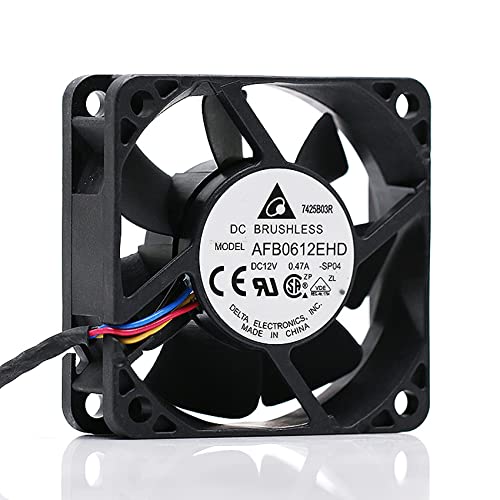
2.2-сүрөт: Бурчтуу view күйөрмандын.
3. Техникалык шарттар
| Параметр | Нарк |
|---|---|
| Модел | AFB0612EHD |
| Өлчөмү | 60 x 60 x 20 мм (2.36"L x 0.79"W x2.36"H) |
| Тtage | DC 12V |
| Учурдагы | 0.47A |
| Ылдамдык | 6600 RPM (Maximum Rotational Speed) |
| Аба көлөмү | 35.21 CFM |
| Подшипник түрү | Кош шар подшипник |
| Туташтыргыч түрү | 4-Pin (PWM compatible) |
| Муздатуу ыкмасы | Аба |
| Шайкеш түзмөктөр | Server, Computer Chassis |
| Өндүрүүчү | ZSOXPF (Seller/Distributor) |

Сүрөт 3.1: Продукциянын өлчөмдөрү.
4. Коопсуздук маалыматы
Please observe the following safety precautions to prevent injury or damage to the product and connected equipment:
- Электр коопсуздугу: Орнотуудан же техникалык тейлөөдөн мурун электр кубаты өчүрүлгөнүн текшериңиз.
- Колдонуу: Do not disassemble, modify, or attempt to repair the fan by non-professionals. This can lead to electric shock, fire, or product malfunction.
- Вентиляция: Ensure adequate airflow around the fan. Do not block the fan blades or vents.
- Кыймылдуу бөлүктөр: Keep fingers and other objects away from the fan blades when the fan is operating or connected to power.
- Экологиялык: Avoid exposing the fan to excessive moisture, dust, or extreme temperatures.

Figure 4.1: Safety and handling warnings from product packaging.
5. Орнотуу боюнча колдонмо
5.1 Баштоодон мурун
- Компьютериңиздин өчүрүлгөнүн жана розеткадан суурулуп турганын текшериңиз.
- Вентиляторлорду орнотуучу жерлерге жетүү үчүн компьютериңиздин корпусун ачыңыз.
- Gather necessary tools, such as a screwdriver.
5.2 Орнотуу кадамдары
- Монтаждоо ордун аныктоо: Locate an available 60mm fan mounting point within your computer chassis. Ensure the fan's airflow direction (usually indicated by an arrow on the fan frame) aligns with your desired cooling strategy (intake or exhaust).
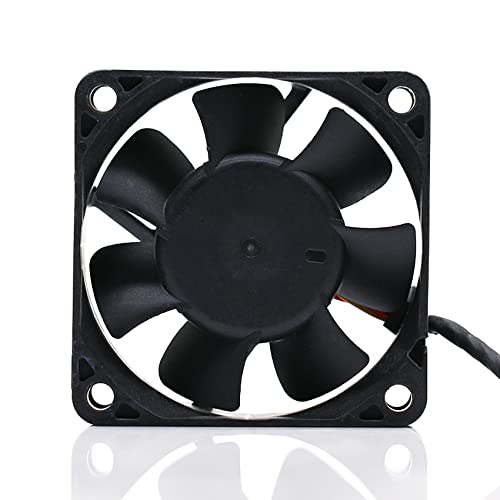
5.1-сүрөт: Артка view of the fan, showing mounting points.
- Желдеткичти коргоо: Position the fan against the mounting holes. Use appropriate screws (not included) to secure the fan firmly to the chassis. Do not overtighten.
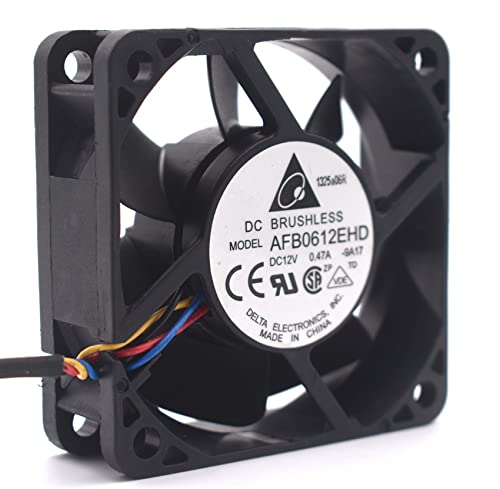
Figure 5.2: Fan ready for mounting.
- Кубат кабелин туташтыруу: Locate an available 4-pin fan header on your motherboard. Carefully align the 4-pin connector from the fan with the header and push it in until it is securely seated. The connector is keyed to prevent incorrect insertion.
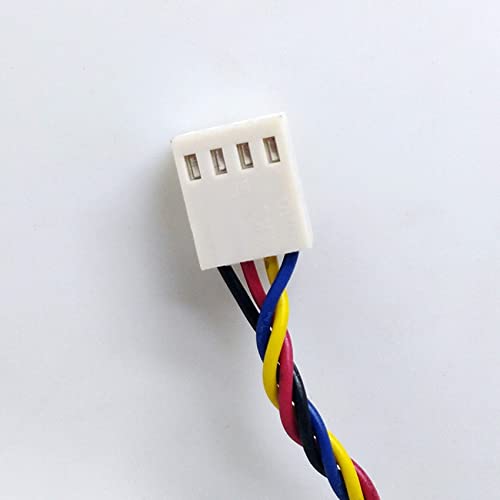
Figure 5.3: The 4-pin PWM connector.
- Кабелдик башкаруу: Башка компоненттерге же аба агымына тоскоол болбоо үчүн желдеткичтин кабелин тыкан жайгаштырыңыз.
- Капты жаап, күйгүзүү: Once the fan is securely installed and connected, close your computer case. Reconnect the power cable and power on your computer. Verify that the fan is spinning.
6. Операция
The Delta AFB0612EHD fan utilizes a 4-pin connector, which supports Pulse Width Modulation (PWM) for intelligent speed control. When connected to a compatible motherboard header, the fan's speed will automatically adjust based on system temperature, optimizing cooling performance and noise levels.
- Автоматтык башкаруу: Most modern motherboards will automatically detect and control the fan speed based on BIOS/UEFI settings or operating system software.
- Кол менен тууралоо: You may be able to manually adjust fan curves and speeds through your motherboard's BIOS/UEFI settings or dedicated fan control software provided by your motherboard manufacturer. Refer to your motherboard manual for specific instructions.
7. Техникалык тейлөө
Regular maintenance helps ensure optimal performance and extends the lifespan of your fan.
- Чаңды тазалоо: Periodically (e.g., every 3-6 months), power off and unplug your computer. Open the case and use compressed air or a soft brush to gently remove dust accumulation from the fan blades and frame. Hold the fan blades to prevent them from spinning rapidly during cleaning, which can damage the bearings.
- Текшерүү: Visually inspect the fan for any signs of damage, loose wires, or obstructions.
8. Кыйынчылыктарды
Эгер сиз күйөрманыңызда көйгөйлөргө туш болсоңуз, жалпы көйгөйлөр жана чечүү жолдору үчүн төмөнкү таблицага кайрылыңыз:
| Көйгөй | Мүмкүн себеп | Чечим |
|---|---|---|
| желдеткич айланбай жатат | Not connected properly; Insufficient power; Faulty fan header; Fan failure. | Check 4-pin connection; Ensure power supply is on; Try a different fan header; Replace fan if faulty. |
| желдеткич адаттан тыш ызы-чуу чыгарат | Dust accumulation; Obstruction; Bearing wear. | Clean fan blades; Remove any obstructions; If noise persists, consider replacing the fan. |
| Fan spinning too fast/slow | Incorrect BIOS/UEFI settings; Motherboard not supporting PWM; Sensor issue. | Check motherboard BIOS/UEFI fan control settings; Ensure fan is connected to a PWM-compatible header; Update motherboard drivers/BIOS. |
9. Кепилдик жана колдоо
This product is manufactured by ZSOXPF. For warranty claims or technical support, please refer to the retailer or seller from whom you purchased the product. Keep your proof of purchase for warranty purposes. Specific warranty terms and conditions may vary by region and retailer.


