Introduction
The VANGUARD VEO CSMM2 is an expandable double cold shoe mount designed to attach two accessories with a cold shoe base to your camera's hot shoe mount. This manual provides instructions for proper setup, operation, and care of your VEO CSMM2.
Кутуда эмне бар
- VANGUARD VEO CSMM2 Expandable Double Cold Shoe Mount
- Hexagonal Wrench (Allen Key)
Компоненттин идентификациясы
Familiarize yourself with the parts of your VEO CSMM2:
- Cold Shoe Mount (A): Receptacle for accessories with a cold shoe base.
- Locking Knob (B): Secures accessories in the cold shoe mount.
- Flip Lock (C): Releases and secures the sliding rail for width adjustment.
- Sliding Rail (D): Allows adjustment of the distance between cold shoe mounts.
- 1/4" Thread (E): Located on the front of each cold shoe mount and on the base for attaching support arms or other accessories.
- Hot Shoe Mount Locking Ring (F): Secures the VEO CSMM2 to your camera's hot shoe.
- Hexagonal Wrench (G): Used for tightening the hot shoe mount locking ring for a secure grip.

Сүрөт 1: The VANGUARD VEO CSMM2 Expandable Double Cold Shoe Mount, showing its main components. This image displays the overall structure of the mount, including the two cold shoe mounts, the central sliding rail, and the hot shoe attachment point at the base.
Орнотуу нускамалары
1. Attaching to Your Camera's Hot Shoe Mount
- Slide the VEO CSMM2's hot shoe base into your camera's hot shoe mount.
- айлантыңыз Hot Shoe Mount Locking Ring (F) clockwise to secure the mount firmly to the camera.
- For the most solid grip, use the provided Hexagonal Wrench (G) to further tighten the locking ring. Ensure the mount is stable before attaching accessories.
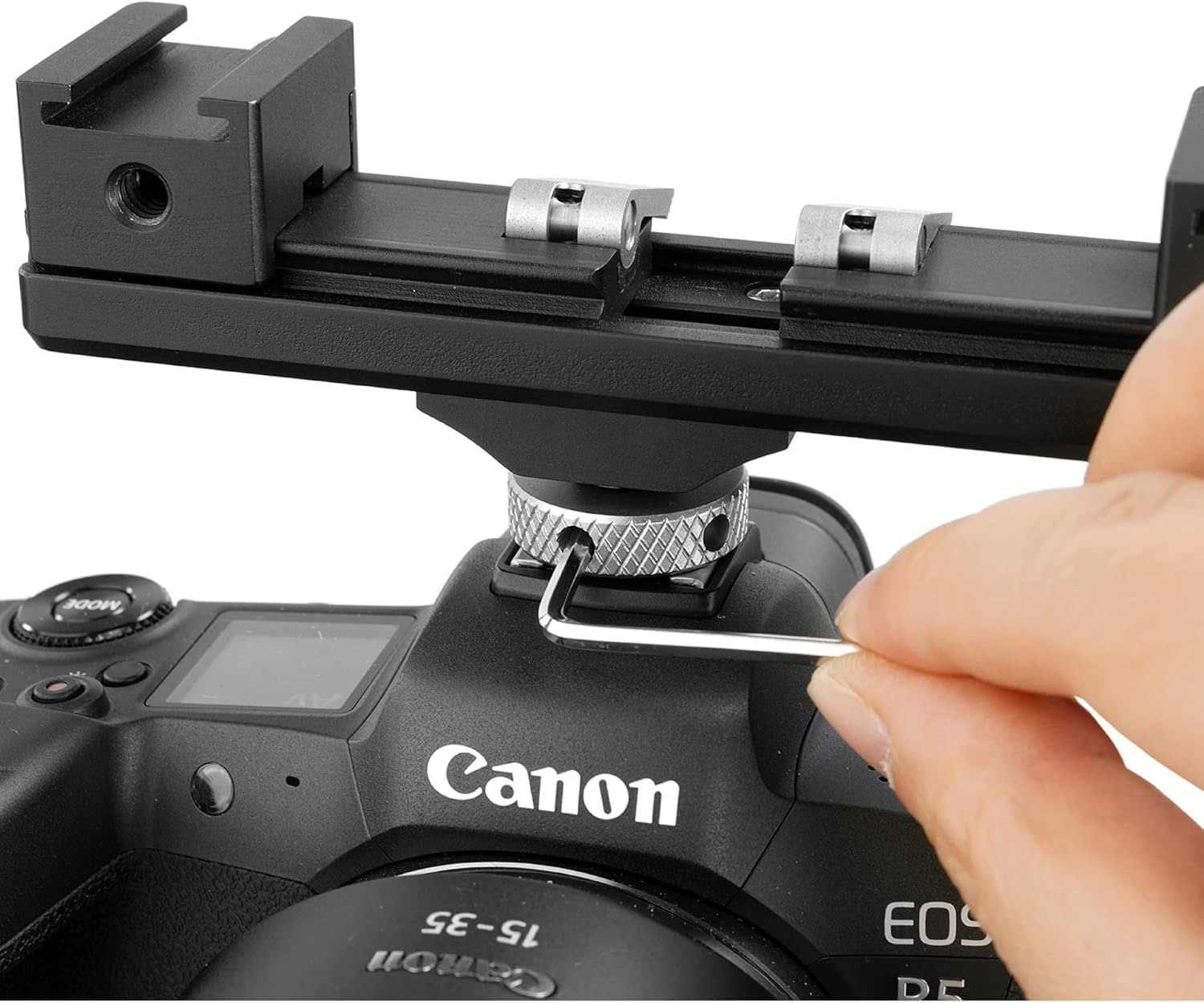
Сүрөт 2: A hand using the hexagonal wrench to tighten the VEO CSMM2 onto a camera's hot shoe mount. This demonstrates the final step in securing the mount to the camera for a stable connection.
2. Attaching Accessories to the Cold Shoe Mounts
- Slide your accessory (e.g., microphone, LED light) with a cold shoe base into one of the Cold Shoe Mounts (A) on the VEO CSMM2.
- айлантыңыз Locking Knob (B) clockwise to secure the accessory in place.
- Repeat for the second accessory if needed.
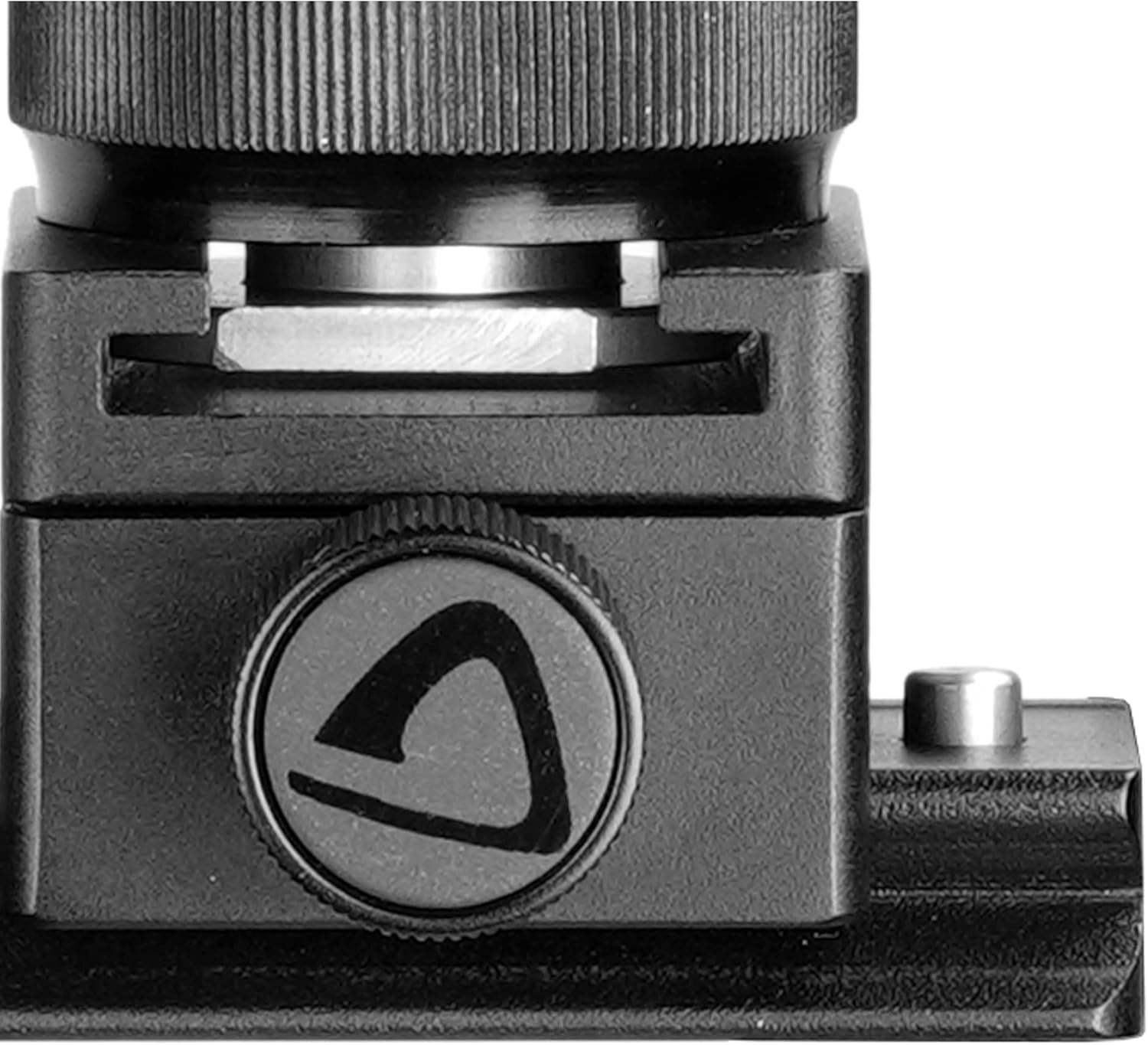
Сүрөт 3: Жакын план view of the cold shoe mount with its locking knob. This image highlights the mechanism used to secure accessories onto the VEO CSMM2.

Сүрөт 4: The VEO CSMM2 mounted on a camera, with an LED light and a microphone attached to its cold shoe mounts. This illustrates a typical setup with multiple accessories.
Иштөө нускамалары
Adjusting the Width of the Cold Shoe Mounts
The VEO CSMM2 allows you to adjust the distance between the two cold shoe mounts to accommodate various accessory sizes and achieve optimal balance.
- көтөрүңүз Flip Lock (C) to release the sliding rail.
- жылдырыңыз Cold Shoe Mounts (A) бойлото Sliding Rail (D) to your desired width. The mount can extend up to 208mm wide.
- Once the desired position is reached, push the Flip Lock (C) back down to secure the mounts.
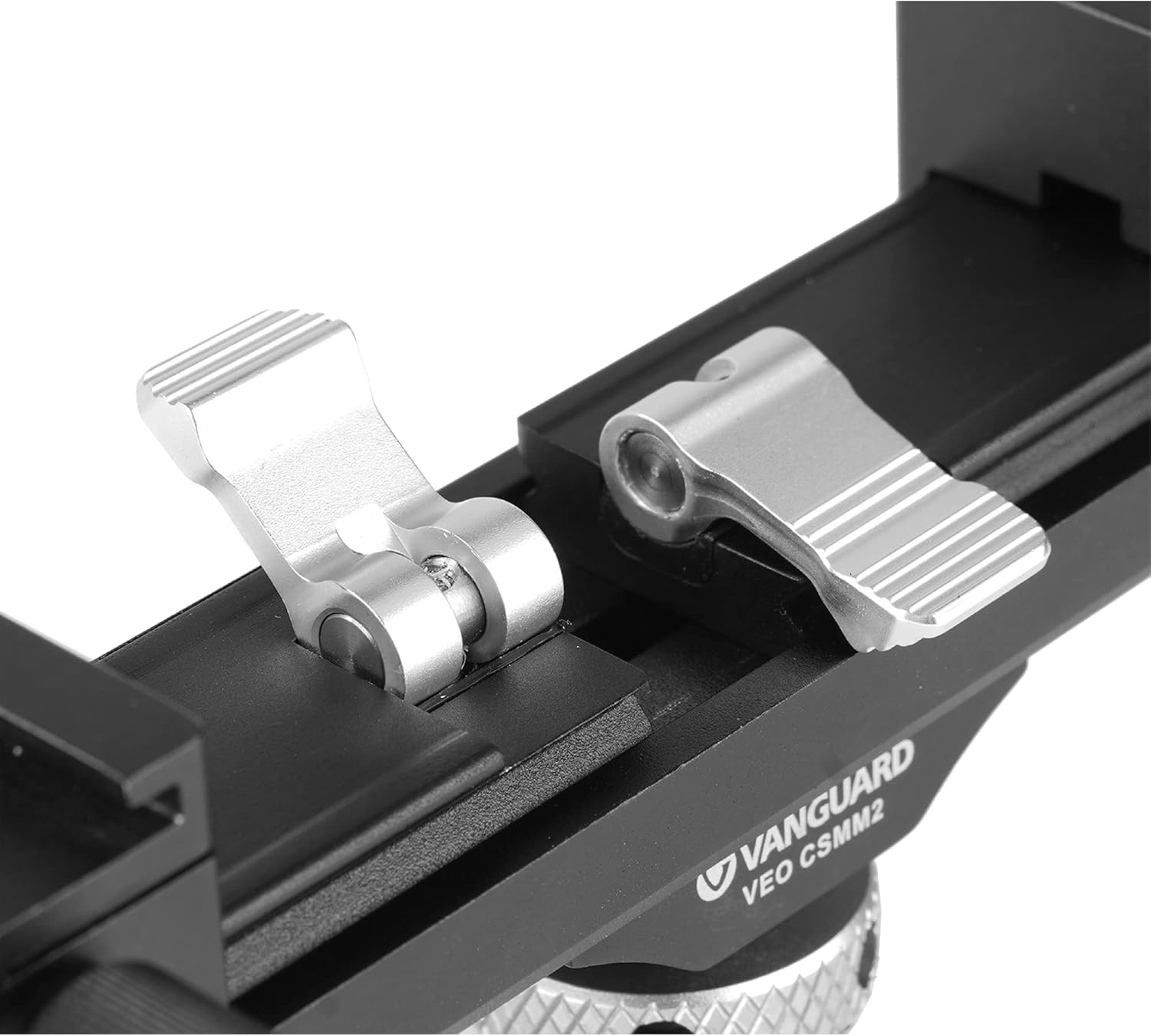
Сүрөт 5: Жакын план view of the flip lock mechanism on the VEO CSMM2. This lock allows users to adjust the width of the cold shoe mounts along the sliding rail.
Using the 1/4" Threads
The VEO CSMM2 features multiple 1/4" threads for enhanced versatility:
- Front of Cold Shoe Mounts: Each cold shoe mount has a 1/4" thread (E) on its front, allowing you to attach additional support arms or accessories.
- Base of the Mount: A 1/4" thread (E) is also located on the base, enabling you to attach the VEO CSMM2 to a tripod, monopod, or other support systems instead of directly to a camera's hot shoe.
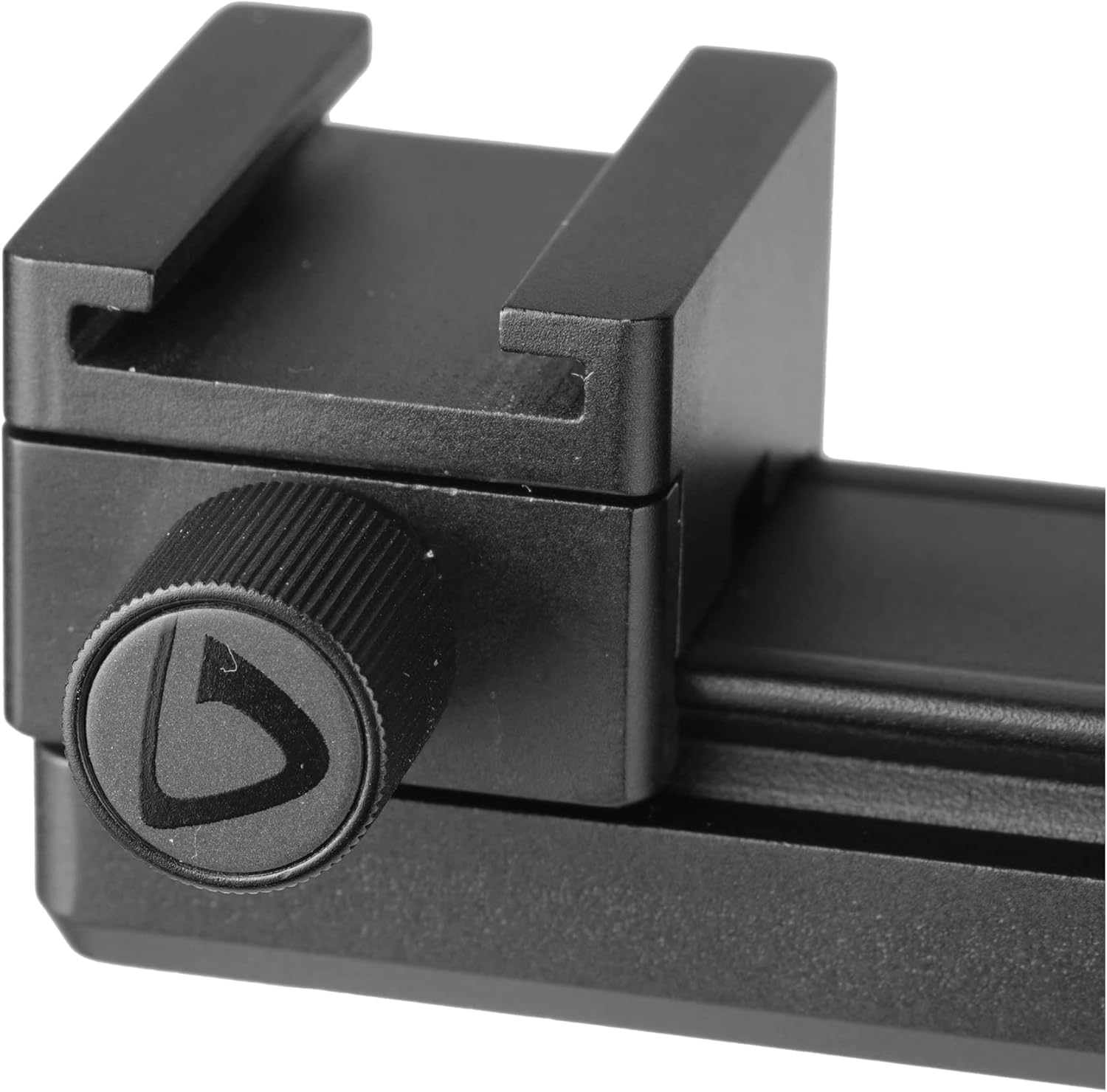
Сүрөт 6: А деталдуу view of the 1/4" thread located on the front of one of the cold shoe mounts. This thread allows for the attachment of additional accessories or support arms.
Техникалык тейлөө
- Тазалоо: Wipe the mount with a soft, dry cloth to remove dust and dirt. Avoid using harsh chemicals or abrasive materials.
- Сактагыч: Store the VEO CSMM2 in a dry, cool place away from direct sunlight and extreme temperatures.
- Текшерүү: Periodically check all screws and locking mechanisms to ensure they are tight and functioning correctly.
Проблемаларды чечүү
- Mount feels loose on camera: Ensure the hot shoe mount locking ring is fully tightened, using the hexagonal wrench for extra security.
- Аксессуарлар коопсуз эмес: Verify that the locking knobs on the cold shoe mounts are tightened properly.
- Difficulty adjusting width: Check if the flip lock is fully lifted before attempting to slide the cold shoe mounts. Ensure no debris is obstructing the sliding rail.
Техникалык шарттар
| Модель номери | VEO CSMM2 |
| Бренд | АВАНГАРД |
| Материал | Алюминий |
| Аяктоо түрү | Кара |
| Монтаж түрү | Top Mount (Hot Shoe) |
| Продукциянын өлчөмдөрү (L x W x Y) | 3.94 x 1.18 x 0.79 дюйм (100 x 30 x 20 мм) |
| Элемент Салмагы | 4.2 унция (120 грамм) |
| Maximum Width (Expanded) | 208 мм |
| Жиптер | 1/4" on cold shoe mounts and base |
Кепилдик жана колдоо
For warranty information and technical support, please refer to the official VANGUARD website or contact your local VANGUARD distributor. Keep your purchase receipt as proof of purchase.
Official VANGUARD Webсайт: www.vanguardworld.com


