1. Киришүү
This manual provides essential instructions for the safe and efficient operation of your HKS 2.2KW 3HP 110V Variable Frequency Drive (VFD) Controller. Please read this manual thoroughly before installation, operation, or maintenance to ensure proper usage and prevent damage or injury.
2. Коопсуздук маалыматы
WARNING: Electrical shock hazard. Only qualified personnel should perform installation and maintenance.
- Ensure power is disconnected before any wiring or maintenance.
- Туура жерге туташтыруу коопсуз иштөө үчүн маанилүү.
- Do not operate the VFD with damaged wiring or components.
- Киргизилген томду ырастооtage matches VFD specifications (AC 110V, 95-135V).
- Delta (Δ) connection is recommended for motor wiring.
- If your motor is heavy-duty, consider a higher power VFD.
- Consult customer service for complex requirements or before connecting to specific load equipment.
3. Продукт бүтүп калдыview
The HKS VFD is designed to control the speed of 3-phase motors from a single-phase 110V input. It features an intuitive display and various protection mechanisms.
3.1 Негизги өзгөчөлүктөрү
- Power: 2.2KW (3HP)
- Киргизүү көлөмүtage: AC 110V (95-135V)
- Output Voltage: 110VAC ±15%
- Киргизүү агымы: 20A
- Чыгуу агымы: 30A
- Input Frequency: 40-60 HZ
- Output Frequency: 0-400 HZ
- Input Phase: 1 phase
- Output Phase: 3 phase
- Intuitive Display and Control Panel (detachable for remote control)
- Multiple Protection: Overload, Fuse, Overvoltage, Low Voltage, Restart, Stall, Short Circuit, Overheat.
- Low Noise and Electromagnetic Interference.
3.2 Продукт компоненттери
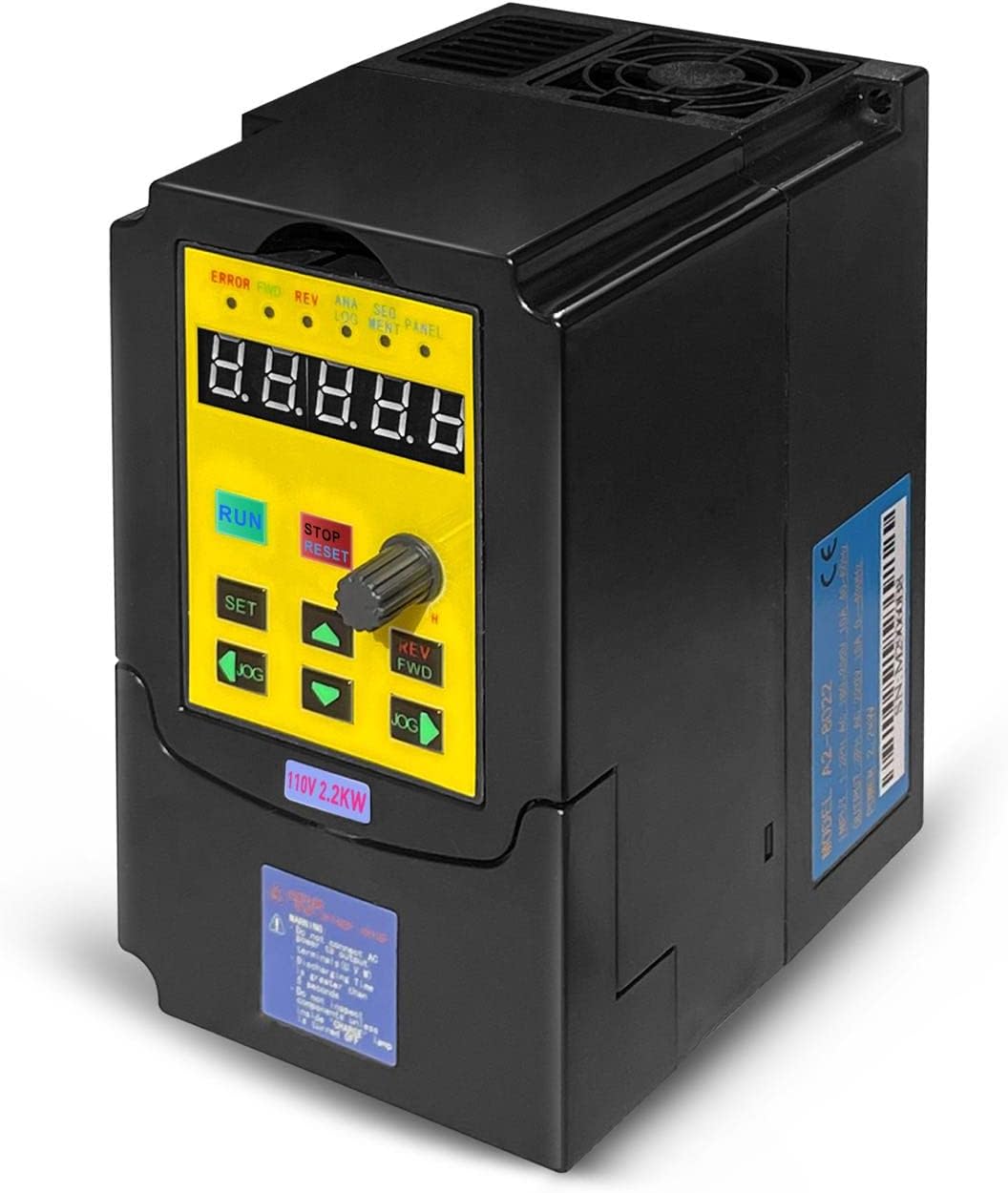
Сүрөт 1: Алдыңкы view of the HKS VFD Controller, showing the digital display and control buttons.
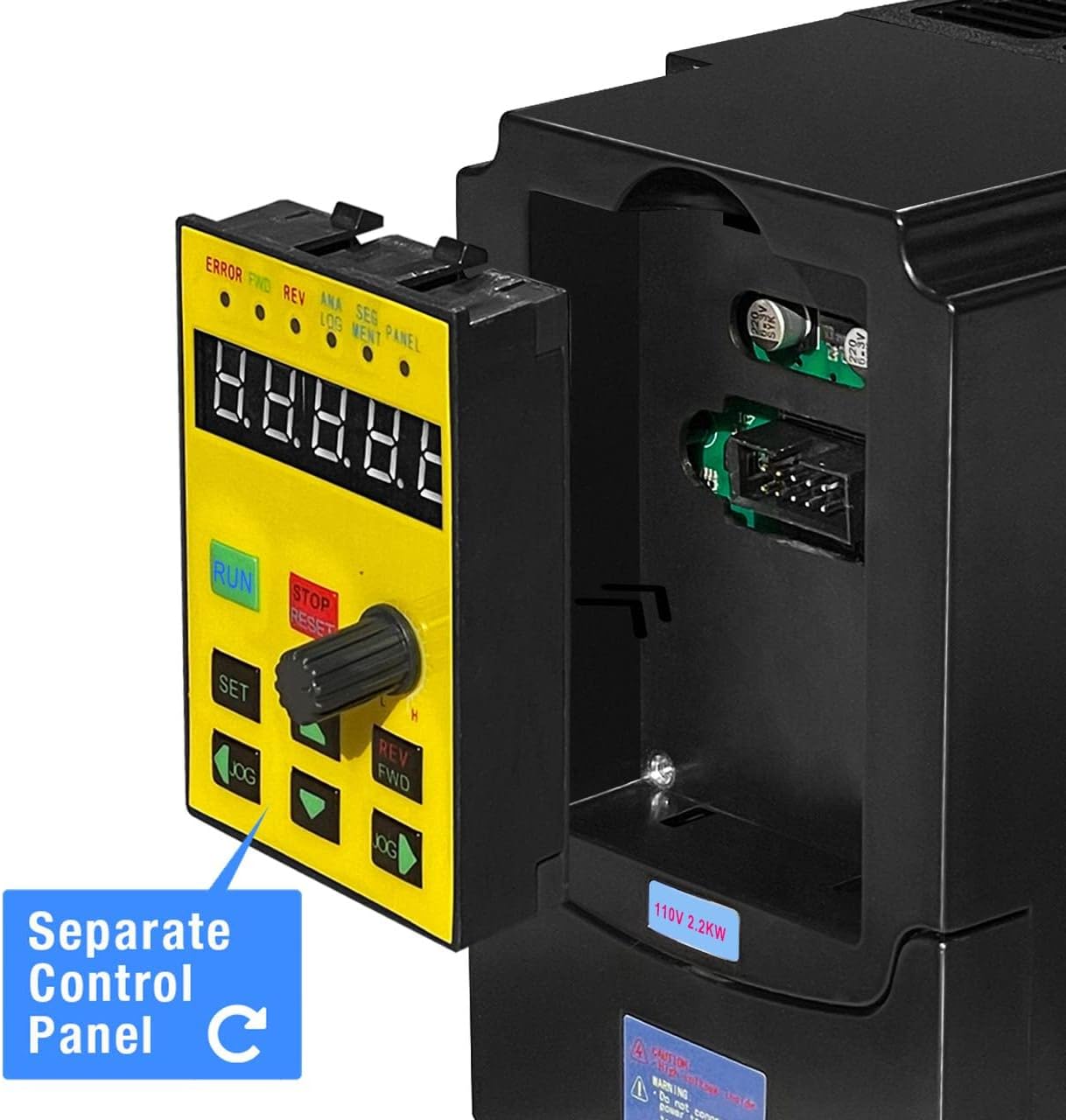
Figure 2: The VFD Controller with its detachable control panel, illustrating remote control capability.
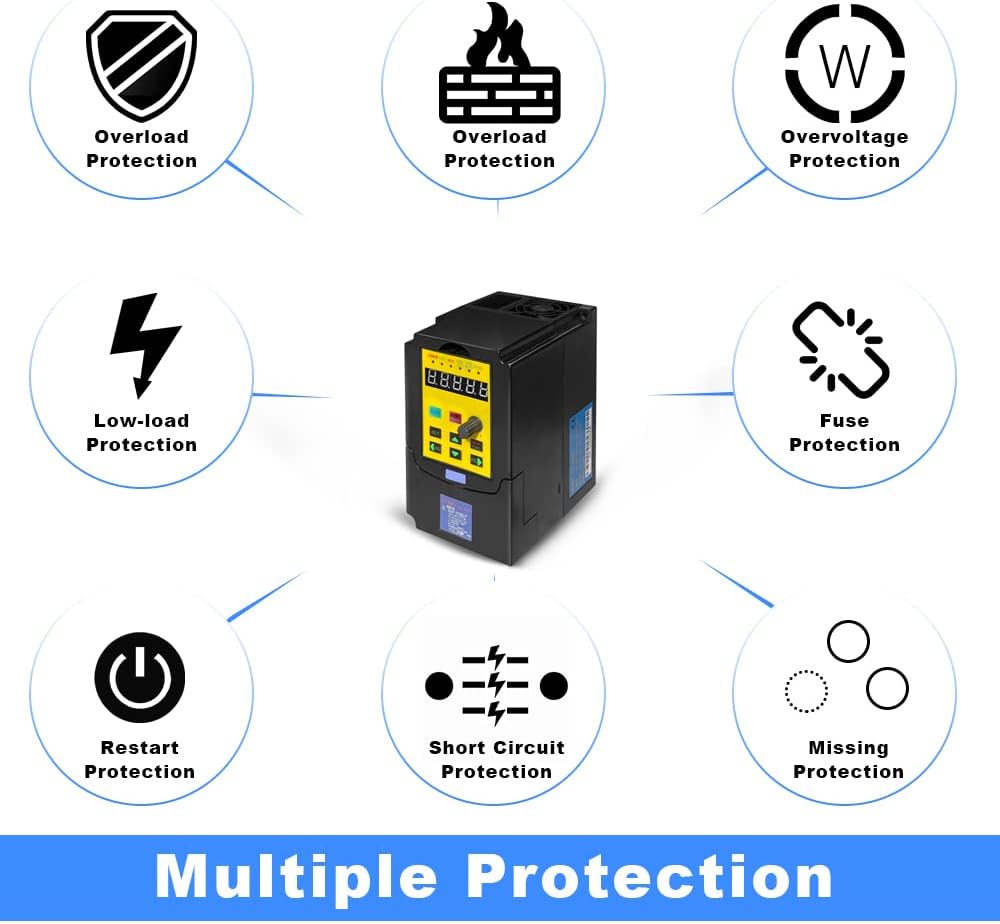
Figure 3: Visual representation of the VFD's multiple protection features, including overload, overvoltage, жана кыска туташуулардан коргоо.
4. Орнотуу жана орнотуу
4.1 Зымдарды туташтыруу
Ensure all power is off before making any electrical connections. Refer to the wiring diagram below for correct input and output connections.

Figure 4: Simplified wiring diagram showing connection from a circuit breaker to the VFD (L, N terminals) and then to a 3-phase motor (U, V, W terminals).

Figure 5: Detailed basic connection diagram for the VFD, including control signal inputs and relay outputs. Note: For single-phase input, connect to L and N terminals; other input phase terminals remain vacant. Confirm input voltage уруксат берилген чекте.
Маанилүү эскертүүлөр:
- For single-phase power input, connect to terminals L and N. The other input phase terminal should remain vacant.
- Always confirm the input voltage is within the specified range (AC 95-135V) for proper operation.
- External resistance is not supported. Adjust parameters to achieve similar functionality if needed.
5. Иштөө нускамалары
5.1 Башкаруу панелинин функциялары

Figure 6: Diagram of the VFD control panel, detailing each button and indicator light.
| баскыч | Description |
|---|---|
| RUN/STOP | Press to start the inverter when idle, press again to stop the inverter. |
| ТОКТОТ/КАЛЫПТАҢЫР | Stops the inverter if running; resets if a fault occurs; returns to parent menu. |
| REV/FWD | Changes the inverter's direction (forward/reverse). Also functions during runtime. |
| SET | Enters the menu setting. In a sub-menu, saves the parameter and moves to the next item. |
| ▲ / ▼ | Menu item selection and sub-item data modification. |
| JOG | Menu item content modification selection or inverter jogging button. |
| Жөнгө салуу баскычы | Controls the frequency. |
| Мазмун | Description |
|---|---|
| ERROR | Ката көрсөткүчү. |
| FWD | Сааттын жебеси боюнча айлануу көрсөткүчү. |
| REV | Сааттын жебесине каршы айлануу көрсөткүчү. |
| АНАЛОГ | Аналогдук киргизүү жыштыгы көрсөткүчү. |
| СЕГМЕНТ | Сегменттик киргизүү жыштык көрсөткүчү. |
| ПАНЕЛ | Панелдин киргизүү жыштыгы көрсөткүчү. |
| Санарип LCD | Inverter runtime frequency. If inverter stops, it flashes. The display data is given by "Pn01" data. |
5.2 Негизги операциялардын ырааттуулугу
- Бардык зымдар туура жана коопсуз экендигин текшериңиз.
- Apply power to the VFD.
- Use the Adjustment Knob to set the desired output frequency.
- басыңыз RUN/STOP моторду ишке киргизүү үчүн баскыч.
- Багытын өзгөртүү үчүн басыңыз REV/FWD баскычы.
- Моторду токтотуу үчүн басыңыз RUN/STOP баскычын кайра же ТОКТОТ/КАЛЫПТАҢЫР баскычы.
6. Техникалык тейлөө
Үзгүлтүксүз техникалык тейлөө VFDңиздин узак мөөнөттүү иштешин жана оптималдуу иштешин камсыз кылат.
- Keep the VFD clean and free from dust and debris.
- Ensure adequate ventilation around the unit. The product casing is designed with multiple holes for cooling.
- Бардык зымдардын туташууларынын бекемдигин жана эскирүү белгилерин мезгил-мезгили менен текшерип туруңуз.
- Inspect the cooling fan for obstructions and proper operation.
- Avoid operating the VFD in environments with excessive moisture or corrosive gases.

Figure 7: Illustration of the VFD's cooling design, showing airflow for heat dissipation.
7. Кыйынчылыктарды
Бул бөлүмдө кеңири таралган көйгөйлөрдүн чечимдери берилген. Бул жерде көрсөтүлбөгөн көйгөйлөр боюнча кардарларды колдоо кызматына кайрылыңыз.
| Көйгөй | Мүмкүн себеп | Чечим |
|---|---|---|
| VFD күйбөйт | No input power; incorrect wiring; blown fuse. | Check power supply; verify wiring (L, N); inspect internal fuse. |
| Мотор иштебейт | Incorrect motor wiring; VFD in STOP mode; fault condition. | Verify U, V, W connections to motor; press RUN; check ERROR indicator and reset if needed. |
| Ашыкча жүктөө катасы | Motor drawing too much current; VFD undersized for load. | Reduce motor load; check motor for issues; consider a higher power VFD. |
| Overvoltage/Төмөн тtage ката | Киргизүү тtagкөрсөтүлгөн диапазондон тышкары. | Киргизилген томду ырастооtage (AC 95-135V) with a multimeter. |
| Мотор станоктору | Insufficient torque; rapid acceleration setting. | Adjust acceleration time; ensure VFD is appropriately sized for the motor and load. |
If an error occurs, the ERROR indicator will illuminate. Press the ТОКТОТ/КАЛЫПТАҢЫР button to clear the fault after addressing the cause.
8. Техникалык шарттар
| Параметр | Нарк |
|---|---|
| Модел | VFD-110V |
| Күч | 2.2 кВт (3 HP) |
| Киргизүү көлөмүtage | AC 110V (95-135V) |
| Output Voltage | 110VAC ±15% |
| Киргизүү агымы | 20A |
| Output Current | 30A |
| Киргизүү жыштыгы | 40-60 Гц |
| Чыгуу жыштыгы | 0-400 Гц |
| Киргизүү фазасы | 1 фаза |
| Чыгаруу фазасы | 3 фаза |
| Элемент Салмагы | 2.44 фунт |
| Пакеттин өлчөмдөрү | 7.56 x 7.01 x 5.47 дюйм |

Figure 8: Dimensions of the HKS VFD Controller: 5.5 inches (height), 4.4 inches (depth), 3.3 inches (width).
9. Кепилдик жана колдоо
For warranty information and technical support, please refer to the manufacturer's official documentation or contact HKS customer service directly.
When contacting support, please provide your product model (VFD-110V) and a detailed description of the issue.


