Introduction
This manual provides comprehensive instructions for the installation, operation, and maintenance of your Rraycom 4-Pack 2K/3MP FHD Wireless IP Security Camera system (Model ACT397). Please read this manual thoroughly before using the product to ensure proper setup and functionality. Keep this manual for future reference.
Пакеттин мазмуну
Пакетиңизде бардык буюмдар бар экенин текшериңиз:
- 4 x Rraycom 2K/3MP FHD Wireless IP Security Cameras
- 4 x Кубат адаптерлери/кубаттагычтары
- Монтаждоо бурамалар жана анкерлер
- Колдонуучунун Колдонмосу (бул документ)
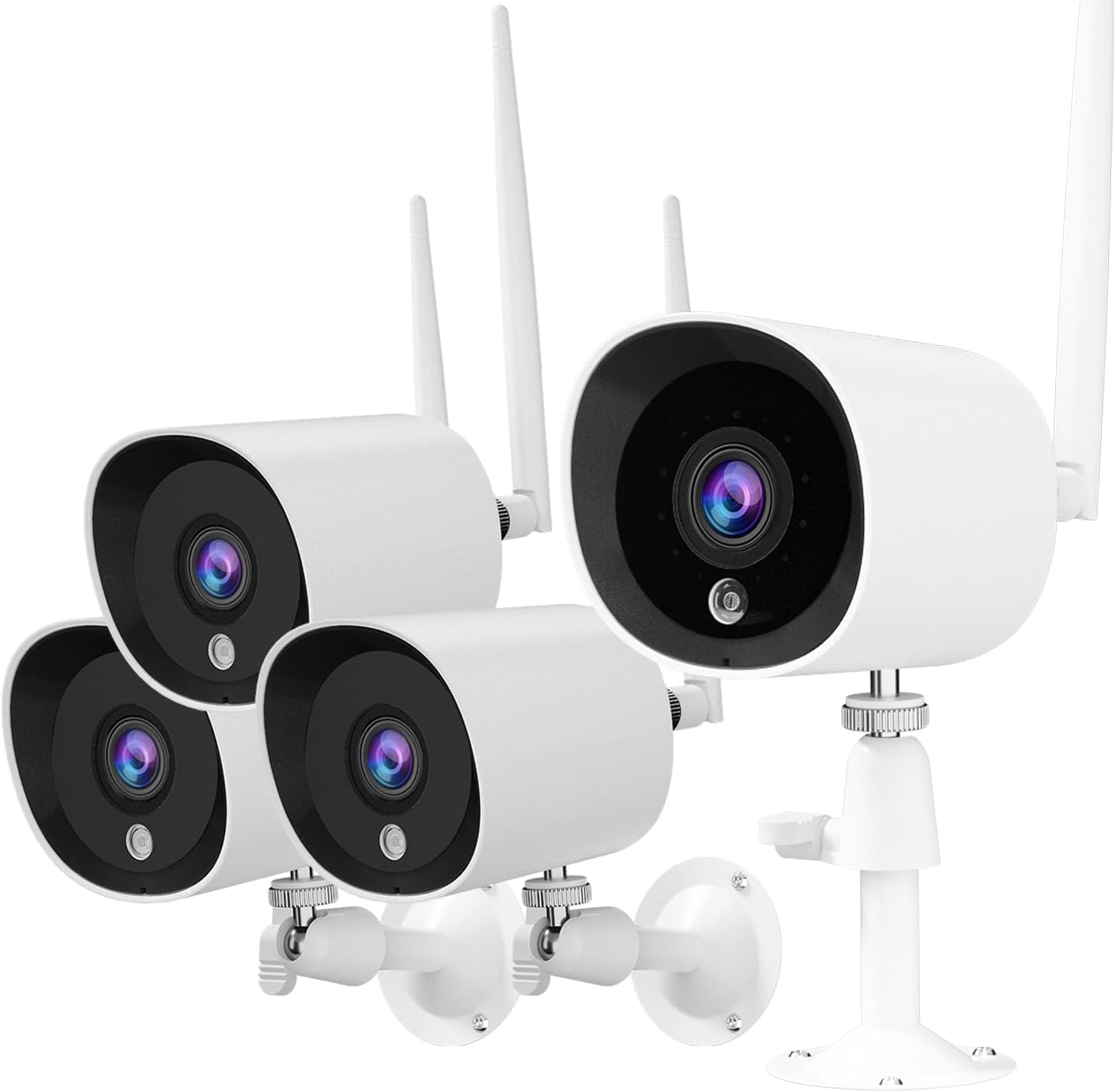
Image: The Rraycom 4-Pack Security Camera system, showing four white bullet-style cameras with antennas and mounting brackets.
Продукт бүттүview
The Rraycom ACT397 camera is designed for both indoor and outdoor surveillance, offering 2K/3MP Full HD resolution for clear video monitoring. Key features include:
- 2K/3MP Full HD Video: Provides detailed and clear images.
- Түнкү көрүнүш: Infrared night vision for monitoring in low-light conditions, up to 66 feet.
- IP66 аба ырайы: Durable design suitable for outdoor use in various weather conditions (-10°C to 55°C).
- AI Smart Motion Detection: Differentiates between human, animal, and vehicle movement to reduce false alerts.
- Wi-Fi туташуусу: Connects to your home Wi-Fi network (2.4GHz only).
- Smart Home интеграциясы: Үн менен башкаруу жана түз эфир үчүн Amazon Alexa жана Google Assistant менен шайкеш келет view.
- 24/7 үзгүлтүксүз жаздыруу: Constant monitoring with cloud storage options.

Image: A Rraycom security camera mounted on a wall, surrounded by icons representing its features: Wi-Fi connectivity, AI detection, 3MP HD resolution, night vision, Alexa compatibility, and weatherproof design.

Image: A banner highlighting the Rraycom camera's suitability for both indoor and outdoor use, emphasizing its protective capabilities.
Орнотуу колдонмосу
1. Колдонмону жүктөп алыңыз
Издөө "meshare" in your smartphone's app store (iOS or Android) and download the application. The meshare app is required for camera setup and operation.
2. Камераны күйгүзүңүз
Connect the camera to a power outlet using the provided power adapter. Wait for the camera's indicator light to show it is ready for pairing (refer to the app for specific light indications).
3. Камераны колдонмого кошуңуз
- Open the meshare app and create an account or log in.
- Follow the in-app instructions to add a new device. This typically involves scanning a QR code on the camera or manually entering its ID.
- Connect the camera to your 2.4GHz Wi-Fi network. Эскертүү: This camera system is compatible only with 2.4GHz Wi-Fi networks. Ensure your router is configured for 2.4GHz or that you are connecting to the 2.4GHz band.
- Туташкандан кийин, камера колдонмодогу түзмөктөрүңүздүн тизмесинде пайда болот.
4. Камераны орнотуу
Choose a suitable location for installation, considering the camera's viewing angle (130 degrees) and power source accessibility. Use the provided screws and anchors to securely mount the camera to a wall or surface. Ensure the power connection is protected from moisture if installed outdoors.

Image: Top shows a person using a screwdriver to install a Rraycom security camera on a wall. Bottom shows an Echo Show displaying a live feed from the camera, with a speech bubble indicating "Alexa, show me the living room."

Image: A banner titled "Quickly Install" illustrating various suitable installation locations for the camera, including a home exterior, office, hotel, warehouse, and shop.
Иштөө нускамалары
Live View жана Жаздыруу
Access the meshare app to view жаша фооtage from your cameras. The system supports 24/7 continuous recording. Recorded video clips are stored in the cloud (subscription may apply after trial period).
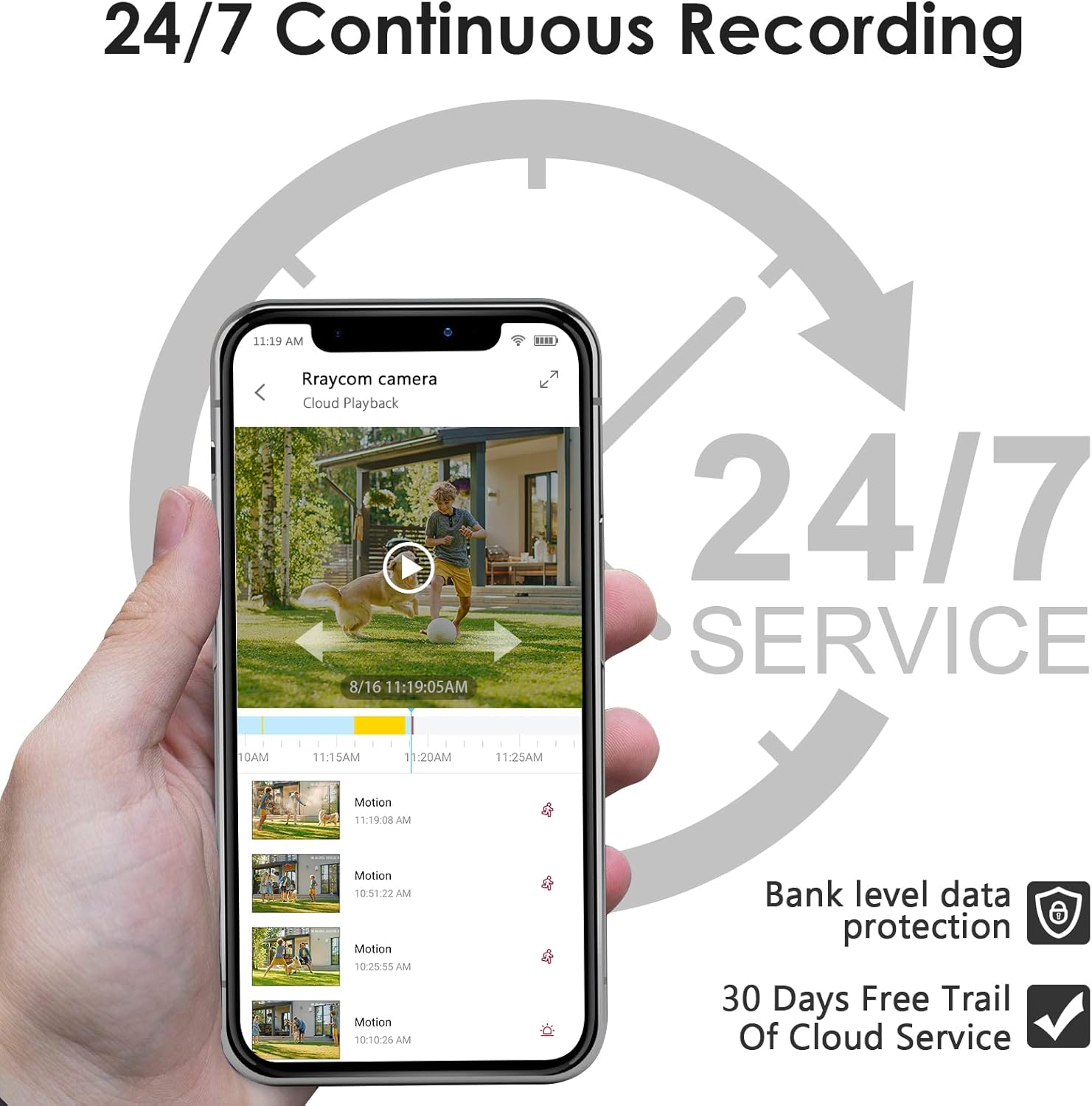
Image: A smartphone screen showing the meshare app interface with a live view of a camera feed and a timeline indicating 24/7 continuous recording and cloud playback options.

Image: A banner promoting 24/7 all-day protection with cloud storage, showing a timeline of recorded events.
Кыймылды аныктоо жана эскертүүлөр
The camera features AI-powered motion detection that can distinguish between people, animals, and vehicles. This helps in reducing false alerts. When motion is detected, the meshare app will send video clips to your device.
- Enable/Disable Alerts: Configure motion detection sensitivity and alert types within the app settings.
- Customized Activity Zones: Камеранын ичинде белгилүү бир аймактарды аныктаңыз view where motion detection should be active or ignored. This helps focus on critical areas and further reduce unwanted notifications.

Image: A smartphone displaying a motion detection alert from the meshare app, showing a person outlined in red, indicating detected activity.

Image: A graphic illustrating the AI Human Motion Detection feature, showing how the camera identifies and alerts for people and animals while ignoring vehicles, reducing false alarms.

Image: A diagram showing a lawn area divided into two zones, illustrating the "Customized Activity Zones" feature where users can define specific areas for motion detection.
Түнкү көрүнүш
The camera automatically switches to infrared night vision in low-light conditions, providing clear black and white footag66 футка чейин. Бул күнү-түнү үзгүлтүксүз мониторинг жүргүзүүнү камсыз кылат.

Image: A split image demonstrating the camera's 2K HD clarity during both day and night, highlighting its infrared night vision capabilities.

Image: A comparison of video quality, showing a 2K resolution image with clearer details (like a license plate) compared to a 1080P resolution image of the same scene.
Smart Home интеграциясы
The Rraycom camera is compatible with Amazon Alexa and Google Assistant. Link your meshare account to your smart home assistant to enable voice commands. For example, say "Alexa, show me the living room" to view the live feed on compatible devices like an Echo Show.

Image: A person preparing food in a kitchen, with a tablet displaying a live camera feed of a delivery truck, illustrating the use of voice commands with Alexa or Google Assistant.
Cloud Storage
The meshare app offers cloud storage for your recorded video clips. Upon detecting motion, video clips are sent to your app and stored securely in the cloud. A 30-day free trial of the 7-day cloud recording plan is included with your purchase. After the trial, a subscription is required to continue cloud services.

Image: A banner promoting cloud storage, highlighting a 7-day playback feature available for free during the first month, with a visual representation of cloud data storage.
Техникалык тейлөө
- Тазалоо: Камера линзасын жана корпусун жумшак, d менен акырын сүртүңүзamp кездеме. Катуу химиялык заттарды же абразивдүү материалдарды колдонуудан алыс болуңуз.
- Программалык камсыздоонун жаңыртуулары: Regularly check the meshare app for available firmware updates to ensure optimal performance and security.
- Кубат туташуу: Ensure the power cable and adapter are securely connected and protected from environmental elements, especially for outdoor installations.
- Wi-Fi туташуусу: Maintain a stable 2.4GHz Wi-Fi connection for uninterrupted operation.
Проблемаларды чечүү
| Көйгөй | Мүмкүн себеп | Чечим |
|---|---|---|
| Камера Wi-Fi'га туташпай жатат | Incorrect Wi-Fi password; Camera too far from router; Only 5GHz Wi-Fi available; Weak signal. |
|
| No video feed / Offline status | No power; Wi-Fi disconnected; App issue. |
|
| Көп кездешүүчү жалган кыймыл эскертүүлөрү | High sensitivity; Environmental factors (e.g., moving branches, insects). |
|
| Түнкү көрүү сапаты начар | Obstruction in front of lens; Infrared lights blocked. |
|
Техникалык шарттар
| Өзгөчөлүк | Деталь |
|---|---|
| Модель аты | ACT397 |
| Видео тартуунун резолюциясы | 3 МП (2К) |
| Ички/тышкы колдонуу | Ички, сырткы |
| Байланыш технологиясы | Зымсыз (Wi-Fi 2.4 ГГц) |
| Power Source | Зымдуу электр (5V DC, 5W) |
| Controller Type | Amazon Alexa, Google жардамчысы, колдонмо |
| Viewбурч | 130 градус |
| Түнкү көрүү диапазону | 30 фут |
| Эл аралык коргоо рейтинги | IP66 |
| Иштөө температурасы | -10°Cден 55°Cге чейин |
| Frame Rate | секундасына 15 кадр |
| Материал | Металл |
| Item Weight (per camera) | Болжол менен 0.8 фунт |
| UPC | 768490171326 |
Кепилдик жана колдоо
For warranty information and technical support, please refer to the Rraycom official website or contact their customer service directly. Details are typically provided on the product packaging or within the meshare application's help section.
Rraycom was founded in 2015, focusing on the design and research of intelligent security technology. They aim for customer satisfaction and home safety, with rigorous testing for each camera. Rraycom uses advanced encryption technology, and all data is securely stored locally, accessible only by you.
зыярат кылыңыз Rraycom Store on Amazon көбүрөөк өнүмдөр жана маалымат үчүн.


