Introduction
Thank you for choosing the MageGee GT860 96-Key Wired RGB Backlit Gaming Keyboard. This keyboard is designed for both gaming and daily use, featuring a compact layout, ergonomic design, and customizable RGB backlighting. This manual will guide you through the setup, operation, and maintenance of your new keyboard to ensure optimal performance and user experience.
Пакеттин мазмуну
- MageGee GT860 96-Key Wired RGB Backlit Gaming Keyboard
- User Manual
Продукт бүттүview
Баскычтоптун жайгашуусу
The MageGee GT860 features a 92% compact layout, retaining essential keys while offering a space-saving design. It includes a full numeric keypad and function keys.

Image: The MageGee GT860 keyboard showcasing its 96-key layout with RGB backlighting and black and yellow keycaps.

Сүрөт: деталдуу view of the standard 96-key layout with full RGB backlighting, highlighting the compact yet functional design.
Негизги өзгөчөлүктөрү
- 92% компакттуу жайгашуусу: Offers a balance between full functionality and a space-saving design.
- Механикалык сезими бар мембрана: Utilizes advanced imitation mechanical technology for a tactile typing experience.
- Эргономикалык дизайн: Key layout is engineered for comfortable use during extended periods, reducing fatigue.
- RGB жарыктандыруу: Features multiple lighting modes and colors, with adjustable brightness and breathing speed.
- Plug and Play: No drivers required for basic functionality.
- Кеңири шайкештик: Supports Windows 10, 8, 7, XP, VISTA, and Mac OS.
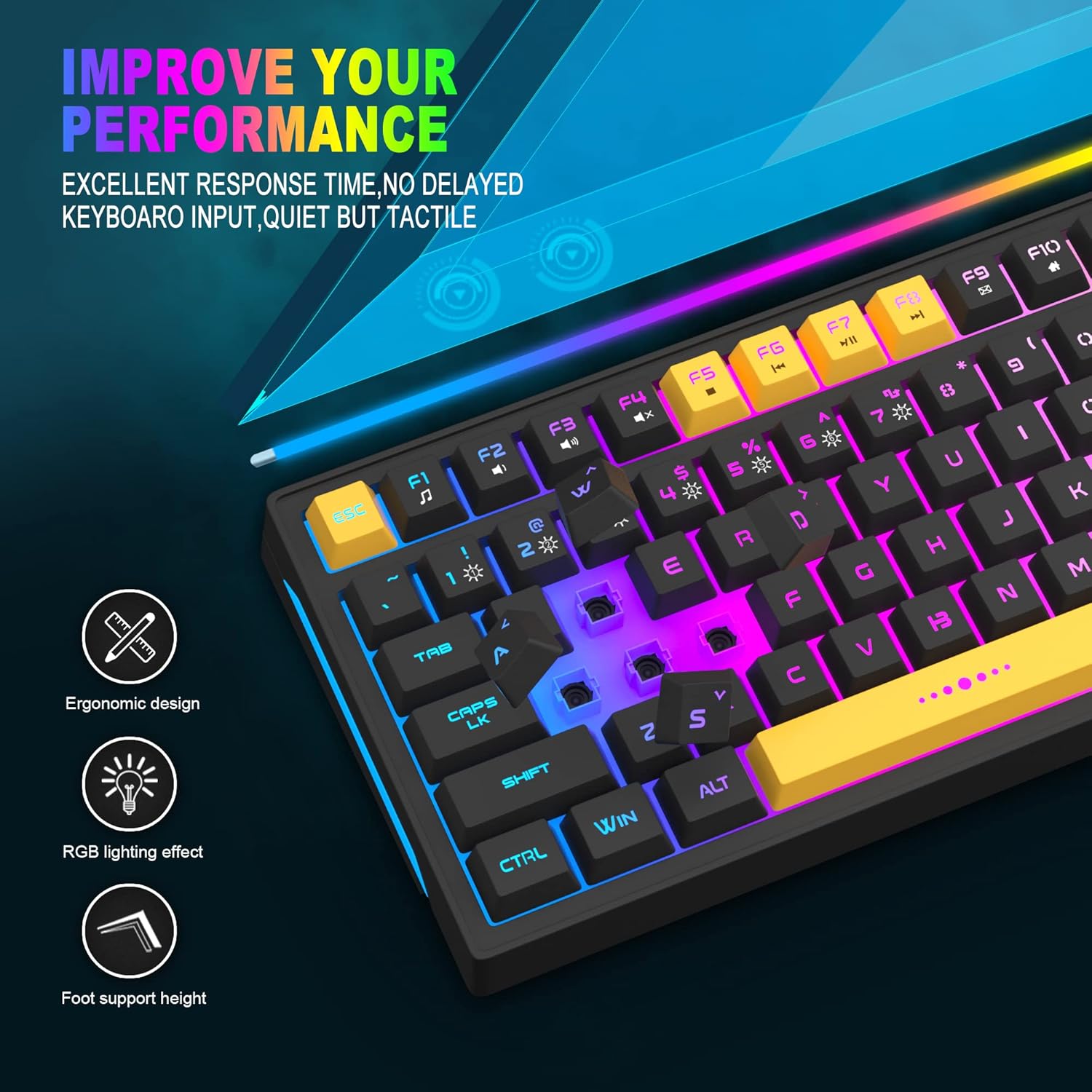
Image: Close-up showing the ergonomic design and RGB lighting effect of the keyboard, emphasizing comfort and visual appeal.

Сүрөт: бир тарап view of the keyboard illustrating its thoughtful ergonomic design with a 7-degree tilt for improved typing posture.
Орнотуу нускамалары
- Unpack the keyboard and ensure all package contents are present.
- Connect the USB cable from the keyboard to an available USB port on your computer.
- The keyboard is plug-and-play and should be automatically recognized by your operating system (Windows, Mac OS). No additional drivers are typically required for basic functionality.
- Once connected, the RGB backlighting will illuminate, indicating the keyboard is powered on and ready for use.
Иштөө нускамалары
RGB арткы жарыкты башкаруу
The MageGee GT860 keyboard features customizable RGB backlighting with various modes and effects.
- Жеңилдетилген режимдерди өзгөртүү: басыңыз FN key combined with keys 1 аркылуу 6 to cycle through different RGB lighting effects and colors.
- Жарыктыкты жөндөө: Use specific key combinations (refer to keyboard legends or experiment with FN + Arrow keys if not explicitly labeled) to increase or decrease backlight brightness.
- Дем алуу ылдамдыгын тууралоо: Some modes allow adjustment of the breathing or animation speed.

Image: The keyboard displaying various RGB backlit lighting modes, illustrating the range of color options available.

Image: A dynamic view клавиатура шоусунунasing its 18 RGB LED light effects, highlighting the vibrant backlighting.
Мультимедиа жана Функция баскычтары
The keyboard includes dedicated function keys (F1-F12) that can be accessed by pressing the FN каалаган F баскычы менен бир убакта басыңыз.
| Ачкыч айкалышы | Функция |
|---|---|
| FN + F1 | Медиа ойноткуч |
| FN + F2 | Үндү төмөндөтүү |
| FN + F3 | Үндү көтөрүү |
| FN + F4 | Үнсүз |
| FN + F5 | Мурунку трек |
| FN + F6 | Кийинки трек |
| FN + F7 | Ойнотуу/Тыныгуу |
| FN + F8 | Токто |
| FN + F9 | |
| FN + F10 | Башкы бет |
| FN + F11 | Scroll Lock |
| FN + F12 | Калькулятор |

Image: Diagram illustrating the various multimedia and function key combinations using the FN key (FN + F1-F12).
Техникалык тейлөө
To ensure the longevity and optimal performance of your MageGee GT860 keyboard, follow these maintenance guidelines:
- Тазалоо: Regularly clean the keyboard with a soft, dry cloth. For deeper cleaning, use compressed air to remove dust and debris from between the keys. A slightly damp cloth (not wet) can be used for keycap surfaces.
- Суюктуктардан алыс болуңуз: Клавиатурага суюктуктарды төкпөңүз. Эгерде төгүлүп кетсе, клавиатураны компьютериңизден дароо ажыратып, кайра туташтыруудан мурун аны толугу менен кургатуу керек.
- Сактагыч: Клавиатураны узак убакыт бою колдонбогондо, күндүн тике тийген нурунан жана экстремалдык температурадан алыс, салкын, кургак жерде сактаңыз.
- Кабельге кам көрүү: Ички зыян келтирбөө үчүн USB кабелин өтө ийип же бурап албаңыз.

Сүрөт: жакын план view of the keyboard with some keycaps removed, showing the underlying switches. This illustrates the internal structure for cleaning purposes.
Проблемаларды чечүү
If you encounter issues with your MageGee GT860 keyboard, please refer to the following common troubleshooting steps:
- Баскычтоп жооп бербейт:
- Ensure the USB cable is securely connected to both the keyboard and your computer's USB port.
- Баскычтопту компьютериңиздин башка USB портуна туташтырууга аракет кылыңыз.
- Көйгөй клавиатурада же тутумуңузда экенин аныктоо үчүн баскычтопту башка компьютерде сынап көрүңүз.
- Арткы жарык иштебейт же туура эмес:
- Verify that the keyboard is properly connected and receiving power.
- Cycle through the RGB lighting modes using FN + 1-6 to ensure a mode is selected.
- Adjust the brightness settings.
- Катталбаган ачкычтар:
- Clean the affected keys to remove any debris that might be obstructing the switch.
- Ensure no software conflicts are present (e.g., other keyboard drivers or gaming software).
- Күтүлбөгөн жүрүм-турум:
- Компьютериңизди өчүрүп күйгүзүңүз.
- If the issue persists, contact MageGee customer support for further assistance.
Техникалык шарттар
| Өзгөчөлүк | Деталь |
|---|---|
| Бренд | MageGee |
| Модел | GT860 |
| Макет | 96 баскыч (92% компакттуу) |
| Байланыш | Зымдуу USB |
| Арткы жарыктандыруу | RGB Backlit (Multiple modes) |
| Ачкыч түрү | Membrane with Mechanical Feeling |
| Эргономика | Эргономикалык дизайн |
| Шайкеш OS | Windows 10, 8, 7, XP, VISTA, Mac OS |
| Продукциянын өлчөмдөрү | 35.56 x 10.16 x 5.08 см (14 x 4 x 2 дюйм) |
| Салмагы | 744 г (1.64 фунт) |
| Тtage | 5 вольт |
| Түс | Кара сары |
Кепилдик жана колдоо
For warranty information or technical support, please refer to the documentation provided with your purchase or contact MageGee customer service directly. Contact details can typically be found on the manufacturer's official webсайтында же продуктунун таңгагында.
Сураныч, кепилдик дооматтар үчүн сатып алуу далилиңизди сактап коюңуз.


