1. Киришүү
The MARKLIFE P12 is a compact and portable Bluetooth label maker designed for efficient and convenient labeling in various environments, including home, office, and retail. Utilizing advanced thermal printing technology, it eliminates the need for ink or toner, providing clear, durable, and cost-effective labels. Its seamless Bluetooth connectivity allows for easy operation via a smartphone application, offering extensive customization options for text, fonts, and graphics.

Figure 1.1: MARKLIFE P12 Portable Bluetooth Label Maker. This compact device allows for easy label creation and printing directly from your smartphone.
2. Продукциянын өзгөчөлүктөрү
- Портативдик дизайн: Ultra-compact and lightweight (3.4 x 2.8 x 1.3 inches), making it easy to carry and use anywhere.
- Bluetooth байланышы: Connects wirelessly to your smartphone for convenient label design and printing.
- Термикалык басып чыгаруу технологиясы: No ink, toner, or ribbon required, reducing operational costs and environmental impact.
- Батареянын узак иштөө мөөнөтү: Equipped with a 1200 mAh lithium battery, providing up to 5 hours of continuous printing on a full charge.
- Adjustable Print Length: Supports both continuous and gap label paper, allowing for custom label lengths with an integrated cutter. Maximum print width is 12mm.
- Versatile App (Marklife APP): Offers guest mode (no registration needed), memory function for custom templates, and extensive customization options for text size, font, alignment, bolding, and line spacing.
- Туруктуу энбелгилер: Labels are waterproof, oil-resistant, tear-resistant, and leave no residue upon removal. Printed text can last up to 3 years.

Figure 2.1: Key features of the MARKLIFE P12, highlighting its compact size, built-in cutter, and thermal inkless printing technology.
3. Пакеттин мазмуну
Сураныч, кутудан чыгарганда пакеттин мазмунун текшерип, бардык буюмдар бар экенин текшериңиз:
- MARKLIFE P12 Label Maker
- USB заряддоо кабели
- 1 Roll of 15mm x 4.3m Label Paper
- User Manual

Figure 3.1: Standard package contents for the MARKLIFE P12 Label Maker.
4. Продукт бүтүп калдыview
Familiarize yourself with the different parts of your MARKLIFE P12 label maker:

Figure 4.1: ашыкview of the MARKLIFE P12 Mini Handheld Labeling Machine, illustrating its design and key functional areas.
- Кубат баскычы/Индикатор жарыгы: Turns the device on/off and indicates status.
- Энбелгиден чыгуу уячасы: Басылган этикеткалар пайда болгон жерде.
- Cutter Button: Used to manually cut the label paper.
- Кагаз отсеки: Houses the label paper roll.
- USB-C заряддоо порту: Аппаратты заряддоо үчүн.
5. Орнотуу колдонмосу
5.1 Аппаратты заряддоо
Before first use, fully charge the label maker. Connect the provided USB charging cable to the device's USB-C port and a compatible USB power adapter (not included). The indicator light will show charging status (e.g., red for charging, green for fully charged).

Figure 5.1: Charging the MARKLIFE P12. Ensure the device is fully charged before initial use for optimal performance.
5.2 Колдонмону орнотуу
The MARKLIFE P12 operates via a dedicated smartphone application. Издөө "Marklife" in your device's app store (App Store for iOS or Google Play Store for Android) and install it. Ensure your smartphone's Bluetooth is enabled.
5.3 Этикетка кагазын жүктөө
- Open the paper compartment cover of the label maker.
- Insert the label paper roll into the compartment, ensuring the printing side faces upwards and the leading edge extends slightly out of the slot.
- Close the cover firmly until it clicks into place.

Figure 5.2: Loading label paper into the MARKLIFE P12. Proper paper alignment is crucial for clear prints.
6. Иштөө нускамалары
6.1 Bluetooth аркылуу туташуу
- Turn on the MARKLIFE P12 by pressing and holding the power button until the indicator light illuminates.
- Open the Marklife APP on your smartphone.
- The app will automatically search for available devices. Select "P12" from the list to connect. The indicator light on the device will change (e.g., from blinking to solid blue) once connected.
6.2 Using the Marklife APP
The Marklife APP provides a user-friendly interface for designing and managing your labels.
- Текстти түзөтүү: Enter your desired text. Customize font, size, bolding, alignment, and line spacing.
- Templates & Graphics: Access a wide range of pre-designed templates, symbols, and borders to enhance your labels.
- Эстутум функциясы: Save frequently used label designs for quick reprinting.
- Конок режими: Create and print labels without needing to register or log in.

Figure 6.1: The Marklife APP interface, offering various customization tools for label design.

Figure 6.2: The Marklife APP provides over 600 combinations of templates, symbols, frames, and fonts for diverse label creation.
6.3 Этикеткаларды басып чыгаруу
Once your label design is complete in the app, tap the "Print" button. The label maker will print your design. The P12 supports two printing modes:
- Continuous Paper Printing: For labels of any custom length.
- Gap Paper Printing: For pre-cut labels with fixed lengths.
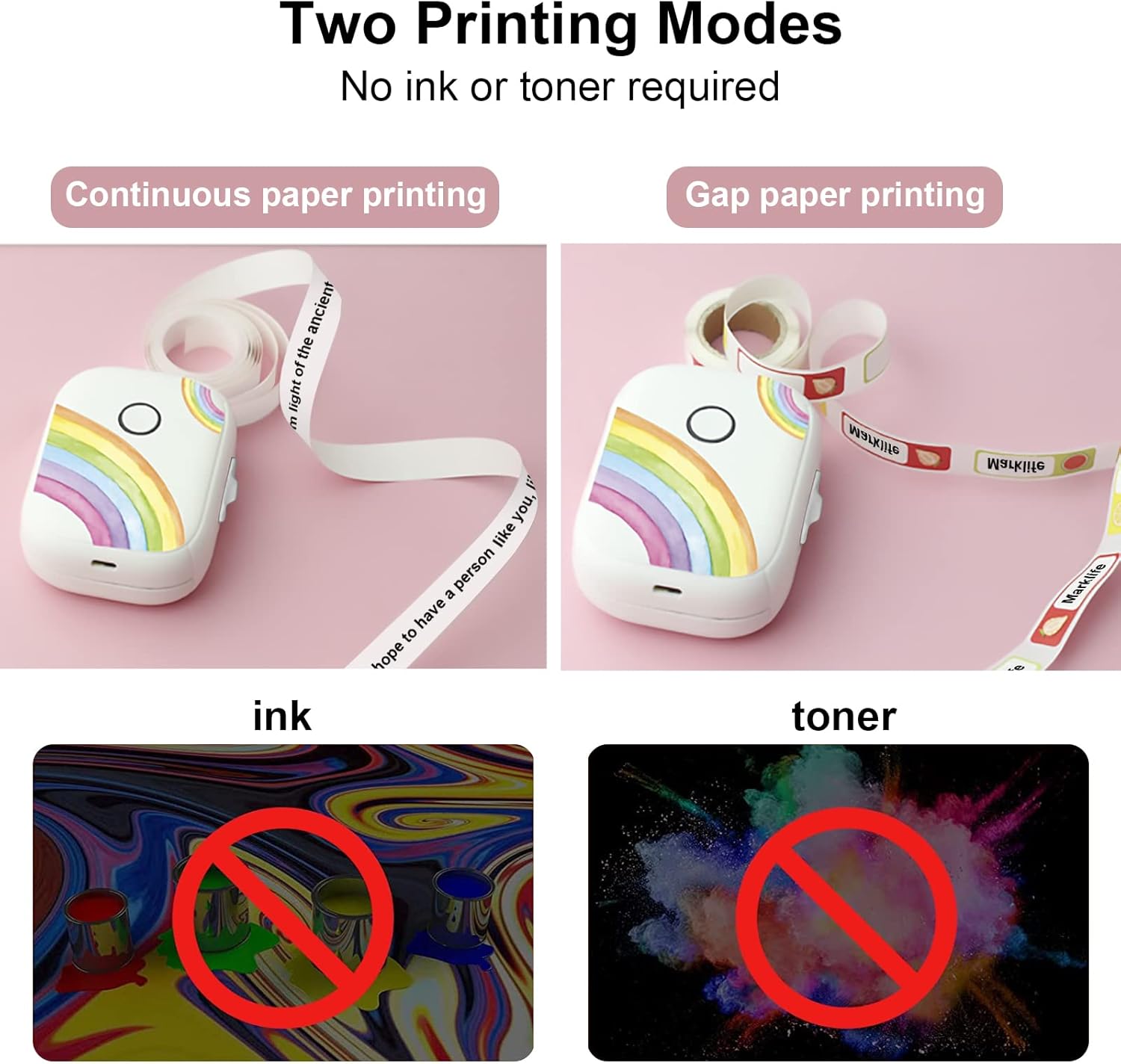
Figure 6.3: The P12 supports both continuous and gap paper printing modes, offering flexibility for various labeling needs.
6.4 Cutting Labels
After printing, use the integrated cutter to neatly separate your label from the roll. Press the cutter button firmly to achieve a clean cut.
7. Техникалык тейлөө
- Тазалоо: Use a soft, dry cloth to wipe the exterior of the label maker. Do not use abrasive cleaners or solvents.
- Басма башына кам көрүү: If print quality degrades, gently clean the thermal print head with an alcohol swab. Ensure the device is off and cool before cleaning.
- Сактагыч: Этикетка жасоочу каражатты салкын, кургак жерде, күндүн түз нурунан жана өтө жогорку температурадан алыс сактаңыз.
8. Кыйынчылыктарды
| Көйгөй | Мүмкүн себеп | Чечим |
|---|---|---|
| Түзмөк күйбөйт | Батареянын аздыгы; Аппараттын бузулушу | Charge the device; Contact support if issue persists |
| Bluetooth аркылуу туташуу мүмкүн эмес | Bluetooth off on phone; Device not discoverable; App issue | Ensure Bluetooth is on; Restart device and app; Reinstall app |
| Басып чыгаруу сапаты начар / Бош этикеткалар | Incorrect paper loading; Dirty print head; Low battery | Reload paper correctly (printing side up); Clean print head; Charge device |
| Кагаз тыгылышы | Improper paper loading; Foreign object | Open cover, remove jammed paper carefully; Ensure paper is loaded smoothly |
| Labels not cutting properly | Cutter blade dull or obstructed | Ensure no paper scraps obstruct cutter; Contact support if blade is dull |
9. Техникалык шарттар
| Өзгөчөлүк | Деталь |
|---|---|
| Модель номери | P50 |
| Басма технологиясы | Термикалык |
| Байланыш | Bluetooth |
| Max Print Width | 12 мм |
| Батарея сыйымдуулугу | 1200 мАч |
| Өлчөмдөрү (L x W x Y) | 30 x 50 x 100 мм (болжол менен 1.2 x 2.0 x 3.9 дюйм) |
| Шайкеш түзмөктөр | Smartphones (iOS & Android) |
| Басып чыгаруу ылдамдыгы | Up to 30 pages per minute (monochrome) |
10. Кепилдик жана колдоо
For warranty information and technical support, please refer to the contact details provided on the product packaging or the official MARKLIFE webсайт. Сатып алуу квитанциясын кепилдик дооматтары үчүн сатып алуунун далили катары сактаңыз.


