Introduction
The AOLION Stereo Headset Adapter is designed to enhance your gaming experience on Xbox One controllers. This adapter allows you to connect most wired stereo gaming headsets with a 3.5mm audio jack (CTIA plug standard) directly to your Xbox controller, providing convenient control over game sound and voice chat.
Пакеттин мазмуну
- 1 × AOLION Stereo Headset Adapter
- 1 × User's Manual
Продукт бүттүview
The adapter features intuitive controls for managing your audio experience during gameplay.

Сүрөт 1: Алдыңкы view of the headset adapter showing control buttons.
- Game Balance Button: Adjusts the balance towards game audio.
- Chat Balance Button: Adjusts the balance towards voice chat audio.
- Микрофондун үнүн басуу баскычы: Микрофонду күйгүзөт/өчүрөт.
- Үнүн жогорулатуу баскычы: Increases overall volume.
- Үнүн төмөндөтүү баскычы: Decreases overall volume.
- 3.5 мм аудио уячасы: For connecting your stereo gaming headset.
- USB туташтыргычы: For connecting to the Xbox controller.
Шайкештик
This headset adapter is compatible with a wide range of Xbox One controllers and stereo gaming headsets:
- Xbox Controllers: Xbox One, Xbox One S, Xbox One X, Xbox Elite Wireless Controller Series 1, Xbox Elite Wireless Controller Series 2, Xbox Series S, and Xbox Series X Controllers.
- Гарнитуралар: Most wired stereo gaming headsets featuring a 3.5mm audio jack (using the CTIA plug standard).

Figure 2: The adapter is compatible with multiple Xbox controller models.

Figure 3: The adapter supports standard 3.5mm CTIA headsets.
Жайгашуу
Setting up your AOLION Stereo Headset Adapter is a simple plug-and-play process.
- Connect the Adapter to the Controller: Align the USB connector of the headset adapter with the expansion port at the bottom of your Xbox controller. Gently push until it clicks securely into place.
- Гарнитураңызды туташтырыңыз: Plug your wired stereo gaming headset's 3.5mm audio jack into the corresponding port on the bottom of the headset adapter.
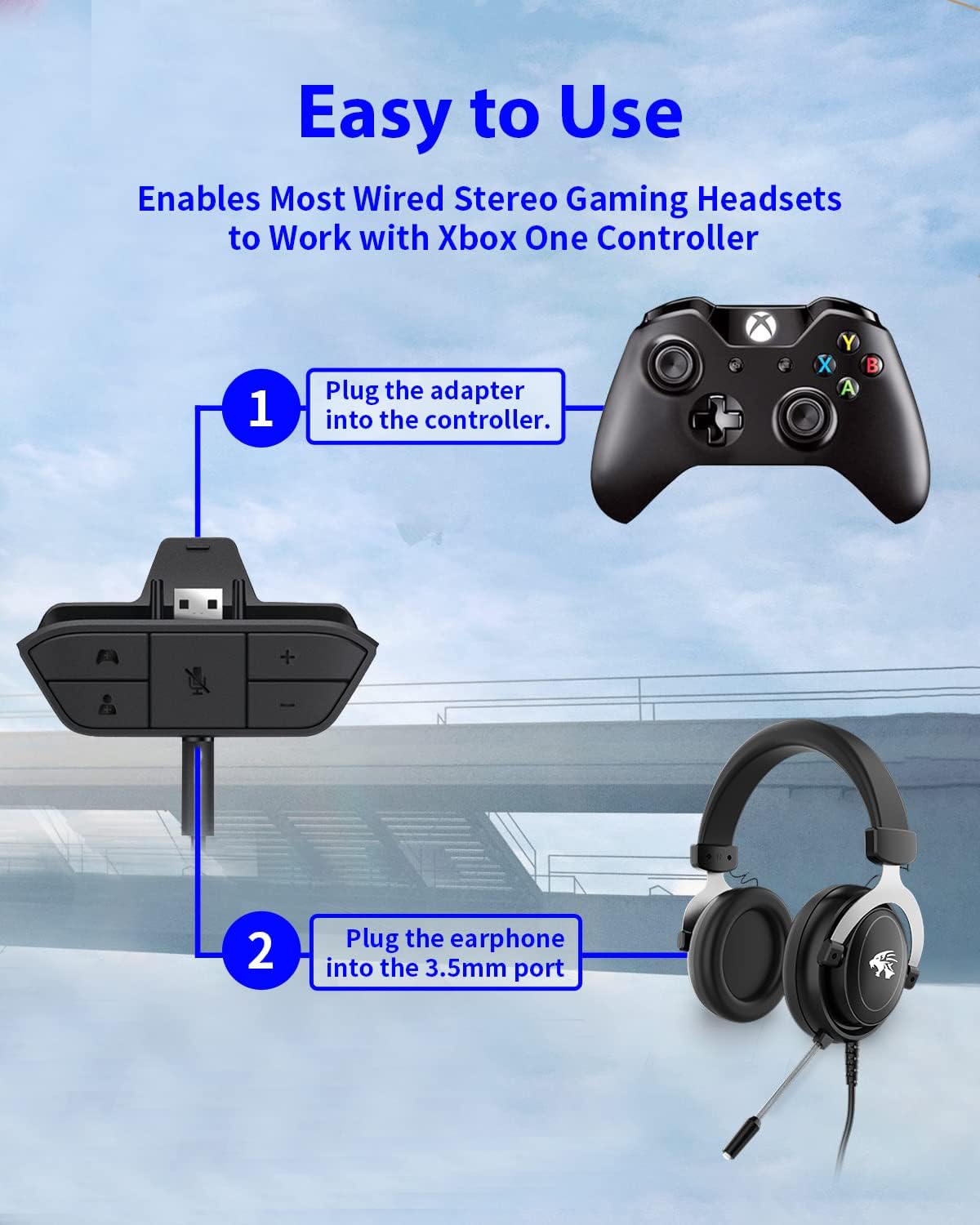
Figure 4: Step-by-step connection guide for the headset adapter.
Video 1: Demonstration of connecting the headset adapter to an Xbox controller.
Маанилүү эскертүү: For optimal performance and to resolve potential audio issues, it is recommended to update your Xbox controller's firmware after connecting the adapter. This can typically be done through your Xbox console's settings (Settings > Devices & connections > Accessories > Select your controller > ... > Controller settings > Update firmware).
Иштөө нускамалары
Once connected, use the buttons on the adapter to control your audio:
- Үндү жогорулатуу/төмөндөтүү (+/-): Press the '+' button to increase the overall volume of both game and chat audio. Press the '-' button to decrease it.
- Microphone Mute (Microphone Icon): Press this button to mute or unmute your microphone. An indicator light (if present) or on-screen notification may confirm the mute status.
- Game/Chat Balance (Controller Icon / Person Icon):
- басыңыз Controller icon button to increase game audio volume and decrease chat audio volume.
- басыңыз Адам сүрөтчөсү button to increase chat audio volume and decrease game audio volume.
5-сүрөт: Детальдуу view of the adapter's control buttons.
Техникалык тейлөө
To ensure the longevity and optimal performance of your headset adapter, follow these simple maintenance guidelines:
- Адаптерди таза жана чаңдан жана таштандылардан таза кармаңыз. Тазалоо үчүн жумшак, кургак чүпүрөктү колдонуңуз.
- Адаптерди экстремалдык температурага, нымдуулукка же тике күн нуруна тийгизүүдөн сактаңыз.
- Адаптерди өзүңүз чечүүгө же оңдоого аракет кылбаңыз, анткени бул кепилдикти жокко чыгарат.
- Адаптерди физикалык зыянга учуратпоо үчүн колдонулбаган учурда коопсуз жерде сактаңыз.
Проблемаларды чечүү
If you encounter issues with your AOLION Stereo Headset Adapter, please refer to the following common solutions:
| Көйгөй | Мүмкүн болгон себеп / Чечим |
|---|---|
| No audio or poor audio quality (buzzing, peaking) |
|
| Микрофон иштебей жатат |
|
| Game/Chat balance not working |
|
Бул кадамдарды жасагандан кийин көйгөй чечилбесе, кардарларды колдоо менен байланышыңыз.
Техникалык шарттар
| Өзгөчөлүк | Деталь |
|---|---|
| Модель номери | WGXB004005 |
| Бренд | АОЛИОН |
| Продукциянын өлчөмдөрү (L x W x Y) | 3.15 x 1.57 x 0.79 дюйм (8 x 4 x 2 см) |
| Түс | Кара |
| Туташтыргыч түрү | Auxiliary (3.5mm CTIA standard) |
| Шайкеш түзмөктөр | Xbox One, One S, One X, Elite 1, Elite 2, Series S, Series X Controllers; 3.5mm CTIA Stereo Headsets |
Кепилдик жана колдоо
AOLION stands behind the quality of its products. This Stereo Headset Adapter comes with:
- 60 күндүк акчаны кайтарып берүү кепилдиги: If you are not entirely satisfied with your purchase within 60 days, you may be eligible for a full refund.
- 24 айлык кепилдик: We provide a 24-month warranty against manufacturing defects from the date of purchase.
For any questions, concerns, or warranty claims, please contact us through Amazon. We are committed to responding to your inquiries within 12 hours to ensure your complete satisfaction.


