Introduction
Thank you for choosing the DAREU EK815 Wireless Mechanical Gaming Keyboard. This manual provides detailed instructions for setting up, operating, and maintaining your keyboard to ensure optimal performance and longevity. Please read this manual thoroughly before using the product.

Image: The DAREU EK815 keyboard integrated into a typical gaming workstation, showcasing its design and backlighting.
Пакеттин мазмуну
Пакетте бардык буюмдар бар экенин текшериңиз:
- DAREU EK815 Wireless Mechanical Gaming Keyboard
- Баскыч капкагын тарткыч
- Кепилдик картасы
- USB кабели (зымдуу туташуу жана кубаттоо үчүн)
Продукт өзгөчөлүктөрү
- Жөнгө салынуучу RGB жарыктандыруу: Customize your gaming atmosphere with various rainbow light effects and modes.
- Туруктуу курулуш: Features double-shot keycaps for enhanced durability and an aluminum alloy metal panel for resistance against rust, falls, sweat, and corrosion.
- Механикалык өчүргүчтөр: Available with Brown, Red, or Blue mechanical switches, tested for over 50 million keystrokes for long-lasting performance.
- Арбактарга каршы: Advanced anti-ghosting technology ensures simultaneous key presses are registered accurately without conflict, enhancing gaming precision.
- Программалануучу ачкычтар: Utilize a dedicated driver to customize key functions and lighting effects to suit your preferences.
- Multimedia Function Buttons: Quick access to essential operations, saving time during use.
Mechanical Switch Types
The DAREU EK815 keyboard is available with different mechanical switch types, each offering a distinct typing and gaming experience.
Brown Switches

Сүрөт: деталдуу view of a brown mechanical switch, highlighting its tactile bump and specifications like 4mm key stroke travel, 50±4G key elastic force, and 65 million keystroke life.
Brown switches offer a tactile bump without an audible click, providing feedback for typing and gaming without being overly loud.
Көк өчүргүчтөр

Сүрөт: деталдуу view of a blue mechanical switch, illustrating its clicky feedback mechanism and specifications.
Blue switches are known for their distinct tactile bump and audible click, providing clear feedback with each keypress.
Кызыл которгучтар

Сүрөт: деталдуу view of a red mechanical switch, showing its linear actuation and specifications.
Red switches are linear, meaning they have a smooth, consistent keystroke without a tactile bump or audible click, ideal for fast-paced gaming.
Жайгашуу
- Баскычтопту таңгактан чыгаруу: Баскычтопту жана бардык аксессуарларды таңгактан кылдаттык менен чыгарып алыңыз.
- USB аркылуу туташуу: Plug the USB cable into the keyboard's port and connect the other end to an available USB port on your computer. The keyboard will automatically install necessary drivers.
- Позициялоо: Place the keyboard on a stable, flat surface. Adjust the integrated foot pads for your preferred typing angle.
- Кабелдик башкаруу: Utilize the three cable routing outlets on the underside of the keyboard to manage the USB cable neatly.
Иштөө нускамалары
Негизги баскычтопту колдонуу
The DAREU EK815 functions as a standard mechanical keyboard. Simply connect it to your computer, and it will be ready for use. The anti-ghosting technology ensures that multiple key presses are registered accurately, which is beneficial for gaming.
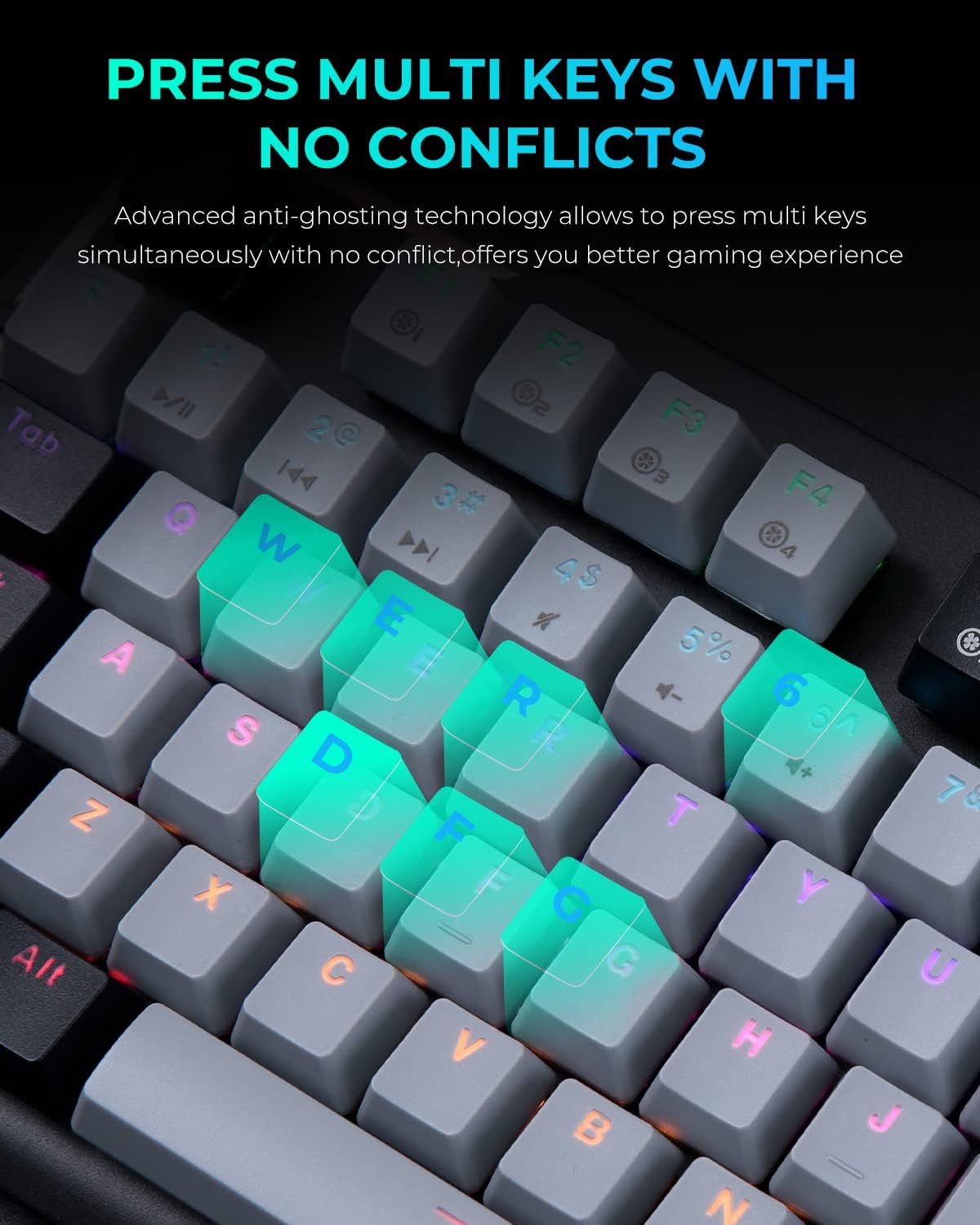
Image: A close-up of the keyboard with several keys (Q, W, E, R, D, F, G) illuminated, illustrating the anti-ghosting feature that allows simultaneous key presses without conflict.
RGB жарыкты тууралоо
The keyboard features multiple RGB lighting modes. Use the following shortcut keys to adjust the lighting effects:
- FN + F11: Cycle through various light modes.
- FN + PgUp / PgDn: Жарык ылдамдыгын тууралаңыз.
- FN + = / -: Жарыктуулук деңгээлин тууралаңыз.
- FN + Ins / Del: Adjust sidelight speed.
- FN + Үй: Toggle sidelight mode.

Image: The DAREU EK815 keyboard displaying its vibrant RGB flank rainbow backlighting, illustrating the customizable lighting effects.
Using Shortcut Keys and Programmable Functions
The keyboard features dedicated shortcut keys and programmable functions to enhance efficiency. Use the FN key in combination with other keys for quick access to multimedia controls and lighting adjustments.

Image: A visual guide detailing the shortcut key combinations (FN + F-keys, FN + PgUp/PgDn, etc.) for controlling lighting effects and other functions on the DAREU EK815 keyboard.
For advanced customization, download the official DAREU driver from the manufacturer's website. This software allows you to remap keys and create custom lighting profiles.
Техникалык тейлөө
- Тазалоо: Use a soft, dry cloth to wipe the keyboard surface. For deeper cleaning, use the provided keycap puller to remove keycaps and clean underneath with compressed air or a small brush.
- төгүлүүнү алдын алуу: While the keyboard features an aluminum alloy panel for durability, avoid exposing it to excessive liquids. In case of a spill, disconnect the keyboard immediately and allow it to dry completely before reconnecting.
- Сактагыч: Клавиатураны узак убакыт бою колдонбогондо, күндүн тике тийген нурунан жана экстремалдык температурадан алыс, салкын, кургак жерде сактаңыз.
Проблемаларды чечүү
- Баскычтоп жооп бербейт:
- USB кабели клавиатурага жана компьютерге бекем туташып турганын текшериңиз.
- Баскычтопту башка USB портуна туташтырууга аракет кылыңыз.
- Компьютериңизди өчүрүп күйгүзүңүз.
- Жарыктандыруу иштебей жатат/туура эмес:
- Check if the lighting is turned off or set to a very low brightness using the FN + = / - shortcuts.
- Cycle through different lighting modes using FN + F11.
- Ensure the keyboard's software (if installed) is up to date and correctly configured.
- Катталбаган ачкычтар:
- Clean the affected keycap and switch area for any debris.
- If using custom key bindings, reset them to default via the keyboard software.
Техникалык шарттар
| Продукциянын өлчөмдөрү | 17.72 x 5.51 x 1.57 дюйм |
| Элемент Салмагы | 2.29 фунт |
| Элемент моделинин номери | EK815 |
| Байланыш технологиясы | USB |
| Keyboard Description | Механикалык |
| Сунушталган Колдонуулар | Оюн, кеңсе |
| Өзгөчөлүктөр | Backlit, Customizable Display Keys, Ergonomic, RGB, Water Resistant |
| Баскычтоптун арткы жарыктандыруу түсүн колдоо | RGB |
| Материал | Алюминий |
Кепилдик жана колдоо
DAREU EK815 механикалык оюн клавиатурасы төмөнкүлөр менен келет 1 жылдык кепилдик сатып алынган күндөн тартып. Бул кепилдик өндүрүштөгү кемчиликтерди камтыйт жана продукттун сапат стандарттарына жооп берерин камсыздайт.
If you encounter any quality issues or require technical assistance within the warranty period, please contact DAREU customer support. Refer to the warranty card included in your package for specific contact details and warranty terms.
For the latest drivers and support information, please visit the official DAREU webсайт.


