1. Киришүү
Thank you for choosing the Bsimb 17 Inch Large Digital Picture Frame. This frame offers a vibrant 1920x1200 IPS touchscreen display, dual-band Wi-Fi connectivity, and 64GB of internal storage, allowing you to easily share and display your cherished photos and videos. This manual provides detailed instructions to help you set up, operate, and maintain your digital picture frame.

The Bsimb 17 Inch Large Digital Picture Frame, showcasing its large display, remote control, and smartphone app integration.
2. Кутуда эмне бар
- Bsimb 17 Inch Digital Picture Frame
- Кубаттуу адаптер
- Алыстан башкаруу
- User Manual
- Quick Start Guide
3. Орнотуу колдонмосу
3.1 Initial Power On and Physical Setup
Connect the power adapter to the frame and a power outlet. The frame will automatically power on. You can choose to use the included stand for tabletop display or utilize the mounting hardware for wall installation. The frame supports both landscape and portrait orientations with auto-rotation.
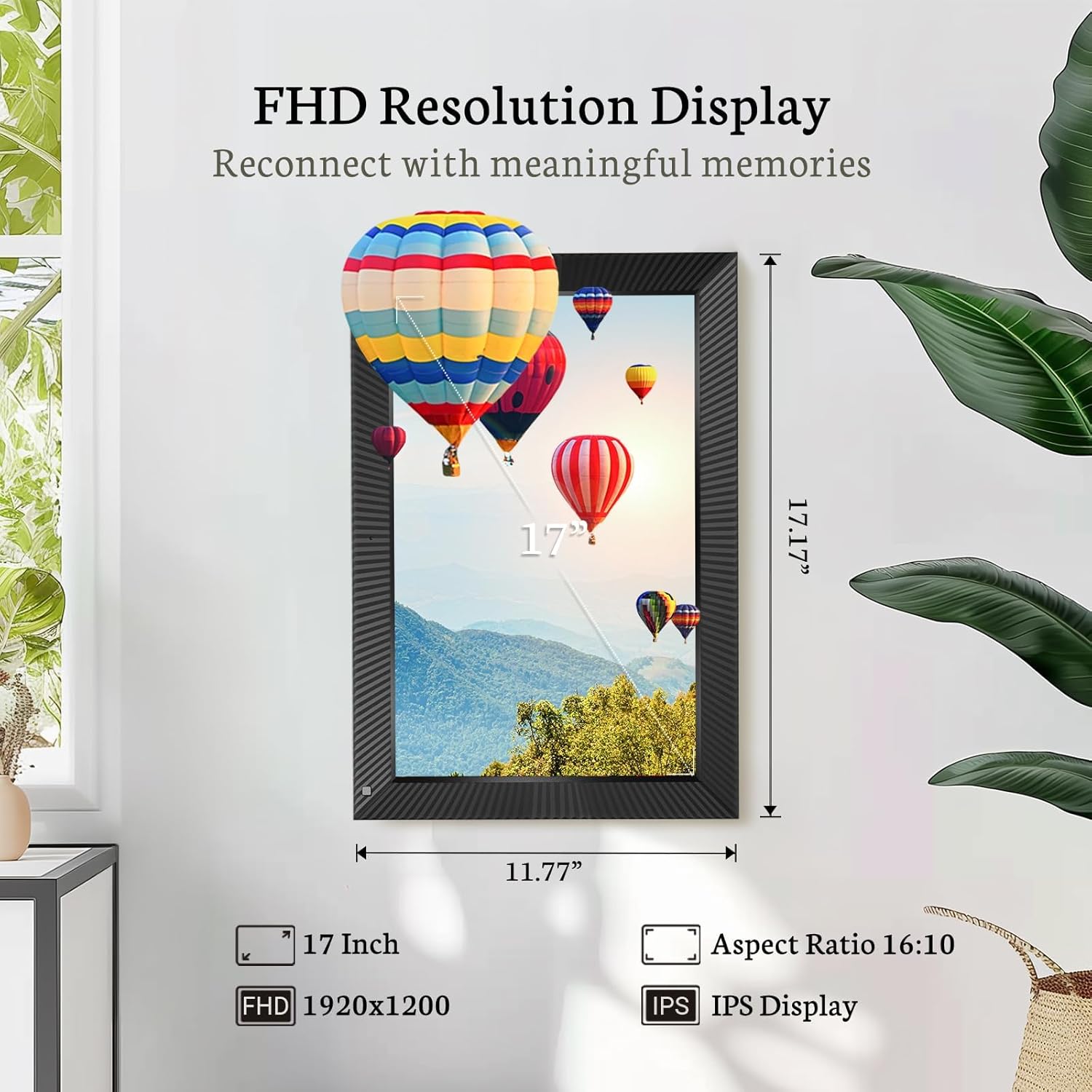
The 17-inch FHD IPS display offers a clear and wide viewтажрыйбасы.

The frame supports auto-rotation and can be wall-mounted for versatile placement.
3.2 Wi-Fi туташуусу
The frame supports both 2.4 GHz and 5 GHz dual-band Wi-Fi networks for stable and secure photo/video sharing. On the frame's touchscreen, navigate to the Wi-Fi settings and select your network. Enter the password to connect.

The frame supports both 2.4GHz and 5GHz Wi-Fi for secure and stable connections.
3.3 VPhoto App Download and Pairing
To fully utilize the frame's sharing features, download the VPhoto app from your smartphone's app store (available on iOS and Android). Once installed, open the app and create an account. Follow the on-screen prompts to pair your frame with the app, typically by scanning a QR code displayed on the frame's screen.

Follow these three steps to get started: download the Vphoto app, connect your frame, and upload photos.
3.4 Сүрөттөрдү жана видеолорду жүктөө
You can upload photos and videos to your frame using several methods:
- VPhoto App: Easily upload up to 50 photos at a time directly from your smartphone.
- Электрондук почта: Send photos and videos to your frame's unique email address.
- USB диск / SD карта: Insert a USB drive or SD card (up to 64GB) into the designated slots on the frame to transfer media.

Instant WiFi sharing of pictures and videos via the VPhoto app.

The frame features 64GB of internal storage, expandable via Micro SD card or USB drive.
3.5 Орнотуу бүттүview Video
Бул видеодо толук маалымат берилетview of the Bsimb 17-inch digital picture frame, including initial setup, Wi-Fi connection, and app pairing process.
4. Санариптик сүрөт алкагын иштетүү
4.1 Контролдоо ыкмалары
The Bsimb digital picture frame can be controlled via its responsive IPS touchscreen or the included remote control, offering convenience for all users.

Experience effortless control with both the touchscreen and remote control.
4.2 Слайдшоу жана дисплей жөндөөлөрү
Сиздин жекелештирүү viewing experience through the frame's settings:
- Жарыктык: Adjust the screen brightness to suit your environment.
- Көлөмү: Control the audio volume for videos and background music.
- Слайдшоу режими: Select various slideshow intervals and transition effects (e.g., random, fade, slide).
- Кыймыл сенсору: Enable or disable the motion sensor to automatically turn the screen on/off when presence is detected.
- Уйку режими: Set a schedule for the frame to enter sleep mode to conserve energy.
4.3 Diverse Personalized Functions
Beyond displaying photos, the frame includes multi-functionalities such as:
- Ойготкуч: Эстеткичтер үчүн ойготкучтарды коюу.
- Саат: Учурдагы убакытты көрсөтүү.
- Аба ырайы: Get local weather updates.
- Календар: View календарь.
- Видеону ойнотуу: Play uploaded video clips.
- Музыка ойнотуу: Play background music with your slideshows.

The frame offers diverse personalized functions including alarm, clock, video, and music playback.
4.4 Sharing with Family and Friends
The VPhoto app allows you to invite friends and family to share photos directly to your frame. Through the 'User Management' section in the frame's settings, you can add their email addresses. They will receive a special code to connect and share their own photos, creating a collaborative photo album for everyone to enjoy.
5. Техникалык тейлөө
Санарип сүрөт алкагыңыздын узак мөөнөттүү иштешин жана оптималдуу иштешин камсыз кылуу үчүн, төмөнкү техникалык тейлөө көрсөтмөлөрүн аткарыңыз:
- Экранды тазалоо: Экранды акырын сүртүү үчүн жумшак, түксүз чүпүрөктү колдонуңуз. өжөр тактар үчүн, бир аз гampчүпүрөккө суу же экранды тазалоо эритмеси. Катуу химиялык заттардан же абразивдүү материалдардан алыс болуңуз.
- Рамканы тазалоо: Раманын сыртын кургак, жумшак чүпүрөк менен сүртүңүз.
- Жайгашкан жери: Place the frame in a cool, dry environment away from direct sunlight, excessive heat, or moisture.
- Өчүрүү: If not in use for an extended period, unplug the power adapter.
6. Кыйынчылыктарды
If you encounter issues with your Bsimb Digital Picture Frame, refer to the following common solutions:
- Кадр күйгүзүлбөйт: Кубат адаптери рамкага жана иштеп жаткан розеткага бекем туташтырылганын текшериңиз.
- Wi-Fi туташуу маселелери: Verify your Wi-Fi password is correct. Ensure the frame is within range of your router. Try restarting your router and the frame.
- Сүрөттөр көрсөтүлбөй жатат: Check your internet connection. Ensure photos are uploaded correctly via the VPhoto app, email, or USB/SD card. Verify file форматтары колдоого алынат.
- Экран жооп бербейт: Try restarting the frame. If the issue persists, a factory data reset might be necessary (note: this will erase all data and settings).
- Сүрөттүн сапаты начар: Ensure the original photos are high resolution. Adjust the brightness settings on the frame.
- Заводдук дайындарды баштапкы абалга келтирүү: If severe issues persist, you can perform a factory data reset through the frame's settings. This will erase all apps and user data, restoring the device to its original state.
For further assistance, consult the 'Help' section within the frame's settings or the VPhoto app, or contact customer support.
7. Техникалык шарттар
| Өзгөчөлүк | Деталь |
|---|---|
| Продукциянын өлчөмдөрү | 17.16 x 11.77 x 0.99 дюйм |
| Элемент Салмагы | 6.59 фунт |
| ASIN | B09PYPDRTH |
| Элемент моделинин номери | W17D |
| Бренд | Bsimb |
| Түс | Кара |
| Резолюция | 1920x1200 (FHD) |
| Шайкеш түзмөктөр | Смартфон |
| Screen Size | 17 дюйм |
| Өндүрүүчү | ShenZhen IDWELL Technology Co.Ltd |
| Дата биринчи жеткиликтүү | 7-январь, 2022-жыл |
8. Кепилдик жана колдоо
Bsimb offers a 30-day money-back guarantee and a 1-year worry-free warranty for your digital picture frame. Our dedicated customer service team is available to assist you with any questions or concerns you may have regarding your product.
For support, please refer to the contact information provided in your Quick Start Guide or through the VPhoto app's help section.


