Introduction
This manual provides comprehensive instructions for the setup, operation, and maintenance of your Targus Ambidextrous Bluetooth Mouse (Model: PMB58102GL). This compact, multi-device wireless mouse offers dual-mode connectivity (2.4 GHz and Bluetooth 5.0) and is compatible with Windows and macOS. It also features Targus DefenseGuard Protection, an antimicrobial additive that helps prevent the growth of microorganisms on the mouse surface.
Продукт өзгөчөлүктөрү
- Эки тараптуу дизайн: The mouse features an oval, pebble-shaped design suitable for both left and right-handed users.
- Көп түзмөк байланышы: Connects to up to three devices using either 2.4 GHz wireless (via USB receiver) or Bluetooth 5.0.
- DefenseGuard Protection: Infused with an antimicrobial additive (Silver Phosphate Glass (nano-)) that works continuously to protect the mouse surface by inhibiting microbial growth. This protection does not wear off.
- Essential Controls: Equipped with three essential buttons for clicking, pointing, and scrolling.
- Кеңири шайкештик: Windows жана macOS операциялык системалары менен толук шайкеш келет.
Жайгашуу
Пакеттин мазмуну
- Targus Ambidextrous Bluetooth Mouse (PMB58102GL)
- USB кабыл алгыч (чычкандын ичинде сакталат)
- AA Батарея (алдын ала орнотулган же камтылган)
- Quick Start Guide
Батарея орнотуу
- Чычкандын астыңкы бетинен батарея бөлүмүнүн капкагын табыңыз.
- Капкакты жылдырыңыз.
- Туура полярдуулукту (+/-) камсыз кылуу менен бир AA батареясын салыңыз.
- Батарея уясынын капкагын бекем жабыңыз.
Note: The USB receiver is typically stored inside the battery compartment for safekeeping.

Image: The underside of the Targus mouse, displaying the battery compartment, the power switch, and the multi-device pairing button.
Connecting via 2.4 GHz USB Receiver
- Remove the USB receiver from its storage slot inside the mouse.
- USB ресиверди компьютериңиздеги жеткиликтүү USB-A портуна сайыңыз.
- Төмөнкү жагындагы кубат баскычын колдонуп, чычканды күйгүзүңүз.
- Чычкан компьютериңизге автоматтык түрдө туташуу керек.
Сүрөт: бурчтуу view of the Targus mouse, with its small USB receiver placed beside it, illustrating the 2.4 GHz wireless connection component.
Bluetooth 5.0 аркылуу туташууда
- Төмөнкү жагындагы кубат баскычын колдонуп, чычканды күйгүзүңүз.
- Press the multi-device pairing button on the underside of the mouse to select a Bluetooth channel (indicated by LED lights 1, 2, or 3).
- Press and hold the pairing button for 3-5 seconds until the selected LED light blinks rapidly, indicating pairing mode.
- On your computer (Windows or macOS), go to Bluetooth settings and search for new devices.
- Select "Targus Mouse" from the list of available devices to complete the pairing process.
Note: You can pair up to three devices (one via 2.4 GHz USB receiver, two via Bluetooth).
Иштөө нускамалары
Күйгүзүү/өчүрүү
Use the ON/OFF switch located on the underside of the mouse to power it on or off. Turning the mouse off when not in use conserves battery life.
Туташкан түзмөктөрдүн ортосунда которулуу
If you have paired the mouse with multiple devices, press the multi-device pairing button on the underside of the mouse to cycle through the connected devices (channels 1, 2, and 3). The corresponding LED light will indicate the currently active channel.
Чычкандын негизги функциялары
- Сол чыкылдатуу: Негизги тандоо жана активдештирүү.
- Оң чыкылдатуу: Контексттик менюларга жетет.
- Жылдыруу дөңгөлөгү: Scrolls content vertically. The scroll wheel also functions as a middle click button.

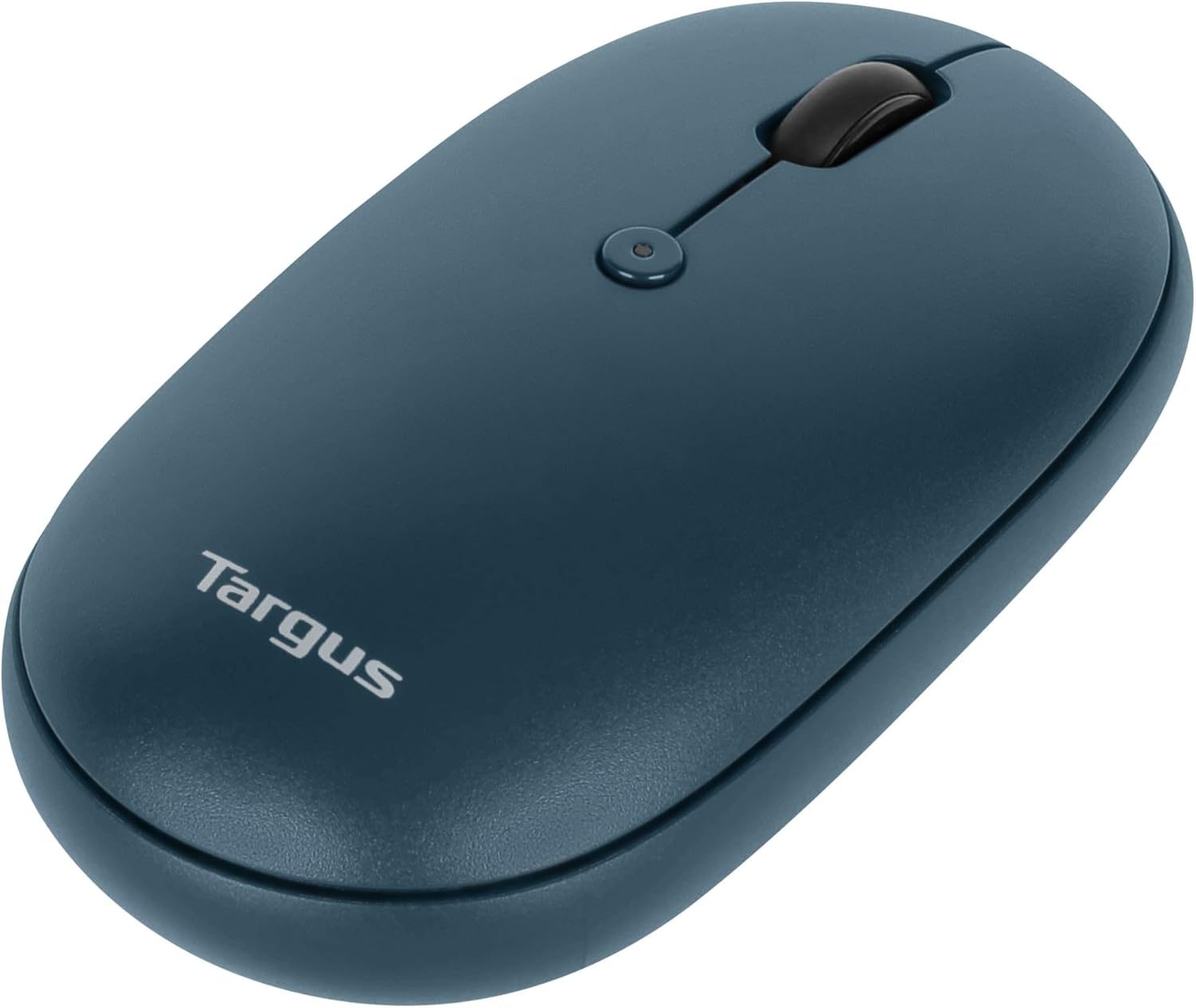
Сүрөт: жогорудан ылдыйга view of the Targus mouse, highlighting the left and right click buttons and the central scroll wheel.
DPI Adjustment (Scroll Speed)
The mouse features a button near the scroll wheel that allows you to adjust the DPI (Dots Per Inch) setting, which controls the cursor speed. Press this button to cycle through different sensitivity levels to match your preference.

Сүрөт: бурчтуу үстү view of the Targus mouse, clearly showing the small button located behind the scroll wheel, used for DPI adjustment.
Техникалык тейлөө
- Тазалоо: жумшак колдонуу, damp cloth to clean the exterior of the mouse. Avoid harsh chemicals or abrasive materials.
- Батареяны алмаштыруу: When the mouse performance degrades or the indicator light signals low battery, replace the AA battery as described in the "Battery Installation" section.
- Сактагыч: When not in use, store the USB receiver inside the mouse's battery compartment to prevent loss.
Проблемаларды чечүү
| Көйгөй | Чечим |
|---|---|
| Чычкан жооп бербей жатат. |
|
| үзгүлтүктүү байланыш. |
|
| Scroll wheel not working correctly. |
|
Техникалык шарттар
| Өзгөчөлүк | Деталь |
|---|---|
| Бренд | Таргус |
| Модель номери | PMB58102GL (also AUB09QC3P5LR) |
| Байланыш технологиясы | 2.4 GHz Wireless, Bluetooth 5.0 |
| Кыймылды аныктоо технологиясы | Оптикалык |
| Операциялык системанын шайкештиги | Windows, macOS |
| Power Source | Батарея менен иштейт (1x AA) |
| Элемент Салмагы | 5.3 унция |
| Пакеттин өлчөмдөрү | 7.28 x 6.22 x 2.52 дюйм |
| Түс | Көк |
| Микробго каршы коргоо | Targus DefenseGuard (Silver Phosphate Glass (nano-)) |
Расмий продукт Video
Видео: Аткаминерview of the Targus Compact Multi-Device Wireless Mice, demonstrating key features like multi-device connectivity and design.
Кепилдик жана колдоо
The Targus Ambidextrous Bluetooth Mouse (PMB58102GL) comes with a Чектелген 2 жылдык Кепилдик. This warranty covers specific parts and types of damage for computer keyboards, mice, and accessories. For detailed warranty information and support, please refer to the official Targus webсайтка же кардарларды тейлөөгө кайрылыңыз.
Кошумча жардам алуу үчүн, баш багыңыз Targus Store.