1. Киришүү
This manual provides detailed instructions for the safe and efficient use of your Avatar Controls AWP16L Smart Socket. Please read this manual thoroughly before operating the device and retain it for future reference. The AWP16L Smart Socket allows you to control connected appliances remotely, monitor energy consumption, and integrate with smart home systems.

Сүрөт 1.1: The Avatar Controls AWP16L Smart Socket and its accompanying mobile application interface, showing real-time energy usage data. The image displays four smart sockets, highlighting their compact design, alongside a smartphone screen indicating "Today (KWh) 1.68" and detailed current, power, voltage, and total KWh readings.
2. Коопсуздук маалыматы
- Аппаратты ажыратпаңыз же өзгөртпөңүз.
- Do not expose the device to water or humid environments.
- Ensure the connected appliance's power consumption does not exceed the smart socket's maximum rating (3680W, 16A).
- Балдар жетпеген жерде сактаңыз.
- Use only in dry, indoor locations.
3. Пакеттин мазмуну
- Avatar Controls AWP16L Smart Sockets (Quantity as purchased, e.g., 4 pcs)
- Колдонуучунун Колдонмосу (бул документ)
4. Орнотуу жана орнотуу
4.1 Колдонмону жүктөп алуу жана каттоо эсебин каттоо
- Download the "Avatar Controls" app from your smartphone's app store (iOS App Store or Google Play Store).
- Жаңы аккаунтка катталыңыз же сизде мурунтан эле бар болсо кириңиз.
4.2 Adding the Smart Socket
- Plug the Avatar Controls AWP16L Smart Socket into a standard wall outlet.
- Ensure your smartphone is connected to a 2.4 GHz Wi-Fi network. The smart socket does not support 5 GHz Wi-Fi.
- Open the Avatar Controls app. Tap the "+" icon in the top right corner to add a device.
- Түзмөктөр тизмесинен "Резетканы" же "Акылдуу сайгычты" тандаңыз.
- Follow the on-screen instructions to put the smart socket into pairing mode. This usually involves pressing and holding the power button on the socket until the indicator light blinks rapidly.
- Confirm the indicator light is blinking rapidly in the app.
- Wi-Fi тармагынын сыр сөзүн киргизиңиз.
- The app will connect to the smart socket. Once connected, you can rename the device for easier identification.
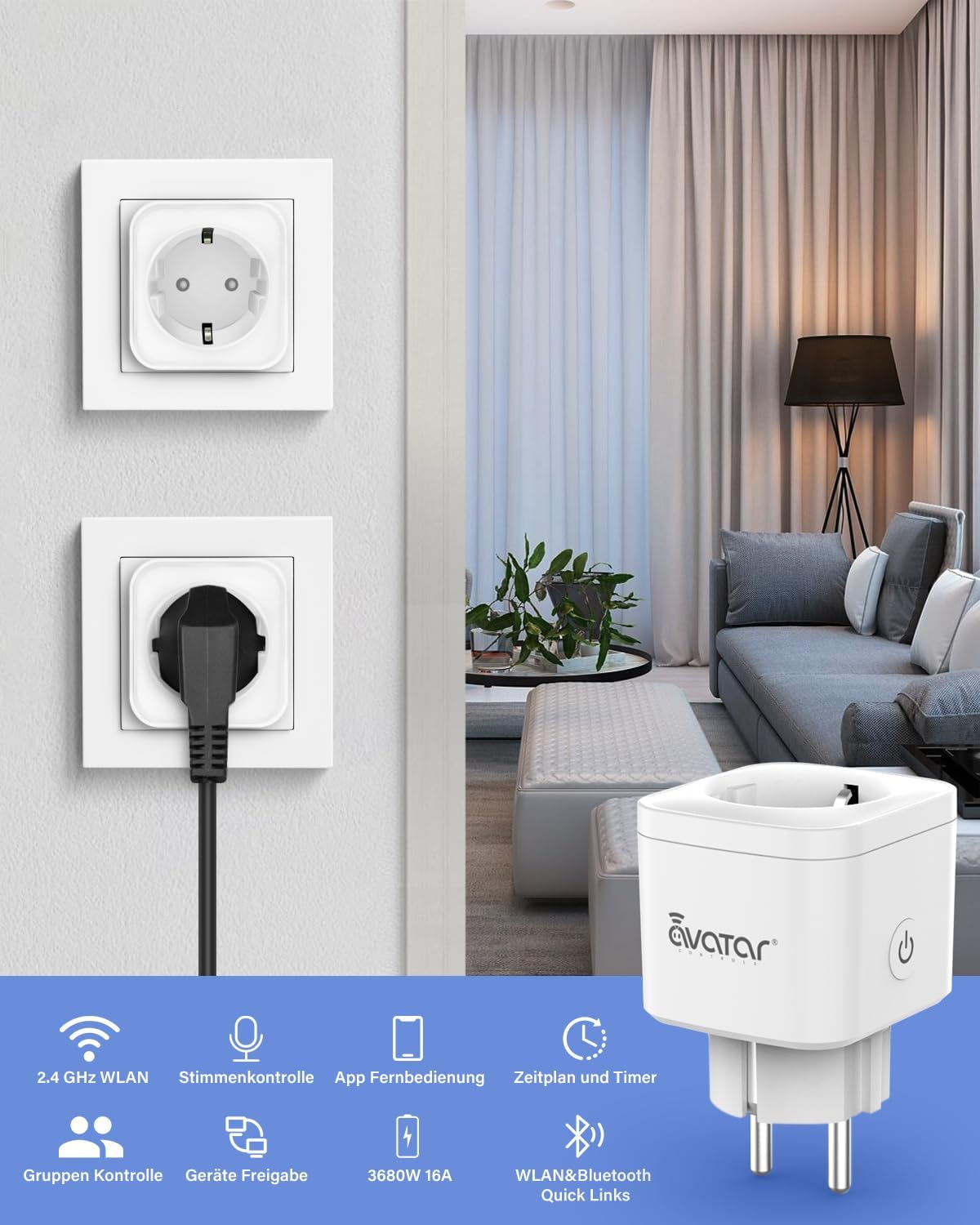
Сүрөт 4.1: A visual representation of the Avatar Controls AWP16L Smart Socket in use, highlighting its key features such as 2.4 GHz Wi-Fi connectivity, voice control, app remote control, scheduling, group control, device sharing, and its 3680W/16A capacity.
5. Иштөө нускамалары
5.1 Колдонмо аркылуу алыстан башкаруу
Once the smart socket is added to the app, you can turn connected devices on or off from anywhere using your smartphone. Simply tap the power icon next to the device name in the app.

Сүрөт 5.1: Demonstrates remote control capabilities, showing a user operating the smart plug from a car, and the smart plug controlling a home appliance (food steamer).
5.2 Пландаштыруу жана таймерлер
- Графиктер: Set specific times for the smart socket to turn on or off automatically. This is useful for daily routines, such as turning on a coffee maker in the morning or lights in the evening.
- Таймерлер: Set a countdown timer for a connected device to turn off after a specified duration.

Сүрөт 5.2: Illustrates the scheduling feature, showing a mobile app interface for setting daily schedules for appliances like a washing machine, and a countdown timer function for devices such as an oven.
5.3 Үн менен башкаруунун интеграциясы
The AWP16L Smart Socket is compatible with popular voice assistants. Follow the instructions in your smart assistant's app (e.g., Amazon Alexa, Google Home, Apple Siri Shortcuts, SmartThings) to link your Avatar Controls account and enable voice commands.
- Example Commands:
- "Алекса, конок бөлмөнү күйгүз"amp."
- "Эй, Google, желдеткичти өчүр."
- "Siri, activate kitchen plug."
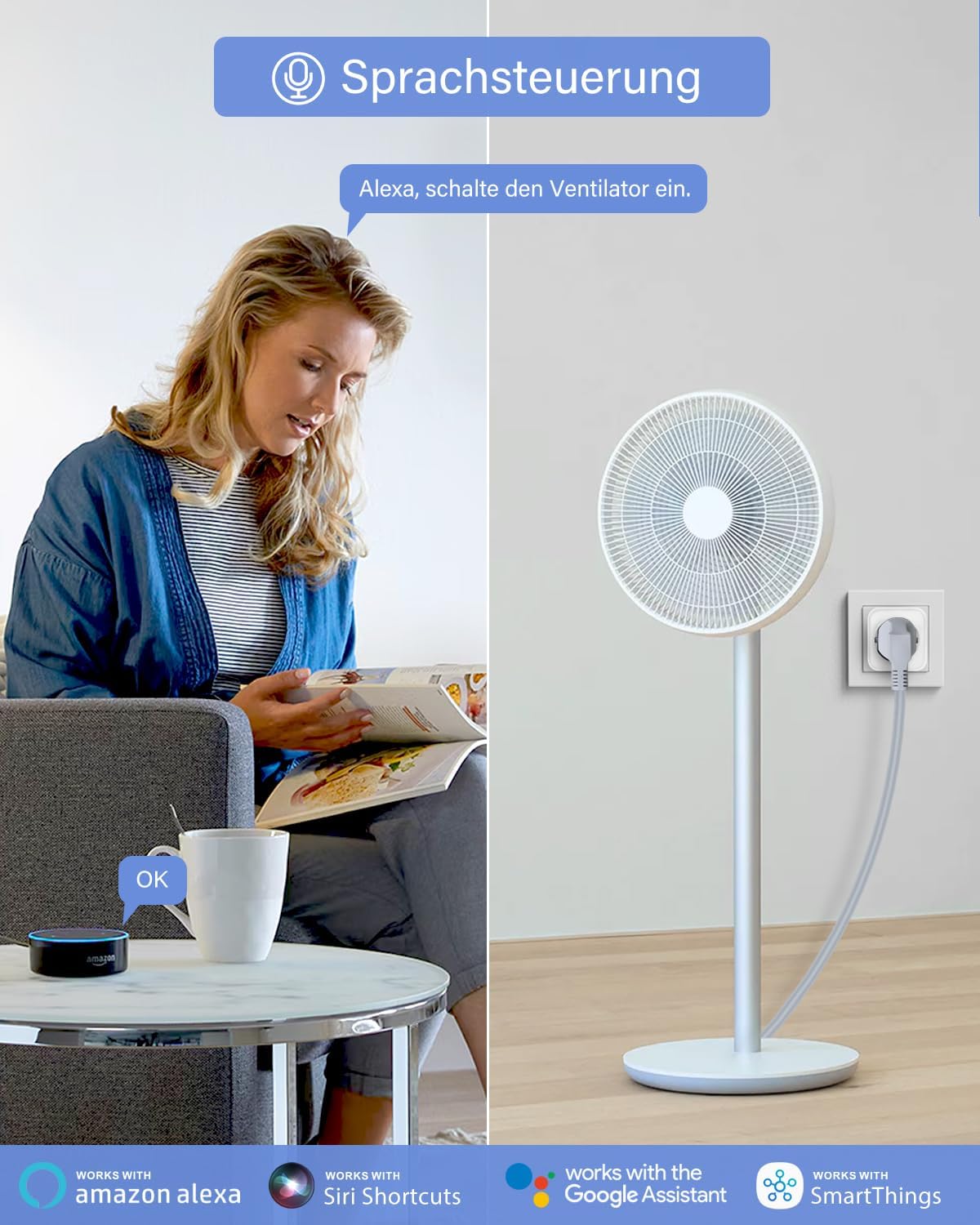
Сүрөт 5.3: Depicts voice control functionality, showing a user interacting with an Amazon Alexa device to control a fan connected to the smart plug.
5.4 Энергияны көзөмөлдөө
The smart socket provides real-time power consumption data for connected devices. View current (mA), power (W), voltage (V), and total kilowatt-hours (KWh) directly within the Avatar Controls app. This feature helps in understanding and managing energy usage.
5.5 Ашыкча жүктөн коргоо
The AWP16L Smart Socket is equipped with an overload protection feature. If the power consumption of the connected electrical equipment exceeds the maximum safe limit, the socket will automatically turn off to prevent damage to the appliance and the socket itself.
5.6 Group Control and Device Sharing
- Топтук көзөмөл: Group multiple smart sockets together in the app to control them simultaneously with a single command.
- Түзмөктү бөлүшүү: Share control of your smart sockets with family members or other authorized users through the app.

Сүрөт 5.4: Visualizes advanced features such as group control, where multiple devices in a home can be managed together, and device sharing, allowing multiple users to control the smart plugs via the app.
5.7 Absence Mode
Activate "Absence Mode" in the app to randomly turn connected lights or other devices on and off, simulating occupancy to deter potential intruders when you are away from home.
6. Техникалык тейлөө
- Clean the smart socket with a dry, soft cloth. Do not use liquid cleaners or aerosols.
- Ensure the socket is unplugged before cleaning.
- Regularly check for firmware updates through the Avatar Controls app to ensure optimal performance and security.
7. Кыйынчылыктарды
| Көйгөй | Мүмкүн себеп | Чечим |
|---|---|---|
| Түзмөк Wi-Fi'га туташа албайт. | Incorrect Wi-Fi password, 5 GHz network, weak signal, or incorrect pairing mode. |
|
| Smart socket is unresponsive. | No power, Wi-Fi disconnected, or app issue. |
|
| Үн башкаруу иштебейт. | Incorrect setup with voice assistant, device name mismatch. |
|
| Smart socket turns off unexpectedly. | Ашыкча жүктөн коргоо иштетилди. |
|
8. Техникалык шарттар
- Модел: AWP16L
- Өлчөмдөрү: 5.1 x 5.1 x 8.2 см
- Салмагы: 360 г
- Материал: Пластик
- Тtage: 230 вольт
- Учурдагы рейтинг: 16 Amps
- Максималдуу күч: 3680 Ватт
- Зымсыз туташуу: 2.4 GHz WLAN (Wi-Fi)
- Plug Format: F түрү
- Камтылган компоненттер: Smart Sockets (quantity varies by pack), User Manual
- Өндүрүүчү: Shenzhen Avatar Controls Co., Ltd
9. Кепилдик маалыматы
Avatar Controls products are designed and manufactured to the highest quality standards. For specific warranty details, please refer to the warranty card included with your purchase or visit the official Avatar Controls website. This warranty typically covers manufacturing defects under normal use conditions for a specified period from the date of purchase.
10. Кардарларды колдоо кызматы
If you encounter any issues or have questions regarding your Avatar Controls AWP16L Smart Socket, please contact our customer support team. You can find contact information on the official Avatar Controls website or through the support section of the Avatar Controls app.
- Онлайн колдоо: Visit www.avatarcontrols.com (мисampле шилтеме, чындыгын текшерүү webсайт)
- Электрондук почта колдоо: Продукциянын таңгагына же расмий маалыматка кайрылыңыз website for email contact.


