Introduction
Thank you for choosing the Corehan 7-inch Portable Bluetooth Car Stereo. This device is designed to enhance your driving experience by providing convenient access to your smartphone's features through a large, clear IPS touch screen. It supports Apple CarPlay, Android Auto, MirrorLink, Bluetooth, and FM transmission, ensuring a connected and enjoyable journey. Please read this manual thoroughly before use to ensure proper operation and to maximize the device's capabilities.
Коопсуздук маалыматы
- Түзмөктү ар дайым жоопкерчилик менен жана жергиликтүү жол кыймылынын эрежелерине ылайык иштетиңиз. Алаксытып айдоо кооптуу болушу мүмкүн.
- Аппаратты ажыратууга же өзгөртүүгө аракет кылбаңыз. Бул зыян келтирип, кепилдикти жокко чыгарышы мүмкүн.
- Аппаратты суудан, нымдан жана экстремалдык температурадан алыс кармаңыз.
- Ensure all cables are securely connected and do not obstruct your view же унааны башкаруу элементтери.
- Use only the provided accessories or those approved by Corehan.
Пакеттин мазмуну
Пакетте бардык буюмдар бар экенин текшериңиз:
- Corehan Portable Car Stereo x 1
- Mount (with Screw-nut) x 1
- Suction Bracket x 1
- Силикон Pad x 1
- Колдонуучунун колдонмосу x 1
- Power Cord (39 inches Length) x 1
- AV-IN Cable (with backup camera detection) x 1
- Car Charger (with one port QC 3.0 & the other port 5V/3A) x 1

Сүрөт 1: Камтылган аксессуарлар
Продукт бүттүview
The Corehan Portable Car Stereo features a 7-inch IPS touch screen for clear and vibrant visuals. It includes dual front speakers for audio output and dual internal microphones for voice commands and hands-free calling. A Type-C/5V power input port is located on the side, along with a back kickstand for standalone use.

Figure 2: Device Features and Ports

Figure 3: Microphone and Bluetooth Indicators
Жайгашуу
1. Аппаратты орнотуу
- Attach the mount to the back of the car stereo using the screw-nut.
- Secure the suction bracket to a clean, smooth surface on your dashboard or windshield. Ensure it does not obstruct your view же коопсуздук жаздыкчаларына тоскоол болот.
- тууралаңыз viewоптималдуу көрүү үчүн бурч.
2. Power Connection
Connect the provided power cord to the Type-C/5V power input on the device and plug the car charger into your vehicle's 12V power outlet.
3. Connecting to Car Audio (FM Transmitter)
To output audio through your car's speakers:
- On the portable car stereo, navigate to the FM Transmitter settings.
- Select an unused FM frequency (e.g., 87.5 MHz or 108.0 MHz).
- Унааңыздын FM радиосун дал ошол жыштыкка тууралаңыз.
- Audio from the portable stereo will now play through your car's sound system.
4-сүрөт: FM өткөргүчтү орнотуу
Иштөө нускамалары
1. Зымсыз Apple CarPlay & Android Auto
This device allows wireless access to your phone's applications for navigation, communication, and entertainment.
- Смартфонуңузда Bluetooth жана Wi-Fi иштетилгенин текшериңиз.
- On the car stereo, select the Apple CarPlay or Android Auto icon.
- Телефонуңузду жупташтыруу үчүн экрандагы көрсөтмөлөрдү аткарыңыз.
- Once connected, your phone's compatible apps will appear on the stereo screen.
- Use the push-button on the stereo to activate voice commands (Siri for Apple CarPlay, Google Assistant for Android Auto).

5-сүрөт: Apple CarPlay жана Android Auto интерфейси
2. MirrorLink Function
MirrorLink allows you to cast your smartphone's screen directly onto the car stereo's display.
- Connect your smartphone to the car stereo using a USB cable.
- On the car stereo, select the MirrorLink option.
- Экранды чагылдырууга уруксат берүү үчүн телефонуңуздагы бардык көрсөтмөлөрдү аткарыңыз.
- Your phone's screen will now be displayed on the stereo, offering a larger view.
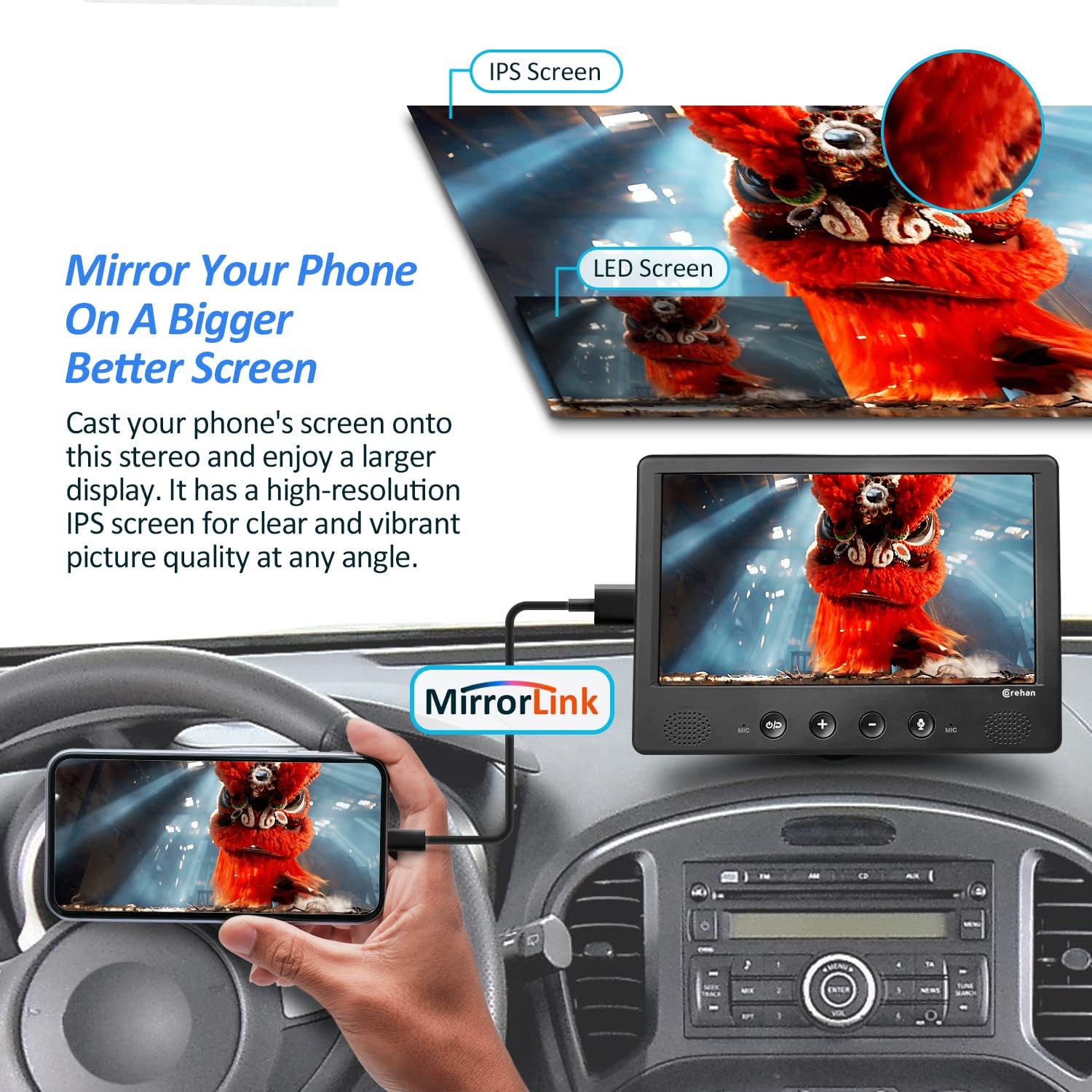
Figure 6: MirrorLink in Operation
3. Bluetooth байланышы
Колсуз чалуу жана аудио агымы үчүн телефонуңузду Bluetooth аркылуу жупташтырыңыз.
- Смартфонуңузда Bluetooth'ду иштетиңиз.
- On the car stereo, go to Bluetooth settings and search for available devices.
- Select the Corehan device from your phone's Bluetooth list to pair.
- Once paired, you can answer calls and play music through the stereo.
4. Камеранын резервдик дисплейи
The device supports displaying a backup camera feed for safer reversing.
- Connect a compatible backup camera (not included) to the AV-IN port using the provided AV-IN cable.
- Ensure the camera is properly installed and wired to your vehicle's reverse light circuit.
- When you shift your vehicle into reverse, the stereo will automatically display the camera feed.
Figure 7: Backup Camera Display
5. Outdoor Use with Power Bank
For use outside your vehicle, the stereo can be powered by a power bank.
- Prop the device on its back kickstand.
- Connect a power bank to the USB-C power input port using a compatible cable.
- You can then enjoy videos or music from your phone, USB drive, or SD card.
Figure 8: Outdoor Use with Power Bank
Техникалык тейлөө
- Экранды жумшак, мамыксыз чүпүрөк менен үзгүлтүксүз тазалап туруңуз. Абразивдүү тазалоочу каражаттарды же эриткичтерди колдонбоңуз.
- Аппаратты чаңдан жана таштандыдан алыс кармаңыз.
- Avoid exposing the device to direct sunlight for extended periods, especially in a parked car, as this can cause overheating.
- Ensure all connections are secure and free from damage.
Проблемаларды чечүү
| Көйгөй | Мүмкүн себеп | Чечим |
|---|---|---|
| Күч жок | Power cable not connected; Car charger not working; Vehicle's 12V outlet is off. | Check power cable connection; Ensure car charger is functional; Verify vehicle's 12V outlet is active. |
| Унаа динамиктеринен үн чыкпайт | FM transmitter not set up correctly; Car radio not tuned to the correct frequency; Volume too low. | Ensure FM transmitter frequency matches car radio; Increase volume on both devices. |
| Bluetooth байланышы көйгөйлөрү | Bluetooth not enabled on phone/stereo; Device not paired; Interference. | Enable Bluetooth on both devices; Re-pair the devices; Move away from other wireless devices. |
| CarPlay/Android Auto туташпай жатат | Wi-Fi/Bluetooth issues; Phone not compatible; Software glitch. | Ensure Wi-Fi and Bluetooth are on; Restart phone and stereo; Check phone compatibility. |
| Түзмөк токтоп калат же жооп бербей калат | Temporary software issue; Overheating. | Disconnect power, wait a few seconds, then reconnect; Ensure adequate ventilation. |
Техникалык шарттар
| Өзгөчөлүк | Деталь |
|---|---|
| Бренд | Корехан |
| Модель номери | CS-JD-PCP-3X |
| Продукциянын өлчөмдөрү | 17.53 x 14.99 x 2.03 см; 608 грамм |
| Байланыш технологиясы | Bluetooth |
| Controller Type | Android |
| Өзгөчөлүктөр | Built-in Bluetooth, Touch Screen, FM Tuner |
| Шайкеш түзмөктөр | iPhone жана Android |
| Туташтыргыч түрү | USB |
| Аудио чыгаруу режими | Стерео |
| Каналдардын саны | 4 |
| Колдоого алынган Интернет кызматтары | Spotify |
| Башкаруу ыкмасы | Тийүү, Үн |
Кепилдик жана колдоо
Corehan provides detailed installation instructions and video tutorials to assist with setting up your car stereo. For any issues or technical assistance, 7x24 hours after-sales technical support is available to help resolve installation and operation problems. Please refer to the contact information provided with your purchase for support.


