Introduction
Thank you for choosing the Shadowhawk High Lumens LED Flashlight, Model IT-S1915. This professional-grade, rechargeable, and waterproof flashlight is designed for various applications, from everyday use to emergency situations. This manual provides essential information for the safe and effective operation, maintenance, and troubleshooting of your new flashlight.
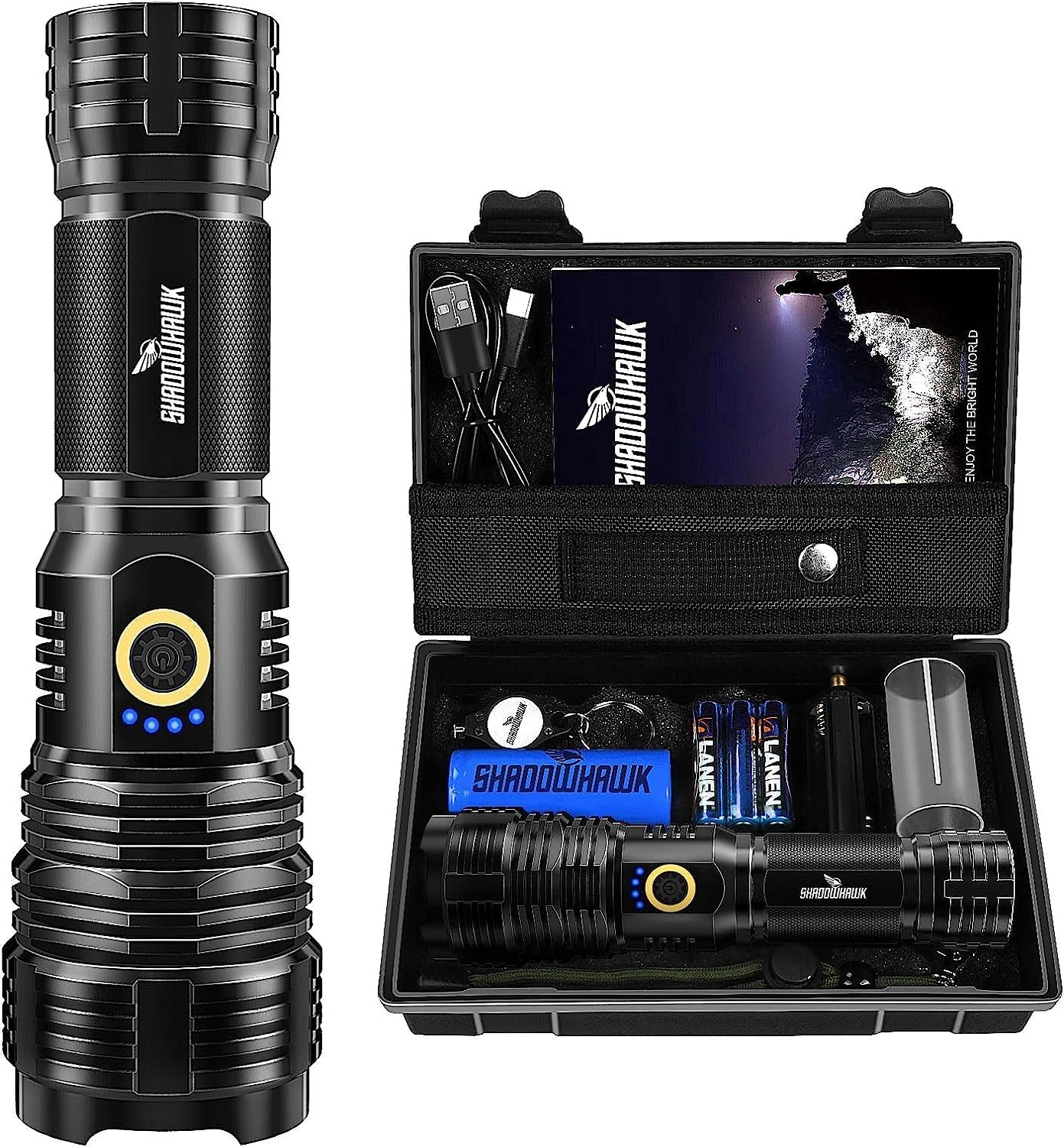
Image: The Shadowhawk High Lumens LED Flashlight alongside its protective carrying case, showcasing the product and its primary storage solution.
Коопсуздук маалыматы
Please read all safety instructions carefully before using the flashlight. Failure to follow these instructions may result in injury or damage to the product.
- ЭСКЕРТҮҮ: Do not shine the light directly on the eyes. The high lumen output can cause temporary vision impairment or permanent eye damage.
- Балдар жетпеген жерде сактаңыз.
- Do not disassemble the flashlight. This may void the warranty and could lead to electric shock or damage.
- Кол чыракты узак убакытка экстремалдык температурага же түз күндүн нуруна дуушар кылуудан алыс болуңуз.
- While the flashlight is waterproof (IP67 rated), it is not designed for prolonged immersion in water. Do not use for diving.
- Use only the specified batteries and charging cable.

Image: A close-up of the warning label found on the product's carrying case, emphasizing the critical safety instruction to avoid direct eye exposure to the light.
Пакеттин мазмуну
Upon opening your Shadowhawk High Lumens LED Flashlight package, you should find the following items:
- Shadowhawk High Lumens LED Flashlight (Model IT-S1915)
- 1 x 26700 Rechargeable Battery (6000 mAh)
- 3 x AAA батареялары
- 1 x AAA Battery Adapter
- 1 х USB-C кубаттоо кабели
- 1 x Tactical Pouch with Belt Attachment
- 1 х брелок
- 1 х Коргоочу баштык
- Колдонуучунун Колдонмосу (бул документ)
Сүрөт: An overview of the Shadowhawk flashlight and its included accessories, neatly arranged within its protective case, demonstrating the complete package contents.
Жайгашуу
Батарея орнотуу
Your Shadowhawk flashlight can be powered by either the included 26700 rechargeable battery or three AAA batteries using the provided adapter.
- Кол чырактын куйрук капкагын сааттын жебесине каршы буруп чечиңиз.
- 26700 Батарея үчүн: Insert the 26700 rechargeable battery with the positive (+) end facing towards the flashlight head (LED).
- AAA батареялары үчүн: Place three AAA batteries into the AAA battery adapter, ensuring correct polarity (+/-). Then, insert the adapter into the flashlight with the positive (+) end of the adapter facing towards the flashlight head (LED).
- Куйруктун капкагын сааттын жебеси боюнча кайра бекем орнотулганга чейин бураңыз.

Image: An exploded diagram of the flashlight, illustrating its internal components including the battery compartment, power switch, and LED assembly, aiding in understanding battery installation.
Кол чыракты заряддоо
The flashlight features a built-in USB-C charging port for convenient recharging of the 26700 battery.
- Locate the USB-C charging port on the side of the flashlight, usually protected by a rubber cover.
- Gently lift the rubber cover to expose the port.
- Connect the provided USB-C cable to the flashlight's port and the other end to a USB power source (e.g., wall adapter, power bank, computer USB port).
- The blue indicator lights on the flashlight will illuminate to show the charging progress. When all four lights are solid, the battery is fully charged.
- Once charging is complete, disconnect the cable and firmly press the rubber cover back into place to maintain water resistance.
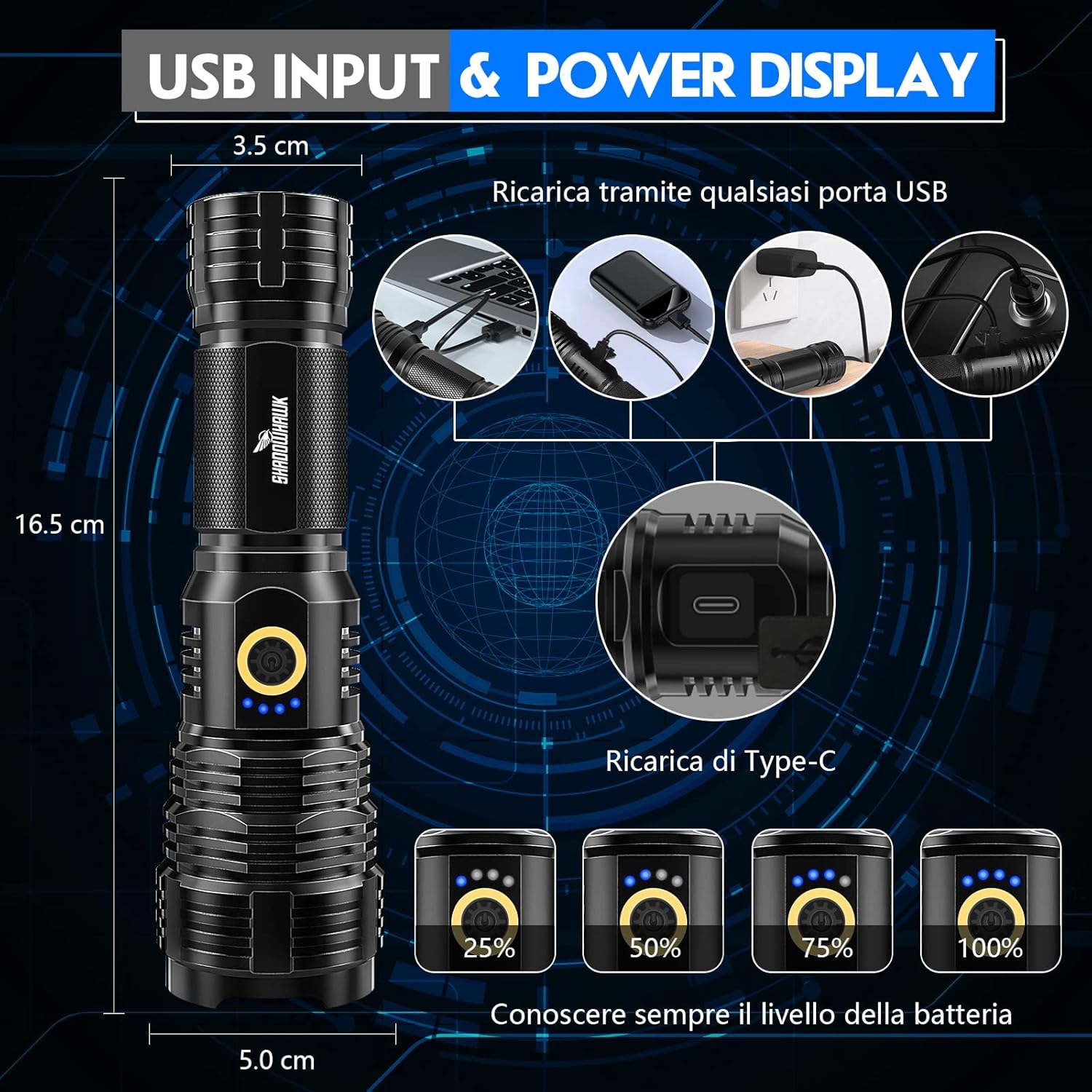
Image: A visual guide demonstrating the USB-C charging input and the four-segment power display, indicating battery charge levels (25%, 50%, 75%, 100%).
Иштөө нускамалары
Күйгүзүү/өчүрүү жана режимди тандоо
The flashlight features a single power button for controlling power and cycling through light modes.
- Күйгүзүү: Press the power button once. The flashlight will turn on in the last used mode (memory function).
- Цикл режимдерине: While the flashlight is on, press the power button repeatedly to cycle through the 5 available modes:
- Жогорку жарыктык
- Орто жарыктык
- Төмөн жарыктык
- Strobe (flashing light)
- SOS (Morse code signal)
- Өчүрүү: Кубат баскычын болжол менен 3 секунд басып туруңуз.

Image: A series of photographs illustrating the five distinct lighting modes of the Shadowhawk flashlight: High, Medium, Low, Strobe, and SOS, showing their visual effect.
Adjusting Focus (Telescopic Zoom)
The flashlight features a telescopic head that allows you to adjust the beam from a wide floodlight to a focused spotlight.
- To Widen the Beam (Floodlight): Gently push the head of the flashlight forward.
- To Narrow the Beam (Spotlight): Gently pull the head of the flashlight backward.

Image: A diagram illustrating the telescopic zoom capability of the flashlight, depicting how the beam can be adjusted from a wide floodlight to a concentrated spotlight.
Батарея деңгээлинин көрсөткүчү
The blue indicator lights near the power button provide an approximate indication of the remaining battery charge:
- 4 Lights: 75% - 100% charge
- 3 Lights: 50% - 75% charge
- 2 Lights: 25% - 50% charge
- 1 Light: Below 25% charge (recharge soon)
Техникалык тейлөө
- Тазалоо: Кол чыракты жумшак менен сүртүңүз, гamp кездеме. Абразивдүү тазалагычтарды же эриткичтерди колдонбоңуз.
- Батареяга кам көрүү: If the flashlight will not be used for an extended period, it is recommended to remove the battery to prevent leakage. Store batteries in a cool, dry place.
- Суу каршылык: Ensure the USB-C port cover and tail cap are securely closed to maintain the IP67 water resistance rating.
- Майлоо: Periodically apply a thin layer of silicone grease to the O-rings on the tail cap threads to ensure smooth operation and maintain water resistance.
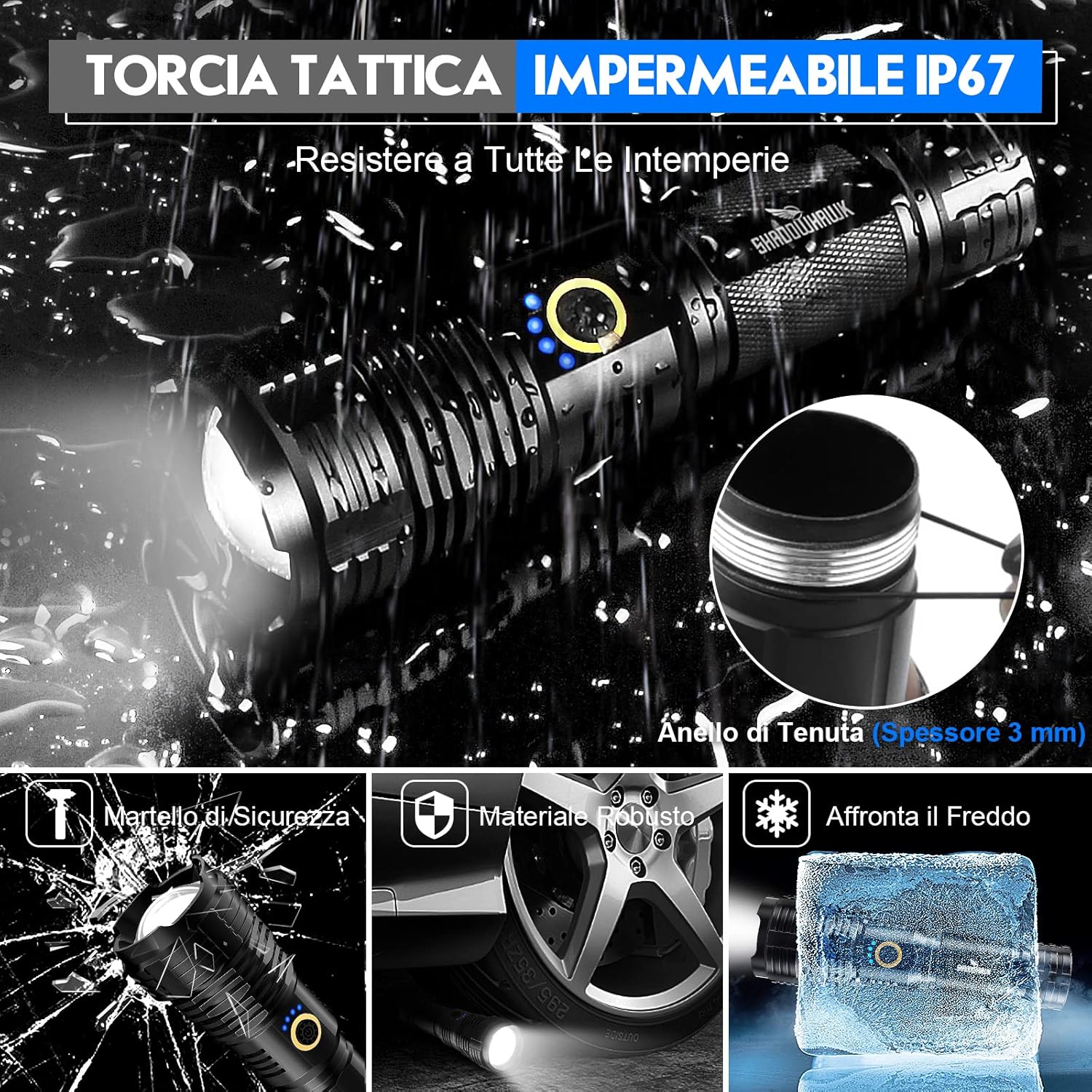
Image: A visual representation highlighting the IP67 waterproof rating of the tactical flashlight, including a detailed view of the 3mm thick sealing ring that ensures water resistance.
Проблемаларды чечүү
| Көйгөй | Мүмкүн себеп | Чечим |
|---|---|---|
| Кол чырак күйбөйт. | Батарея аз же өлүк. Батарея туура эмес салынган. Бошогон куйрук капкагы. | Батареяны кайра толтуруңуз же алмаштырыңыз. Батарейканын уюлдуулугун текшериңиз. Арткы капкакты бекем бекитиңиз. |
| Жарык күңүрт же бүлбүлдөп турат. | Батарея аз. Батарея менен терминалдардын байланышы начар. | Батареяны кайра заряддаңыз. Clean battery contacts and terminals. |
| Режимдерди өзгөртүү мүмкүн эмес. | Баскычтын иштебей калышы. | Ensure button is pressed firmly. If issue persists, contact support. |
| Заряддоо индикатору иштебей жатат. | Кубаттоочу кабель же кубат булагында көйгөй бар. Батарея толук заряддалган. | Башка USB-C кабелин же кубат булагын колдонуп көрүңүз. Check if battery is already full. |
Техникалык шарттар
| Өзгөчөлүк | Деталь |
|---|---|
| Модель номери | IT-S1915 |
| Бренд | Shadowhawk |
| Жарык булагы түрү | LED (XHP70.2 Chip) |
| Power Source | Battery Powered (1x 26700 rechargeable or 3x AAA) |
| Run Time | 12 саатка чейин |
| Материал | Aluminum (Aviation Grade) |
| Түс | Dark Black |
| Өзгөчө өзгөчөлүк | Waterproof (IP67), Telescopic Zoom, Power Display, Safety Hammer Function |
| Продукциянын өлчөмдөрү | 6.5 x 1.97 x 1.97 дюйм; 1.26 фунт |

Image: A night scene demonstrating the flashlight's super luminous output and long beam range, highlighting its powerful illumination capabilities with an updated XHP70.2 LED chip.
Кепилдик жана колдоо
Shadowhawk products are manufactured with high-quality materials and undergo strict quality control. For any questions, technical support, or warranty claims, please contact your retailer or the manufacturer directly.
Өндүрүүчү: Shadowhawk
Кепилдиктин конкреттүү шарттары жана шарттары үчүн сатып алуу документтериңизден караңыз.


