1. Киришүү
This manual provides comprehensive instructions for the Sena Outstar S helmet, a smart visor helmet equipped with Sena's communication technology. The Outstar S is ECE certified and designed for immediate use without complex installation. It offers practical functionalities for communication with other riders and smartphone connectivity for GPS directions, music, and calls.
The Sena Outstar S integrates Bluetooth 5.0 for seamless smartphone pairing and a 4-way Bluetooth intercom system with a range of up to 900 meters and a talk time of 12 hours. It also features an integrated retractable sun visor for enhanced riding comfort and safety.

Image: The Sena Outstar S helmet, showcasing its sleek design and integrated communication unit on the side, set against a scenic outdoor background.
2. Орнотуу
2.1 Алгачкы заряддоо
Before first use, fully charge the helmet's integrated battery. Connect the provided USB charging cable to the helmet's charging port and to a USB power source. The LED indicator will show charging status and turn off when fully charged. A full charge typically takes approximately 2.5 hours.
2.2 Bluetooth аркылуу смартфонду жупташтыруу
- Ensure the helmet is powered off.
- басып, кармап туруңуз Телефон баскычы for 5 seconds until the LED flashes red and blue, indicating pairing mode.
- Смартфонуңуздан Bluetooth жөндөөлөрүнө өтүп, жаңы түзмөктөрдү издеңиз.
- Select "Sena Outstar S" from the list of available devices.
- Эгер суралса, "0000" PIN кодун киргизиңиз.
- Жупташкандан кийин LED көк түстө күйөт.
2.3 Домофонду жупташтыруу (4 чабандеске чейин)
To establish a 4-way intercom connection, each helmet needs to be paired with the others. Follow these steps for each helmet:
- Эки каска тең күйгүзүлгөнүн текшериңиз.
- On the first helmet, press and hold the Домофон баскычы for 5 seconds until the LED flashes red.
- On the second helmet, repeat the same action.
- The helmets will automatically connect. The LED will turn blue on both helmets once connected.
- Repeat this process for additional helmets (up to 4 total) by pairing each new helmet with one of the already connected helmets.

Сүрөт: Фронталдык view of the Sena Outstar S helmet, showing the clear main visor in the open position and the integrated dark sun visor deployed.
3. Иштөө нускамалары
3.1 Күйгүзүү/өчүрүү
- Күйгүзүү: басып, кармап туруңуз Борбор баскычы жана Телефон баскычы 1 секундга.
- Өчүрүү: басып, кармап туруңуз Борбор баскычы жана Телефон баскычы 5 секундга.
3.2 Үндү башкаруу
- Көлөмү: айлантыңыз Jog Dial саат жебеси боюнча.
- Үнүн азайтуу: айлантыңыз Jog Dial сааттын жебесине каршы.
3.3 Музыканы ойнотуу
- Ойнотуу/тындыруу: басыңыз Борбор баскычы.
- Кийинки трек: басып, кармап туруңуз Борбор баскычы 2 секундга.
- Мурунку трек: басып, кармап туруңуз Телефон баскычы 2 секундга.
3.4 Телефон чалуулар
- Чакырууга жооп берүү: басыңыз Борбор баскычы.
- Чакырууну аяктоо: басып, кармап туруңуз Борбор баскычы 2 секундга.
- Чакырууну четке кагуу: басып, кармап туруңуз Телефон баскычы 2 секундга.
- Үн терүү: басыңыз Телефон баскычы.
3.5 Домофондук байланыш
- Домофонду баштоо/аяктоо: басыңыз Домофон баскычы.
- The intercom system allows for 4-way communication with a range of up to 900 meters in open terrain.
3.6 Тартылып алынуучу күндөн коргоочу
The integrated sun visor can be deployed or retracted using the lever located on the left side of the helmet. Push the lever down to deploy the sun visor and push it up to retract it.

Сүрөт: каптал view of the Sena Outstar S helmet, showing the clear main visor in the closed position, protecting the rider's face.
4. Техникалык тейлөө
4.1 Helmet Cleaning
- Сырткы: жумшак колдонуу, damp cloth with mild soap and water. Avoid abrasive cleaners or solvents.
- Ички төшөө: Removable padding can be hand-washed with mild soap and water. Allow to air dry completely before reinserting.
- Көз айнектер: Clean with a soft cloth and clean water. Specialized visor cleaning solutions can be used. Do not use harsh chemicals.
4.2 Батареяга кам көрүү
- Батареянын иштөө мөөнөтүн сактоо үчүн, көп колдонулбаса да, аны үзгүлтүксүз кубаттап туруңуз.
- Avoid storing the helmet in extreme temperatures (hot or cold) for extended periods.
4.3 Сактоо
Туулганы салкын, кургак жерде, күндүн түз нурунан жана өтө жогорку температурадан алыс сактаңыз. Аны чаңдан жана чийиктен коргоо үчүн туулга баштыгын колдонуңуз.
5. Кыйынчылыктарды
5.1 Күч жок
- Батарея толугу менен заряддалганын текшериңиз.
- Verify that the power button sequence is correctly followed (Press and hold Борбор баскычы жана Телефон баскычы for 1 second).
5.2 Bluetooth жупташтыруу көйгөйлөрү
- Ensure the helmet is in pairing mode (LED flashing red and blue).
- Delete "Sena Outstar S" from your smartphone's Bluetooth device list and attempt to pair again.
- Try resetting the helmet to factory settings (refer to the full manual for specific steps, typically involves holding a combination of buttons for an extended period).
5.3 Intercom Not Connecting
- Ensure all helmets are within the specified intercom range (up to 900m).
- Verify that each helmet is correctly paired with at least one other helmet in the group.
- Сигналдын берилишине тоскоол болушу мүмкүн болгон тоскоолдуктарды текшериңиз.
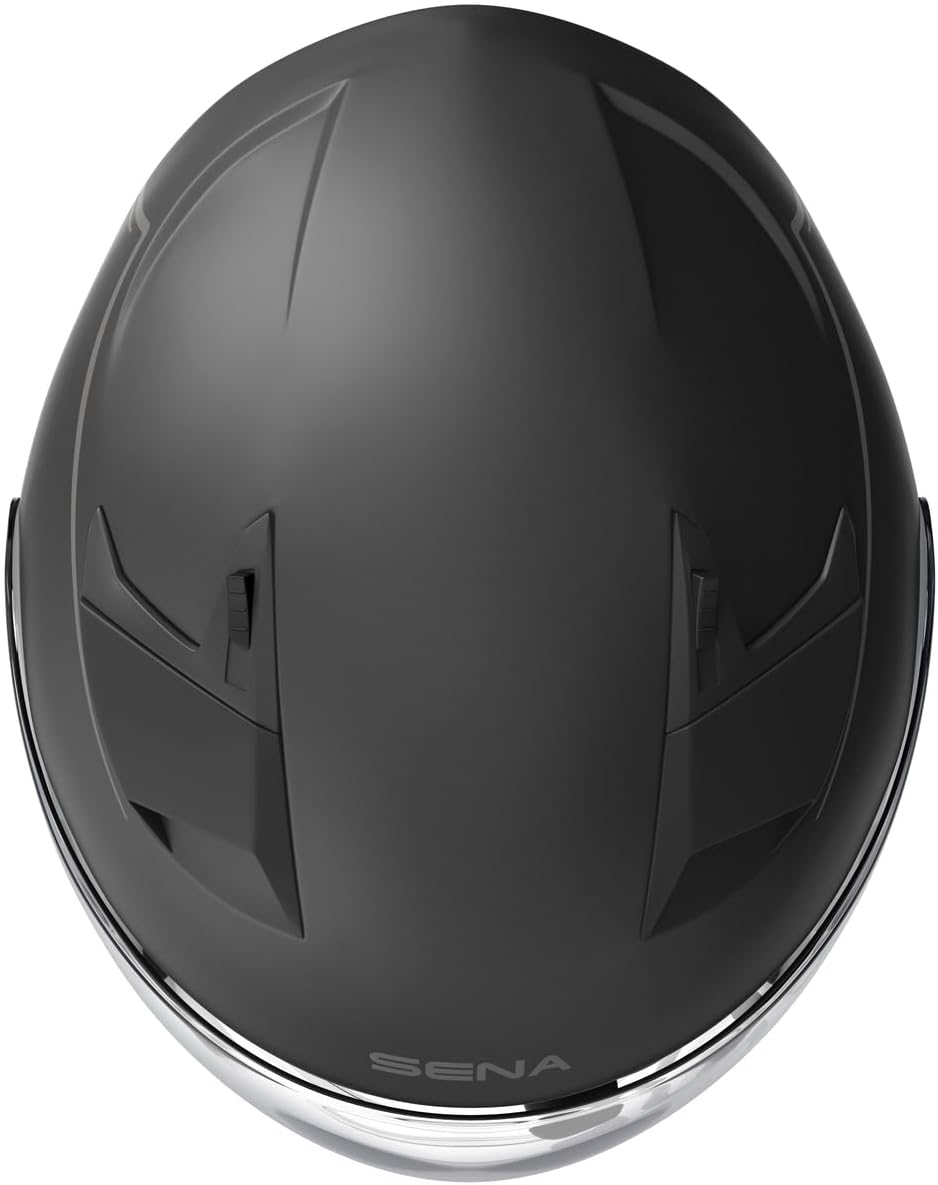
Сүрөт: жогорудан төмөнгө view of the Sena Outstar S helmet, highlighting the ventilation points and overall shell design.
6. Техникалык шарттар
| Өзгөчөлүк | Деталь |
|---|---|
| Модель аты | Outstar S |
| Модель номери | OUTSTARS-MB0XL |
| Bluetooth версиясы | Bluetooth 5.0 |
| Домофон диапазону | Ачык жерлерде 900 метрге чейин (0.56 миль) |
| Домофон колдоо | 4 тараптуу домофон |
| Talk Time | 12 саат |
| Негизги материал | Поликарбонат ABS |
| Сертификация | ECE 22.05 |
| Батарея түрү | Литий-полимер (кошулган) |
| Жабылуу түрү | Ratchet |
| Түс | Кара |
| Өлчөмү | XL |
7. Кепилдик жана колдоо
Sena provides support for its products. Spare parts availability in the EU is indicated for 2 years from the date of purchase. For detailed warranty information, technical support, or service inquiries, please refer to the official Sena webсайтка же түздөн-түз кардарларды тейлөөгө кайрылыңыз.
Продуктуңузду Сенада каттоодон өткөрүү сунушталат website to receive updates and access full support resources.


