Introduction
This manual provides essential information for the safe and efficient use of your LG 50-Inch Class UQ9000 Series 4K Smart TV. Please read it thoroughly before operating the television and retain it for future reference.
Коопсуздук маалыматы
Always follow basic safety precautions when using this television to reduce the risk of fire, electric shock, or injury. Do not expose the TV to rain or moisture. Do not open the cabinet; refer all servicing to qualified personnel. Ensure proper ventilation and avoid blocking ventilation openings. Keep the TV away from heat sources and direct sunlight. Use only attachments/accessories specified by the manufacturer.
Кутуда эмне бар
Телевизоруңузду таңгактан чыгарганда бардык компоненттер бар экенин текшериңиз.
- LG 50 дюймдук класстагы UQ9000 сериясындагы 4K акылдуу телевизору
- Сыйкырдуу алыстан башкаруу
- Алыстан башкаруунун батареялары
- Стенд компоненттери
- Электр кабели
- Quick Start Guide

Figure 1: Package Contents and TV Dimensions (44.1"W x 27.9"H x 9.1"D with stand)
Жайгашуу
Физикалык орнотуу
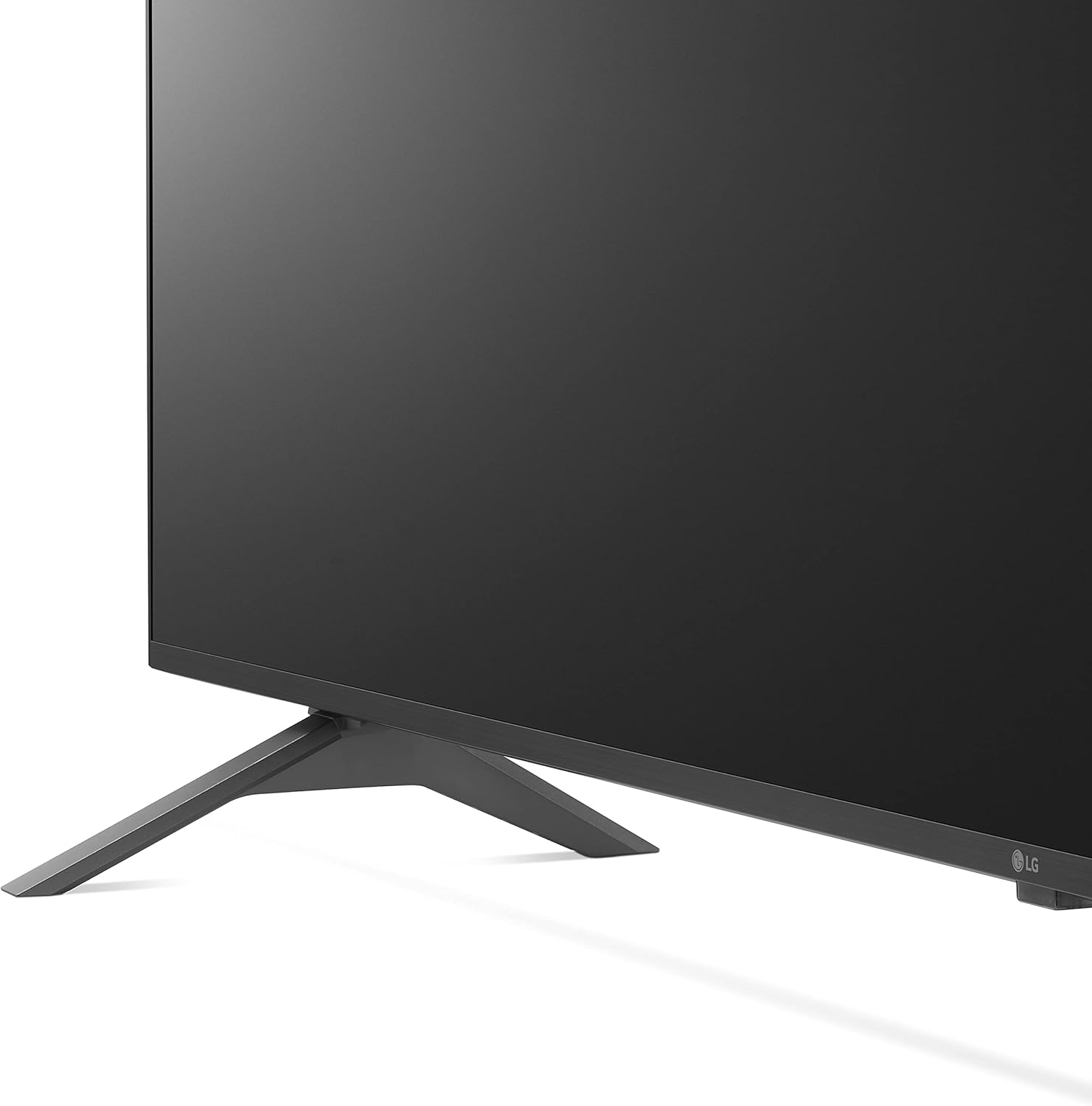
Your LG TV can be installed on a tabletop using the included stand or mounted on a wall (wall mount sold separately). Ensure the TV is placed on a stable, level surface or securely mounted to a wall according to the wall mount manufacturer's instructions.

Figure 2: TV with Stand

Figure 3: Slim Design for Wall Mounting
Түзмөктөрдү туташтыруу
Connect your external devices such as cable boxes, gaming consoles, or Blu-ray players to the available ports on the rear and side of the TV.
Сүрөт 4: Арткы киргизүү порттору

Figure 5: Detailed Rear Ports

Сүрөт 6: Капталдан киргизүү порттору
- HDMI порттору: Connect high-definition devices. This model includes multiple HDMI inputs, with HDMI 1 supporting ARC (Audio Return Channel).
- USB порттору: Медияны ойнотуу үчүн USB сактагыч түзмөктөрдү туташтыруу үчүн files.
- LAN порту: Зымдуу интернет байланышы үчүн.
- Оптикалык санарип аудио чыгышы: Тышкы аудио системаларына туташуу үчүн.
- Антенна/Кабель: Антеннаны же кабелдик телекөрсөтүүнү туташтыруу үчүн.
Баштапкы күйгүзүү
After connecting all necessary cables, plug the power cord into an electrical outlet. Press the power button on the remote control or the TV to turn it on. Follow the on-screen instructions for initial setup, including network connection and channel scanning.
Телевизорду иштетүү
Сыйкырдуу алыстан башкаруу
The LG Magic Remote offers intuitive control with point, click, scroll, and voice recognition features. It includes dedicated buttons for popular streaming services and AI functions.

Figure 7: LG Magic Remote

Figure 8: Magic Remote Features
Smart TV функциялары (webOS)
Сиздин LG сыналгыңыз иштейт webOS platform, providing access to a wide range of streaming applications and smart functionalities. Navigate through the home screen to find your favorite content.

9-сүрөт: webOS Home Screen

Figure 10: Ultimate Streaming Hub
Video 1: LG UHD webOS Overview
Сүрөттүн сапаты
Experience stunning visuals with 4K resolution and advanced picture technologies.
- α5 Gen 5 AI Processor 4K: Enhances picture and sound quality.
- 4K масштабын жогорулатуу: Transforms regular content into 4K for sharper definition.
- Active HDR (HDR10 Pro): Adjusts picture scene-by-scene for enhanced quality.
- Filmmaker Mode™: Preserves original colors, settings, and frame rates for a cinematic experience.
- AI жарыктыгын көзөмөлдөө: Automatically adjusts screen brightness to match room lighting.

Figure 11: Real 4K UHD TV Visuals

Figure 12: α5 Gen 5 AI Processor

Figure 13: 4K Upscaling

Figure 14: Active HDR (HDR10 Pro)

Figure 15: FILMMAKER MODE™

Figure 16: AI Brightness Control
Үн сапаты
The TV features AI Sound Pro for an immersive audio experience.
- AI Sound Pro: Automatically up-mixes 2-channel audio into virtual 5.1.2 channel surround sound.

Figure 17: AI Sound Pro
Оюн функциялары
Атайын функциялар менен оюн тажрыйбаңызды өркүндөтүңүз.
- Оюн оптималдаштыргычы жана башкаруу панели: Quickly adjust game settings in one location.
- Булут оюндары: Seamless access to cloud gaming services like GeForce Now (subscription and compatible controller required).
- HGIG: For realistic HDR gaming.

18-сүрөт: Оюн оптимализатору жана башкаруу панели

Figure 19: Cloud Gaming with GeForce Now

Figure 20: HGIG for Enhanced Gaming
Кошумча функциялар
- Alexa орнотулган: Ар кандай функциялар үчүн үн буйруктарын колдонуңуз.
- Hey Google: Compatible with Google Assistant for voice control.
- Apple AirPlay жана HomeKit: Apple түзмөктөрү менен үзгүлтүксүз интеграция.
- Спорт эскертүүсү: Сүйүктүү командаларыңыз жана матчтарыңыз үчүн реалдуу убакытта жаңыртууларды алыңыз.

Figure 21: Sports Alert Feature
Video 2: LG UHD Features Overview
Техникалык тейлөө
Экранды тазалоо
To clean the screen, first unplug the TV. Gently wipe the screen with a soft, dry microfiber cloth. For stubborn smudges, lightly dampen the cloth with water or a specialized screen cleaner (avoid harsh chemicals or abrasive materials). Do not spray liquid directly onto the screen.
Жалпы кам көрүү
Keep the TV in a well-ventilated area. Avoid placing heavy objects on the TV. Do not expose the TV to extreme temperatures or humidity. Regularly check cables for any damage and ensure they are securely connected.
Проблемаларды чечүү
Эгер сыналгыңызда көйгөйлөргө туш болсоңуз, колдоо бөлүмүнө кайрылуудан мурун төмөнкү жалпы чечимдерди караңыз.
- Кубат жок: Электр шнурунун сыналгыга да, иштеп жаткан электр розеткасына да бекем сайылганын текшериңиз. Башка розеткадан аракет кылып көрүңүз.
- Сүрөт/үн жок: Бардык кабелдик туташууларды текшериңиз (HDMI, антенна ж.б.). Телевизордо туура киргизүү булагынын тандалганын текшериңиз.
- Алыстан башкаруу иштебейт: Батареяларды алмаштырыңыз. Пульт менен сыналгынын IR сенсорунун ортосунда эч кандай тоскоолдуктар жок экенин текшериңиз.
- Тармакка туташуу маселелери: Verify your Wi-Fi password. Restart your router and modem. Try a wired LAN connection if available.
- Сүрөттүн сапаты маселелери: Check picture settings (e.g., brightness, contrast, color). Ensure the content source is high quality (e.g., 4K content for 4K display).
Техникалык шарттар
| Өзгөчөлүк | Спецификация |
|---|---|
| Бренд | LG |
| Модель номери | 50UQ9000PUD |
| Screen Size | 50-Inch Class (49.5" Diagonal) |
| Резолюция | 3840 x 2160 (4K UHD) |
| Жаңыртуу ылдамдыгы | 60Hz |
| Процессор | α5 Gen 5 AI процессору 4K |
| Операция системасы | webOS |
| Өзгөчөлүктөр | Alexa Built-in, AI-Powered, Cloud Gaming, Screen Mirroring |
| Продукциянын өлчөмдөрү (стенд менен) | 44.1"W x 27.9"H x 9.1"D |
| Элемент Салмагы | 34.4 фунт |
| Камтылган компоненттер | Stand, Power cable |
Кепилдик жана колдоо
Your LG TV comes with a limited manufacturer's warranty. For detailed warranty information, product support, or service requests, please visit the official LG Electronics webсайтына кириңиз же LG кардарларды тейлөө кызматына кайрылыңыз. Кепилдик талаптары үчүн сатып алганыңызды тастыктаган документти сактап коюңуз.