1. Киришүү
This manual provides detailed instructions for the installation, operation, and maintenance of your PANTUM P3018DW Wireless Duplex Laser Printer. Please read this manual thoroughly before using the printer to ensure proper and safe operation. Keep this manual for future reference.
2. Коопсуздук маалыматы
Өрт, электр шок жана адамдардын жаракат алуу коркунучун азайтуу үчүн бул продуктуну колдонууда ар дайым негизги коопсуздук чараларын сактаңыз.
- Do not place the printer on an unstable cart, stand, or table.
- Do not block or cover the slots and openings in the printer.
- Use only the type of power source indicated on the printer's label.
- Unplug the printer from the wall outlet before cleaning.
- Принтерди өзүңүз тейлөөгө аракет кылбаңыз. Бардык тейлөөлөрдү квалификациялуу тейлөө кызматкерлерине тапшырыңыз.
3. Пакеттин мазмуну
Баардык буюмдар пакетте камтылганын текшериңиз:
- PANTUM P3018DW Laser Printer
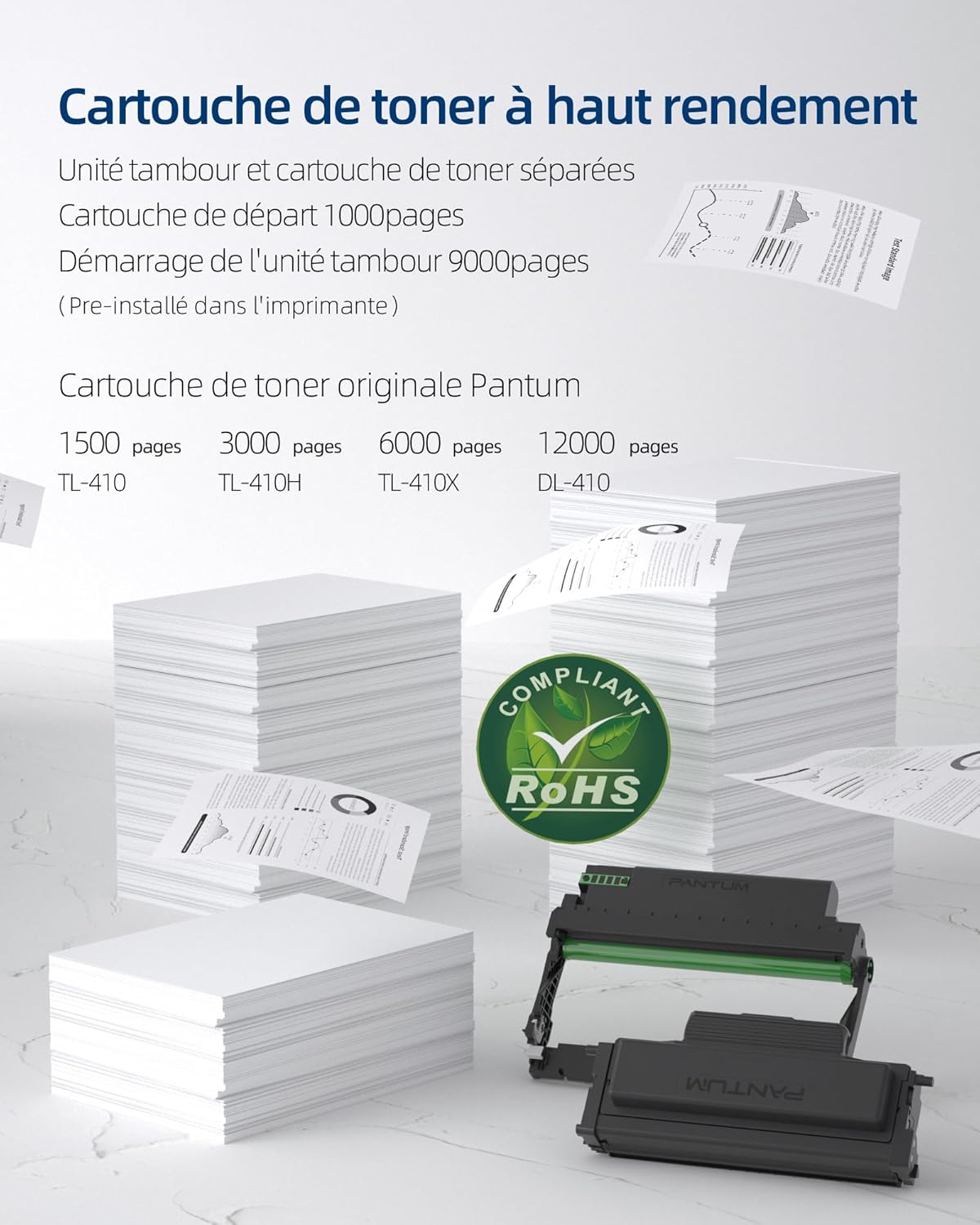
- Starter Toner Cartridge (1000 pages yield)
- Starter Drum Unit (9000 pages yield)
- USB кабели
- Электр кабели
- Колдонуучунун Колдонмосу (бул документ)
4. Продукт бүтүп калдыview
The PANTUM P3018DW is a monochrome laser printer designed for efficient printing with automatic duplex capability and wireless connectivity.


5. Орнотуу
5.1 Пакеттен чыгаруу
- Принтерди таңгагынан алып салыңыз.
- Принтердин сыртынан жана ичиндеги бардык коргоочу ленталарды жана таңгактоочу материалдарды алып салыңыз.
5.2 Toner Cartridge and Drum Unit Installation
The PANTUM P3018DW uses a separate toner cartridge and drum unit system.
- Принтердин алдыңкы капкагын ачыңыз.
- Carefully insert the drum unit into the printer until it clicks into place.
- Unpack the toner cartridge and gently shake it horizontally several times.
- Insert the toner cartridge into the drum unit until it locks securely.
- алдыңкы капкакты жабыңыз.
5.3 Кубат туташтыруу
- Электр шнурду принтерге, анан жерге туташтырылган электр розеткасына туташтырыңыз.
- Принтерди иштетүү үчүн кубат баскычын басыңыз.
5.4 Драйверди орнотуу
The PANTUM P3018DW features a one-step driver installation process.
- Берилген USB кабелин колдонуп принтерди компьютериңизге туташтырыңыз.
- The operating system should automatically detect the printer and initiate driver installation. Follow the on-screen prompts.
- Alternatively, download the latest drivers from the official PANTUM webсайт.
5.5 Wi-Fi орнотуу
The printer supports easy Wi-Fi configuration for convenient wireless printing.

- Принтериңиз күйгүзүлгөнүн текшериңиз.
- Access the printer's control panel or use the PANTUM mobile application for Wi-Fi setup.
- Follow the instructions to connect the printer to your wireless network.
- For Wi-Fi Direct printing, connect your device directly to the printer's Wi-Fi hotspot (SSID and password typically found on a label or the printer's display).
6. Иштөө нускамалары
6.1 Кагазды жүктөө
- Кагаз салгычты ачыңыз.
- Кагаз жол көрсөткүчтөрүн жүктөгөн кагаздын өлчөмүнө тууралаңыз.
- Load paper into the tray, ensuring it is flat and not exceeding the maximum fill line. The maximum sheet capacity is 250 sheets.
- Кагаз салгычты жабыңыз.
6.2 Басып чыгаруу
The PANTUM P3018DW offers fast monochrome printing at up to 30 pages per minute (A4) or 32 pages per minute (Letter), with a first print out time of less than 7.8 seconds.

Standard Printing
- Компьютериңизден же мобилдик түзмөгүңүздөн басып чыгаргыңыз келген документти ачыңыз.
- Колдонмонун менюсунан "Басып чыгарууну" тандаңыз.
- Choose the PANTUM P3018DW from the list of available printers.
- Керектүү түрдө басып чыгаруу орнотууларын тууралаңыз (мисалы, көчүрмөлөрдүн саны, кагаз өлчөмү).
- "Басып чыгаруу" баскычын чыкылдатыңыз.
Автоматтык дуплекс басып чыгаруу
The printer supports automatic two-sided printing.

- When printing, select the 'Print on both sides' or 'Duplex Printing' option in your printer settings.
- The printer will automatically flip the paper to print on both sides.
Mobile Printing (PANTUM APP)
Print directly from your smartphone or tablet using the PANTUM APP.


- Download and install the PANTUM APP from your device's app store.
- Ensure your mobile device is connected to the same Wi-Fi network as the printer, or directly to the printer's Wi-Fi hotspot.
- Open the PANTUM APP and select the document or image you wish to print.
- Follow the app's instructions to send the print job to the printer.
7. Техникалык тейлөө
7.1 Replacing Toner Cartridge and Drum Unit
When the toner is low or the drum unit reaches its end of life, the printer will indicate a replacement is needed. Refer to section 5.2 for installation steps.
Compatible Toner Cartridges:
- TL-410 (1,500 pages)
- TL-410H (3,000 pages)
- TL-410X (6,000 pages)
Compatible Drum Unit:
- DL-410 (12,000 pages)
7.2 Принтерди тазалоо
Үзгүлтүксүз тазалоо басып чыгаруу сапатын сактоого жардам берет жана принтердин иштөө мөөнөтүн узартат.
- Принтерди өчүрүп, розеткадан сууруп коюңуз.
- Жумшак, түксүз кездемени колдонуңуз dampПринтердин сыртын суу менен сүртүңүз.
- Абразивдүү тазалагычтарды же эриткичтерди колдонбоңуз.
- For internal cleaning, consult the detailed cleaning instructions on the PANTUM webсайтка же колдоо көрсөтүүгө кайрылыңыз.
8. Кыйынчылыктарды
This section provides solutions to common printer issues.
8.1 Принтер жооп бербей жатат
- Принтердин кубатка сайылып, розеткага туура туташтырылганын текшериңиз.
- Check the USB cable connection to the computer or verify Wi-Fi connectivity.
- Принтерди жана компьютериңизди/мобилдик түзмөгүңүздү өчүрүп күйгүзүңүз.
- Check the printer's control panel for any error messages.
8.2 Басып чыгаруу сапатынын начардыгы
- Тонер картриджинин деңгээлин текшерип, аз болсо алмаштырыңыз.
- Ensure the drum unit is properly installed and not damaged.
- Clean the printer's internal components as per maintenance guidelines.
- Use recommended paper types and ensure they are not damp же вurlред.
8.3 Кагаз тыгындары
- Принтерди өчүрүп, розеткадан ажыратыңыз.
- Carefully open all covers and remove any jammed paper, pulling in the direction of the paper path.
- Ensure paper is loaded correctly in the tray and not overfilled.
- Принтердин спецификацияларына жооп берген кагазды колдонуңуз.
9. Техникалык шарттар
| Өзгөчөлүк | Спецификация |
|---|---|
| Модель аты | P3018DW |
| Басып чыгаруу технологиясы | Лазер |
| Print Output | Монохромдуу |
| Макс басып чыгаруу ылдамдыгы (монохромдуу) | 30 PPM (A4) / 32 PPM (Letter) |
| Биринчи басып чыгаруу убактысы | < 7.8 секунд |
| Max Print Resolution | 1200 dpi |
| Дуплекстүү басып чыгаруу | Автоматтык |
| Байланыш | USB, Wi-Fi |
| Шайкеш түзмөктөр | Ноутбук, компьютер, смартфон, планшет |
| Шайкеш операциялык системалар | Android, Chrome OS (and others via driver) |
| Максималдуу медиа өлчөмү | 8.5 x 11 дюйм (A4) |
| Барактын өлчөмү | A4 |
| Макс барактын сыйымдуулугу | 250 барак |
| Өлчөмдөр (D x W x H) | 40.8 см х 43.3 см х 29.5 см |
| Элемент Салмагы | 6.8 килограмм |
| Өзгөчөлүктөр | Automatic Duplexing, Automatic Sleep Mode, Two-line LCD Control Panel, NFC Touch Print, Silent Printing, Ethernet Network, Optional High-Capacity Cartridges, Low Paper Jam Design |
10. Кепилдик жана колдоо
10.1 Кепилдик маалыматы
The PANTUM P3018DW printer comes with a standard one-year warranty against manufacturing defects from the date of purchase. Please retain your proof of purchase for warranty claims.
10.2 Кардарларды колдоо
For technical assistance, troubleshooting, or warranty inquiries, please visit the official PANTUM website or contact PANTUM Online Customer Service. Support resources, including driver downloads and FAQs, are available online.


