1. Киришүү
Thank you for choosing the HTC True Wireless Earbuds 1. This manual provides essential information to help you set up, operate, and maintain your earbuds for optimal performance.
Пакеттин мазмуну
Пакетиңизде бардык буюмдар бар экенин текшериңиз:
- 1 Pair HTC True Wireless Earbuds
- 1 USB-C заряддоо кабели
- 2 Pairs of Rubber Eartips (S/L)
- 1 Ыкчам колдонмо
- 1 Кепилдик картасы
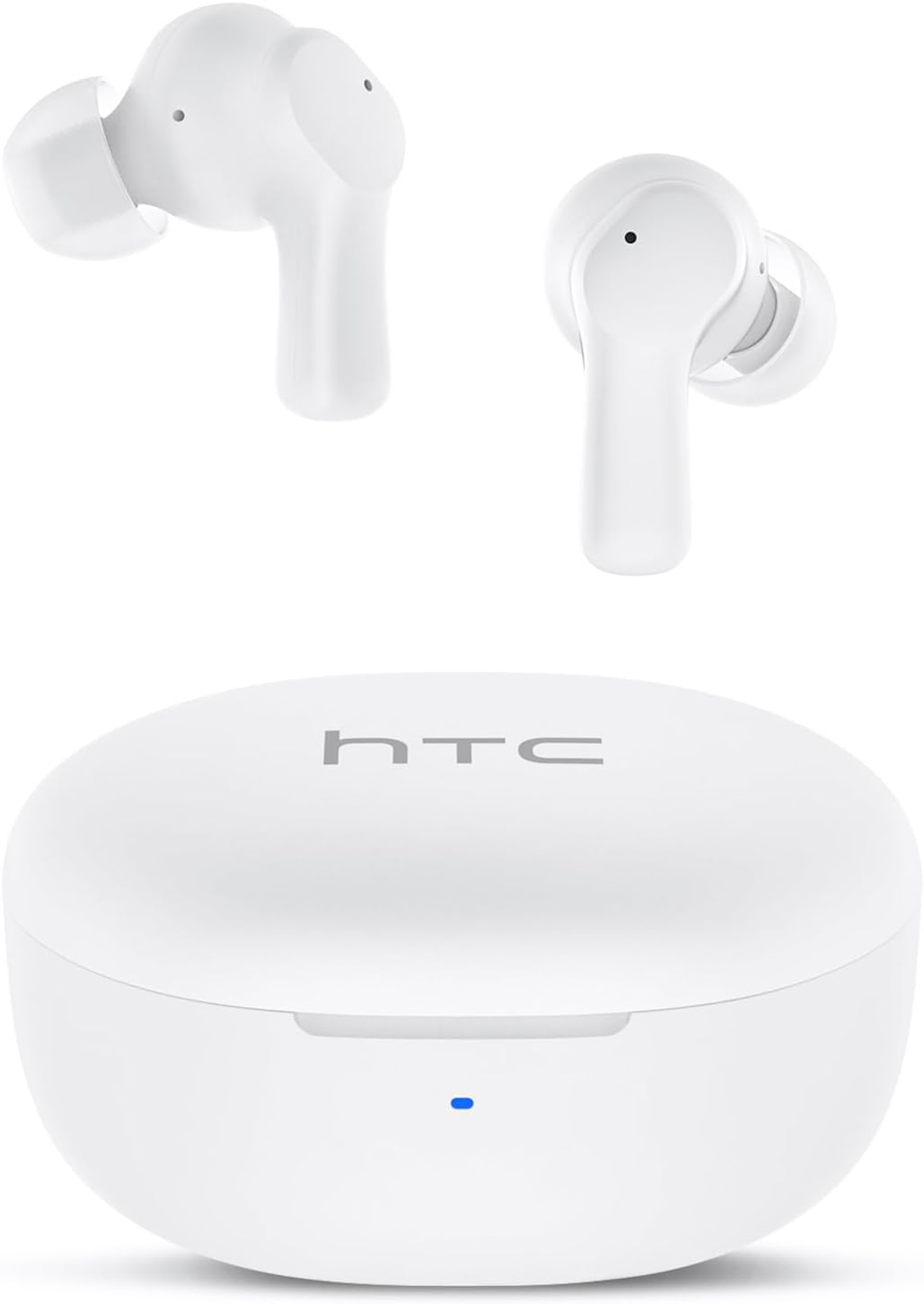
Image: HTC True Wireless Earbuds 1 and their charging case.

Image: The charging case opened, showing the two earbuds nestled inside.
2. Орнотуу жана жупташтыруу
Баштапкы орнотуу
- Коргоочу пленканы алып салуу: Before first use, remove the protective film from the charging contacts on both earbuds.
- Кулакчындарды заряддоо: Place the earbuds back into the charging case and close the lid. Connect the charging case to a USB power source using the provided USB-C cable. Ensure the earbuds and case are fully charged before initial use.
- Күйгүзүү: Заряддоо кутусунун капкагын ачыңыз. Кулакчындар автоматтык түрдө күйүп, жупташтыруу режимине өтөт.
Bluetooth Жупташтыруу
The HTC True Wireless Earbuds 1 feature one-step auto-pairing after the initial setup.
- Bluetooth иштетүү: Түзмөгүңүздө (смартфон, планшет, компьютер) Bluetooth иштетиңиз.
- Издөө Түзмөктөр: Түзмөгүңүздүн Bluetooth жөндөөлөрүнөн жеткиликтүү түзмөктөрдү издеңиз.
- Select 'HTC TWS2': From the list of found devices, select 'HTC TWS2' to connect.
- Ырастоо: Туташкандан кийин аудио сигналын угасыз жана кулакчындар колдонууга даяр болот.
After the first successful pairing, the earbuds will automatically connect to the last paired device when taken out of the charging case, provided Bluetooth is enabled on the device.

Image: Illustration of the one-step auto-pairing process, showing earbuds connecting to a smartphone.
3. Кантип кийсе болот
For optimal sound quality and comfort, it is important to wear the earbuds correctly.
- Наушниктерди тандаңыз: Select the rubber eartips (S, M, L) that best fit your ear canal. A proper seal enhances bass response and noise isolation.
- Кулакчындарды салуу: Gently insert each earbud into its corresponding ear (L for left, R for right).
- Rotate to Lock: Rotate the earbud slightly forward or backward until it feels secure and comfortable in your ear canal.

Image: Diagram showing how to properly insert the earbuds and the available S/M/L silicone eartips.
4. Operating Instructions (Touch Control)
The HTC True Wireless Earbuds 1 feature intuitive touch controls on each earbud. The following actions can be performed:
| Акция | Control | Функция |
|---|---|---|
| Музыканы ойнотуу | Бир жолу таптоо (кулакчындын бирин) | Ойнотуу / Тыныгуу |
| Музыканы ойнотуу | Сол кулакчынды эки жолу таптаңыз | Мурунку ыр |
| Музыканы ойнотуу | Оң кулакчынды эки жолу таптаңыз | Кийинки ыр |
| Чалуулар | Бир жолу таптоо (кулакчындын бирин) | Жооп / Чакырууну аяктоо |
| Чалуулар | Long press (either earbud) | Чакырууну четке кагуу |
| Үн жардамчысы | Үч жолу таптоо (кулакчындын бирин) | Үн жардамчысын жандыруу (Siri, Google Assistant ж.б.) |
| Үндү көзөмөлдөө | Long press left earbud | Үндү төмөндөтүү |
| Үндү көзөмөлдөө | Long press right earbud | Үндү көтөрүү |
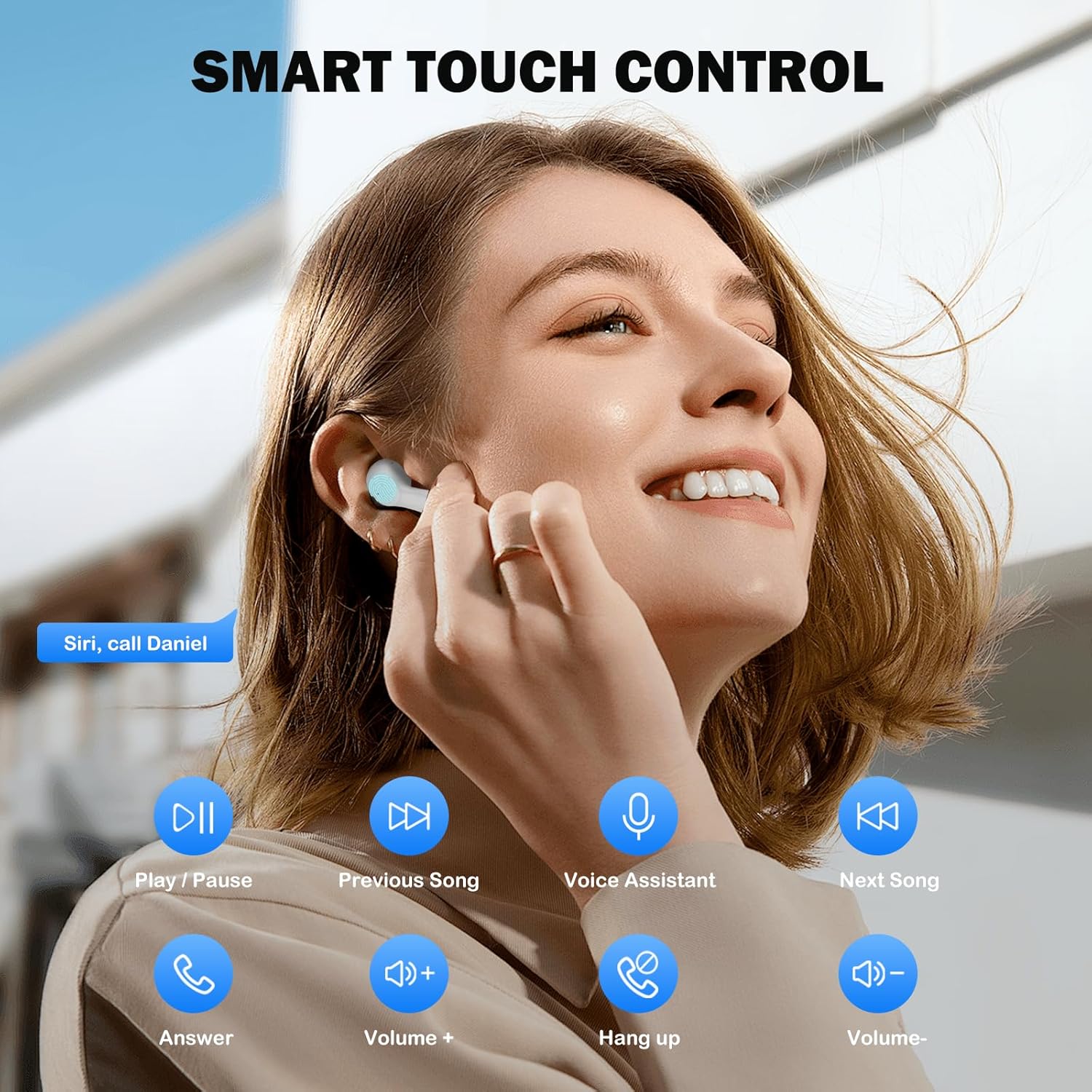
Image: Visual guide to the smart touch controls for music, calls, and voice assistant.
5. Заряддоо
The earbuds and charging case are powered by internal rechargeable batteries.
Кулакчындарды заряддоо
Place the earbuds into the charging case. They will automatically begin charging. The LED indicator on the case will show charging status.
Ишти заряддоо
Connect the provided USB-C cable to the charging port on the case and to a USB power adapter (not included). The LED indicator on the case will show charging progress. A full charge for the earbuds takes approximately 40 minutes.
Батареянын иштөө мөөнөтү
- Кулакчындар: Up to 8 hours of listening time on a single charge (at 50% volume).
- Заряддоо кутусу менен: Up to 40 hours of total playtime with multiple charges from the case.
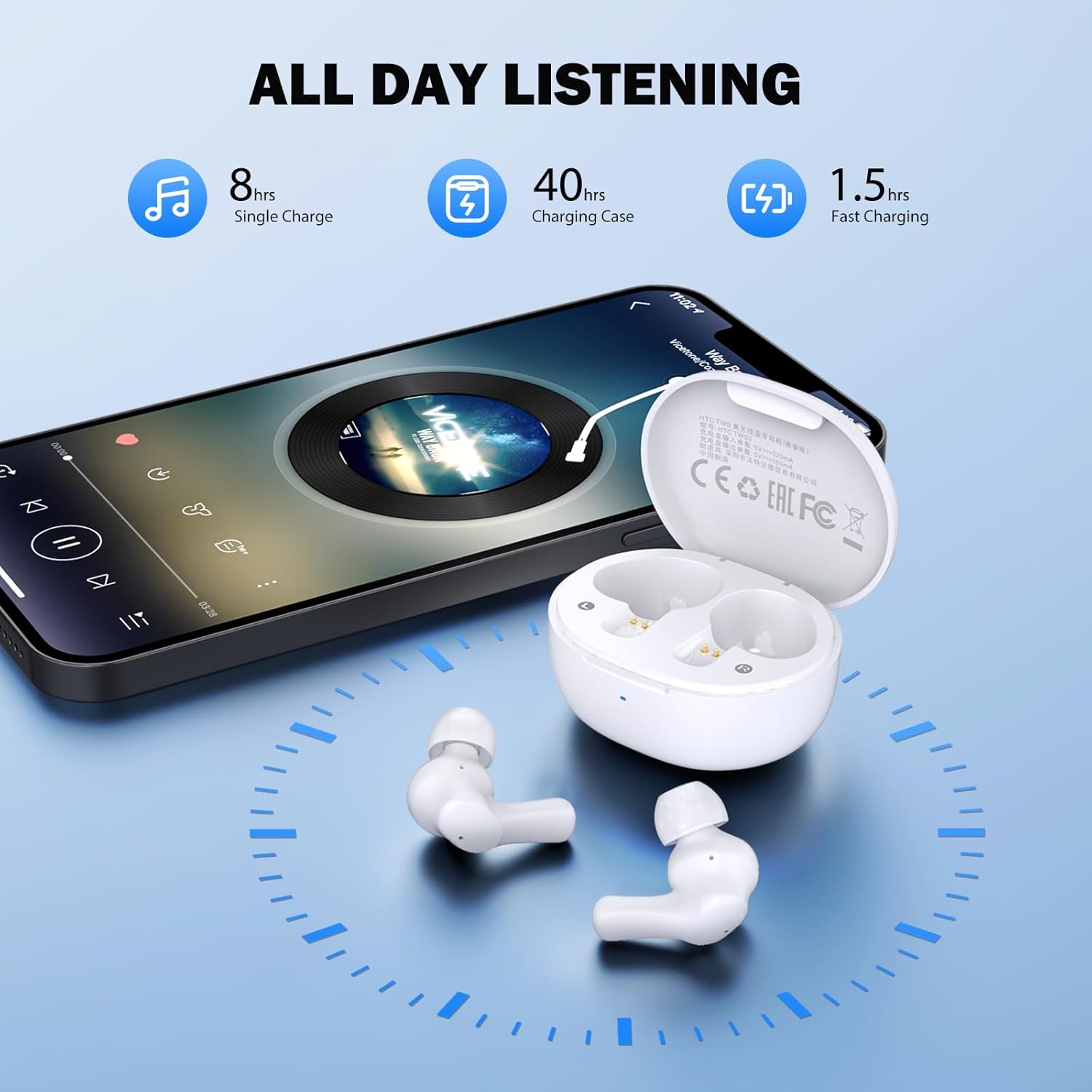
Image: Visual representation of 8 hours single charge, 40 hours with charging case, and 1.5 hours fast charging for the case.
6. Техникалык тейлөө жана кам көрүү
Туура кам көрүү кулакчындарыңыздын узак иштөөсүн жана иштешин камсыздайт.
Тазалоо
- Кулакчындарды жана заряддоо кутусун жумшак, кургак, түксүз чүпүрөк менен дайыма тазалап туруңуз.
- Кулак учтарын алып салыңыз жана аларды жумшак самын жана суу менен тазалаңыз, анан кайра кийерден мурун жакшылап кургатып алыңыз.
- Ensure charging contacts on both earbuds and inside the case are clean and free of debris.
Суу каршылык
The earbuds are rated IPX4 сууга туруктуу, meaning they are protected against splashing water from any direction. They are suitable for exercise and light rain, but should not be submerged in water or exposed to heavy downpours.
Сактагыч
Колдонулбаганда, кулакчындарды коргоо жана кубаттоо үчүн кубаттоочу кутучага сактаңыз.
7. Кыйынчылыктарды
Эгер көйгөйлөргө туш болсоңуз, төмөнкү чечимдерди колдонуп көрүңүз:
- Үн жок: Ensure earbuds are charged, connected to your device, and volume is up on both the earbuds and your device.
- Жупташтыруу маселелери: Түзмөгүңүздө Bluetooth иштетилгенин жана кулакчындар жупташтыруу режиминде экенин текшериңиз. Түзмөгүңүздө Bluetooth'ду өчүрүп, кайра күйгүзүп көрүңүз.
- Бир кулакчын иштебей жатат: Эки гарнитураны тең заряддоо кутусуна салып, капкагын жаап, бир нече секунд күтө туруңуз, анан кайра чыгарыңыз. Бул көп учурда аларды кайра шайкештештирет.
- Үзгүлтүксүз туташуу: Ensure there are no obstructions between the earbuds and your device. Keep your device within the 10-meter Bluetooth range.
Заводдук абалга кайтаруу
If problems persist, a factory reset may resolve them:
- Кулакчындардын экөөнү тең зарядкага салыңыз.
- With the earbuds in the case, quickly tap each earbud 5 times.
- The LED on the earbuds will flash red, then turn off, indicating a successful reset.
- Close the charging case lid, then open it again to re-initiate pairing.

Image: Visual instructions for initial setup, wearing the earbuds, and performing a factory reset.
8. Техникалык шарттар
| Өзгөчөлүк | Деталь |
|---|---|
| Модель аты | HTC TWS2 |
| Байланыш технологиясы | Зымсыз (Bluetooth 5.3) |
| Bluetooth диапазону | 10 метрге чейин (33 фут) |
| Аудио драйвер түрү | 10мм динамикалык драйвер |
| Жыштык диапазону | 20 Гц - 20 000 Гц |
| Наушниктин батареясынын иштөө мөөнөтү | 8 саатка чейин (бир кубаттоо) |
| Жалпы ойноо убактысы (капка менен) | 40 саатка чейин |
| Наушник заряддоо убактысы | Болжол менен 40 мүнөт |
| Сууга туруктуулук деңгээли | IPX4 (Sweatproof, Splash Resistant) |
| Башкаруу түрү | Touch Control |
| Микрофон | Built-in with Call Noise Cancellation |
| Төмөн күтүү | 40мс (Оюн режими) |
| Кулакчынын салмагы | Ар бир кулакчынга болжол менен 3.8 г |
| Шайкеш түзмөктөр | iOS, Android, Windows түзмөктөрү |

Image: Diagram illustrating the 10mm diameter loud speaker for HiFi stereo sound.

Image: Visual representation of Bluetooth 5.3 technology benefits: low consumption, faster transmission, lower latency, and built-in microphone.
9. Кепилдик жана колдоо
Кепилдик маалымат
Your HTC True Wireless Earbuds 1 come with a warranty. Please refer to the included Warranty Card for detailed terms and conditions, including coverage period and what is covered.
Кардарларды колдоо
For any questions, technical assistance, or warranty claims, please contact HTC customer support. Refer to the contact information provided in your Quick Guide or on the official HTC webсайт.


