1. Киришүү
The MageGee V650 Wireless Keyboard and Mouse Combo is designed for efficient and comfortable use with your computer. This combo features a full-size 104-key keyboard with a number pad and multimedia shortcuts, paired with a sensitive and quiet mouse. Both devices connect wirelessly via a single 2.4G USB receiver, offering a stable connection within a 10-meter range.

Image 1.1: MageGee V650 Wireless Keyboard and Mouse Combo.

Image 1.2: Key features of the MageGee V650 combo.
2. Пакеттин мазмуну
Сураныч, пакетте төмөнкү нерселерди текшериңиз:
- 1 x Зымсыз баскычтоп
- 1 x зымсыз чычкан
- 1 x USB Receiver (stored inside the keyboard)
- 1 x AA батареясы (чычкан үчүн)
- 2 x AAA батарейкалары (клавиатура үчүн)
- 1 x User Manual
3. Орнотуу нускамалары
3.1. Батареяны орнотуу
- Баскычтоп үчүн: Locate the battery compartment on the underside of the keyboard. Insert two AAA batteries, ensuring correct polarity (+/-).
- Чычкан үчүн: Locate the battery compartment on the underside of the mouse. Insert one AA battery, ensuring correct polarity (+/-).

Image 3.1: Keyboard battery compartment and USB receiver storage.
3.2. USB кабылдагычты туташтыруу
- Locate the USB receiver. It is typically stored in a dedicated slot on the underside of the keyboard for safekeeping.
- Plug the USB receiver into an available USB port on your computer (PC, desktop, laptop, or notebook).
- The system should automatically detect and install the necessary drivers. No additional software download is required.
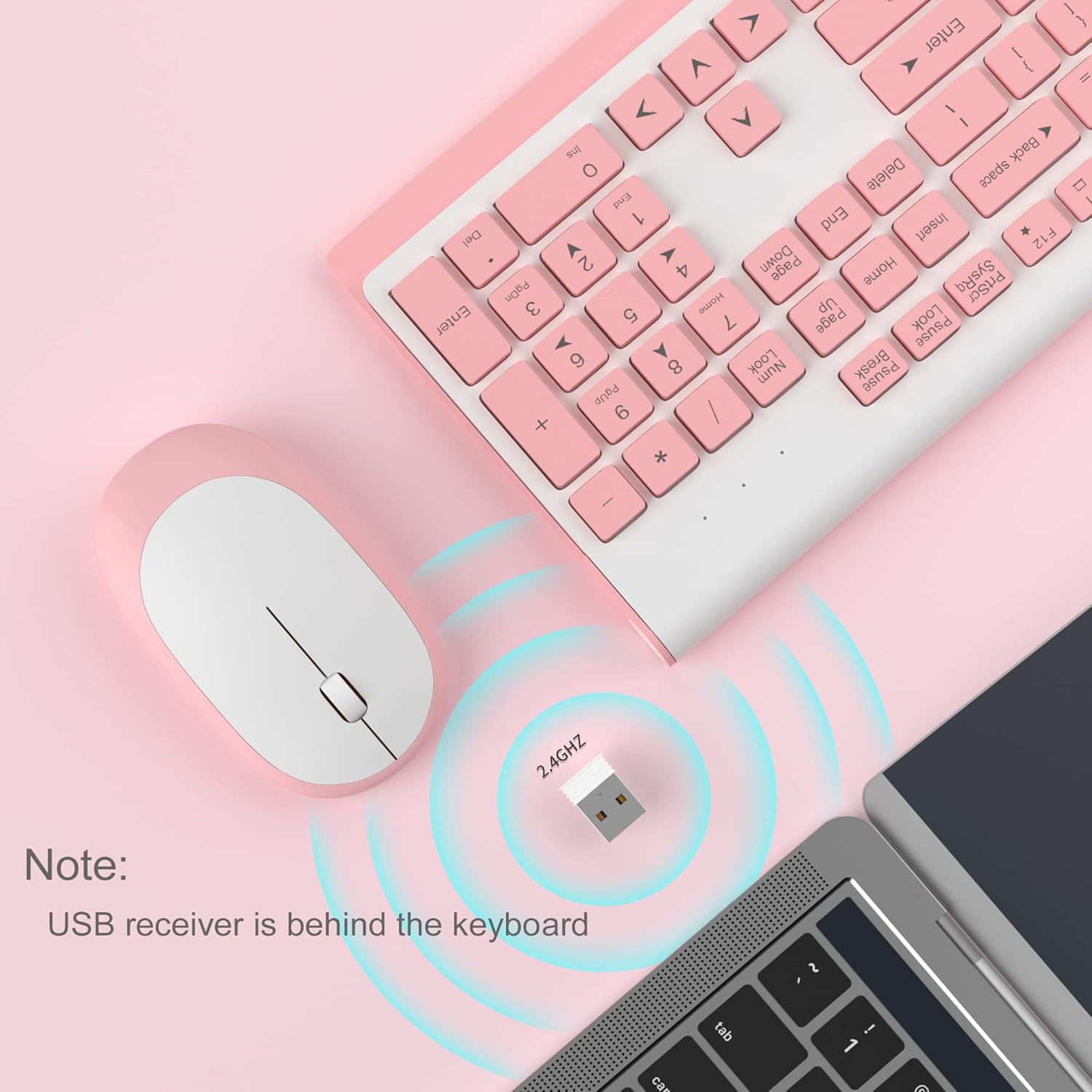
Image 3.2: USB receiver connection and storage location.

Image 3.3: 2.4G wireless connection diagram.
3.3. Күйгүзүү
Ensure the power switches on both the keyboard and mouse are in the 'ON' position. The devices should now be ready for use.
4. Иштөө нускамалары
4.1. Баскычтоптун функциялары
The V650 keyboard features a standard 104-key layout, including a full number pad for data entry and dedicated arrow keys. The keys are designed for quiet and responsive typing.
Мультимедиа жарлыктары
The keyboard includes 12 multimedia shortcuts accessible by pressing the Fn key in combination with the F1-F12 function keys. These shortcuts allow quick access to common functions such as volume control, media playback, and more.

Image 4.1: Keyboard multimedia function key combinations.
| Комбинация | Функция |
|---|---|
| Fn + F1 | Мультимедиа |
| Fn + F2 | Көлөмү - |
| Fn + F3 | Көлөм + |
| Fn + F4 | Үнсүз |
| Fn + F5 | Мурунку трек |
| Fn + F6 | Кийинки трек |
| Fn + F7 | Ойнотуу/Тыныгуу |
| Fn + F8 | Токто |
| Fn + F9 | Башкы бет |
| Fn + F10 | |
| Fn + F11 | Менин компьютерим |
| Fn + F12 | Сүйүктүүлөр |
4.2. Чычкан функциялары
The wireless mouse offers precise 1200 DPI tracking and quiet clicks. It features standard left and right click buttons and a scroll wheel for navigation.

Image 4.2: Mouse features: 1200 DPI and quiet operation.
4.3. Автоматтык уйку режими
To conserve battery life, both the keyboard and mouse will enter an automatic sleep mode after a period of inactivity. To wake them up, simply press any key on the keyboard or move the mouse.
5. Техникалык тейлөө жана кам көрүү
- Тазалоо: Баскычтоптун жана чычкандын беттерин тазалоо үчүн жумшак, кургак чүпүрөктү колдонуңуз. өжөр кир үчүн, бир аз гamp cloth can be used, but ensure no liquid enters the devices. Avoid harsh chemicals or abrasive cleaners.
- Батареяны алмаштыруу: Replace batteries when performance degrades or devices stop responding. Always use new batteries of the specified type (AAA for keyboard, AA for mouse) and dispose of old batteries responsibly.
- Сактагыч: When not in use for extended periods, turn off the devices to save battery life. Store the USB receiver in its dedicated slot on the keyboard to prevent loss.
- Курчап турган чөйрө: Avoid exposing the devices to extreme temperatures, direct sunlight, or excessive moisture.
6. Кыйынчылыктарды
Эгерде сиз MageGee V650 комбоңуз менен көйгөйлөргө туш болсоңуз, төмөнкү кеңири таралган чечимдерди караңыз:
- No Connection / Lag:
- Ensure both the keyboard and mouse are powered on and have fresh batteries.
- USB кабыл алгыч компьютериңиздеги иштеген USB портуна бекем сайылганын текшериңиз.
- USB ресиверди башка USB портуна сайып көрүңүз.
- Move the keyboard and mouse closer to the USB receiver to ensure they are within the 10-meter operating range.
- Ресиверди башка зымсыз аппараттардын же тоскоолдуктарды жаратышы мүмкүн болгон чоң металл буюмдардын жанына коюудан алыс болуңуз.
- Keys Not Responding / Stuck Keys:
- Батареянын деңгээлин текшерип, керек болсо алмаштырыңыз.
- Gently clean around the affected keys to remove any debris that might be causing them to stick.
- Re-establish the connection by unplugging and re-plugging the USB receiver.
- Mouse Not Working / Cursor Jumps:
- Ensure the mouse has a fresh AA battery and is powered on.
- Чычкандын астындагы оптикалык сенсорду тазалаңыз.
- Чычканды ылайыктуу бетте колдонуңуз (өтө жарык чагылдырбаган же тунук эмес).
- Re-establish the connection by unplugging and re-plugging the USB receiver.
- Letters Fading on Keys:
- This is typically a result of prolonged use and wear. While not a functional defect, it can affect visibility.
7. Продукттун спецификациялары
| Өзгөчөлүк | Деталь |
|---|---|
| Модел | V650 |
| Байланыш технологиясы | 2.4G Wireless (Radio Frequency), USB Receiver |
| Баскычтоптун жайгашуусу | Full Size, 104 Keys with Number Pad and 12 Multimedia Shortcuts |
| Баскычтоптун түрү | Scissor-cross low profile, Quiet Keys |
| Чычкан DPI | 1200 DPI |
| Шайкеш түзмөктөр | PC, Desktop, Laptop, Notebook |
| Операциялык системалар | Windows XP / Vista / 7/8/10 |
| Баскычтоптун өлчөмдөрү | 16.06 x 6.6 x 1.3 дюйм (болжол менен 40.8 x 16.8 x 3.3 см) |
| Чычкандын өлчөмдөрү | 4.25 x 2.4 x 1.18 дюйм (болжол менен 10.8 x 6.1 x 3 см) |
| Элемент Салмагы | 1.63 фунт (болжол менен 0.74 кг) |
| Баскычтоптун батареясы | 2 x AAA батареялары |
| Чычкан батареясы | 1 x AA Батарея |
| Өзгөчө өзгөчөлүк | Round Keycaps, Ultra-Thin Design, Automatic Sleep Mode |

Сүрөт 7.1: Продукциянын өлчөмдөрү.
8. Кепилдик жана Кардарларды колдоо
MageGee products are designed for reliability and performance. For any warranty inquiries, technical support, or assistance with your product, please contact MageGee customer support through the retailer where you purchased the item or visit the official MageGee store online.
Көбүрөөк маалыматты жана байланыш маалыматтарын төмөнкү даректен таба аласыз Amazon'догу MageGee дүкөнү.


