1. Киришүү
This instruction manual provides important information for the safe and proper use, installation, and maintenance of your Estink JS12 (M) 42ml Black Ink Cartridge. This cartridge is designed for use with compatible handheld inkjet printers, offering quick-drying, high-quality black ink for various printing applications. Please read this manual thoroughly before using the product.
2. Продукт бүтүп калдыview
The Estink JS12 (M) ink cartridge features a 42ml capacity of quick-drying black ink. It is equipped with a double nozzle design for stable and clear printing results. The ink formulation ensures strong adhesion on various surfaces without easily falling off, and its fine particles prevent nozzle blockage.
- Күчтүү адгезия: Ink adheres firmly to surfaces, resisting smudging or falling off.
- Тунук басып чыгаруу: Produces sharp, bright black prints without requiring printer setting adjustments.
- Double Nozzle Design: Provides enhanced stability and consistent print quality.
- Оңой алмаштыруу: Designed for straightforward installation and removal.
- Ар тараптуу колдонмо: Suitable for printing on plastics, metals, film materials, aluminum foil pipes, bottles, boxes, and aluminum alloys.
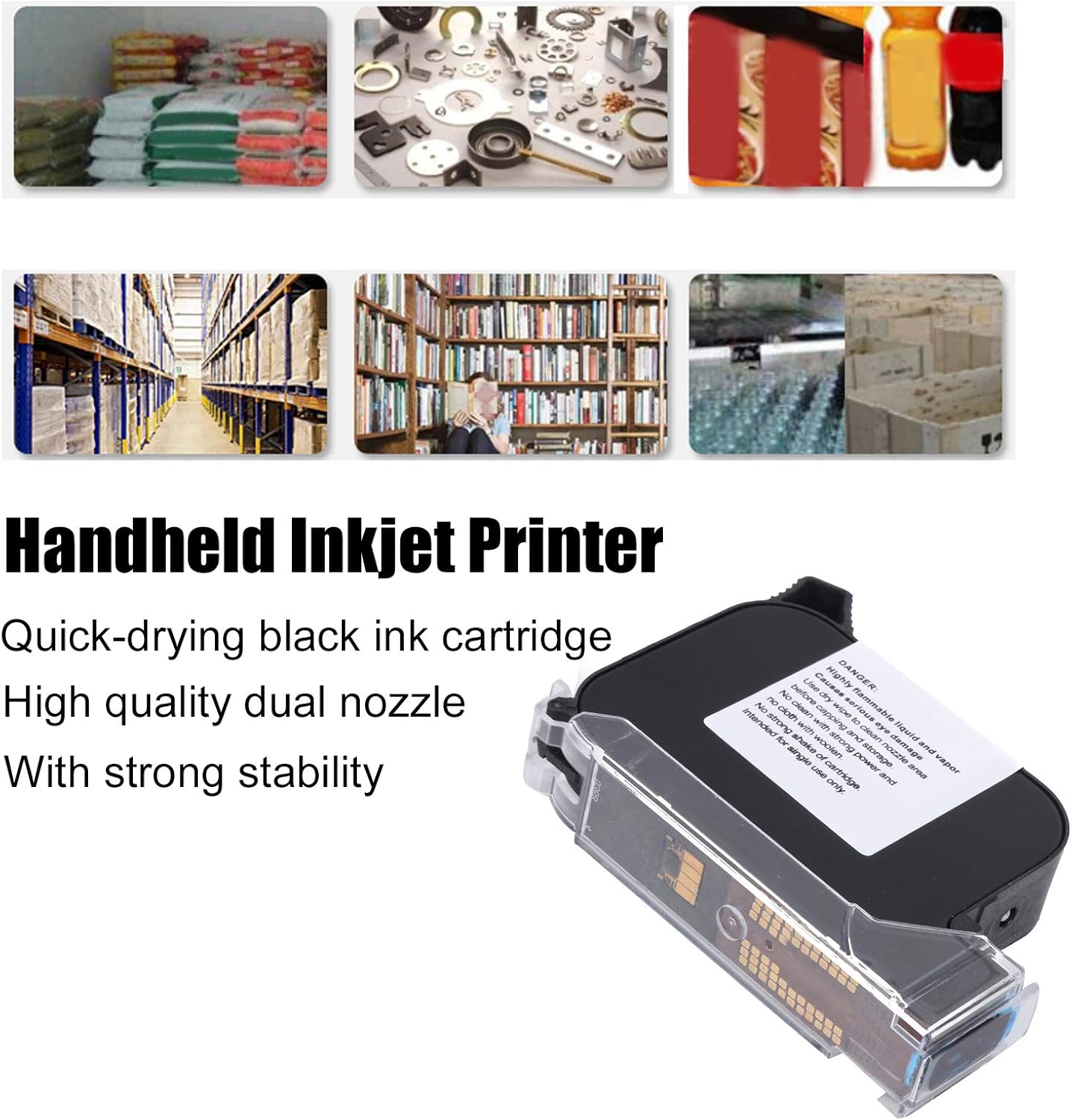
The cartridge is engineered to provide long de-cap times, improved throw distance, and high contrast for effective coding and marking.
3. Коопсуздук маалыматы
Жаракат алуунун же продуктунун бузулушунун алдын алуу үчүн төмөнкү коопсуздук чараларын сактаңыз.
- КОРКУНУЧ: This ink cartridge contains highly flammable liquid and vapor.
- Көздүн коопсуздугу: Ink can cause serious eye damage. Avoid contact with eyes. In case of contact, rinse immediately with plenty of water and seek medical advice.
- Орнотуу: Always turn off the handheld inkjet printer before installing or removing the ink cartridge to prevent injury or damage to the machine.
- Тазалоо: Use only a dry wipe to clean the nozzle area. Do not use strong cleaning agents or woolen cloths, as these can damage the cartridge.
- Колдонуу: Do not shake the cartridge vigorously. Handle with care to avoid spills or damage.
- Сактагыч: Cap the nozzle area before storage to prevent drying and maintain ink quality. Store in a cool, dry place away from direct sunlight and heat sources.
- Бир жолу колдонуу: This cartridge is intended for single use only. Do not attempt to refill.

4. Орнотуу жана орнотуу
Follow these steps to properly install the Estink JS12 (M) ink cartridge into your compatible handheld inkjet printer.
- Өчүрүү: Ensure your handheld inkjet printer is completely turned off before beginning the installation process.
- Картридж уячасын табыңыз: Identify the ink cartridge slot on your handheld inkjet printer. Refer to your printer's manual for specific instructions if needed.
- Коргоочу капкакты алып салуу: Carefully remove any protective caps or seals from the new Estink JS12 (M) ink cartridge. Avoid touching the nozzle or electrical contacts.
- Картридж салуу: Align the ink cartridge with the slot and gently push it into place until it clicks or locks securely. Do not force the cartridge.
- Жабуу бөлүм: Close the printer's cartridge compartment cover, if applicable.
- Күйгүзүү: Turn on your handheld inkjet printer. The printer may perform an initial calibration or cleaning cycle.

If you encounter any resistance during installation, re-check the cartridge orientation and ensure no obstructions are present.
5. Иштөө нускамалары
Once the Estink JS12 (M) ink cartridge is installed, refer to your handheld inkjet printer's specific operating manual for detailed instructions on printing. General operation typically involves:
- Күйгүзүү: Ensure the printer is powered on and the cartridge is recognized.
- Басып чыгаруу тапшырмасын тандаңыз: Use the printer's interface to select or create the desired text, barcode, or image to print.
- Орнотууларды тууралоо: Configure print settings such as print height (up to 0.5 inches or 1.27 cm), density, and speed as required for your application.
- Бетти даярдоо: Ensure the printing surface is clean, dry, and free of dust or debris for optimal ink adhesion.
- Басып чыгаруу: Activate the printing mechanism and move the handheld printer smoothly across the target surface at a consistent speed.

6. Техникалык тейлөө
Proper maintenance of your Estink JS12 (M) ink cartridge will ensure consistent performance and extend its lifespan.
- Соплолорду тазалоо: Regularly clean the nozzle area with a dry, lint-free wipe to remove any dried ink or debris. This helps prevent clogs and ensures clear prints.
- Сактагыч: When not in use, always cap the ink cartridge nozzle to prevent the quick-drying ink from drying out. Store the cartridge in its original packaging or a sealed container in a cool, dry environment.
- Булганууну болтурбоо: Keep the cartridge away from dust, dirt, and other contaminants.
- Температура: Avoid exposing the cartridge to extreme temperatures or direct sunlight.
7. Кыйынчылыктарды
If you experience issues with your Estink JS12 (M) ink cartridge, consider the following common troubleshooting steps:
- Poor Print Quality / Fading:
- Clean the nozzle area with a dry wipe.
- Ensure the cartridge is properly seated in the printer.
- Check if the cartridge is running low on ink.
- No Ink Output:
- Verify the protective cap has been fully removed.
- Ensure the printer is powered on and the cartridge is correctly installed.
- Perform a nozzle cleaning cycle if your printer supports it.
- Картридж таанылбайт:
- Remove and re-install the cartridge, ensuring it clicks into place.
- Clean the electrical contacts on both the cartridge and the printer with a dry, lint-free cloth.
- Restart the handheld inkjet printer.
If problems persist, consult your handheld inkjet printer's manual or contact Estink customer support.
8. Техникалык шарттар
| Өзгөчөлүк | Спецификация |
|---|---|
| Элемент түрү | Ink Cartridge for Handheld Inkjet Printer |
| Модел | JS12 (M) |
| Картридж сыйымдуулугу | 42мл |
| Басып чыгаруу түсү | Кара |
| Printing Height | Болжол менен 1.27см / 0.5in |
| Өлчөмдөрү (болжол менен) | 9 x 2 x 7 см / 3.5 x 0.8 x 2.8 дюйм |
| Ink Type | Quick-Drying Water-Based |
| Сорпо түрү | Double Nozzle |
| Шайкеш түзмөктөр | Handheld Inkjet Printers (specifically Estink JS12 model) |
| Максималдуу кара жана ак басып чыгаруу чечими | 300 dpi (Printer dependent) |
| ASIN | B09T717NNB |

9. Кепилдик жана колдоо
For warranty information and customer support regarding your Estink JS12 (M) ink cartridge, please refer to the documentation provided with your purchase or contact the seller directly. Keep your proof of purchase for warranty claims.


