1. Киришүү
This manual provides detailed instructions for setting up, operating, maintaining, and troubleshooting your Dell Pro Wireless Keyboard and Mouse KM5221W. This wireless combo offers a seamless and efficient computing experience with its 2.4 GHz interface and USB wireless receiver.
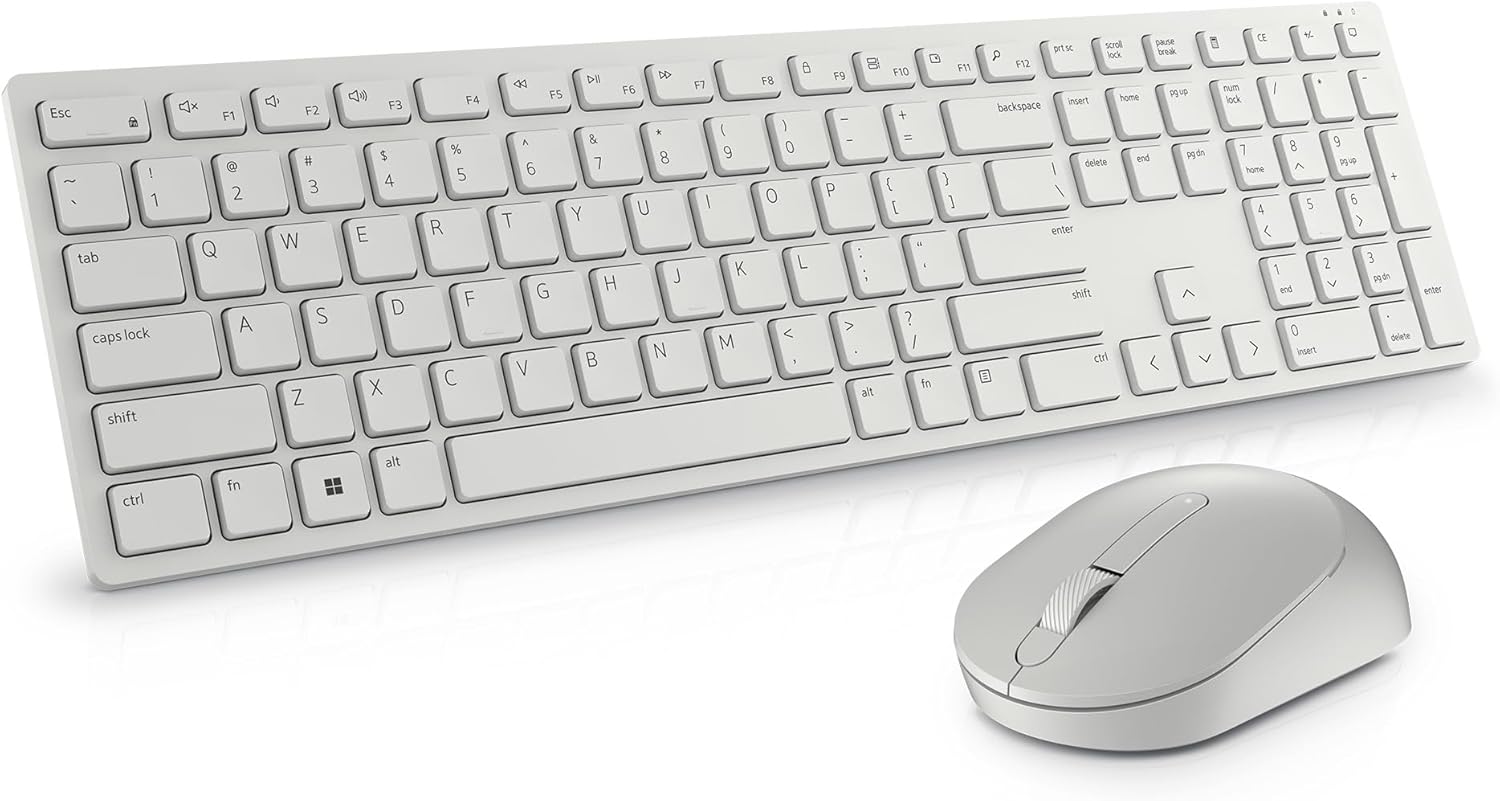
Image: The Dell Pro Wireless Keyboard and Mouse KM5221W in white, showcasing анын кооз дизайны.
2. Кутуда эмне бар
Your Dell Pro Wireless Keyboard and Mouse KM5221W package should contain the following items:
- Dell Pro Wireless Keyboard
- Dell Pro Wireless Mouse
- USB зымсыз кабыл алгыч
- 1 AA Battery (for mouse)
- 2 AAA Batteries (for keyboard)
- Документтер (Ыкчам баштоо колдонмосу, коопсуздук маалыматы)
3. Орнотуу нускамалары
Follow these steps to set up your Dell Pro Wireless Keyboard and Mouse:
- Батареяларды салыңыз:
- For the mouse: Open the battery compartment cover on the underside of the mouse and insert one AA battery.
- For the keyboard: Open the battery compartment cover on the underside of the keyboard and insert two AAA batteries.
- USB кабылдагычты туташтыруу: Plug the USB wireless receiver into an available USB-A port on your computer.
- Күйгүзүү: Turn on the keyboard and mouse using their respective On/Off switches. The devices should automatically connect to your computer.
- Install Dell Peripheral Manager (Optional): For advanced customization of programmable keys and DPI settings, download and install the Dell Peripheral Manager software from the official Dell support webсайт.

Image: Labeled diagram of the Dell Pro Wireless Keyboard and Mouse, showing key features like battery indicators and programmable keys.
4. Иштөө нускамалары
Баскычтоптун өзгөчөлүктөрү:
- Тынч терүү: The keyboard features plunger key switch technology for a quiet typing experience.
- Программалануучу ачкычтар: Utilize 12 programmable keys for quick access to frequently used applications, folders, and functions. Customize these using Dell Peripheral Manager.
- Жөнгө салынуучу кыйшаюусу: The keyboard includes tilt legs on the underside, offering two adjustable angles for a preferred typing position.
- Spill-Resistant: Designed with spill-resistant keys for added protection against accidental liquid spills.
- Коопсуз туташуу: Features 128-bit AES (Advanced Encryption Standard) encryption to protect data transmission.

Image: Hands typing on the Dell Pro Wireless Keyboard, illustrating the ease of use for productivity.
Чычкан өзгөчөлүктөрү:
- Оптикалык көз салуу: The mouse uses optical LED technology for precise and smooth movements.
- Жөнгө салынуучу DPI: Customize the mouse sensitivity (DPI) to 1000, 1600, 2400, or 4000 using Dell Peripheral Manager.
- Programmable Scroll Wheel: The scroll wheel includes a programmable middle click function.
- Эргономикалык дизайн: The mouse is designed to fit comfortably in hand for extended use.

Image: Close-up of the Dell Pro Wireless Mouse next to the keyboard's numeric keypad, highlighting its design.
5. Техникалык тейлөө
Батареяны алмаштыруу:
When the battery indicator light on your keyboard or mouse signals low power, replace the batteries:
- Чычкан: Replace with one AA battery.
- Баскычтоп: Replace with two AAA batteries.
Тазалоо:
To clean your keyboard and mouse, use a soft, lint-free cloth lightly dampсуу же жумшак тазалоо эритмеси менен. Катуу химиялык заттардан же абразивдүү материалдардан алыс болуңуз.
6. Кыйынчылыктарды
If you encounter issues with your Dell Pro Wireless Keyboard and Mouse, try the following solutions:
- Байланыш жок: Ensure the USB wireless receiver is securely plugged into a working USB port. Check that both the keyboard and mouse are powered on.
- Кечигүү же байланыш үзүлүшү: Move the keyboard and mouse closer to the USB receiver. Ensure there are no large metal objects or other wireless devices interfering with the 2.4 GHz signal.
- Баскычтар/Чычкан жооп бербей жатат: Клавиатурадагы жана чычкандагы батареяларды алмаштырыңыз.
- No Indicator Lights (Num Lock, Caps Lock): Please note that this model does not feature dedicated indicator lights for Num Lock or Caps Lock on the keyboard itself.
- Mouse Movement Issues: Clean the optical sensor on the underside of the mouse. Ensure you are using the mouse on a suitable surface.
7. Техникалык шарттар
| Өзгөчөлүк | Деталь |
|---|---|
| Бренд | Dell |
| Модель номери | KM5221W |
| Байланыш технологиясы | Зымсыз (2.4 ГГц) |
| Интерфейс | USB зымсыз кабыл алгыч |
| Баскычтоптун түрү | Plunger Key Switch |
| Чычкан түрү | Optical (LED) |
| Чычкан DPI | Adjustable (1000, 1600, 2400, 4000) |
| Баскычтоп батареялары | 2 x AAA (кошулган) |
| Чычкандын батареялары | 1 x AA (киргизилген) |
| Операциялык системанын шайкештиги | Windows |
| Түс | Ак |
| Элемент Салмагы | 1.59 фунт |
| Продукциянын өлчөмдөрү | 17.8 x 5.4 x 2.9 дюйм |
| Өзгөчө өзгөчөлүк | Ergonomic, Spill-resistant keys, 128-bit AES Encryption |
8. Кепилдик жана колдоо
Your Dell Pro Wireless Keyboard and Mouse KM5221W comes with a 3-Year Advanced Exchange Service. For warranty claims, technical support, or additional product information, please visit the official Dell support webсайтына кириңиз же Dell кардарларды тейлөө кызматына кайрылыңыз.
Dell колдоо Webсайт: www.dell.com/support


