1. Продукт бүтүп калдыview
The tectake Zola Electric Height-Adjustable Desk is designed to provide a dynamic and ergonomic workspace. Featuring continuous electric height adjustment, a robust particle board tabletop, and a solid steel frame, this desk offers stability and comfort. Its powerful motor ensures smooth transitions between sitting and standing positions, while the flexible frame design maximizes legroom. The integrated touchpad allows for easy height adjustments and memory function for preferred settings. An anti-collision system enhances safety during operation.

Image 1.1: The tectake Zola Electric Height-Adjustable Desk, showcasing its sleek black design and sturdy construction.
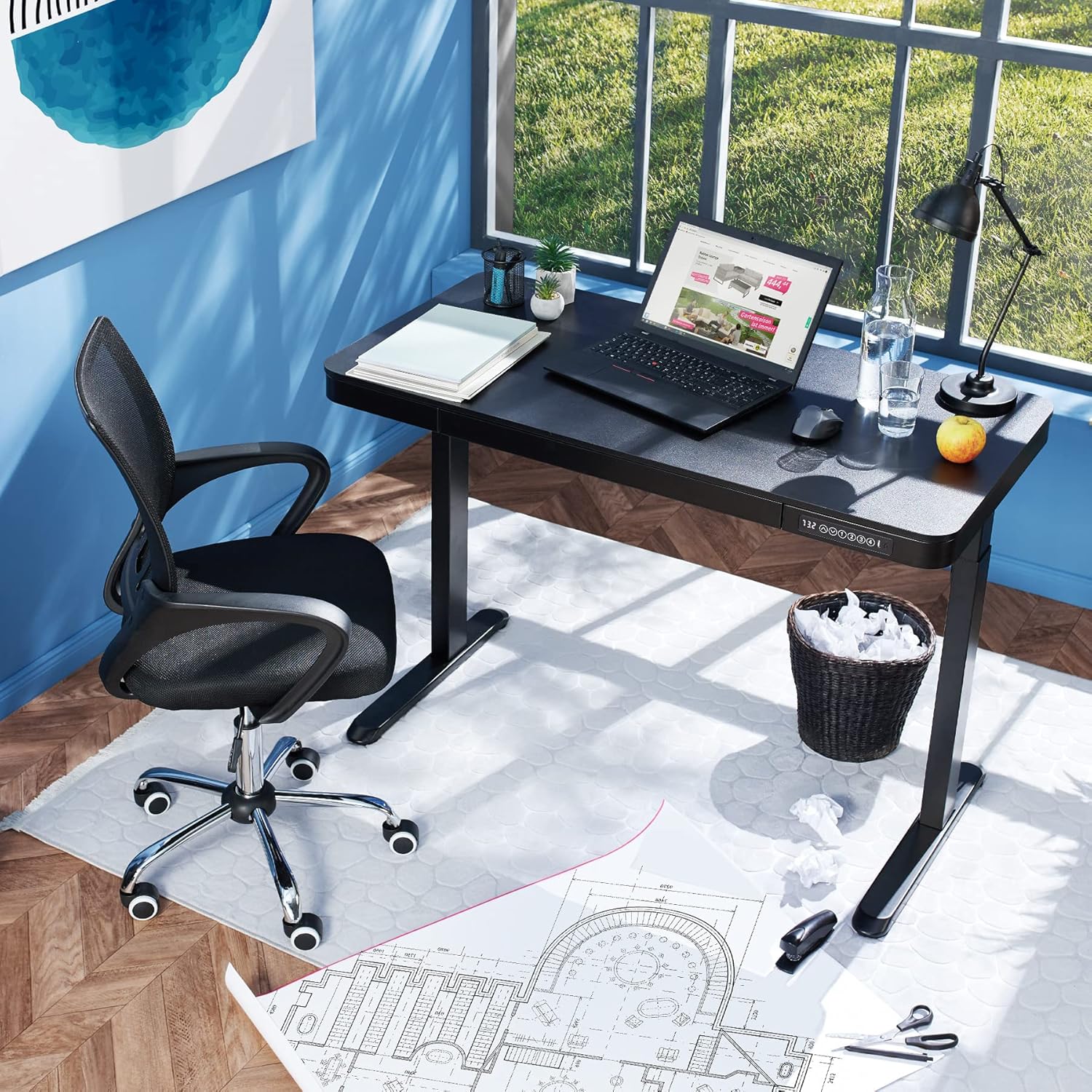
Image 1.2: The desk integrated into a modern office environment, demonstrating its practical use.
2. Коопсуздук нускамалары
- Монтаждоо жана колдонуудан мурун бардык нускамаларды кунт коюп окуп чыгыңыз.
- Иш учурунда балдарды жана үй жаныбарларын столдон алыс кармаңыз.
- Ensure all screws and bolts are tightened securely before use. Periodically check and re-tighten as necessary.
- Үстөлдү ашыкча жүктөбөңүз. Максималдуу жүк көтөрүмдүүлүгү 45 кг.
- Keep hands and fingers clear of moving parts during height adjustment. The desk is equipped with an anti-collision system, but caution is still advised.
- Берилген кубат адаптерин гана колдонуңуз.
- Do not disassemble or modify the motor or control unit. Contact qualified personnel for repairs.
- Place the desk on a level surface. Adjustable feet can compensate for minor unevenness.
3. Пакеттин мазмуну
Монтаждоону баштоодон мурун бардык компоненттер бар экенин жана бузулбаганын текшериңиз. Эгерде кандайдыр бир бөлүктөрү жок же бузулуп калса, кардарларды колдоо менен байланышыңыз.
- Tabletop with integrated drawer and control panel
- Сол бутту чогултуу
- Оң буттардын ассамблеясы
- Буттар (2x)
- Кубаттуу адаптер жана кабель
- Assembly Hardware (screws, Allen key, etc.)
- Көрсөтмө (бул документ)
4. Монтаждоо боюнча колдонмо
Assembly is required for this product. It is recommended to have two people for easier and safer assembly. Clear a spacious area for assembly and lay out all components.
Кадамдык Ассамблея:
- Attach Leg Assemblies to Tabletop: Carefully place the tabletop upside down on a soft, clean surface to prevent scratches. Align the left and right leg assemblies with the pre-drilled holes on the underside of the tabletop. Secure them using the provided screws and Allen key. Ensure the motor cables are not pinched.
- Attach Feet to Leg Assemblies: Slide the feet onto the bottom of each leg assembly. Secure them with the appropriate screws.
- Кубат кабелин туташтыруу: Locate the power input port on the control unit (usually on the underside of the tabletop near the control panel). Connect the power cable firmly.
- Үстөлдү жайгаштыруу: With assistance, carefully flip the desk upright and move it to its desired location. Adjust the plastic feet at the bottom of the legs to ensure the desk is stable and level on uneven floors.
- Баштапкы кубаттоо: Plug the power adapter into a wall outlet. The control panel display should light up.

Image 4.1: Dimensional drawing of the desk, useful for planning space and assembly.

Сүрөт 4.2: Каптал view illustrating the robust leg structure and height adjustment mechanism.
5. Иштетүү үчүн колдонмо
The tectake Zola desk features an intuitive control panel for easy height adjustment and memory functions.
Башкаруу панелинин функциялары:

Image 5.1: The control panel, showing the digital height display and control buttons.
- Санариптик дисплей: Shows the current height of the desk in centimeters.
- Өйдө/Төмөн жебелер (↑ / ↓): Press and hold to continuously adjust the desk height upwards or downwards. Release the button to stop at the desired height.
- Эстутум баскычтары (1, 2, 3, 4): Бул баскычтар төрт тандалган бийиктик жөндөөлөрүн сактоого жана кайра чакырып алууга мүмкүндүк берет.
- Бийиктикти сактоо үчүн: Adjust the desk to your desired height using the up/down arrows. Press and hold one of the memory buttons (1-4) until the display flashes or beeps, indicating the height has been saved.
- Бийиктикти эстөө үчүн: Simply press the corresponding memory button (1-4). The desk will automatically move to the saved height.
- Кагылышууга каршы системасы: The desk is equipped with a sensitive anti-collision system. If the desk encounters an obstruction during height adjustment, it will stop and slightly reverse direction to prevent damage.
- USB-A жана USB-C порттору: Located on the control panel, these ports can be used to charge small electronic devices.

Image 5.2: Detail of the USB-A and USB-C charging ports for convenient device charging.

Image 5.3: Visual representation of the desk's adjustable height range.
Интегралдык суурма:
The desk includes a convenient integrated drawer for storing small office supplies, helping to keep your workspace tidy.

Image 5.4: The desk's integrated drawer, providing discreet storage.

Image 5.5: Detail of the drawer's smooth-gliding mechanism.
6. Техникалык тейлөө жана кам көрүү
- Тазалоо: Үстөлдүн үстүн жана буттарын жумшак менен сүртүңүз, гamp кездеме. Катуу химиялык заттарды же абразивдүү тазалагычтарды колдонуудан алыс болуңуз, анткени алар финишке зыян келтириши мүмкүн.
- Үзгүлтүксүз текшерүүлөр: Бардык бурамаларды жана туташтыргычтарды бекем кармап туруу үчүн мезгил-мезгили менен текшерип туруңуз. Зарыл болсо, кайра бекемдеңиз.
- Кабелдик башкаруу: Ensure power cables are not tangled or pinched, which could lead to damage or malfunction.
7. Кыйынчылыктарды
| Көйгөй | Мүмкүн себеп | Чечим |
|---|---|---|
| Иш стол кыймылдабайт. | No power; cable disconnected; motor error. | Check power connection to wall outlet and desk. Ensure all cables are securely connected. Unplug and replug the power cable to reset the system. |
| Үстел бир калыпта эмес кыймылдайт же адаттан тыш үндөрдү чыгарат. | Loose connections; obstruction; uneven load. | Check all assembly screws for tightness. Ensure there are no obstructions under or around the desk. Distribute weight evenly on the tabletop. |
| Кагылышууга каршы система көп учурда иштеп баштайт. | Obstruction; sensitive setting. | Ensure the path of movement is clear. If the issue persists without clear obstruction, consult customer support. |
| Эстутум функциясы иштебейт. | Туура эмес сактоо процедурасы. | Refer to 'Operation Guide' section 5 for correct saving procedure (press and hold memory button until confirmation). |
8. Техникалык шарттар
| Өзгөчөлүк | Спецификация |
|---|---|
| Модель номери | 404316 |
| Жалпы өлчөмдөрү (L x W x Y) | Approx. 1204 x 604 x 720 - 1220 mm |
| Үстөлдүн өлчөмдөрү (У x Т x Б) | Болжол менен. 1204 x 604 x 64.5 мм |
| Ички суурманын өлчөмдөрү (У x Т x Б) | Болжол менен. 60 x 29 x 5 см |
| Lifting Columns per Side | 2 main columns (approx. 4.5 x 7.5 cm) |
| Adjustable Feet Range | Болжол менен 1.2 см |
| Мотор ызы-чуунун деңгээли | <50 дБ |
| Көтөрүү ылдамдыгы | 25 мм/с |
| Мотор күчү | 52.2 Вт |
| Киргизүү көлөмүtage | 100-240 В |
| Кабелдин узундугу | Болжол менен 310 см |
| Жүктөө жөндөмдүүлүгү | 45 кг |
| Продукт Салмагы | Болжол менен 32 кг |
| Материалдар | Powder-coated steel, particle board, polychloride, ABS plastic |
9. Кепилдик жана колдоо
For information regarding warranty terms and conditions, please refer to the purchase documentation or contact your retailer. For technical support or inquiries about replacement parts, please visit the official tectake webсайтка же кардарларды тейлөө бөлүмүнө кайрылыңыз. Сатып алганыңыздын далили катары сатып алуу дүмүрчөгүңүздү сактаңыз.
Өндүрүүчү: tectake
Бренд: TecTake


