1. Киришүү
Welcome to the user manual for your new Altec Lansing Fury Wireless Speaker. This ultra-portable speaker is designed to be an ideal travel and adventure companion, offering powerful sound and true wireless stereo pairing capabilities. This manual provides detailed instructions on how to set up, operate, maintain, and troubleshoot your speaker.
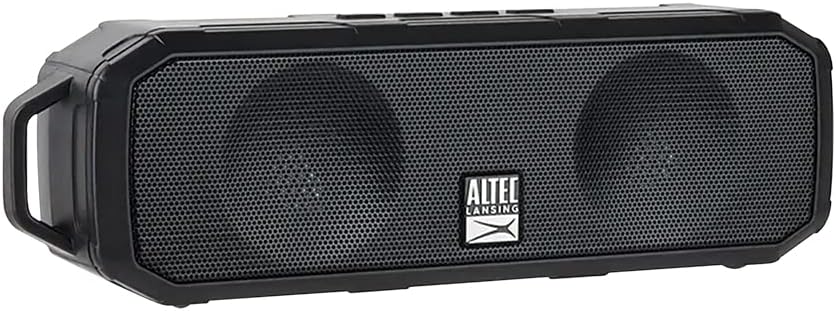
Figure 1: Altec Lansing Fury Wireless Speaker
2. Маанилүү коопсуздук нускамалары
- Продукцияны колдонуудан мурун бардык нускамаларды кылдат окуп чыгыңыз.
- Бул колдонмону келечекте маалымат алуу үчүн сактаңыз.
- Динамикти экстремалдык температурага, нымдуулукка же түз күн нуруна дуушар кылбаңыз.
- Динамикти өз алдынча бөлүктөргө бөлбөңүз, оңдобоңуз же өзгөртпөңүз. Бардык тейлөө иштерин квалификациялуу адистерге тапшырыңыз.
- Кургак чүпүрөк менен гана тазалаңыз.
- IPX5 суу өткөрбөөчүлүгүн сактоо үчүн, кубаттоо портунун капкагы кубатталбай жатканда бекем жабылганын текшериңиз.
3. Кутуда эмне бар
Төмөндө тизмеленген нерселердин баары пакетиңизге камтылганын текшериңиз:
- 1 x Altec Lansing Fury Wireless Speaker
- 1 x Micro USB заряддоо кабели
- 1 x Карабиндик клип
- 1 x Quick Start Guide

2-сүрөт: Пакеттин мазмуну
4. Продукт бүтүп калдыview
The Altec Lansing Fury Wireless Speaker features intuitive controls and a robust design for various environments.

3-сүрөт: Динамик башкаруу каражаттары жана порттор
Жайгашууну көзөмөлдөйт
| Баскыч/Көрсөткүч | Функция |
|---|---|
| Power / Play / Pause / Answer / Siri Button | Press and hold to power on/off. Press to play/pause music. Press to answer/end calls. Press and hold to activate Siri/Google Assistant. |
| Үндү жогорулатуу / Кийинки трек баскычы | Үнүн жогорулатуу үчүн басыңыз. Кийинки трекке өтүү үчүн басып туруңуз. |
| Көлөмдү төмөндөтүү / Мурунку трек баскычы | Үндү азайтуу үчүн басыңыз. Мурунку трек үчүн басып, кармап туруңуз. |
| LED көрсөткүч | Кубаттын абалын, кубаттоо абалын жана Bluetooth жупташтыруу абалын көрсөтөт. |
| Микрофон (МИК) | For hands-free calling and voice assistant commands. |
| Микро USB порт | Динамикти заряддоо үчүн. |
5. Баштоо
5.1 Динамикти заряддоо
Before first use, fully charge your speaker. A full charge takes approximately 2-3 hours.
- Open the protective cover of the Micro USB port on the side of the speaker.
- Micro USB кубаттоочу кабелин динамиктин Micro USB портуна туташтырыңыз.
- USB кабелинин экинчи учун USB кубат адаптерине (кошумча эмес) же компьютердин USB портуна туташтырыңыз.
- LED индикатору кубаттоо учурунда күйөт жана толук заряддалганда өчөт.
- Once charging is complete, securely close the protective cover to maintain water resistance.
5.2 Күйгүзүү/өчүрүү
- Күйгүзүү үчүн: Press and hold the Power button for approximately 3 seconds until you hear an audible prompt and the LED indicator lights up.
- Өчүрүү үчүн: Press and hold the Power button for approximately 3 seconds until you hear an audible prompt and the LED indicator turns off.
6. Операция
6.1 Bluetooth жупташтыруу
The Fury Wireless Speaker offers universal compatibility, allowing you to pair with any Bluetooth-enabled device up to a 30-foot range.
- Ensure the speaker is powered on and the LED indicator is blinking, indicating it's in pairing mode.
- Bluetooth иштетилген түзмөгүңүздө (смартфон, планшет, ноутбук) Bluetooth жөндөөлөрүнө өтүңүз.
- Издөө available devices and select "Altec Lansing Fury" or "IMW340N".
- Once paired, the LED indicator will stop blinking and remain solid, and you will hear a confirmation sound.
- Эгерде түзмөк байланыштын алкагында болсо жана Bluetooth иштетилген болсо, динамик күйүп турганда акыркы жупташтырылган түзмөккө автоматтык түрдө кайра туташат.

Figure 4: Universal Bluetooth Compatibility
6.2 Using Voice Assistant ("Just Ask")
Wake up Siri or Google Assistant for news, weather updates, and more with a simple voice command.
- Ensure your speaker is connected to a Bluetooth-enabled device with an active internet connection.
- Press and hold the Power button for approximately 2 seconds (after powering on) to activate your device's voice assistant.
- Speak your command clearly into the speaker's microphone.

Figure 5: Just Ask Voice Assistant Feature
6.3 Hands-Free чалуу
Answer phone calls with ease thanks to the built-in noise-free microphone.
- Чакырууга жооп берүү: Чакыруу келгенде Кубат баскычын бир жолу басыңыз.
- Чакырууну аяктоо: Чалуу учурунда Кубат баскычын бир жолу басыңыз.
- Чакырууну четке кагуу: Press and hold the Power button for 2 seconds when a call comes in.
6.4 Чыныгы зымсыз стерео (TWS) жупташтыруу
Pair two Altec Lansing Fury Wireless Speakers together for an enhanced stereo sound experience.
- Ensure both Fury speakers are powered on and not connected to any Bluetooth device.
- On one speaker (this will be your primary speaker), double-press the Power button. The speaker will enter TWS pairing mode.
- The two speakers will automatically connect to each other. You will hear a confirmation tone once connected.
- Once TWS paired, connect your Bluetooth device to the primary speaker as described in section 6.1.
6.5 Аудио ойнотуу
- Ойнотуу/тындыруу: Кубат баскычын бир жолу басыңыз.
- Көлөмү: Үнүн жогорулатуу баскычын басыңыз.
- Үнүн азайтуу: Үндү азайтуу баскычын басыңыз.
- Кийинки трек: Үнүн жогорулатуу баскычын басып, кармап туруңуз.
- Мурунку трек: Үндү азайтуу баскычын басып, кармап туруңуз.

Figure 6: Extended Playback Time
7. Кароо жана тейлөө
- Динамикти жумшак, кургак чүпүрөк менен тазалаңыз. Абразивдүү тазалагычтарды же эриткичтерди колдонбоңуз.
- Keep the speaker away from excessive heat, cold, humidity, and dust.
- Ensure the charging port cover is sealed when not in use to maintain water resistance.
- Динамикти узак убакытка колдонбогондо салкын, кургак жерде сактаңыз.
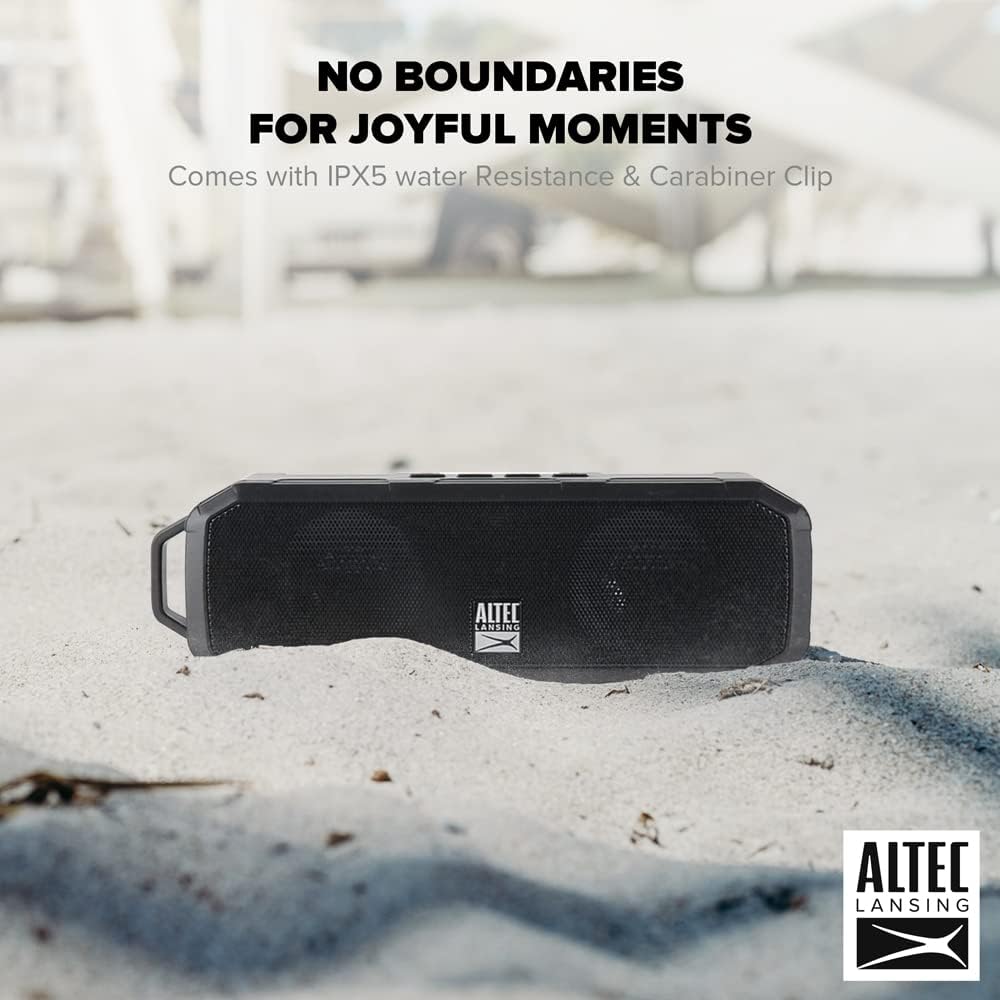
7-сүрөт: IPX5 сууга туруктуулугу
8. Көйгөйлөрдү чечүү боюнча колдонмо
If you encounter any issues with your speaker, refer to the table below for common problems and solutions.
| Көйгөй | Мүмкүн себеп | Чечим |
|---|---|---|
| Динамик күйбөйт. | Батарея түгөнүп калды. | Берилген Micro USB кабелин колдонуп, динамикти толугу менен кубаттаңыз. |
| Bluetooth түзмөгү менен жупташтыруу мүмкүн эмес. | Speaker is not in pairing mode. Device's Bluetooth is off. Speaker is too far from device. | Ensure speaker LED is blinking. Turn on Bluetooth on your device. Move speaker closer to device (within 30 feet). Forget previous pairings on your device and try again. |
| Үн жок же үнү төмөн. | Volume on speaker or device is too low. Speaker is not connected. | Increase volume on both the speaker and your connected device. Ensure speaker is successfully paired. |
| Үндүн бузулушу. | Volume is too high. Device is too far from speaker. | Reduce volume. Move speaker closer to device. |
| Үн жардамчысы жооп бербей жатат. | Not connected to internet. Incorrect button press. | Ensure connected device has internet access. Press and hold the Power button for 2 seconds to activate. |
9. Техникалык шарттар
| Өзгөчөлүк | Спецификация |
|---|---|
| Модель аты | Fury Wireless Speaker |
| Модель номери | IMW340N-BLK |
| Түс | Кара |
| Сууга туруктуулук рейтинги | IPX5 |
| Оюн убактысы | 6 саатка чейин (50% үн менен) |
| Заряддоо убактысы | 2-3 саат |
| Bluetooth диапазону | 30 фут чейин |
| Байланыш технологиясы | Bluetooth |
| Аудио чыгаруу режими | Стерео |
| Монтаж түрү | Стол үстү |
| Батареялар | 1 Литий Полимердик батарейка (кошулган) |
| Пакеттин өлчөмдөрү | 23.2 x 11.6 x 7 см |
| Элемент Салмагы | 430 г |
| Өндүрүүчү | ATI Electronics Shenzhen Co. Ltd. |
10. Кепилдик боюнча маалымат жана колдоо
10.1 Кепилдик
The Altec Lansing Fury Wireless Speaker comes with a One-Year Hassle-Free Replacement Warranty. This warranty covers all manufacturing defects. Please note that it does not cover defects resulting from wear and tear, product modification, or misuse.
10.2 Кардарларды колдоо
For further assistance, troubleshooting, or warranty claims, please contact Altec Lansing customer support. Refer to the contact information provided on the product packaging or the official Altec Lansing webсайт.


